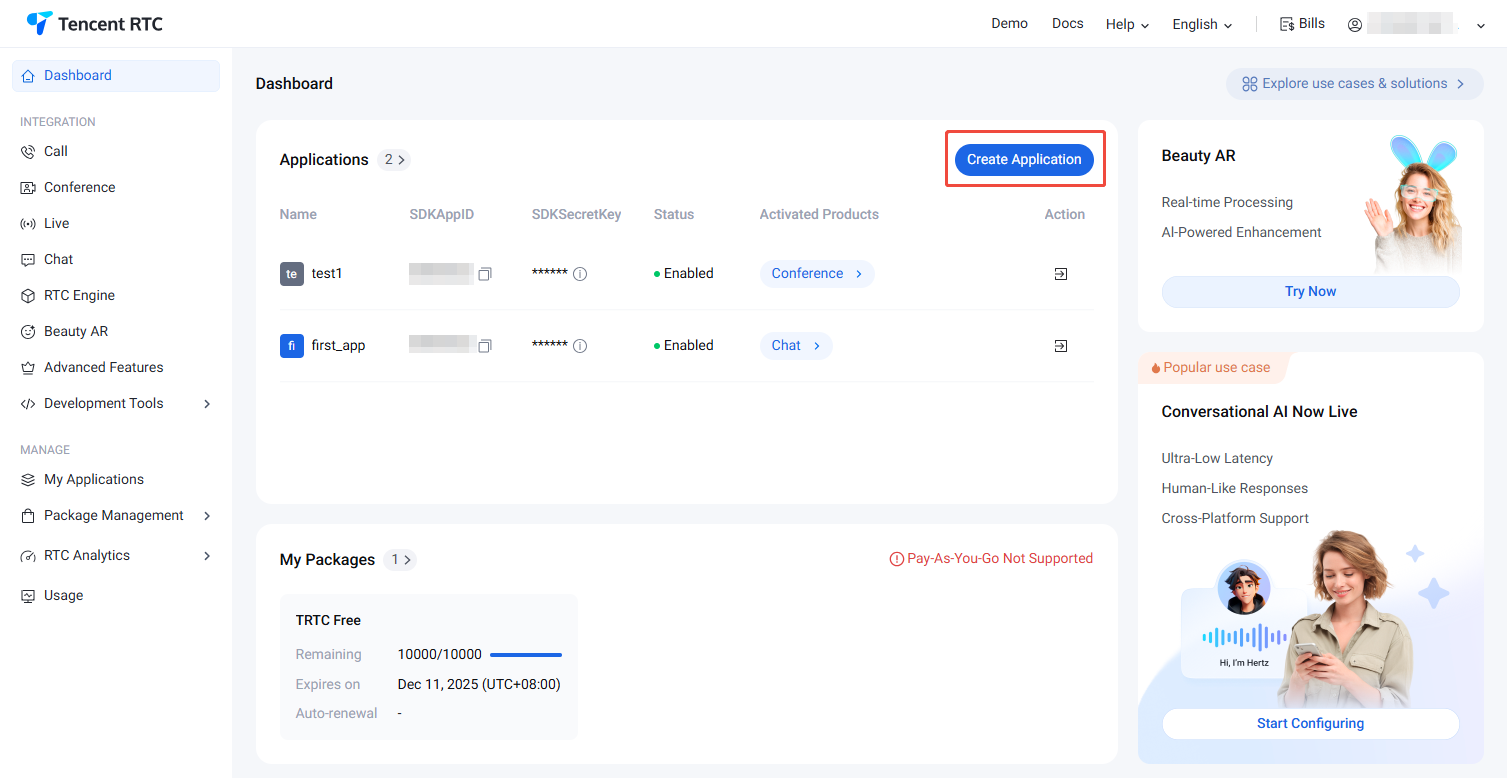
To better experience the features of TUIRoomKit, we provide a 14-day trial version for each SDKAppID (the trial version does not include complimentary call duration). Each SDKAppID can try it for free twice, with a valid period of 14 days each time. Meanwhile, the total experience times for all SDKAppIDs under one account are 10.
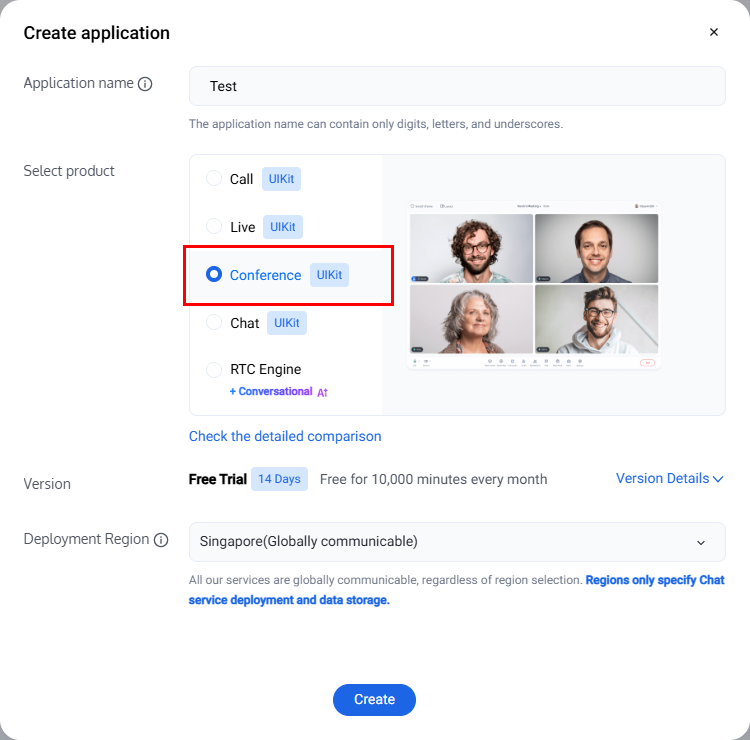
2. In the popup, enter an application name, select Conference, and choose the appropriate deployment region. Then click Create. This will create a TRTC application bound to the trial edition of TRTC Room.
Note:
The default deployment region for TRTC service data is in Singapore, and the storage for Chat service data is in your selected data center.
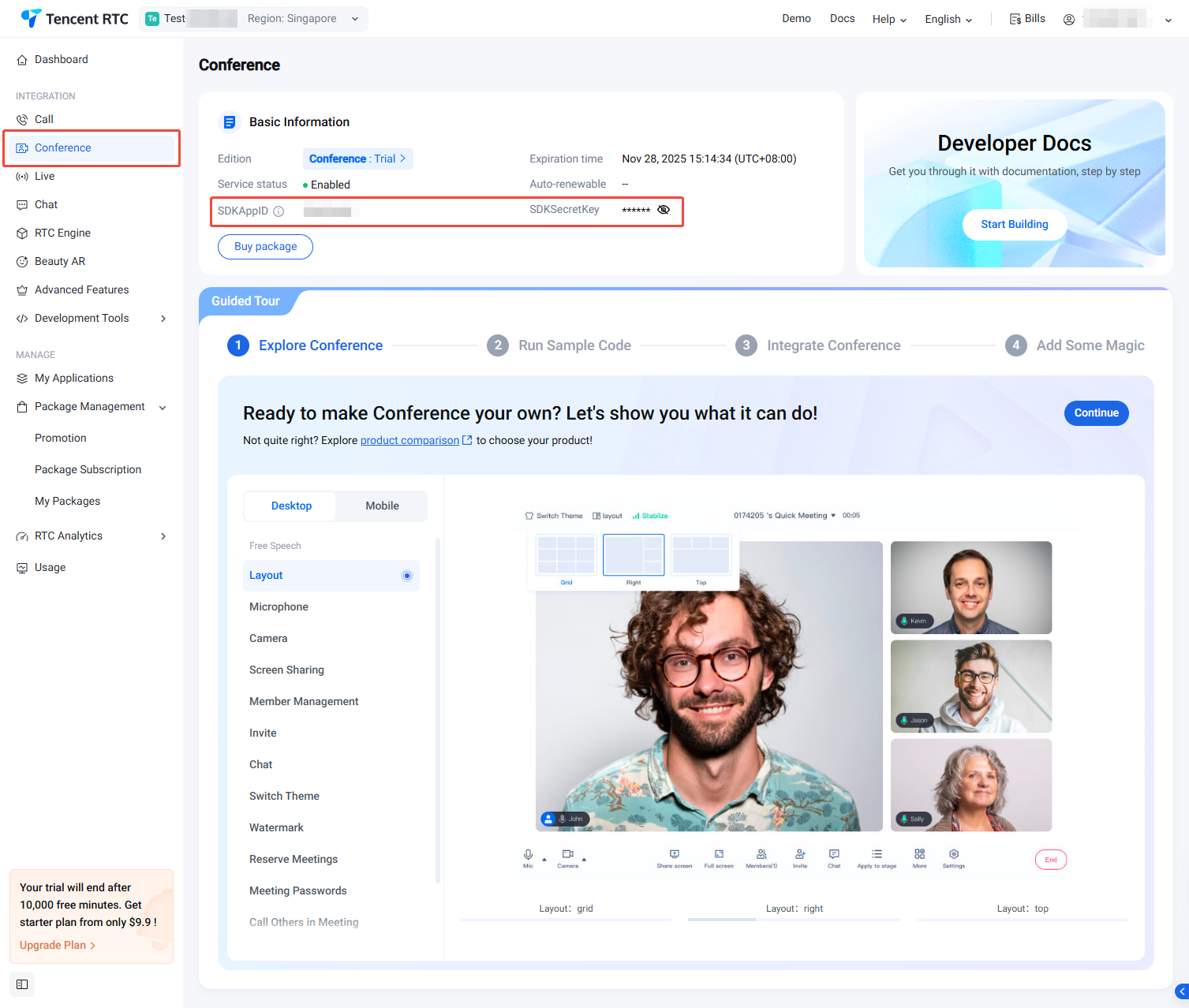
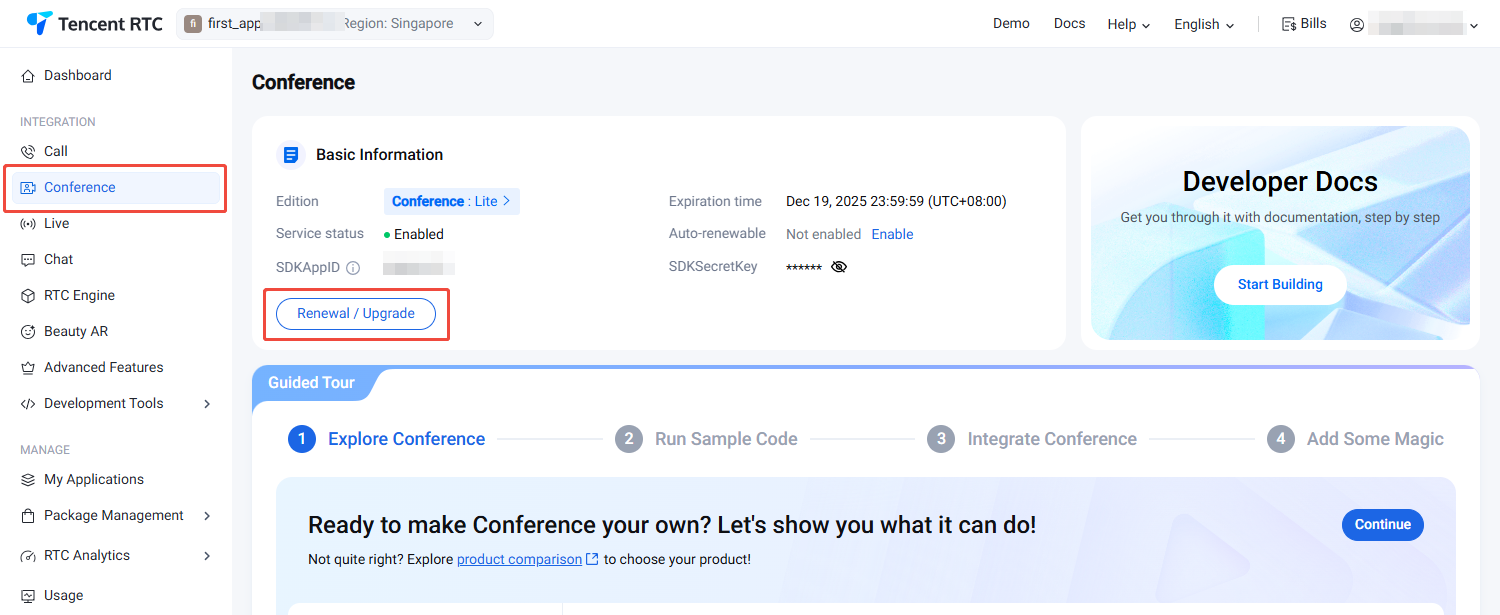
3. After the application has been created, you will automatically be taken to the Conference product details page. At this point, you have quickly created an application and successfully received the TRTC Conference (TUIRoomKit) trial version. You can view information on the current Conference Product Details Page or My Applications, and refer to the integration guide for integration. The SDKAppID and SDKSecretKey will be used in the integration guide.
Purchasing the Official Editions
You need to purchase the conference monthly package to use TUIRoomKit. For details on the price and feature comparison of the conference monthly package, refer to Conference Monthly Package Billing Explanation.To purchase, follow these steps:
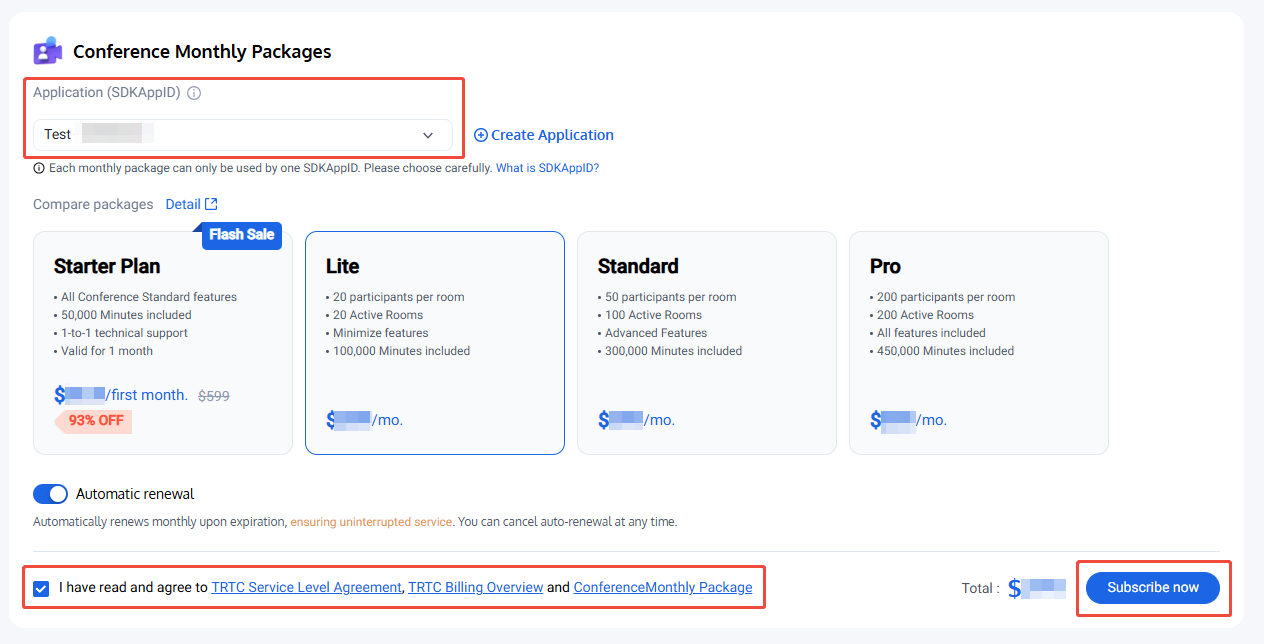
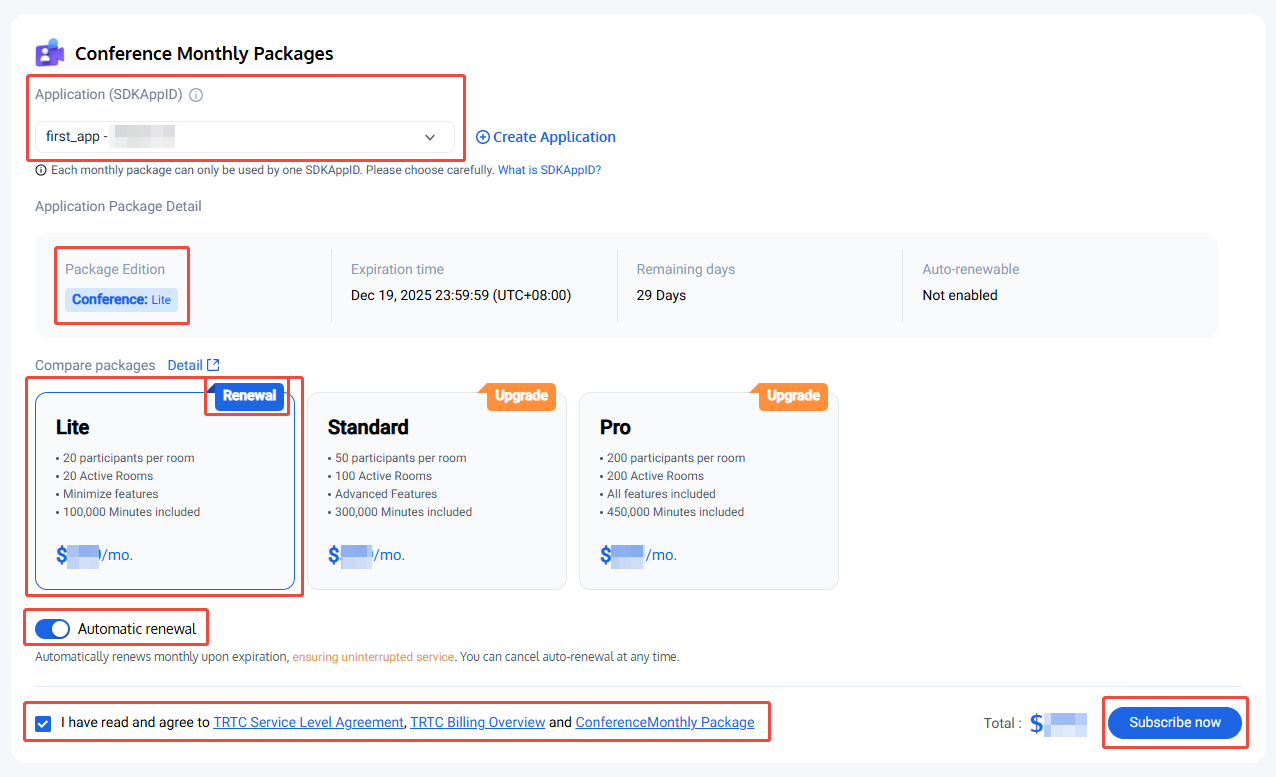
1. Visit Conference Purchase Page, select the application (SDKAppID) and version to purchase, and it is recommended to enable auto-renewal to avoid impacting business usage. After confirming purchase information and agreeing to the relevant agreement, click Subscribe now.
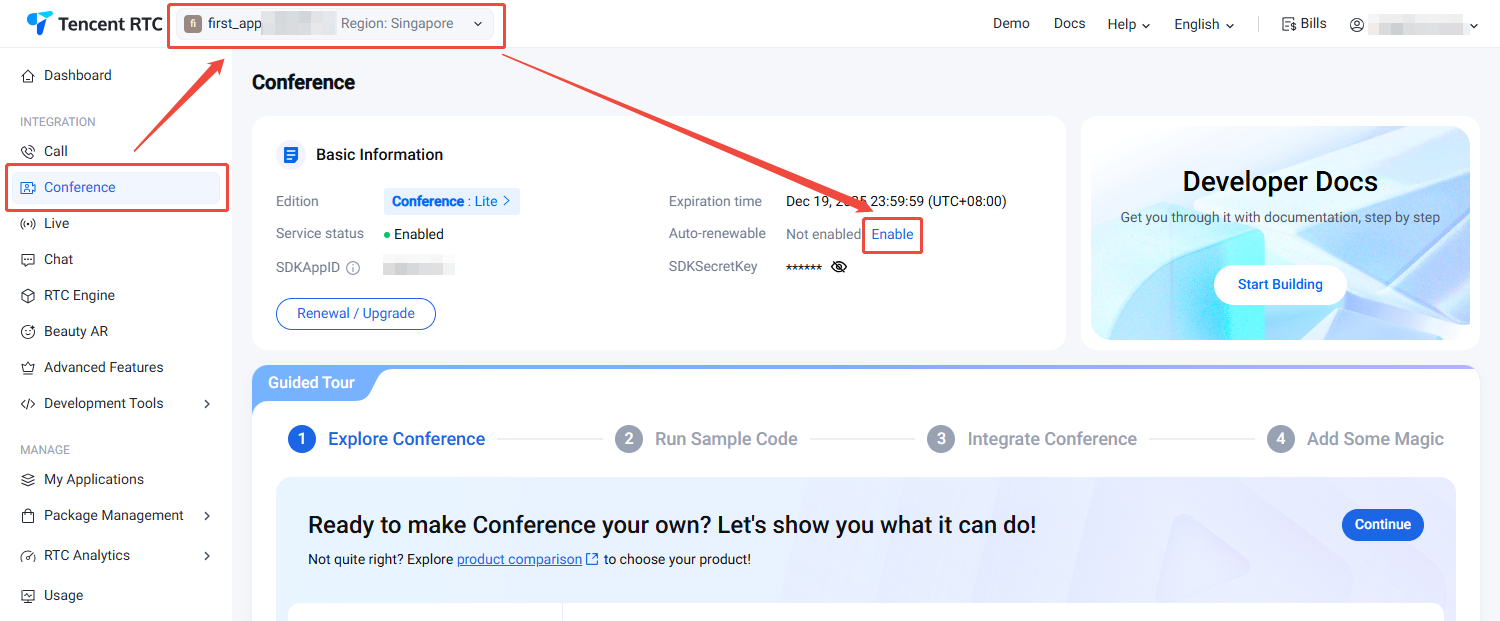
2. Visit Conference Purchase Page, confirm the application (SDKAppID) to purchase, select the version of the same application package, and it is recommended to enable auto-renewal to avoid impacting business usage. Once enabled, when the account balance is sufficient, it will automatically renew monthly upon expiration. After confirming purchase information and agreeing to the relevant agreement, click Subscribe now.
2. Visit Conference Purchase Page, confirm the application (SDKAppID) that requires upgrading, select a higher version than the application package. After confirming purchase information and agreeing to the relevant agreement, click Subscribe now.