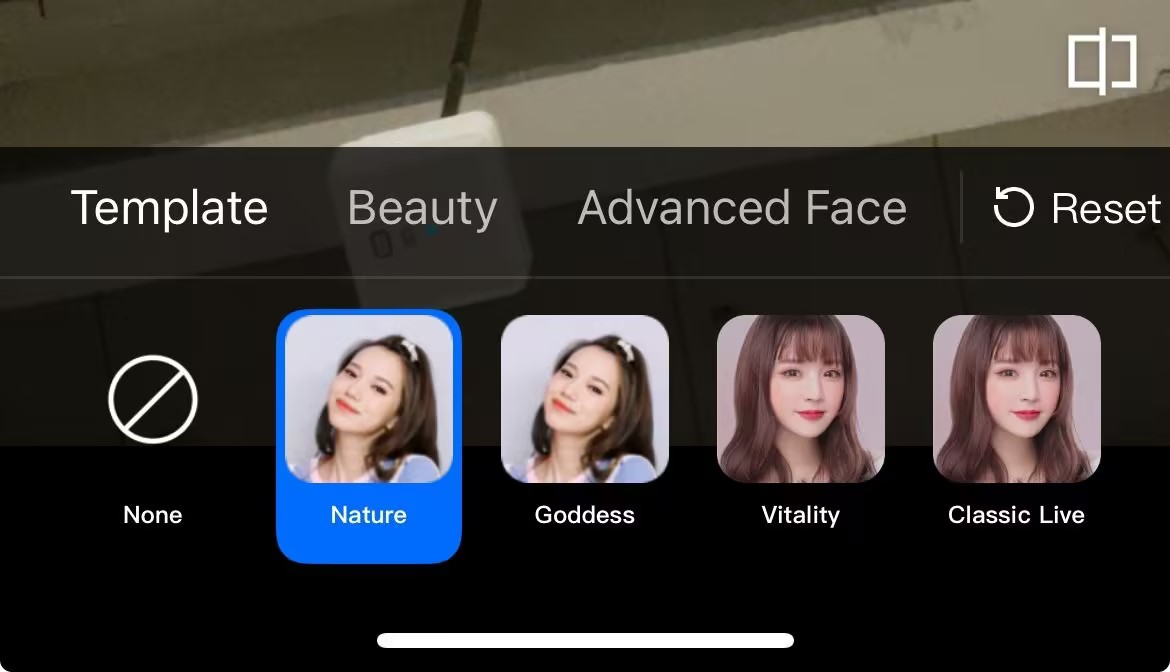
TEBeautyKit is the UI panel library for the Tencent Effect module, used for quick and convenient usage and management of the effect features. The effect is as shown in the figure below:
Integration Steps
1. Integration TEBeautyKit,Edit the Podfile and append the following code snippet and execution pod install.
# Replace S1-07 with the package you purchased
pod 'TEBeautyKit/S1-07',:podspec=>'https://mediacloud-76607.gzc.vod.tencent-cloud.com/TencentEffect/iOS/TEBeautyKit/latest/TEBeautyKit.podspec'
2. Integration Panel Resources, download the resource package and incorporate it into your main project. The contents can be found in the appendix.
After the application is launched, a beauty filter authentication must be performed to enable the normal use of beauty features. See the authentication error code
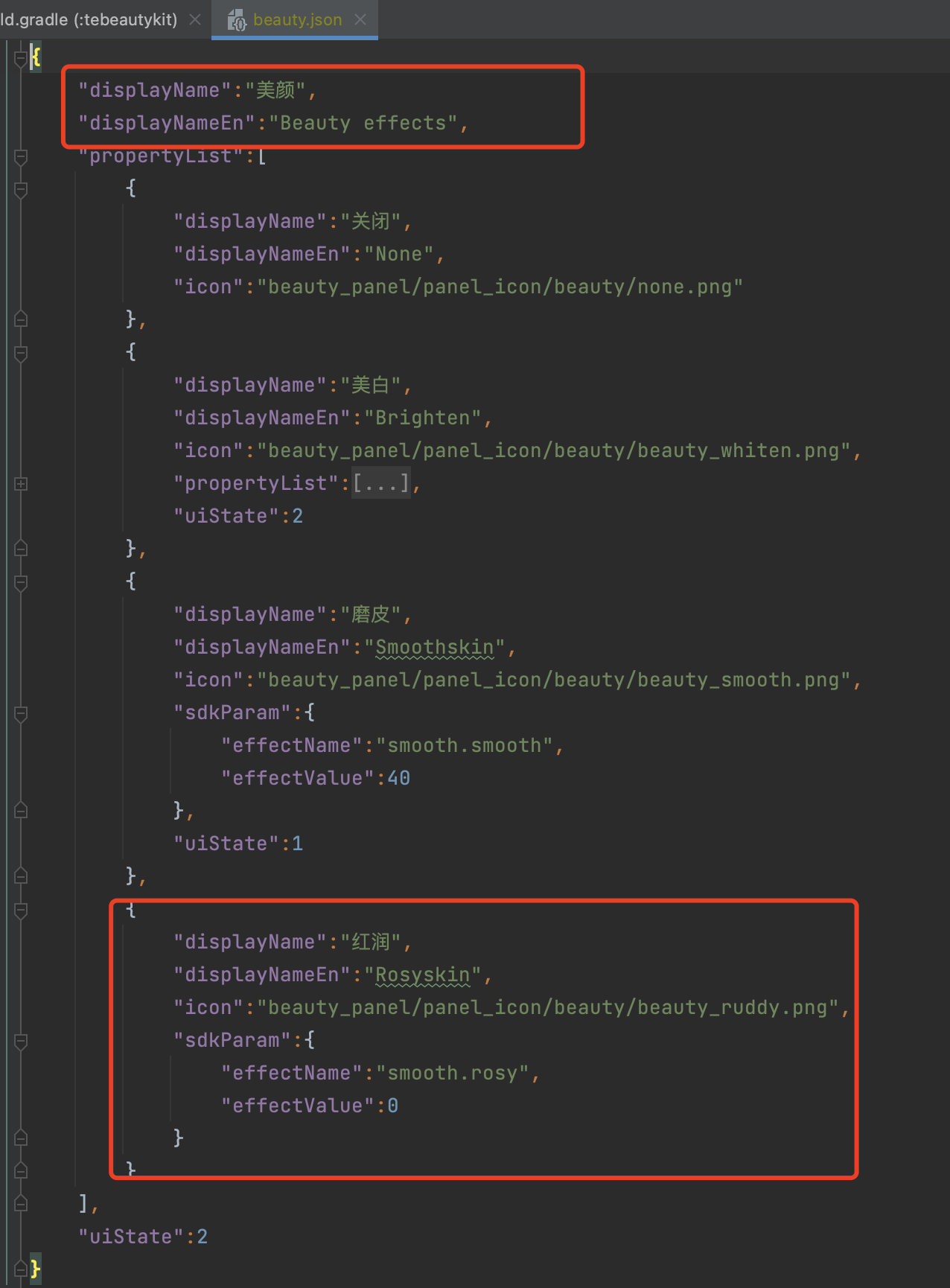
The beauty data and icon assets on the beauty panel are available in beauty_panel.zip. As per the API documentation, you may pass the corresponding JSON file path and customize the settings according to your specific requirements.
Filter configuration file. Note: Since different clients utilize distinct filter assets, customers may customize the configuration according to the JSON structure after downloading.
makeup.json
Style Makeup Configuration File.
Note: Since different clients utilize distinct style makeup materials, customers may customize the configuration according to the JSON structure after downloading.
motion_2d.json
2D Animation Sticker Configuration File. Note: Since different clients may utilize varying animation sticker materials, after downloading, clients can customize the configuration according to the JSON structure.
motion_3d.json
3D animated sticker configuration file. Note: Since different clients may utilize varying animated sticker materials, customers can customize the configuration according to the JSON structure after downloading.
motion_gesture.json
Gesture animation sticker configuration file. Note: Since different clients may use varying animation sticker materials, customers can customize the configuration according to the JSON structure after downloading.
segmentation.json
Background Segmentation (Virtual Background) Configuration File. Note: As different clients utilize distinct segmentation materials, customers may customize the configuration according to the JSON structure after downloading.
panel_icon
This directory is designated for storing images configured in JSON files, which must be added.
Beauty, Body Shaping.
Field
Description
displayName
Chinese Name
displayNameEn
English Name
icon
Image address, supports setting local images and network images. Local images support assets resources and SD resources. Assets images are as shown in the image above. For SD card images, set the full path of the image. For network images, set the corresponding HTTP link.
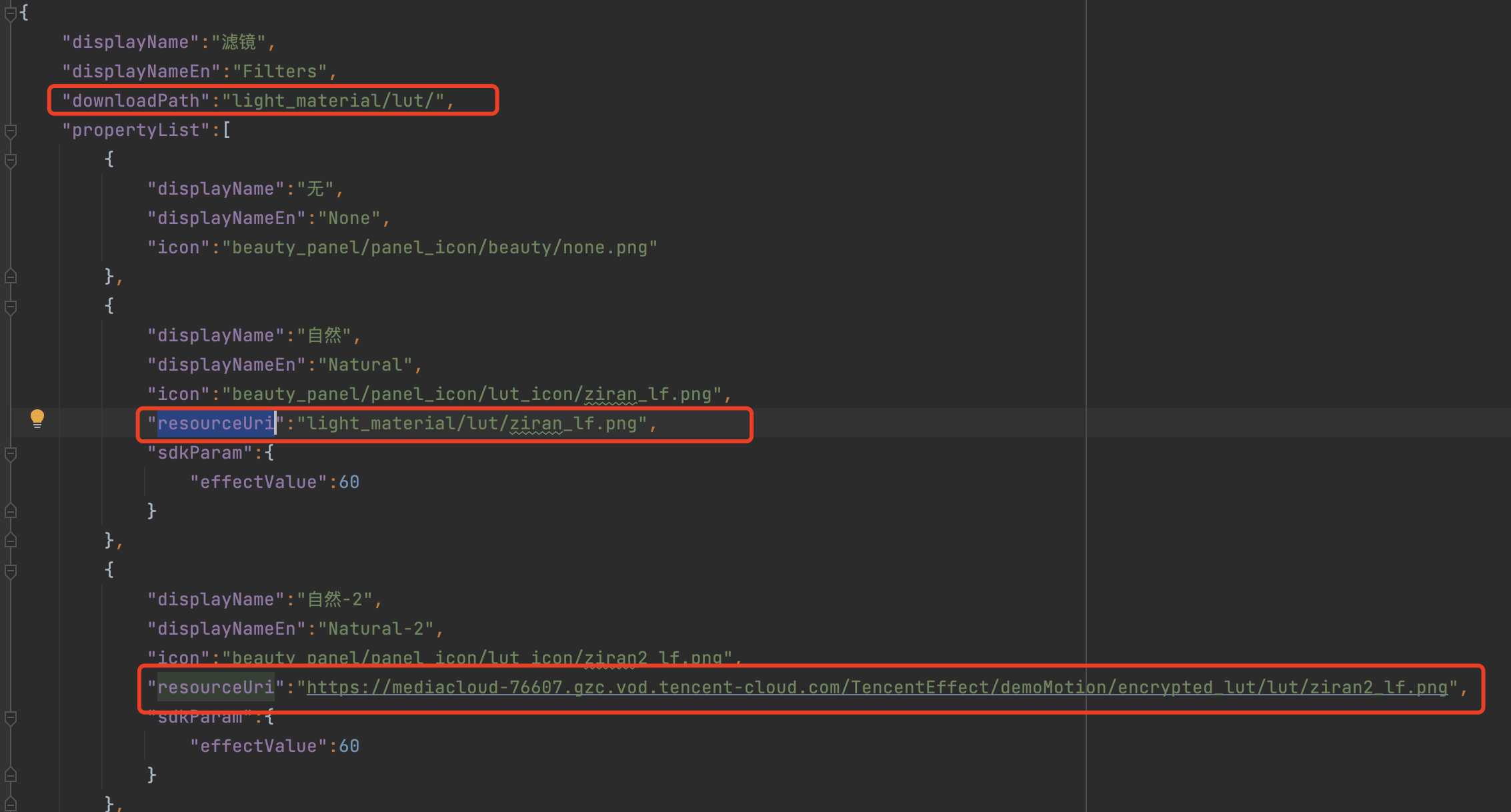
Since the configuration of Filters, Animated Stickers and Segmentation is primarily identical, the JSON for filters is used here for illustration. The fields downloadPath and resourceUri are added here.
Field
Description
downloadPath
If your filter material is downloaded from the network, then the configuration here is the location of your material stored locally after download, which is a relative path, and the full path is
set in TEDownloader.h using basicPath+the path set here
resourceUri
If your material needs to be downloaded via network, configure the network address here, as in the third red box in the image above. However, if your filter material is local, configure the corresponding local address according to the figure above.
Makeup
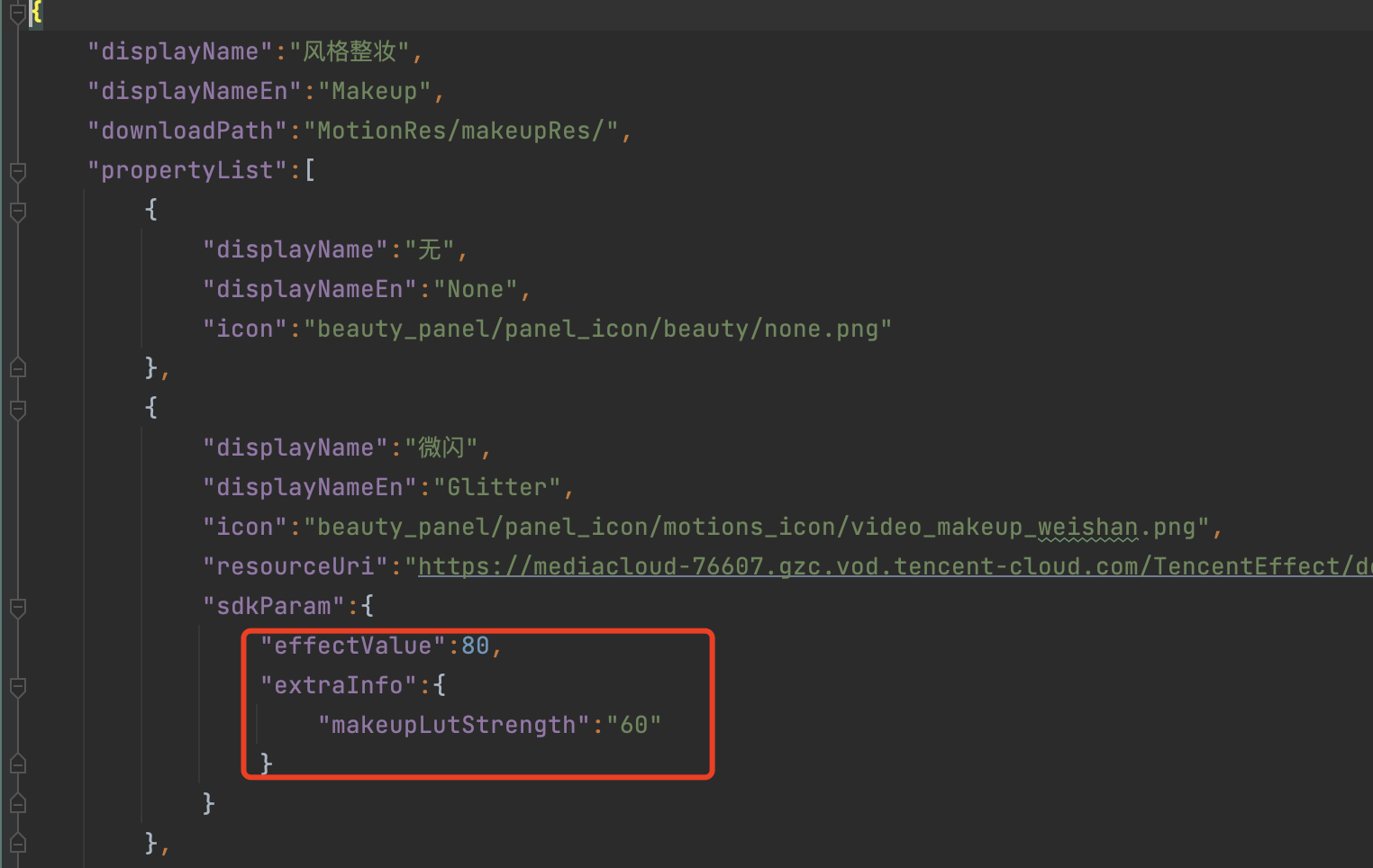
In the Makeup, the makeupLutStrength field is added under extraInfo. This field is used to adjust the strength of the filter in the makeup material (if this makeup material supports adjusting the filter strength, configure it accordingly). This field can be referenced in the Effect Parameters table.
/// When high-performance mode is enabled, the beauty effect uses less system CPU/GPU resources, which can reduce phone heating and lag, making it more suitable for long-term use on low-end devices.
/// Note: After enabling high-performance mode, the following beauty features will be unavailable:
/// 4. Face: Face slimming (natural, goddess, handsome), jawline reduction, wrinkle removal, nasolabial folds removal. It is recommended to use 'Face Shape' to achieve a comprehensive effect of larger eyes and face slimming