
HarmonyOS
Operation Steps
Step 1: TIMPush Integration
// Configure the integration package in oh-package.json5dependencies: {"@tencentcloud/timpush": "^VERSION","@tencentcloud/imsdk": "^VERSION",}
Step 2: Register for Push Services
Call the API to push after registration is successful, and you can receive offline push notifications.
import { TIMPushListener, TIMPushManager, TIMPushMessage } from '@tencentcloud/timpush';TIMPushManager.getInstance().registerPush(context, your sdkAppId, "client secret", Chat console certificate ID).then((result) => {HiLog("registerPush success:", result.message);}).catch((error: Error) => {HiLog("registerPush failed", error.code, error.message);})
Step 3: Message Delivery Statistics Configuration
If you need statistics on reach data, complete the configuration as follows:
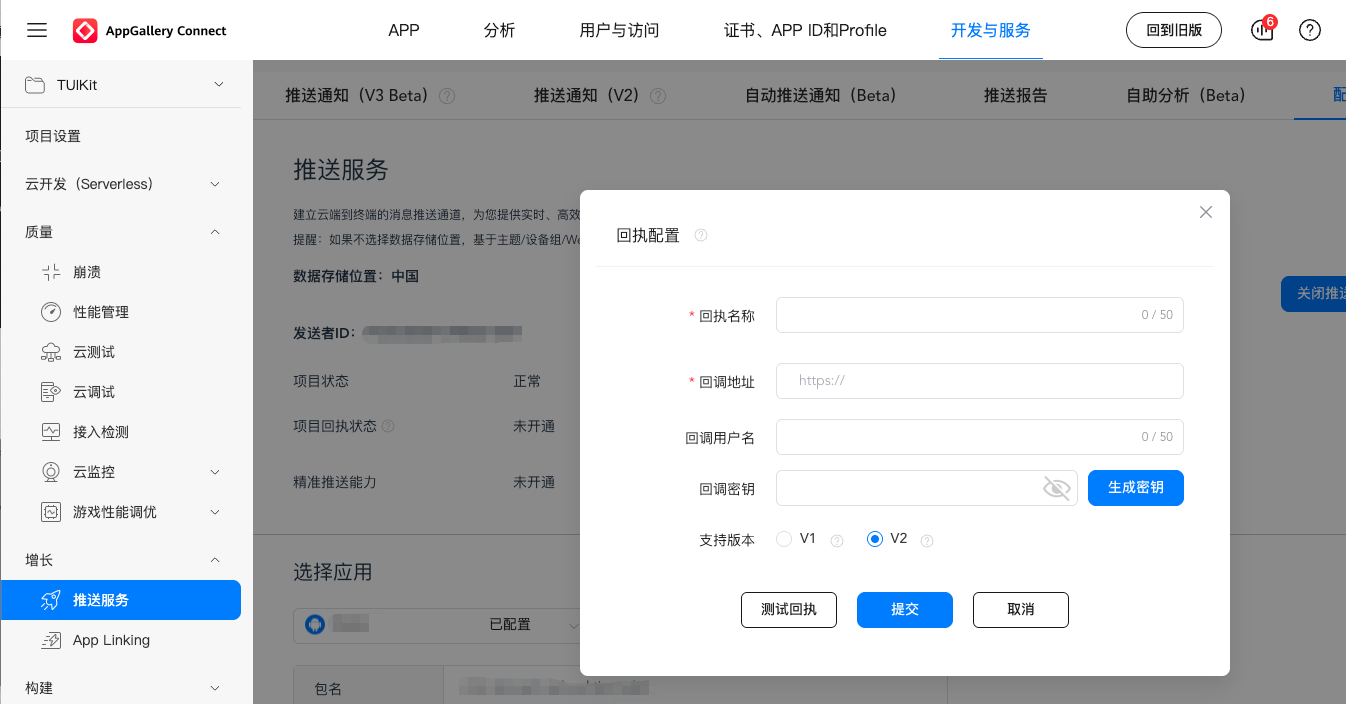
Receipt address:
https://api.im.qcloud.com/v3/offline_push_report/harmonyStep 4: Sending Push Notifications
Step 5: Parsing Offline Push Messages
After receiving the push message and clicking the notification, the component will Webhook the click event and offline message pass-through.
Note:
Register the callback timing in the oncreate() function of the application UIAbility.
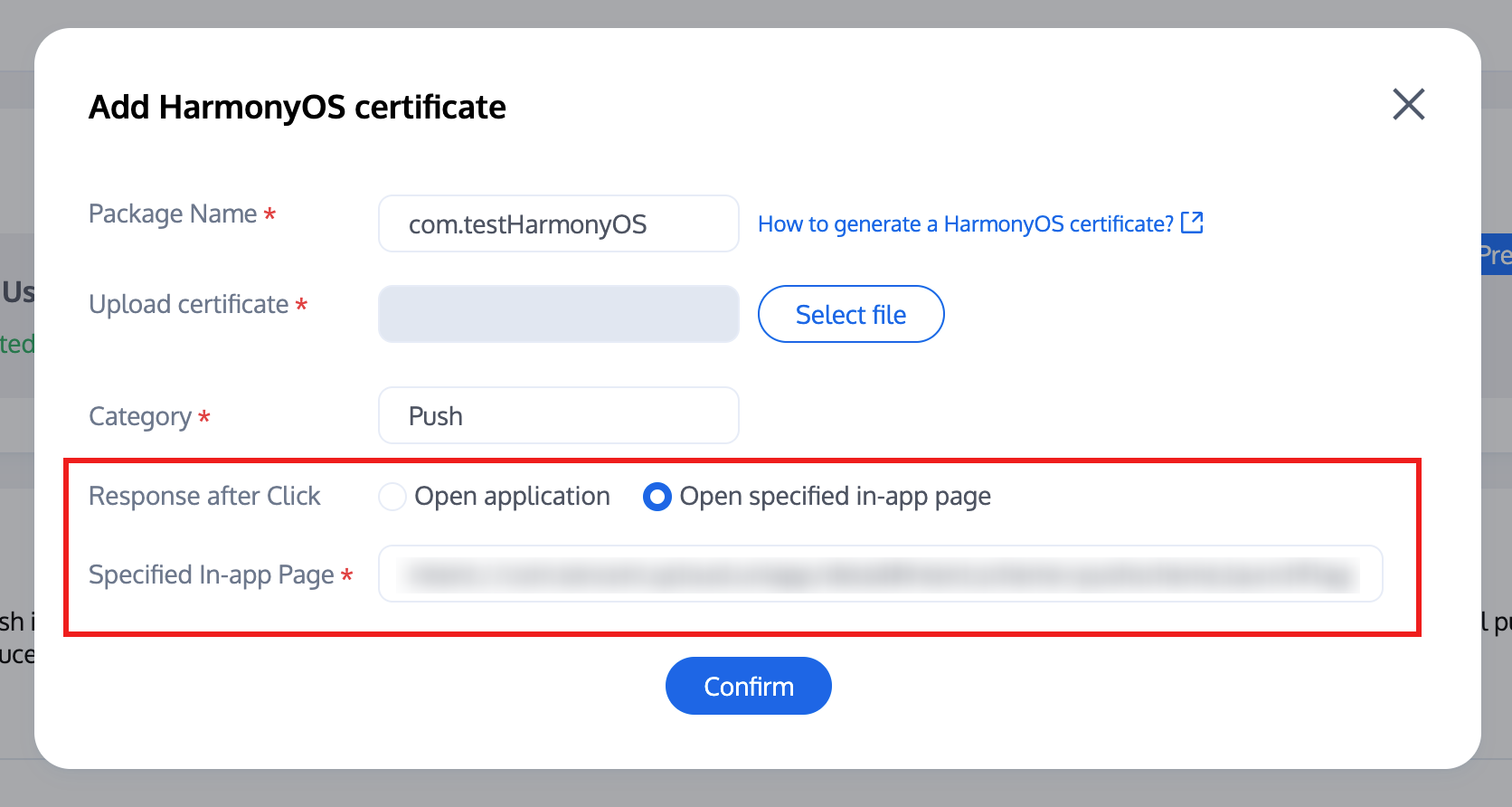
Console configuration click subsequent actions with the following configuration, select open specified in-app page, do not modify use default values.
let pushListener: TIMPushListener = {onNotificationClicked: (data) => {HiLog("onNotificationClicked", data);}}TIMPushManager.getInstance().addPushListener(pushListener);
Congratulations on completing the Push Plugin access. Remind you: After trial or purchase expiry, the Push Plugin will automatically stop providing push service (including offline push for regular messages, Tag Push, etc.). To avoid affecting normal business operation, please proceed to purchase or renew in advance.
Note:
Integration completed but not receiving push notifications? Please first use the troubleshooting tool to check the reason. To view push metrics data, use data statistics for querying.
For push notification feature to all users/Tag Push, please refer to: RESTful APIs - Initiate Push to All Users/Tag Push.

