
Android(Compose)
Component Overview
ConversationList is a Jetpack Compose component designed to display and manage user chat conversations. It offers a comprehensive set of features for viewing and interacting with conversations.
Conversation List | Conversation Actions |
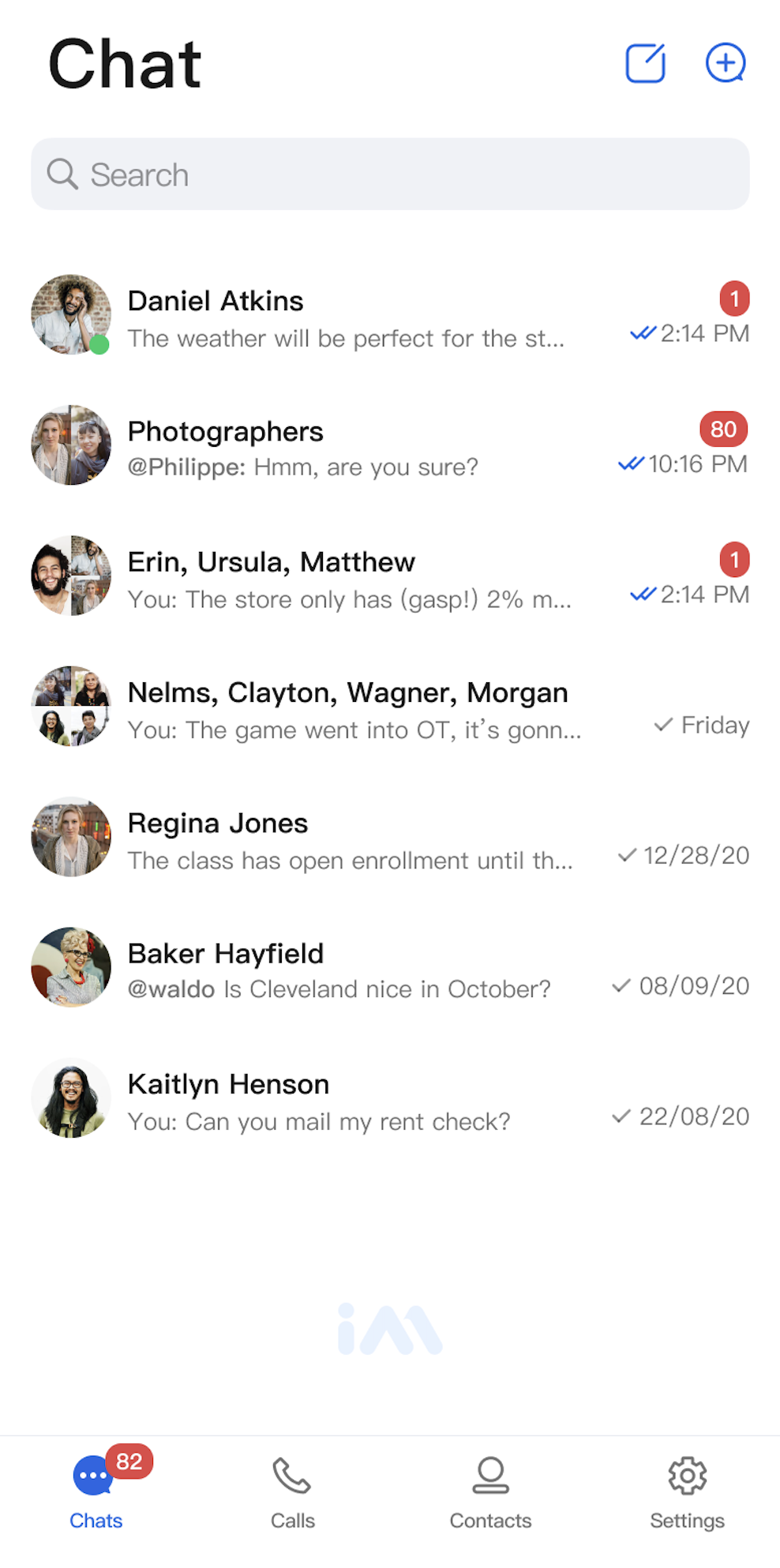 | 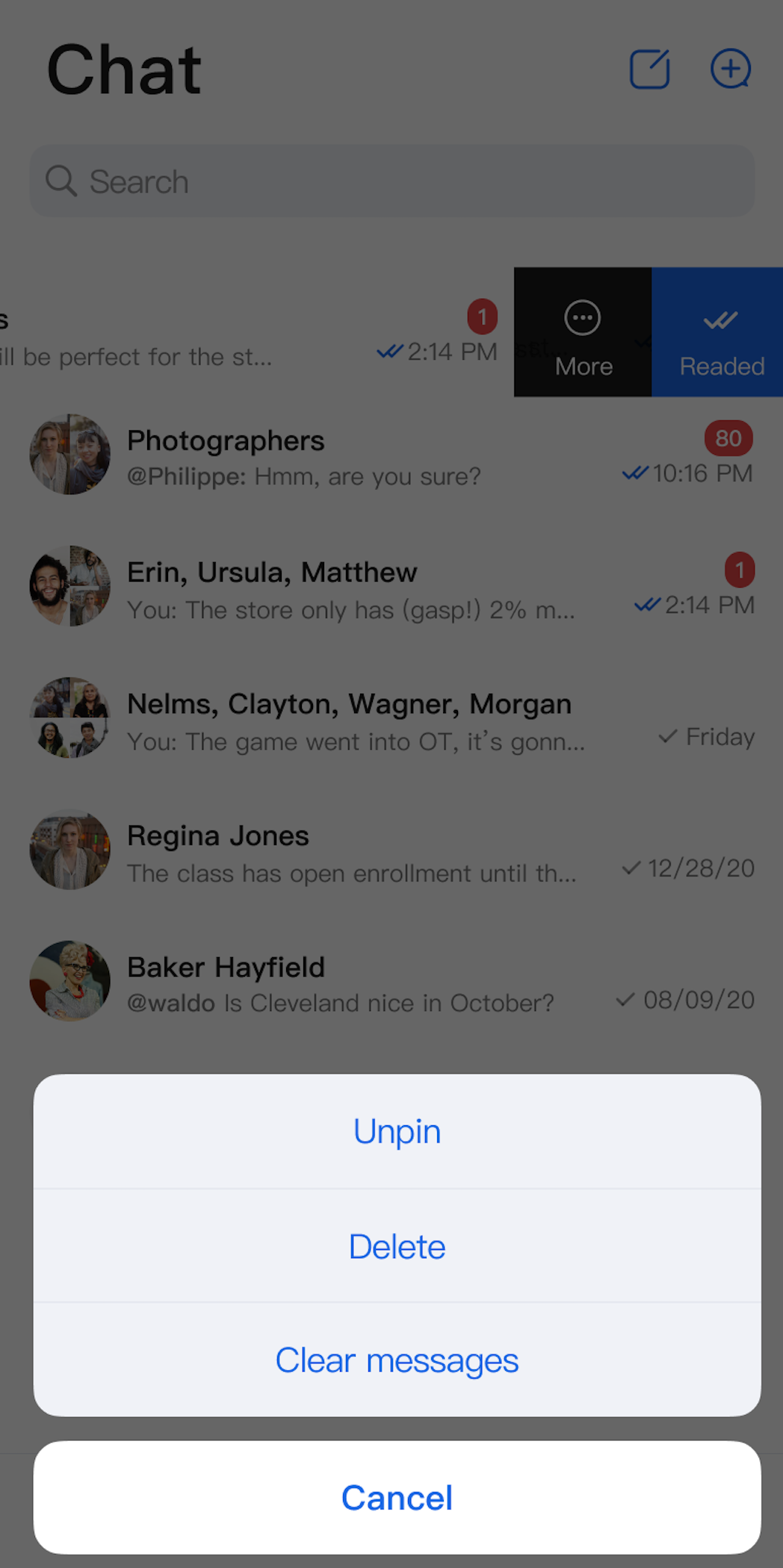 |
Component Integration
ConversationList is part of TUIKit Compose. To use ConversationList, integrate TUIKit Compose into your project. For detailed integration steps, see the TUIKit Compose documentation.
Component Structure
ConversationList exposes only its initialization method; all other logic is handled internally.
Public Methods
Method | Parameter | Description |
ConversationList | modifier: Modifier | Sets the component's style, layout, behavior, and appearance in Jetpack Compose. |
| conversationListViewModelFactory: ConversationListViewModelFactory | Factory for creating the internal ConversationListViewModel. Typically, you do not need to provide this manually, as a default implementation is included. |
| config: ConversationActionConfigProtocol | Initializes the component and sets conversation action menu items. Optional. |
| customActions: List | Initializes the component and sets custom conversation action options. Optional. |
| onConversationClick: (ConversationInfo) -> Unit | Sets the conversation click webhook. |
Basic Usage
Initialize the ConversationList component directly. The onConversationClick webhook is required.
Parameter Name | Type | Description |
onConversationClick | (ConversationInfo) -> Unit | Conversation click webhook, triggered when a user taps a conversation cell. |
Example code:
Box(modifier = Modifier.fillMaxSize().systemBarsPadding()) {ConversationList(onConversationClick = {// Recommended: Navigate to the chat page here})}
Customization
You can customize the conversation list action items as follows.
Method 1. Hide Conversation Action Items Locally
Set
actions when initializing ConversationList to specify which action items appear in each conversation cell:Box {ConversationList(// Hide ClearHistoryconfig = ChatConversationActionConfig(isSupportDelete = true,isSupportPin = true,isSupportClearHistory = false)) {// Navigate on conversation cell click}}
Supported Action Menu Toggles
Action Type | Description |
isSupportDelete | Enable or disable deleting conversations. |
isSupportPin | Enable or disable pinning conversations. |
isSupportClearHistory | Enable or disable clearing conversation history. |
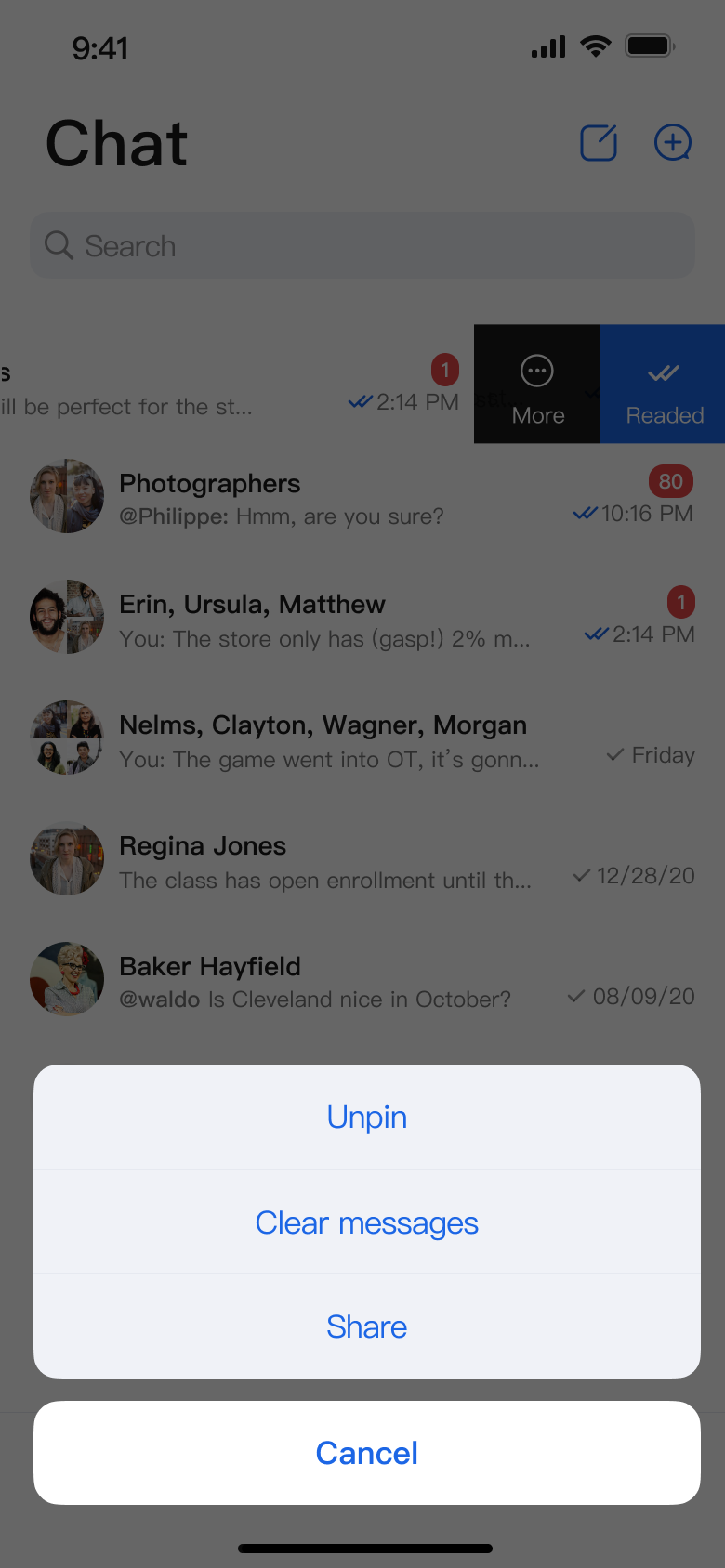
Method 2. Add Conversation Action Items Locally
Pass
customActions when initializing ConversationList. Custom options will be added to the end of the default action menu:Parameter Name | Type | Description |
customActions | List | Custom conversation actions, shown when the user opens the conversation action menu. |
Example code:
Box {ConversationList(customActions = listOf(ConversationCustomAction(title = "Share") {println("Share conversation: ${it.title}")})) {// Handle click events}}
Method 3. Global Configuration
Configure globally using
AppBuilderConfig:// Set up at app startup; if omitted, the feature is disabledAppBuilderConfig.conversationActionList = listOf(ConversationAction.DELETE, // Enable deleteConversationAction.PIN, // Enable pinConversationAction.CLEAR_HISTORY // Enable clear conversation messages)// Then, initialize ConversationList. All ConversationList instances will use the above conversationActionList configuration.ConversationList() {// Navigate to the chat page here if needed}
The following images show the customization effects:
Conversation Actions (Default Options) | Conversation Actions (Delete Option Hidden) | Conversation Actions (Share Option Added) |
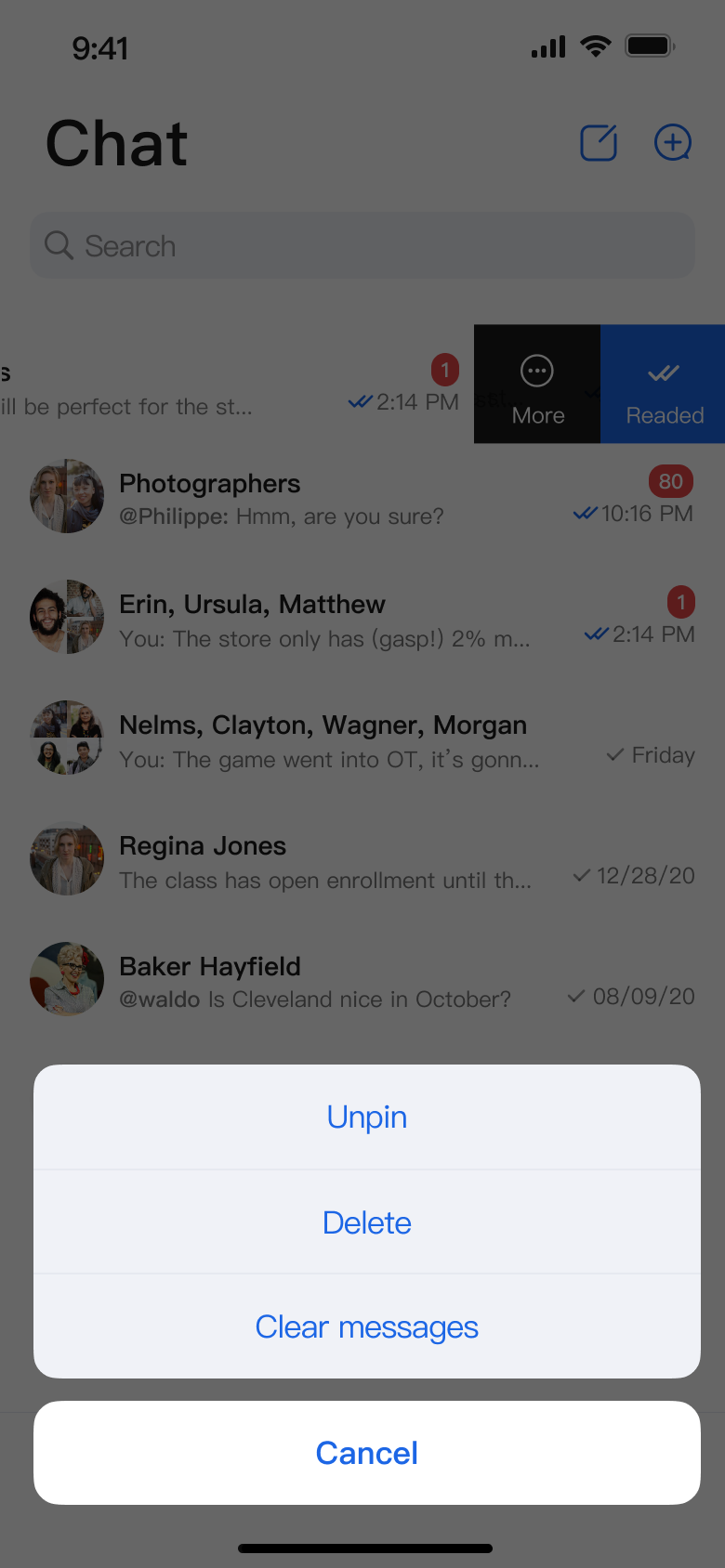 | 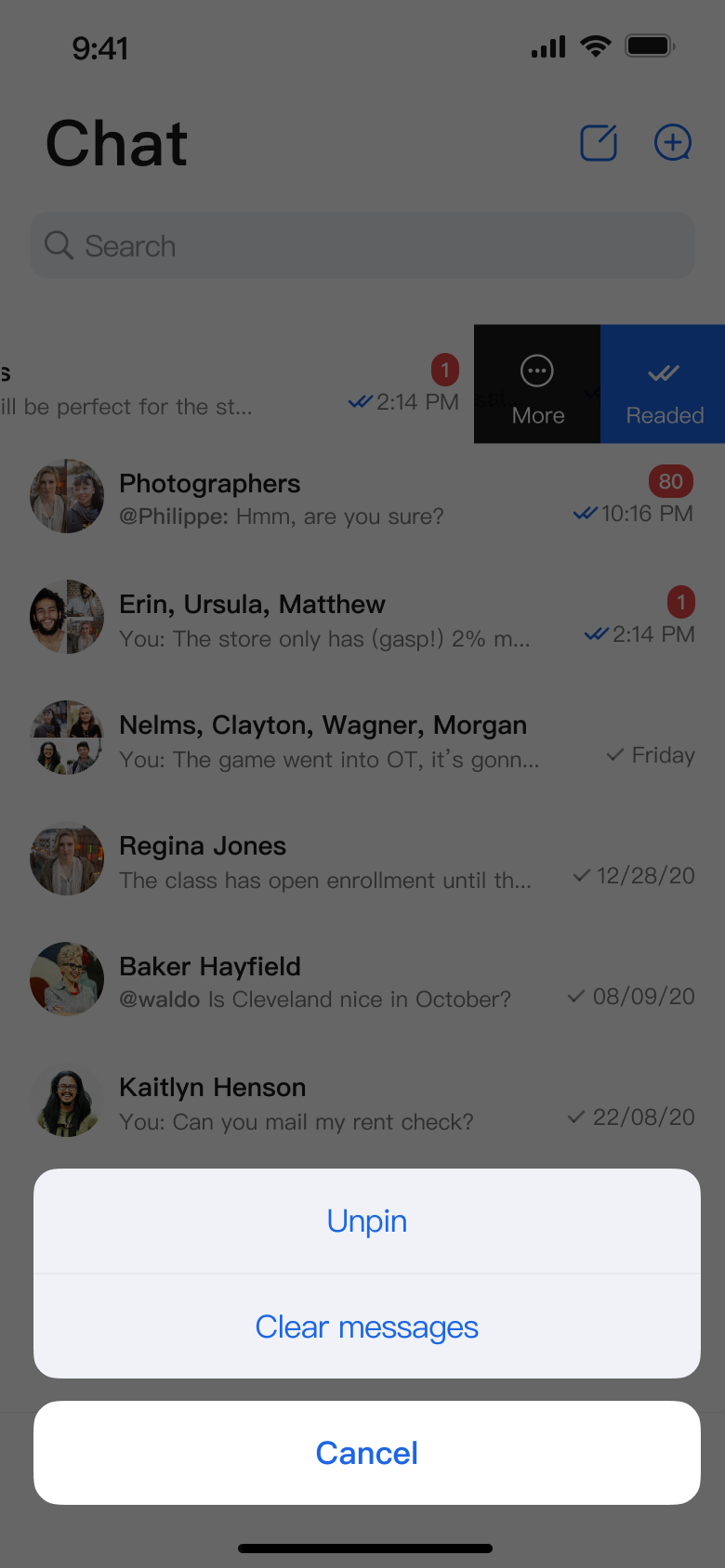 |  |

