
Flutter
Component Overview
ConversationList is a UI component that displays and manages user chat conversations. It provides a robust feature set for conversation listing—enabling users to view conversations and perform key actions directly from the list.
Conversation List | Conversation Actions |
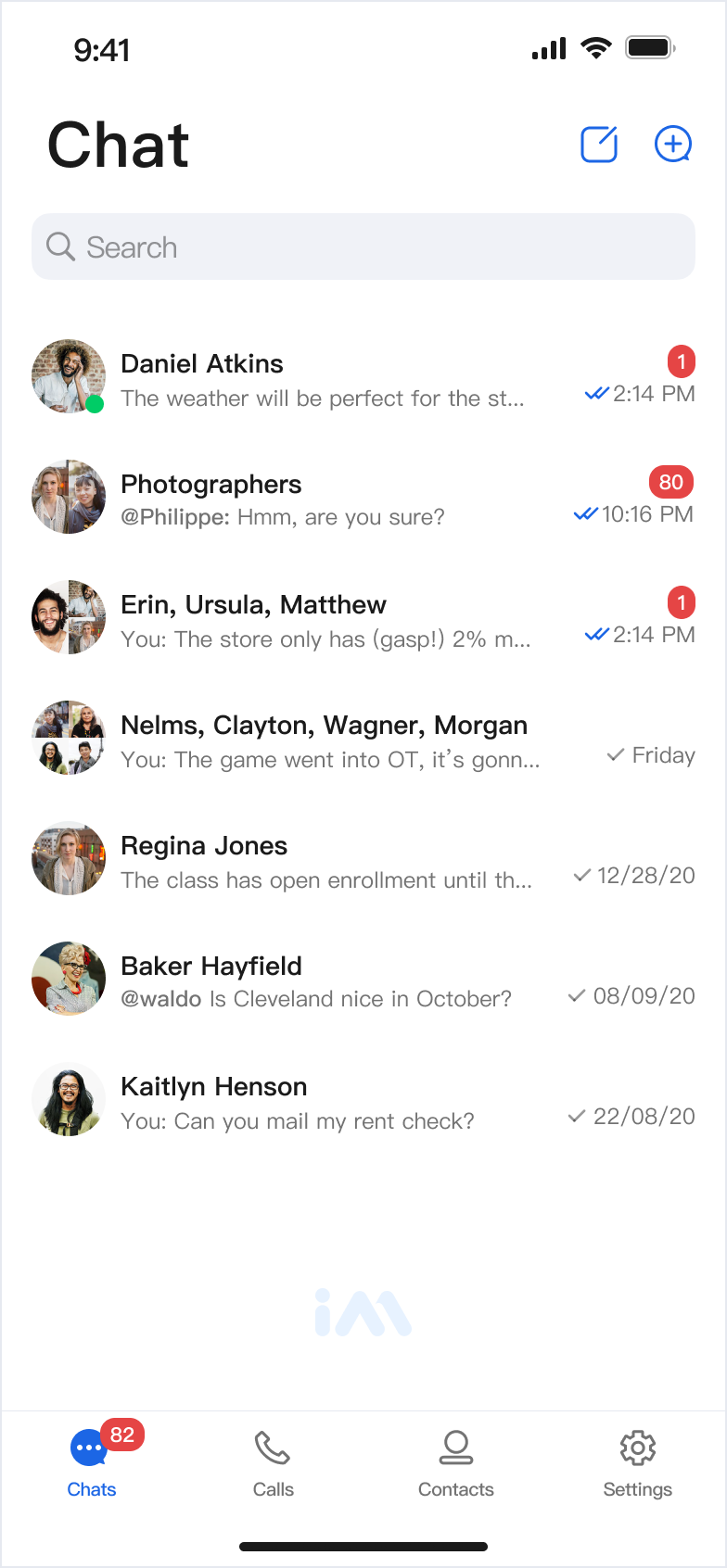 | 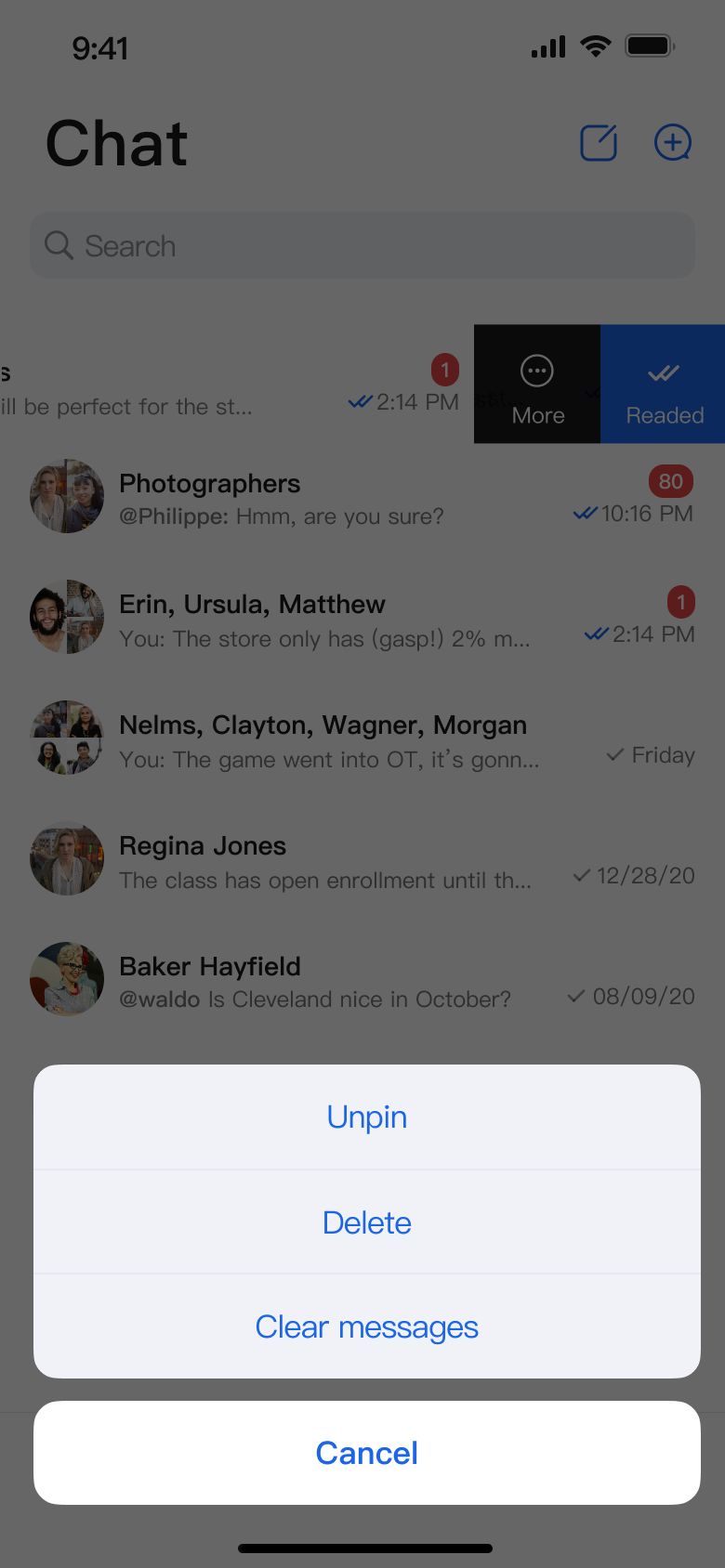 |
Component Integration
ConversationList is part of the TUIKit Flutter package. To add ConversationList to your project, integrate TUIKit Flutter following the TUIKit Flutter documentation.
Component Structure
ConversationList exposes only its initialization method. All other internal logic is handled within the component itself.
Public Methods
Method Name | Parameters | Description |
ConversationList | onConversationClick: (ConversationInfo conversation) {} | Sets the callback for conversation cell clicks. |
| config: ConversationActionConfigProtocol | Initializes the component and configures action menu items (optional). |
| customActions: List | Initializes the component and defines custom action options (optional). |
Basic Usage
Initialize ConversationList directly, providing an
onConversationClick callback.Parameter Name | Type | Description |
onConversationClick | (ConversationInfo conversation) {} | Callback that is invoked when a conversation cell is selected. |
Sample code:
Expanded(child: ConversationList(onConversationClick: (conversation) {// We recommend navigating to the chat page here},),),
Customization
You can customize the actions available in the conversation list using the following methods.
Method 1: Hide Conversation Action Items Locally
Provide a custom config when initializing ConversationList to control which menu items are visible:
Expanded(child: ConversationList(config: ChatConversationActionConfig(isSupportDelete: true,isSupportPin: true,isSupportClearHistory: false),onConversationClick: (conversation) {// Navigate to chat page on conversation cell click},),),
Supported Action Toggles
Action Type | Description |
isSupportDelete | Enable or disable conversation deletion. |
isSupportPin | Enable or disable Pin Conversation. |
isSupportClearHistory | Enable or disable clearing chat history. |
Method 2: Add Custom Conversation Action Items Locally
Pass
customActions during initialization to append custom actions below the default options.Parameter Name | Type | Description |
customActions | List | Custom actions shown in the conversation action menu. |
Sample code:
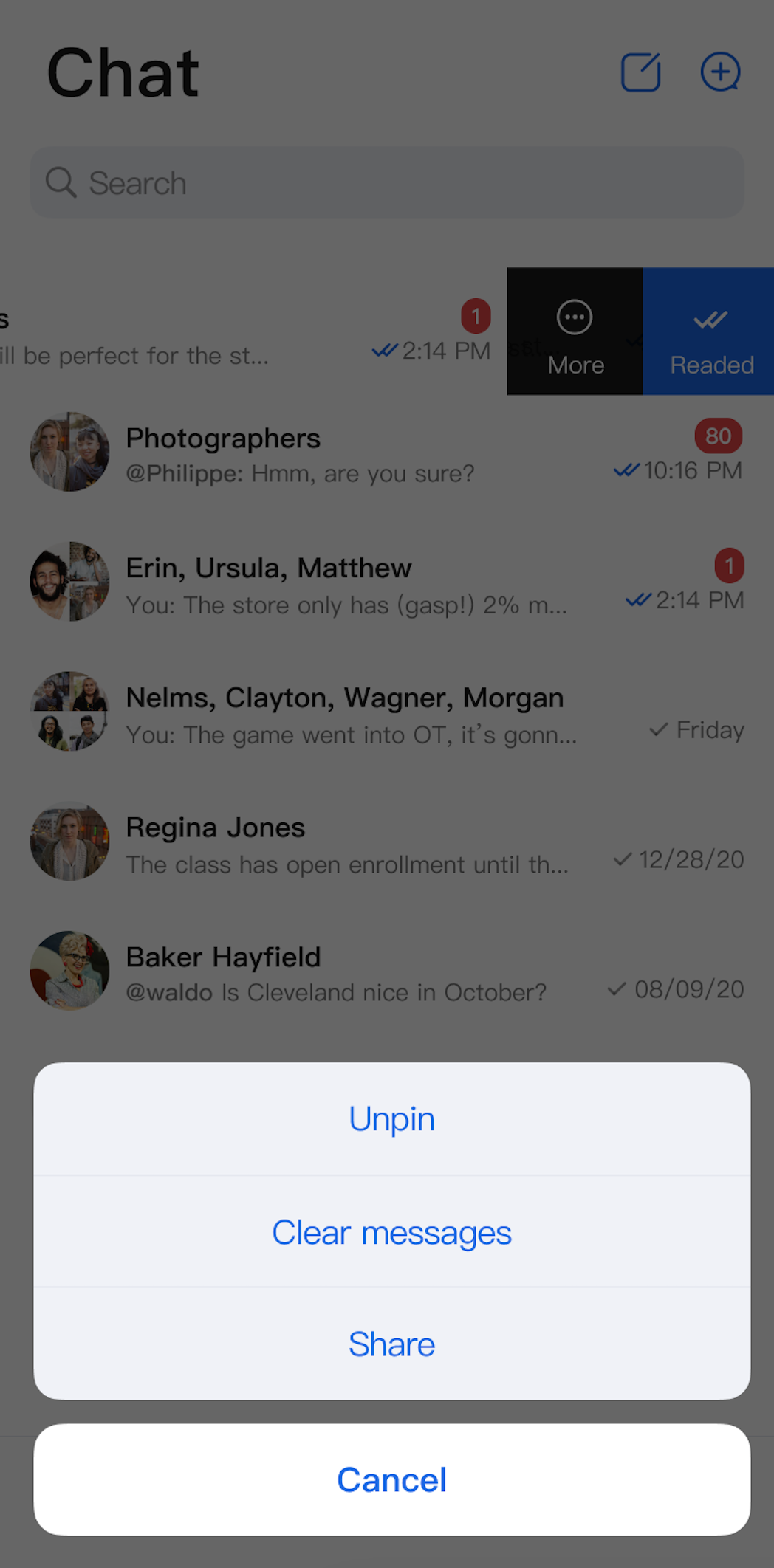
Expanded(child: ConversationList(customActions: [ConversationCustomAction(title: 'Share',action: (conversation) {print('Share conversation: ${conversation.title}');})],),),
Method 3: Configure Actions Globally
Set global configuration via
AppBuilder:// Configure at app startup; if omitted, the feature is not supportedawait AppBuilder.init();AppBuilder.getInstance().conversationListConfig = ConversationListConfig(conversationActionList: [AppBuilder.CONVERSATION_ACTION_DELETE,AppBuilder.CONVERSATION_ACTION_PIN,AppBuilder.CONVERSATION_ACTION_CLEAR_HISTORY],// ... other required properties);// Then, initialize ConversationList. All ConversationList instances will inherit the above action configuration.Expanded(child: ConversationList(onConversationClick: (conversation) {// You can navigate to the chat page here},),),
Note:
Local configuration takes precedence over global configuration.
Below are examples of customization effects:
Conversation Actions (Default Options) | Conversation Actions (Delete Option Hidden) | Conversation Actions (Share Option Added) |
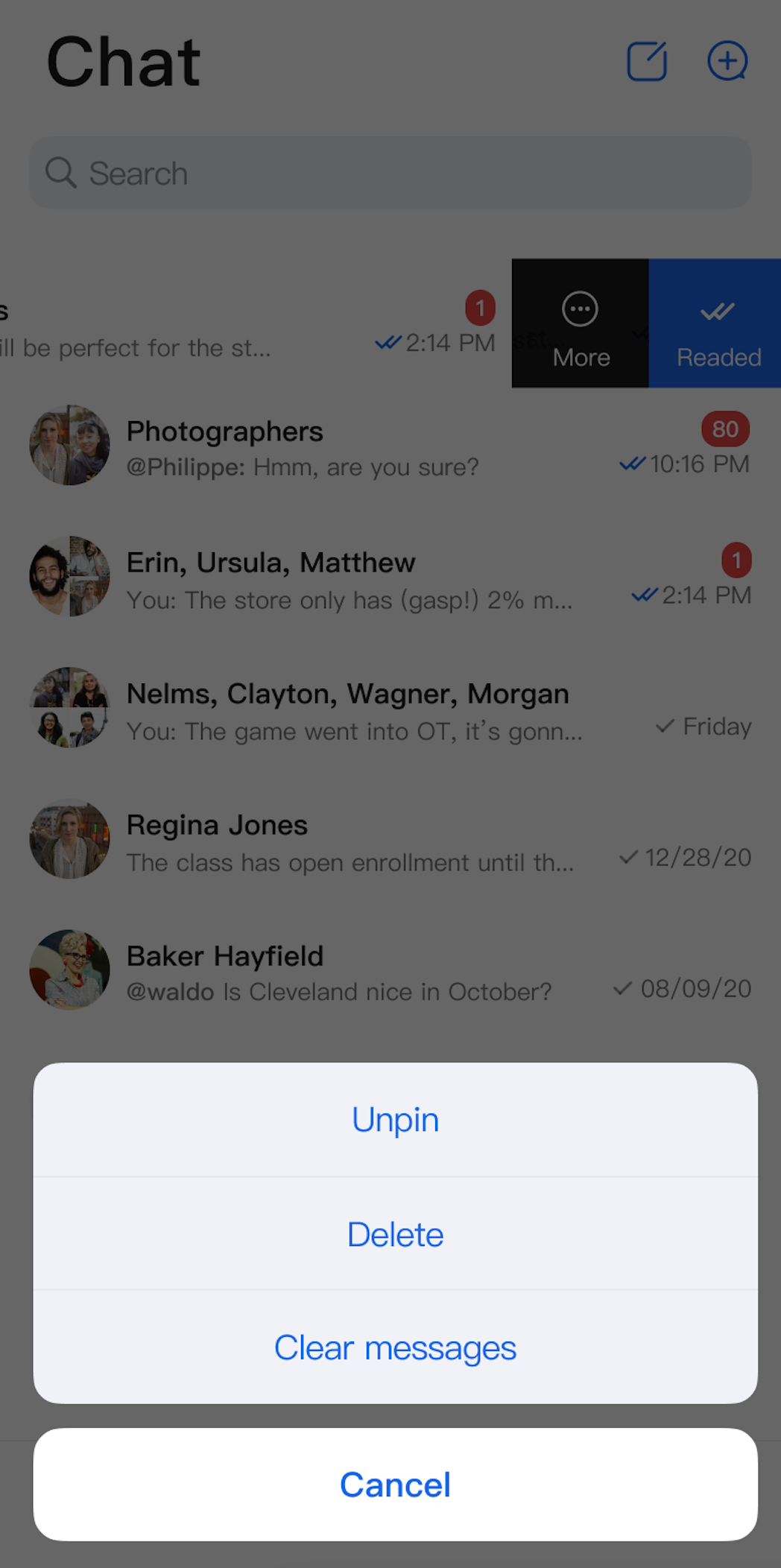 | 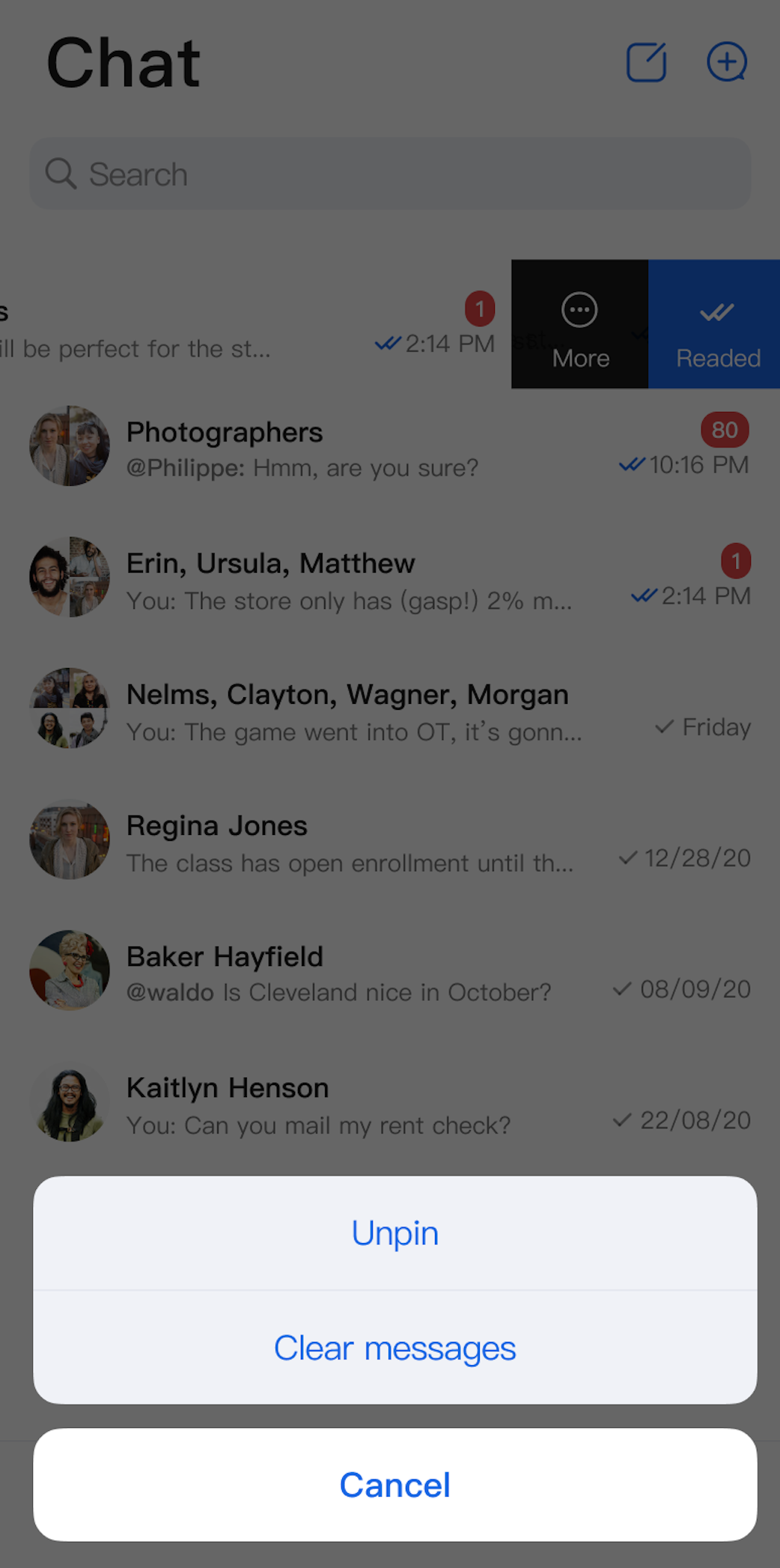 |  |

