
Flutter
Component Overview
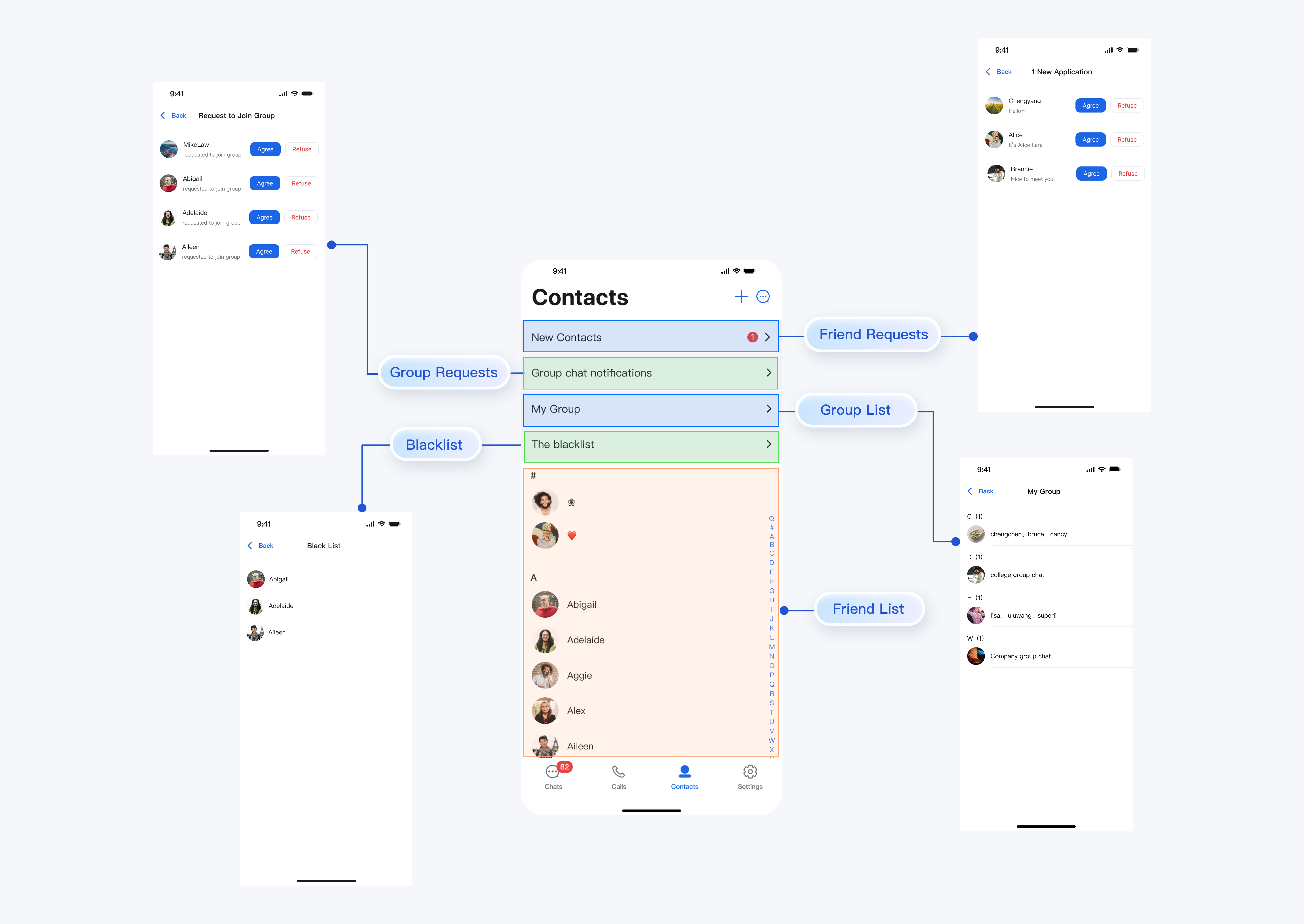
ContactList is a full-featured contact management component designed for chat applications. It enables users to view friend lists, process friend requests, manage group lists, and maintain blacklists. The component also provides a robust set of interactive webhook interfaces for custom event handling.
Contact List | Group List | Friend Request List |
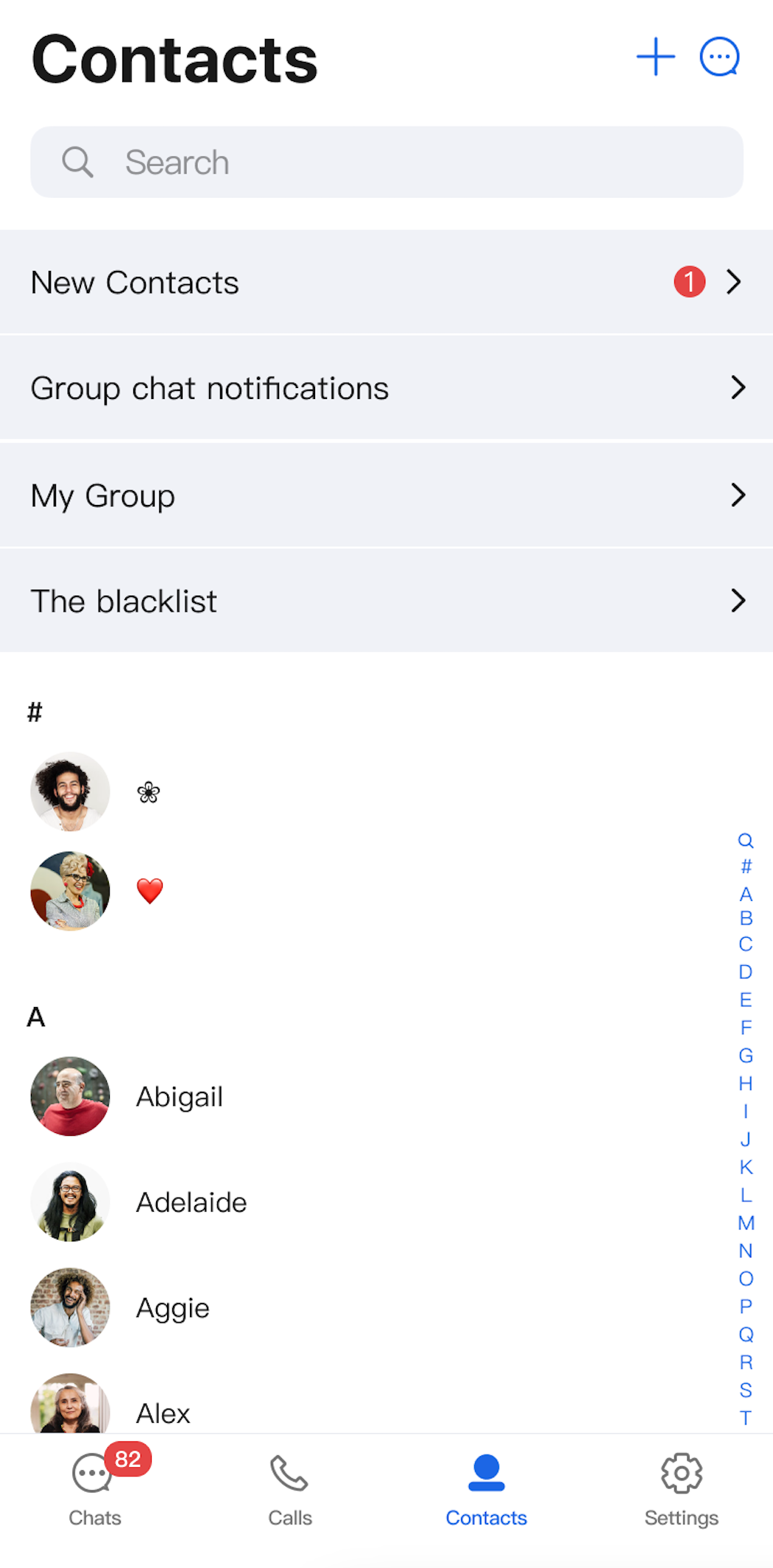 | 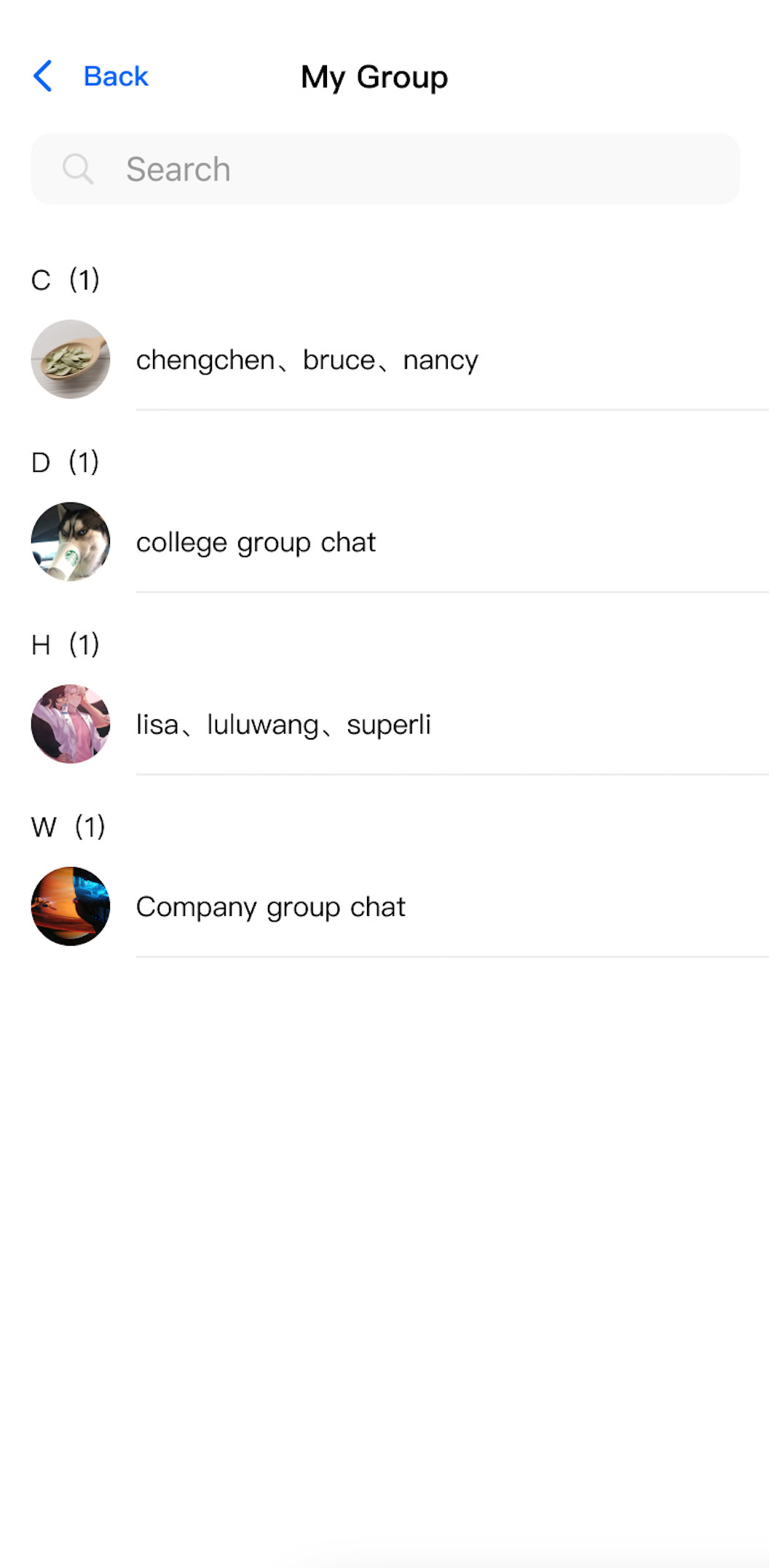 | 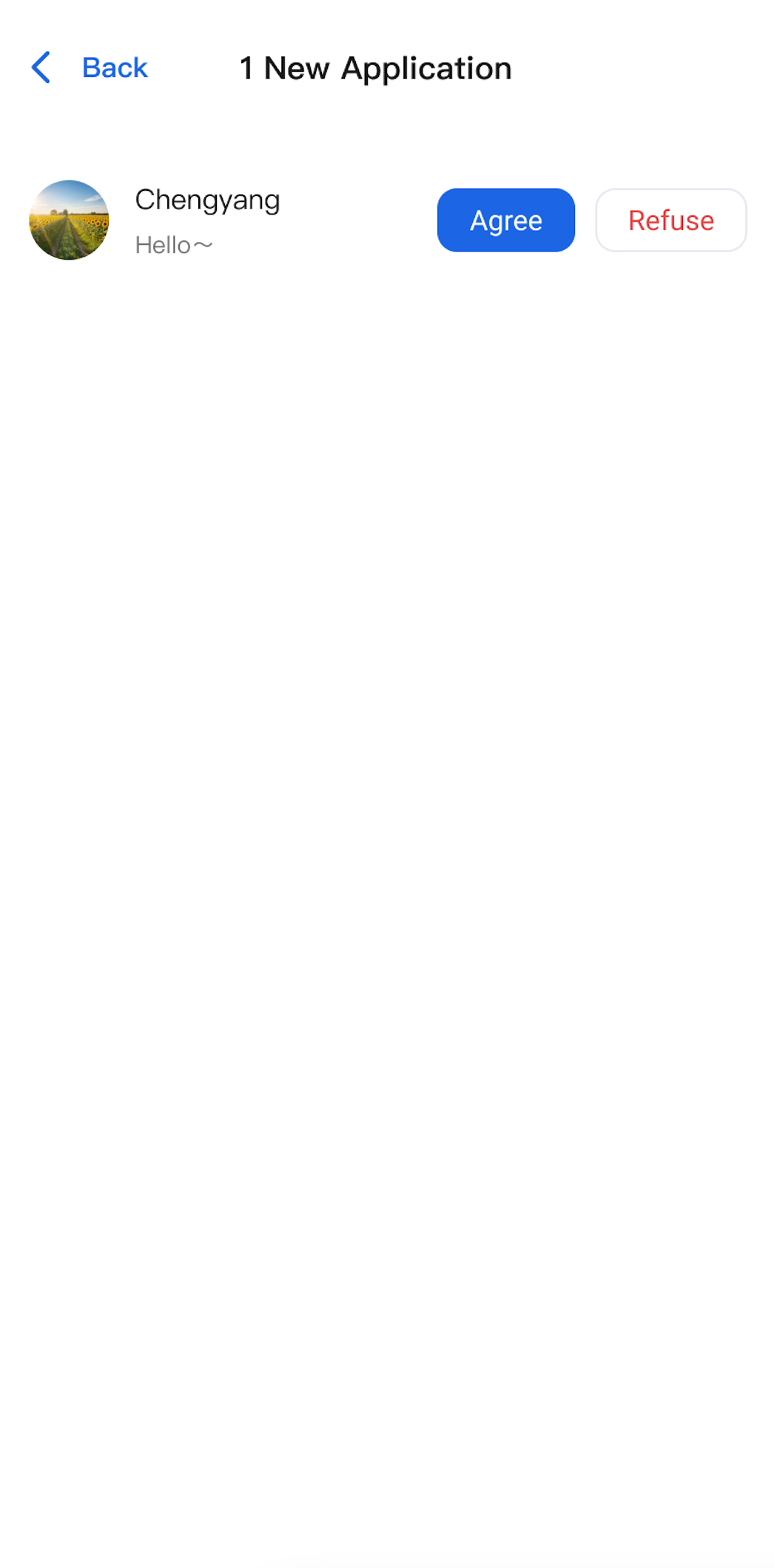 |
Component Integration
The
ContactList component is included in TUIKit Flutter. To use ContactList, integrate TUIKit Flutter into your application. For detailed integration steps, refer to the TUIKit Flutter documentation.Component Structure
ContactList serves as the main entry point for the contact list page. The following table describes the available webhook parameters for customizing click events:Method | Parameter | Description |
ContactList | onGroupClick: (ContactInfo contactInfo) {} | Webhook triggered when a group is clicked. Optional. |
| onContactClick: (ContactInfo contactInfo) {} | Webhook triggered when a contact is clicked. Optional. |
The upper section of the
ContactList displays navigation cells for subviews such as friend requests, group chat requests, group chat list, and blacklist. The lower section contains the contact list itself, as shown below: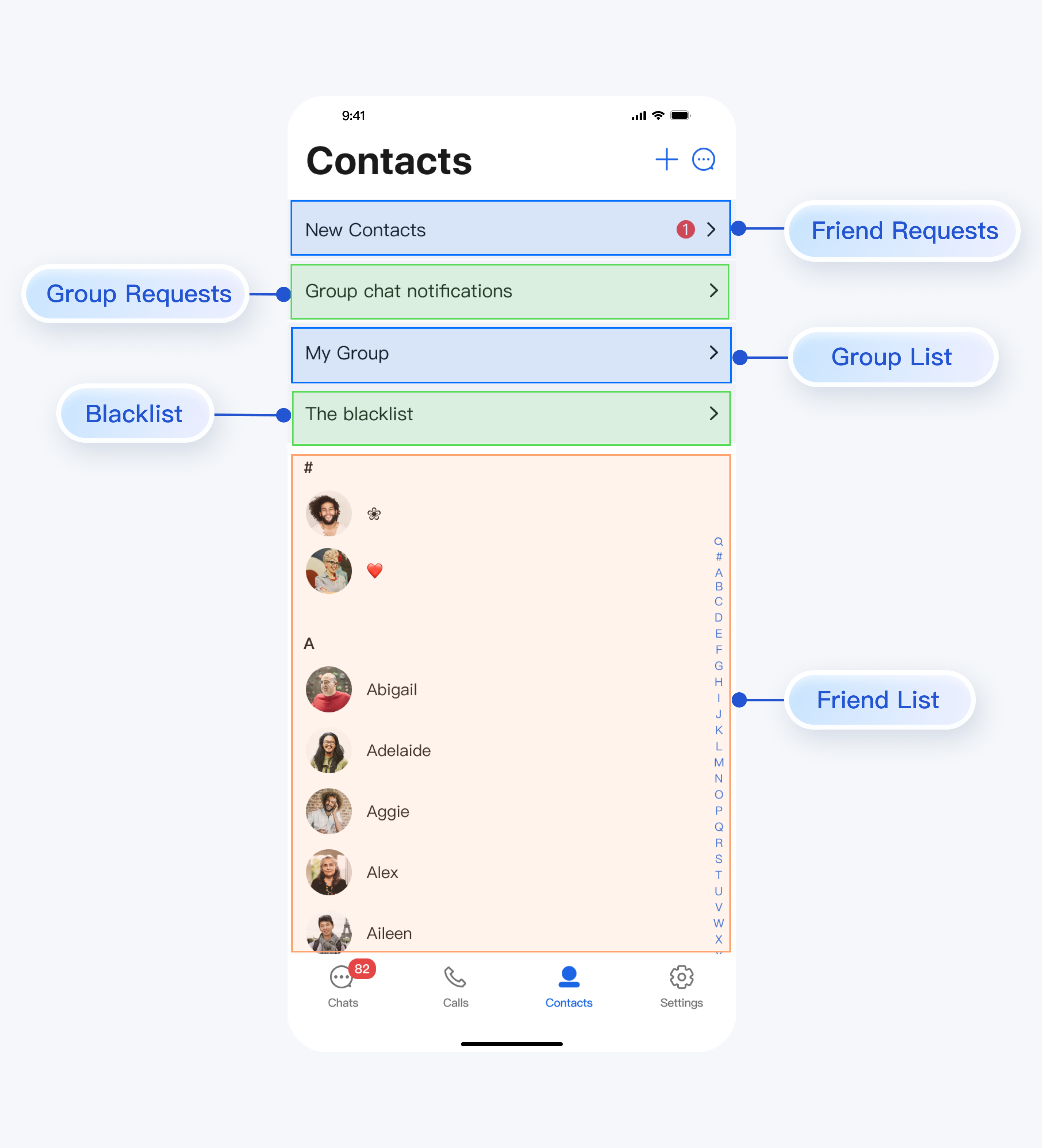
Basic Usage
When you tap the entry cells for friend requests, group chat requests, group chat list, or blacklist in
ContactList, navigation to the appropriate subview is handled automatically—no additional configuration is required.When you tap a group in the group list or a contact in the contact list or blacklist, the corresponding webhook (
onGroupClick or onContactClick) is triggered. Listen to these webhooks to implement custom navigation or behaviors.For example, route navigation can be handled as shown below:
To display the contact list directly, initialize
ContactList as shown below:ContactList(onGroupClick: (ContactInfo contactInfo) {// Handle group click event},onContactClick: (ContactInfo contactInfo) {// Handle contact click event},),

