
Android(Compose)
Component Overview
Search component provides users with a complete set of features, including a search box, search results display, and navigation within the interface. The component supports user search, group search, and message search, and offers a comprehensive set of interactive webhook interfaces.
Note:
Search function is available in the Pro edition or Enterprise edition. You can use this feature after purchasing the Pro edition or Enterprise edition package. For details, see Pricing Information.
Search Entry | Search Results |
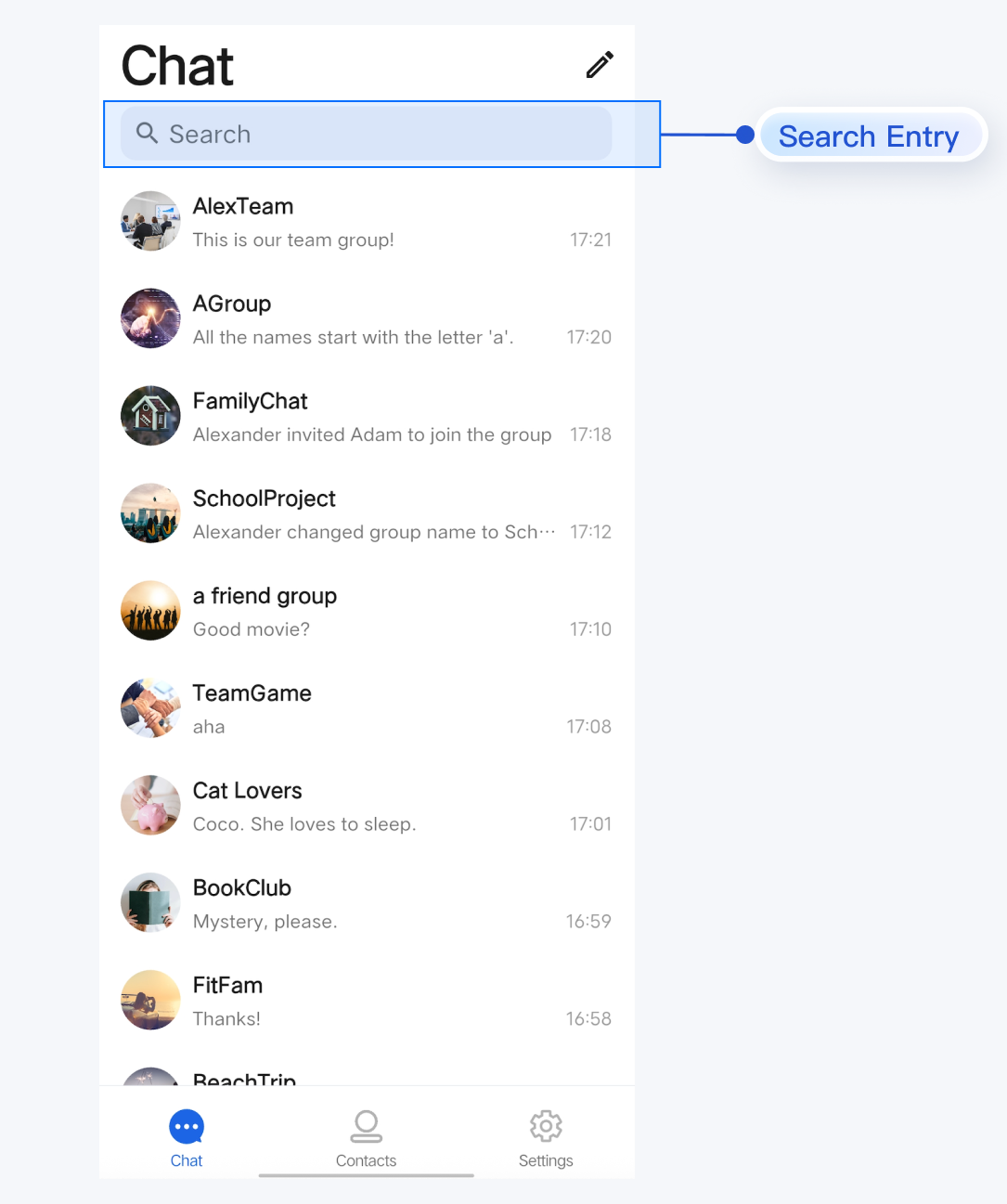 | 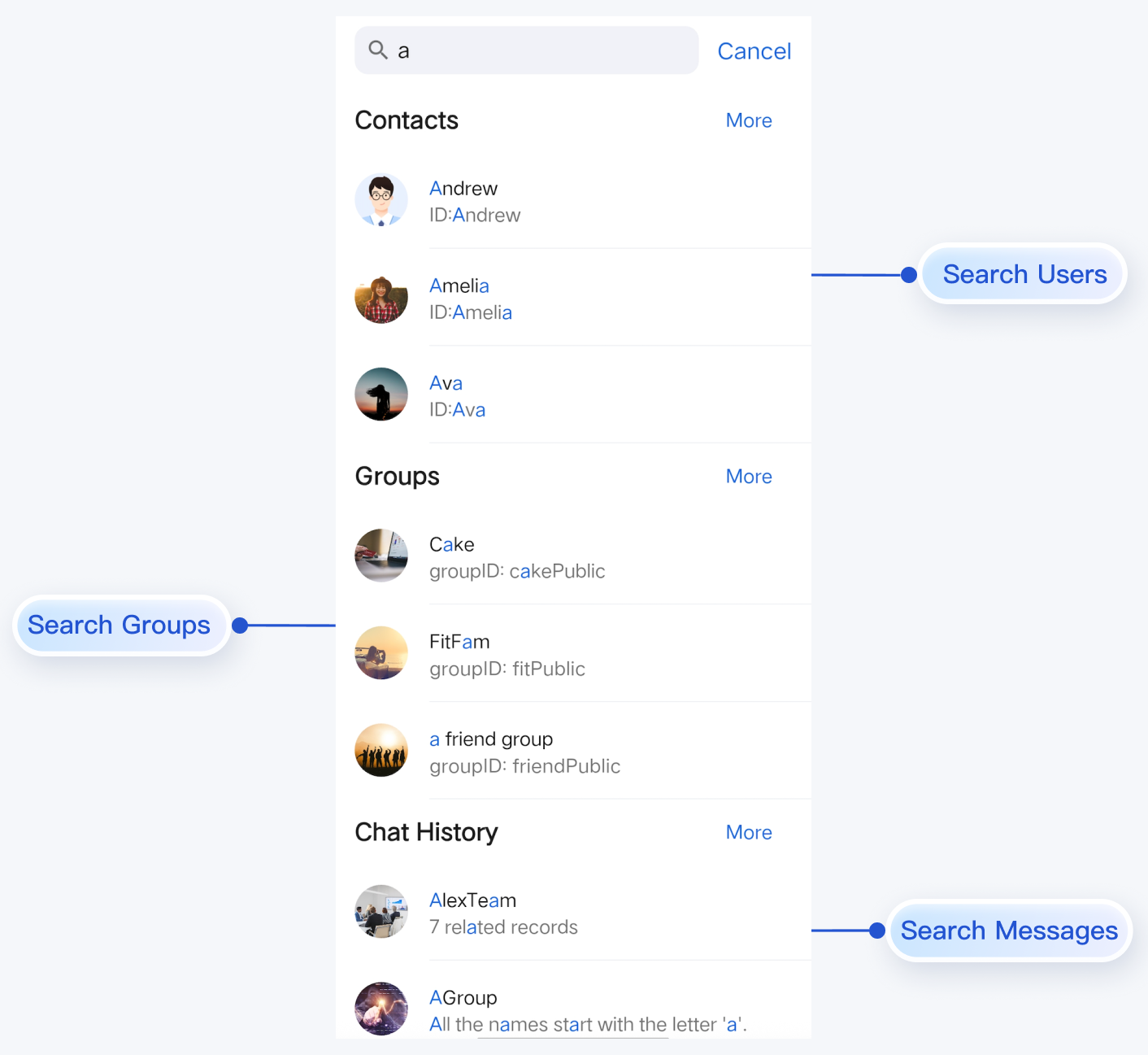 |
Component Integration
The Search component is included in TUIKit Compose. To use the Search component, integrate TUIKit Compose into your project. For integration instructions, refer to the TUIKit Compose documentation and complete the login process.
Component Structure
SearchScreen is the entry point for the Search component. It only exposes the initialization method for the search component; all other logic is encapsulated within SearchScreen.Method | Parameter | Description |
SearchScreen | modifier: Modifier | Used in Jetpack Compose to set the style, layout, behavior, and appearance of the component. |
| onBack: () -> Unit | Webhook triggered when the Cancel button is clicked; optional parameter. |
| onContactSelect: (FriendSearchInfo) -> Unit | Webhook triggered when a searched contact item is clicked; optional parameter. |
| onGroupSelect: (GroupSearchInfo) -> Unit | Webhook triggered when a searched group item is clicked; optional parameter. |
| onConversationSelect: (MessageSearchResultItem) -> Unit | Webhook triggered when a searched conversation item is clicked; optional parameter. |
| onMessageSelect: (MessageInfo) -> Unit | Webhook triggered when a searched message item is clicked; optional parameter. |
Basic Usage
The routing logic for search results in
SearchScreen is as follows:Automatic Routing: On the search results page, clicking the More button or a chat record entry will automatically trigger internal navigation handled by the component.
Custom Routing: When a user clicks a specific contact, group, conversation, or message, the component triggers the corresponding webhook (
onContactSelect, onGroupSelect, onConversationSelect, or onMessageSelect). You must implement custom navigation in these webhook handlers (for example, navigating to your custom chat interface). Example:
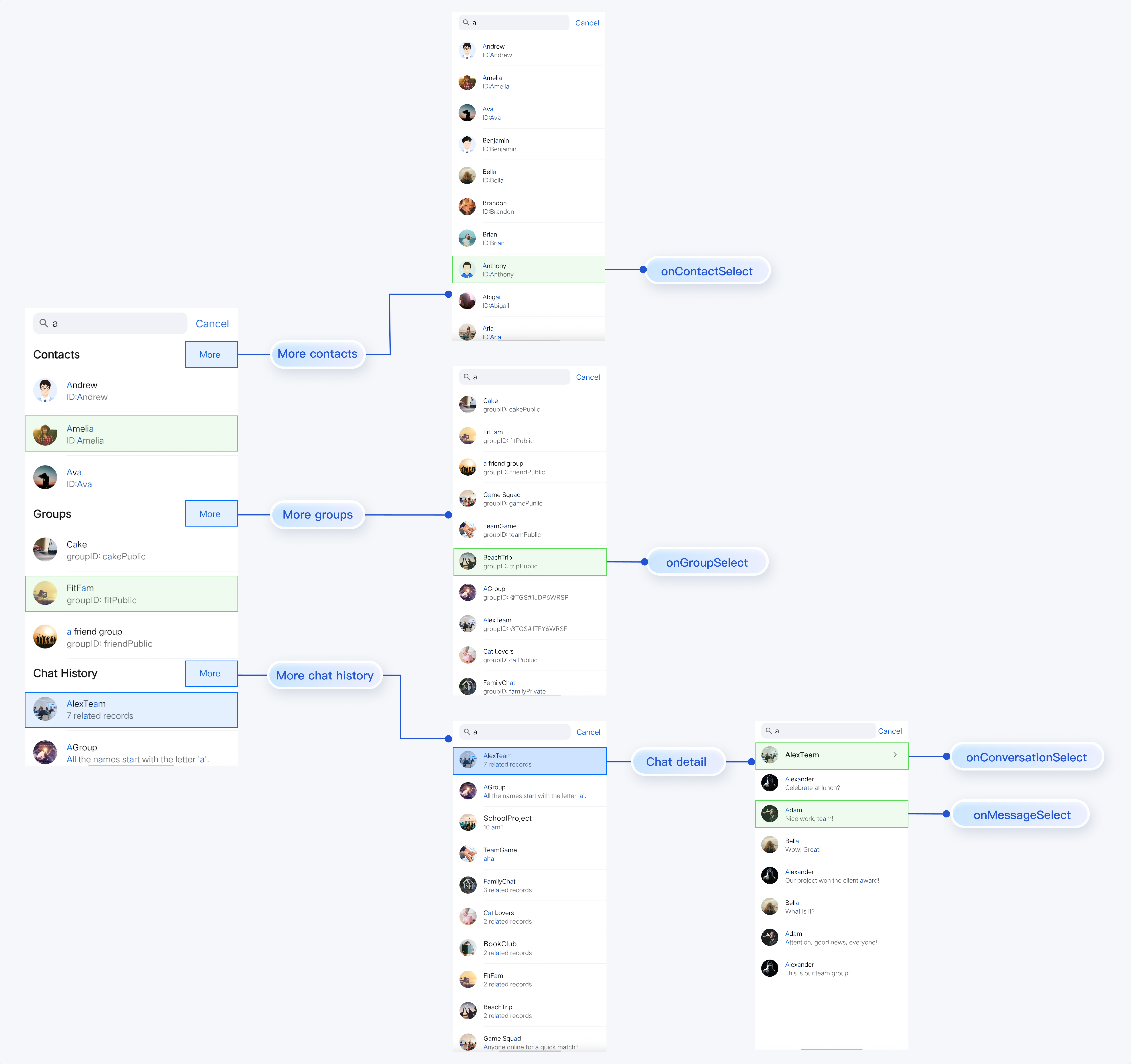
Initialize the
SearchScreen component as shown below:SearchScreen(modifier = Modifier.Companion.fillMaxSize().statusBarsPadding().navigationBarsPadding(),onBack = {// Cancel button click event},onContactSelect = {// Contact click event},onGroupSelect = {// Group click event},onConversationSelect = {// Conversation click event},onMessageSelect = {// Message click event})

