
iOS(SwiftUI)
Component Overview
Search is a search component that provides users with a complete set of features, including a search box, search result display, and interface navigation. This component supports user search, group search, and message search, and offers a comprehensive set of interactive webhook interfaces.
Note:
Search function is available only in the Pro Edition or Enterprise Edition. You can use this feature after purchasing the Pro Edition or Enterprise Edition package. For details, see Pricing Information.
Search Entry | Search Results |
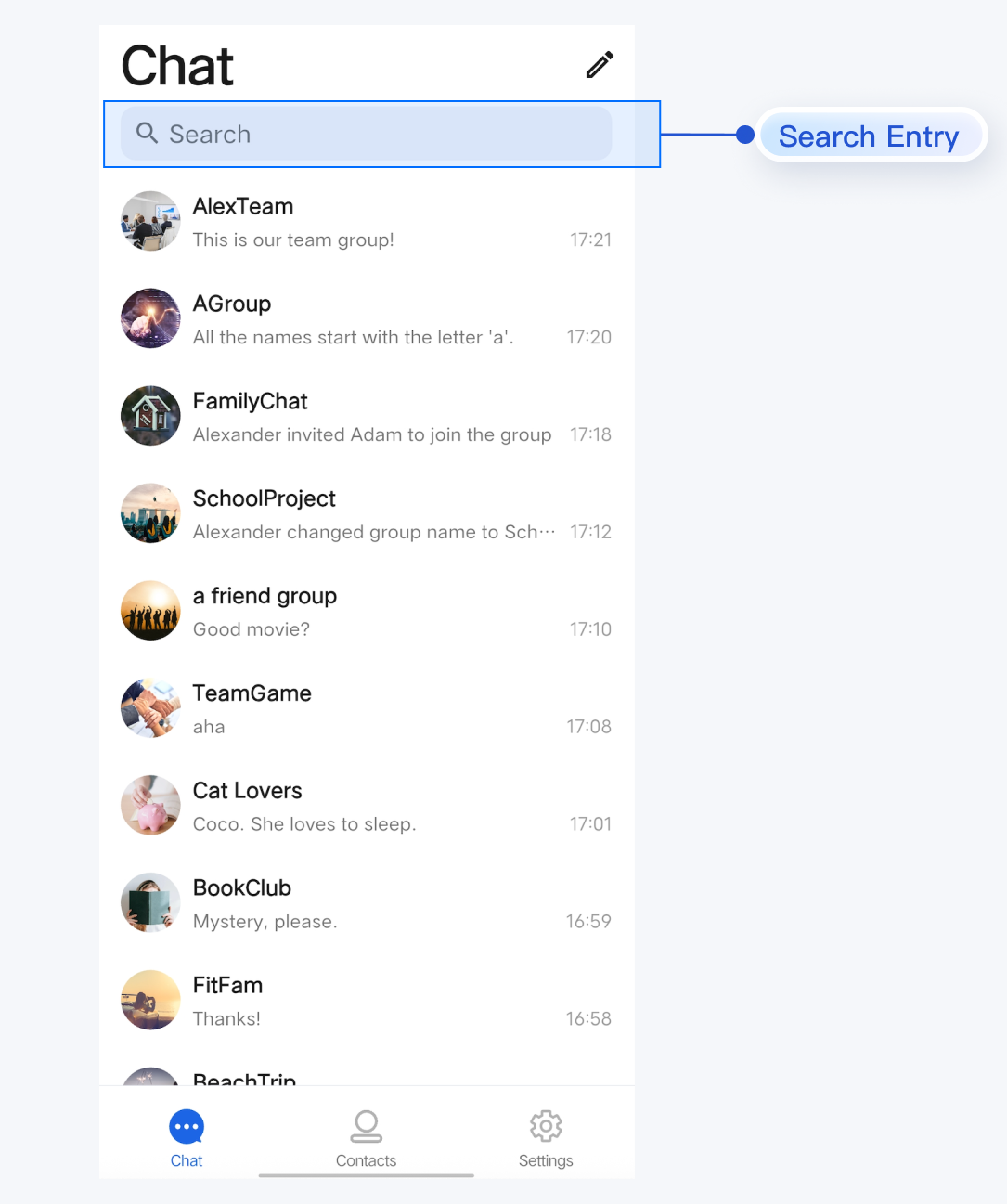 | 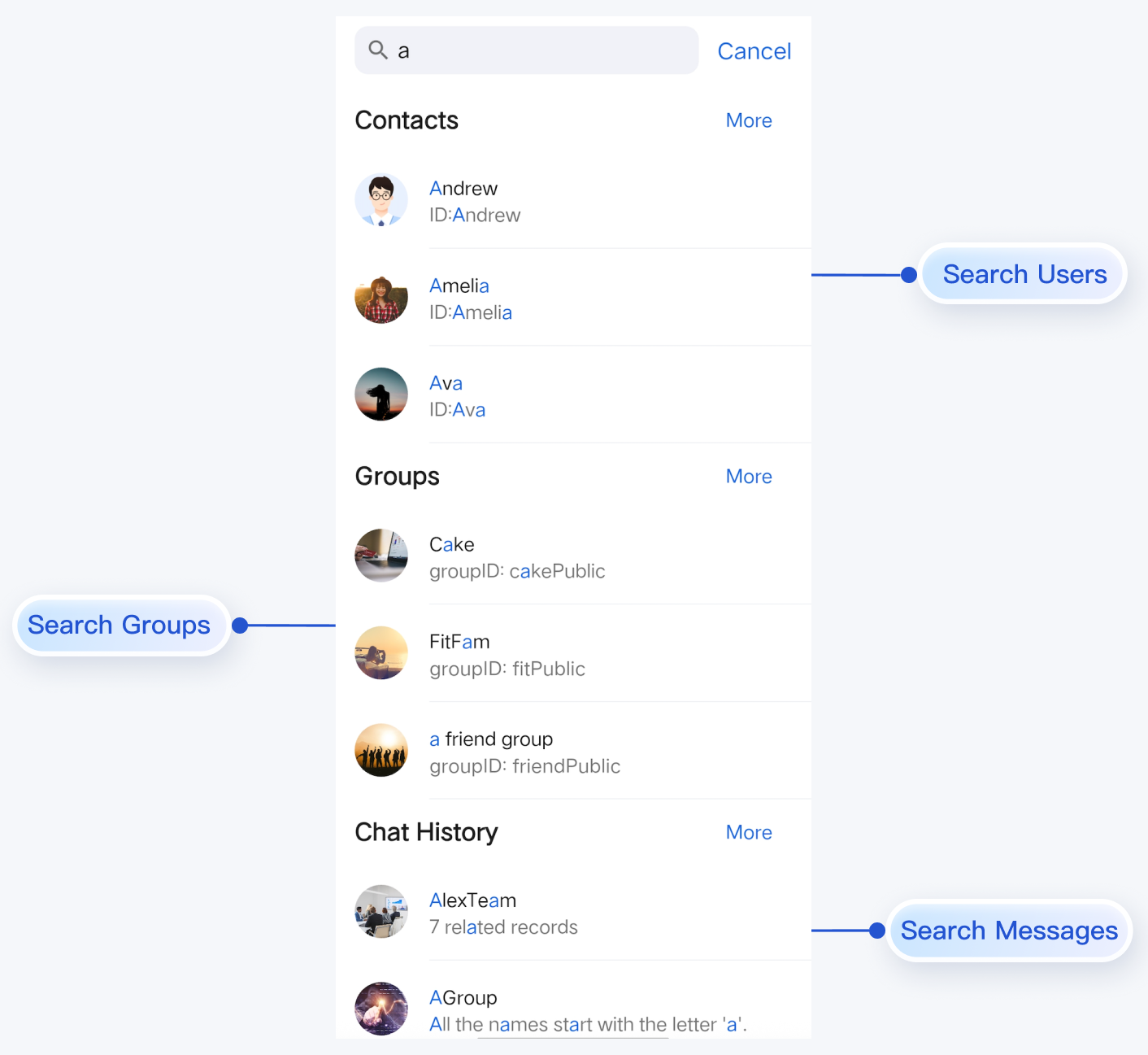 |
Component Integration
The Search component is included in TUIKit SwiftUI. To use the Search component, integrate TUIKit SwiftUI into your project. For detailed integration steps, refer to the TUIKit SwiftUI documentation and complete the login process.
Component Structure
SearchBar serves as the entry point for search functionality. Only the initialization method of the search component is exposed externally; all other logic is encapsulated within SearchBar.Method | Parameter | Description |
init | onTapItem: @escaping (Any) -> Void | Webhook triggered when a search result is clicked, including friend, group, message, and conversation result items. |
Basic Usage
The routing and navigation logic for
SearchBar search results is as follows:Automatic Routing: On the search results page, clicking the More button or the chat history list will automatically navigate to the corresponding page using the internal Navigator.
Custom Routing: When a user clicks a specific contact, group, conversation, or message, the component triggers the
onTapItem: @escaping (Any) -> Void webhook. Implement your custom navigation logic in this webhook (for example, navigating to your custom chat interface).Example code:
// Initialize SearchBarSearchBar(onTapItem: { result inhandleSearchResult(result)})// Handle click events on search results// The onConversationClick event is dispatched to a higher-level component. This is optional and can be adapted based on your project architecture.private func handleSearchResult(_ result: Any) {if let friendInfo = result as? FriendSearchInfo {// Handle selection of a contact from search resultslet conversationID = ChatUtil.getC2CConversationID(friendInfo.userID)var conversation = ConversationInfo(conversationID: conversationID)conversation.type = .c2cconversation.title = friendInfo.friendRemark ?? friendInfo.userInfo.nicknameconversation.avatarURL = friendInfo.userInfo.avatarURL// Dispatch event to the parent component to navigate to the C2C Chat listonConversationClick?(NavigationInfo(conversation: conversation))} else if let groupInfo = result as? GroupSearchInfo {// Handle selection of a group from search resultslet conversationID = ChatUtil.getGroupConversationID(groupInfo.groupID)var conversation = ConversationInfo(conversationID: conversationID)conversation.type = .groupconversation.title = groupInfo.groupNameconversation.avatarURL = groupInfo.groupAvatarURL// Dispatch event to the parent component to navigate to the Group chat listonConversationClick?(NavigationInfo(conversation: conversation))} else if let messageDict = result as? [String: Any],let messageInfo = messageDict["message"] as? MessageInfo,let conversationID = messageDict["conversationID"] as? String{// Handle selection of a message resultvar conversation = ConversationInfo(conversationID: conversationID)if conversationID.hasPrefix("c2c_") {conversation.type = .c2c} else {conversation.type = .group}conversation.title = messageDict["conversationName"] as? Stringconversation.avatarURL = messageDict["conversationAvatar"] as? String// Dispatch event to the parent component to navigate to the conversation and highlight the selected messageonConversationClick?(NavigationInfo(conversation: conversation, locateMessage: messageInfo))} else if let conversationDict = result as? [String: Any],let conversationID = conversationDict["conversationID"] as? String {// Handle selection of a conversation resultvar conversation = ConversationInfo(conversationID: conversationID)if conversationID.hasPrefix("c2c_") {conversation.type = .c2c} else {conversation.type = .group}conversation.title = conversationDict["conversationName"] as? Stringconversation.avatarURL = conversationDict["conversationAvatar"] as? String// Dispatch event to the parent component to navigate to the conversationonConversationClick?(NavigationInfo(conversation: conversation))}}

