
Flutter
Component Overview
The Search component provides a full-featured search experience, including a search bar, results display, and seamless page navigation. It supports searching for users, groups, and messages, and offers extensive interactive Webhook integration for custom workflows.
Note:
Search is available in the Pro edition and Enterprise edition. To use Search function, you need to purchase either the Pro or Enterprise package. For details, see Billing Information.
Search Entry | Search Results |
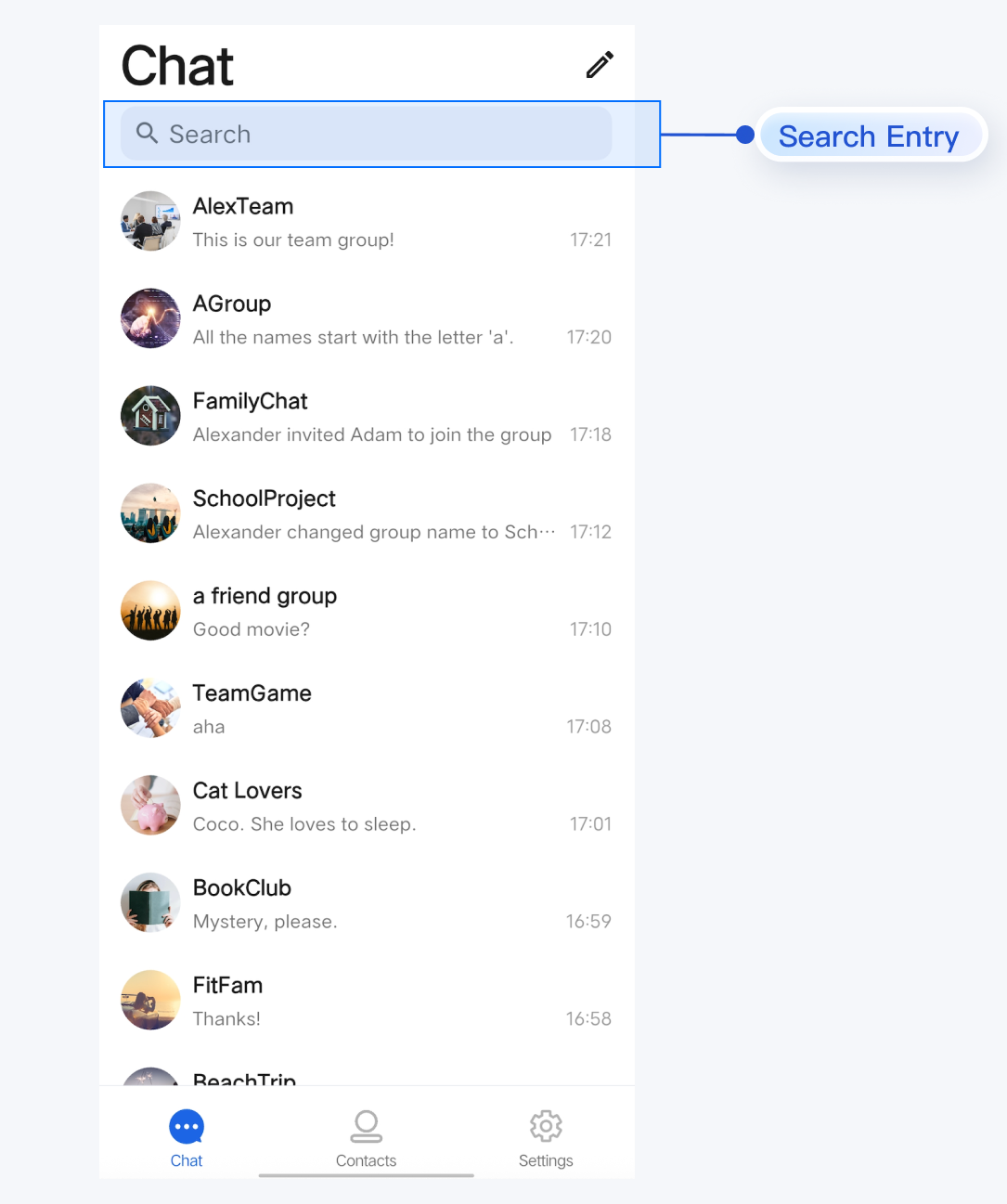 | 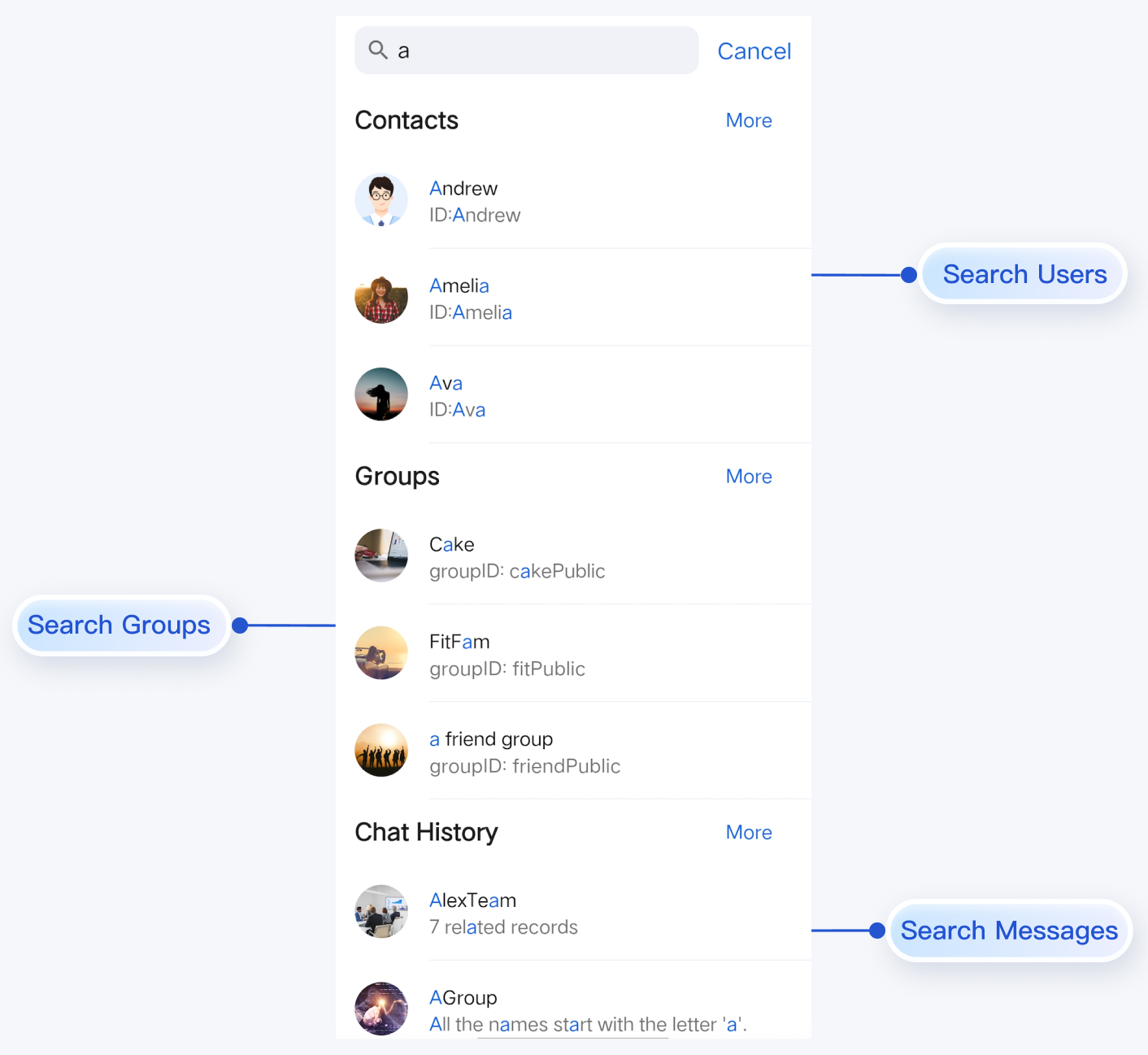 |
Component Integration
Search is included in TUIKit Flutter. To use the Search component, integrate TUIKit Flutter into your project and complete the login flow. For detailed integration steps, refer to the TUIKit Flutter documentation.
Component Descriptions
SearchBar serves as the primary Widget for search and is typically placed at the top of your Scaffold body. Only the initialization method for the Search component is exposed; all internal logic is handled within SearchBar.Method | Parameter | Description |
SearchBar | Webhook triggered when a contact result is clicked; optional parameter. | |
SearchBar | Webhook triggered when a group result is clicked; optional parameter. | |
SearchBar | Webhook triggered when a conversation result is clicked; optional parameter. | |
SearchBar | Webhook triggered when a message result is clicked; optional parameter. |
Basic Usage
SearchBar manages navigation for search results in two ways:Automatic Routing: When users click the More button or a chat history item in the search results page, the component uses Flutter's Navigator to automatically handle page transitions.
Custom Routing: When a user selects a contact, group, conversation, or message, the corresponding Webhook (
onContactSelect, onGroupSelect, onConversationSelect, or onMessageSelect) is triggered. Implement your custom navigation logic within these Webhooks (for example, routing to your own chat interface).Example:
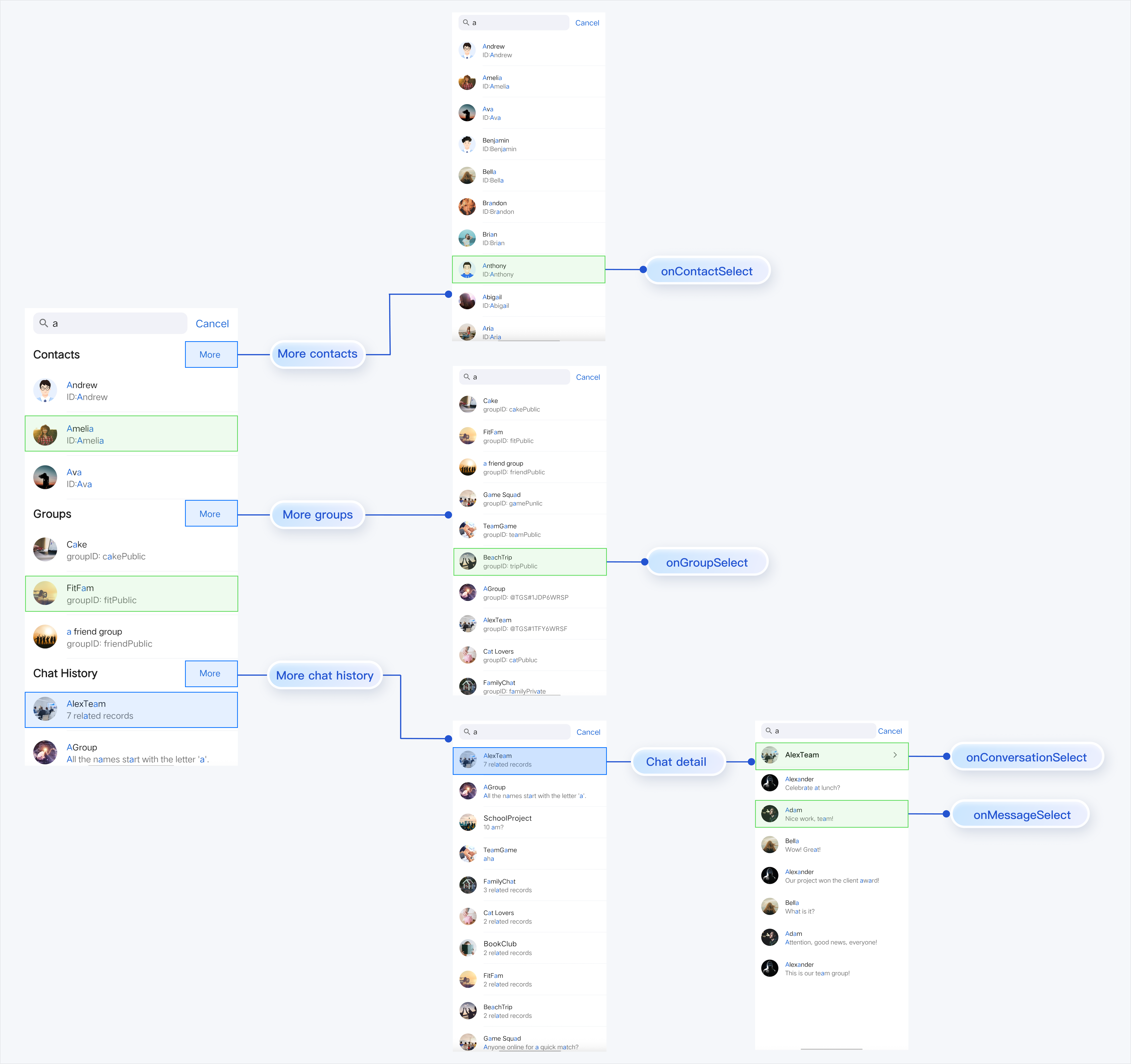
To initialize and use
SearchBar, simply add it to your widget tree:SearchBar(onContactSelect: (FriendSearchInfo selectedContact) {// Handle contact selection},onGroupSelect: (GroupSearchInfo selectedGroup) {// Handle group selection},onConversationSelect: (MessageSearchResultItem selectedConversation) {// Handle conversation selection},onMessageSelect: (MessageInfo selectedMessage) {// Handle message selection},),

