
ライブストリーミング SDK に統合された Beauty AR
This documentation explains integrating and using the TEBeautyKit library in the Mobile Live Video BroadcastingStreaming (MLVB) SDK project.
Integration Steps
1. (Optional) Integrate TELiveAdapter. The TELiveAdapter.framework is used to receive video callbacks from the MLVB SDK, process them internally using the beauty filter SDK, and then return them to the MLVB SDK. If you need to perform custom processing on the video stream, you can skip this step.
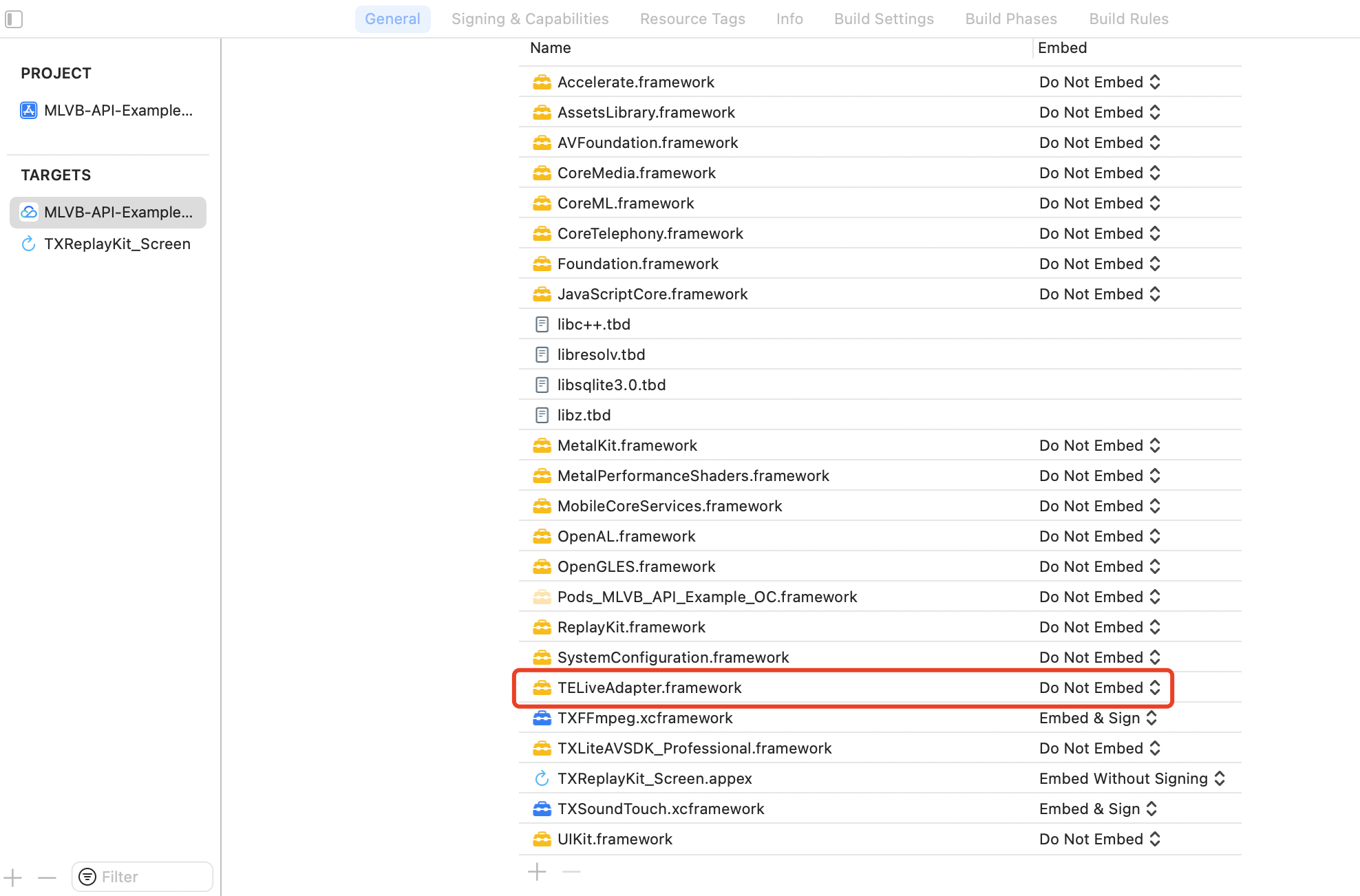
2. Integration TEBeautyKit,Edit the Podfile and append the following code snippet and execution
pod install.# Replace S1-07 with the package you purchasedpod 'TEBeautyKit/S1-07', :podspec => 'https://mediacloud-76607.gzc.vod.tencent-cloud.com/TencentEffect/iOS/TEBeautyKit/latest/TEBeautyKit.podspec'
3. Integration Panel Resources,download the resource package and incorporate it into your main project. The contents can be found in the appendix.
4. Integration Effect Resources.
Usage Guide
Step 1. Authenticate
After the application is launched, a beauty filter authentication must be performed to enable the normal use of beauty features. See the authentication error code
[TEBeautyKit setTELicense:@"your license" key:@"your key" completion:^(NSInteger authresult, NSString * _Nullable errorMsg) {NSLog(@"----------result: %zd %@",authresult,errorMsg);}];
Step 2. Configuration Panel Resource Path
The beauty data and icon assets on the beauty panel are available in beauty_panel.zip. As per the API documentation, you may pass the corresponding JSON file path and customize the settings according to your specific requirements.
- (void)configPanel {NSBundle *bundle = [NSBundle mainBundle];NSString *beautyJsonPath = [bundle pathForResource:@"beauty" ofType:@"json"]; //BeautyNSString *lutJsonPath = [bundle pathForResource:@"lut" ofType:@"json"]; //filterNSString *motion2dJsonPath = [bundle pathForResource:@"motion_2d" ofType:@"json"]; //2D stickersNSMutableArray *resArray = [[NSMutableArray alloc] init];[resArray addObject:@{TEUI_BEAUTY : beautyJsonPath}];[resArray addObject:@{TEUI_LUT : lutJsonPath}];[resArray addObject:@{TEUI_MOTION_2D : motion2dJsonPath}];/// Set up resources[[TEUIConfig shareInstance] setTEPanelViewResources:resArray];}
Step 3. Initialize and incorporate TEPanelView
TEPanelView is a custom panel view used to display the data configured in Step 2.
- (void)addPanelView {TEPanelView *tePanelView = [[TEPanelView alloc] init];tePanelView.delegate = self;[self.view addSubview:tePanelView];[tePanelView mas_makeConstraints:^(MASConstraintMaker *make) {make.width.bottom.mas_equalTo(self.view);make.left.right.mas_equalTo(self.view);make.height.mas_equalTo(230 + self.view.safeAreaInsets.bottom);}];}
Step 4: Adapter Binding for Beautification
/// create adapter- (TEBeautyLiveAdapter *)liveAdapter {if (!_liveAdapter) {_liveAdapter = [[TEBeautyLiveAdapter alloc] init];}return _liveAdapter;}/// bind__weak __typeof(self)weakSelf = self;[self.liveAdapter bind:self.livePusher onCreatedXmagicApi:^(XMagic * _Nullable xmagicApi) {__strong typeof(self) strongSelf = weakSelf;strongSelf.teBeautyKit.xmagicApi = xmagicApi;[strongSelf.teBeautyKit setLogLevel:YT_SDK_ERROR_LEVEL];strongSelf.tePanelView.teBeautyKit = strongSelf.teBeautyKit;[strongSelf.tePanelView setDefaultBeauty];} onDestroyXmagicApi:^{__strong typeof(self) strongSelf = weakSelf;[strongSelf.teBeautyKit onDestroy];strongSelf.teBeautyKit = nil;}];
Step 5: Parameter Change Notification Adapter
/// Notify the Adapter of the Front and Rear Cameras: Whether to Encode a Mirror Image[self.liveAdapter notifyCameraChanged:self.isFrontCamera isEncoderMirror:self.isEncoderMirror];/// Notify the Adapter of Screen Orientation Changes[self.liveAdapter setDeviceOrientation:orientation];
Step 6: Unbinding the Adapter
[self.liveAdapter unbind];self.liveAdapter = nil;
Step 7: TELiveAdapter is not integrated.
Listen for MLVB video callbacks, process the beauty effects within the callback, and then return the processed video to MLVB.
1. Initialization
- (void)initXMagic {__weak __typeof(self)weakSelf = self;[TEBeautyKit createXMagic:EFFECT_MODE_PRO onInitListener:^(TEBeautyKit * _Nullable beautyKit) {__strong typeof(self)strongSelf = weakSelf;strongSelf.teBeautyKit = beautyKit;strongSelf.tePanelView.teBeautyKit = strongSelf.teBeautyKit;[strongSelf.tePanelView setDefaultBeauty];[strongSelf.teBeautyKit setLogLevel:YT_SDK_ERROR_LEVEL];[strongSelf.teBeautyKit registerSDKEventListener:strongSelf];}];}
2. Processing video data
- (void)onProcessVideoFrame:(V2TXLiveVideoFrame *)srcFrame dstFrame:(V2TXLiveVideoFrame *)dstFrame {YTProcessOutput *output = [self.teBeautyKit processTexture:srcFrame.textureIdtextureWidth:srcFrame.widthtextureHeight:srcFrame.heightwithOrigin:YtLightImageOriginTopLeftwithOrientation:YtLightCameraRotation0];dstFrame.textureId = output.textureData.texture;}
3. Destroy Beauty Filter
- (void)destroyXMagic {[self.teBeautyKit onDestroy];self.teBeautyKit = nil;}

