• 서비스
  • 가격
  • 리소스
  • 기술지원
이 페이지는 현재 영어로만 제공되며 한국어 버전은 곧 제공될 예정입니다. 기다려 주셔서 감사드립니다.

Create Room

Overview

This API enables you to create a new live streaming room or voice chat room on the server side. When creating a room, you can pre-configure the interaction mode, including how audience members join as guests, the room’s UI layout, and audio/video mixing strategies.
Use Cases
Showroom Live: Create a single-host room with public chat interaction.
Guest Live: Create an interactive room where audience members can apply to join as guests.
Voice Salon: Create a pure audio interactive voice chat room.
Seminar: Create a seminar room that supports multiple guests and a large audience.
Note:
If you no longer need a room after creation, call the Dismiss Room API to destroy it. If you do not actively dismiss the room, it will remain active.
For special scenarios, live rooms support Automatic Room Dismissal.

Request URL

Example

https://xxxxxx/v4/live_engine_http_srv/create_room?sdkappid=88888888&identifier=admin&usersig=xxx&random=99999999&contenttype=json

Query Parameters

The table below lists only the parameters relevant to this API call and their descriptions. For more details, refer to the REST API Overview.
Parameter
Description
xxxxxx
Domain for the country/region of your SDKAppID:
China: console.tim.qq.com
Singapore: adminapisgp.im.qcloud.com
USA: adminapiusa.im.qcloud.com
v4/live_engine_http_srv/create_room
Create Live Room API.
sdkappid
You can register it on your application's card page in the Tencent RTC console.
identifier
Must be an application admin account. For details, see Application Administrator.
usersig
Signature generated for the application admin account. For instructions, see Generate UserSig.
random
Random 32-bit unsigned integer, range 0 - 4294967295.
contenttype
Request format, fixed value json.

Rate Limits

200 requests per second.

Request Parameters

The request body must be in JSON format and include a RoomInfo object.

Example

{
"RoomInfo": {
"RoomId": "live-room",
"RoomType": "Live",
// Other fields, see details below
}
}

Parameter Details

RoomInfo

Field
Type
Required
Description
RoomId
String
Required
Unique room identifier.
Up to 48 bytes.
Use a prefix to distinguish different room types.
RoomType
String
Required
Room type. Fixed value: Live.
Owner_Account
String
Optional
Host ID (must be an imported account).
If not specified, defaults to the user ID of the API caller.
It is recommended to specify the user ID of the current host.
TakeSeatMode
String
Optional
Guest mode. Default is FreeToTake.
FreeToTake: guests can join freely without host or admin approval.
ApplyToTake: guests must apply and be approved by the host or admin before joining.
SeatTemplate
String
Required
Layout template ID. For details, see Layout Templates and UI Effects.
MaxSeatCount
Integer
Optional
Sets the number of microphone slots in the room (the value range is limited by the maximum number of slots in the package). This only applies to voice chat rooms, i.e., when SeatTemplate is set to AudioSalon or karaoke.
IsMessageDisabled
Bool
Optional
Enable global mute.
Default is false, which allows the audience to send live comments.
IsPublicVisible
Bool
Optional
Controls whether the room appears in the Live Stream List. Default is true.
Set to false for private or test streams.
Set to true to make the room visible in Live Stream List.
RoomName
String
Optional
Room name, displayed in the Live Stream List.
If not specified, defaults to RoomId.
Up to 100 bytes.
CoverURL
String
Optional
Room cover image, displayed in the Live Stream List.
Up to 200 bytes.
Category
Array
Optional
Room category tags (custom field).
Up to 3 tags per room.
Use to indicate room type, such as gaming, music, etc.
ActivityStatus
Integer
Optional
Activity status in the live room (custom field). For example: 0: Preparing; 1: In progress; 2: Ended.
All users entering the room receive this value.
When updated, users in the room receive the latest value.

Layout Templates and UI Effects

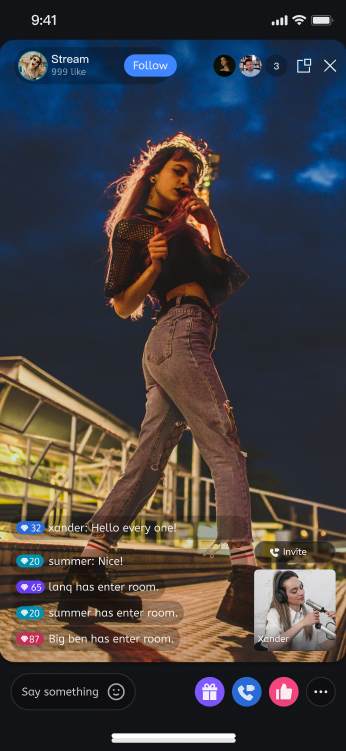
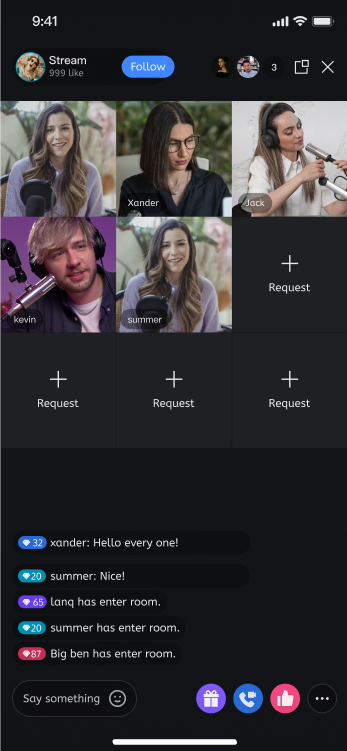
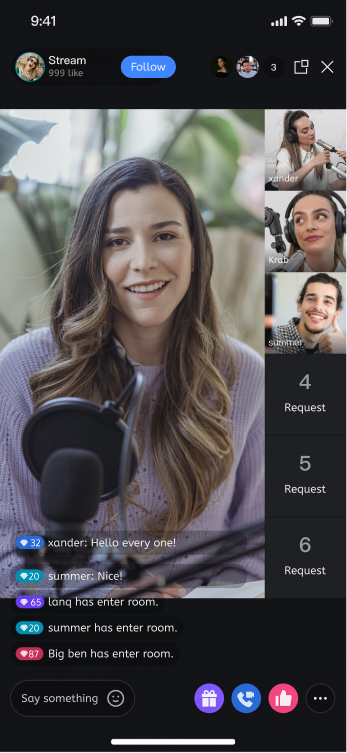
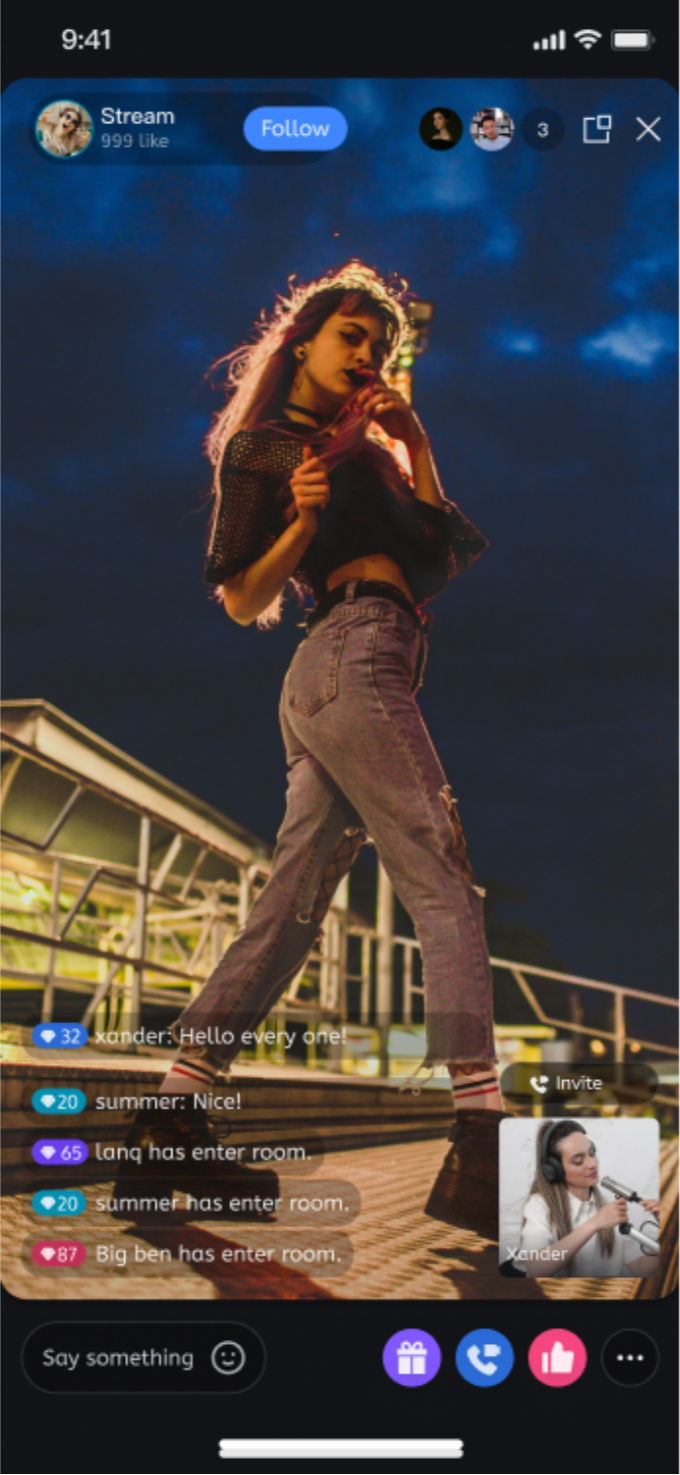
Vertical Video Streaming

Layout type
Dynamic Grid Layout
Floating Window Layout
Fixed Grid Layout
Fixed Floating Window Layout
Template Value
VideoDynamicGrid9Seats
VideoDynamicFloat7Seats
VideoFixedGrid9Seats
VideoFixedFloat7Seats
SDK Version
RTCRoomEngine 3.3.0 LiveStreamCore 3.3.0
Max Guest Seats
9 (subject to your package)
7 (subject to your package)
9 (subject to your package)
7 (subject to your package)
Description
Default layout. Dynamically adjusts grid size based on the number of guests.
Guests are displayed as floating windows.
Fixed number of guests, each in a fixed grid.
Fixed number of guests, each in a fixed floating window.
Preview


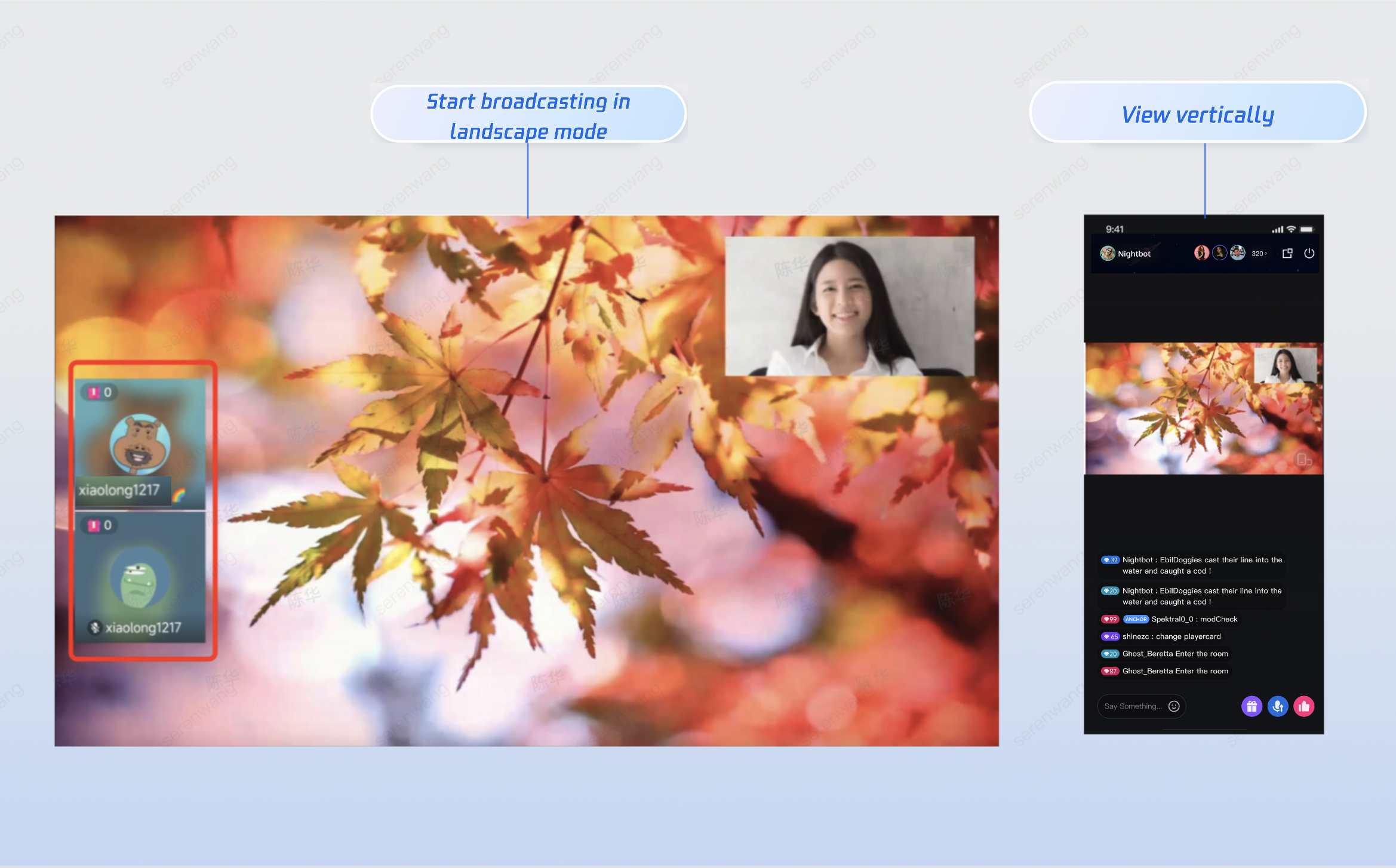
Horizontal Video Streaming

Template ID: 200
Use the Live Stream Assistant to try the horizontal streaming template.
Horizontal streaming supports 4 guest seats (1 host video seat and 3 guest audio seats, subject to your package).


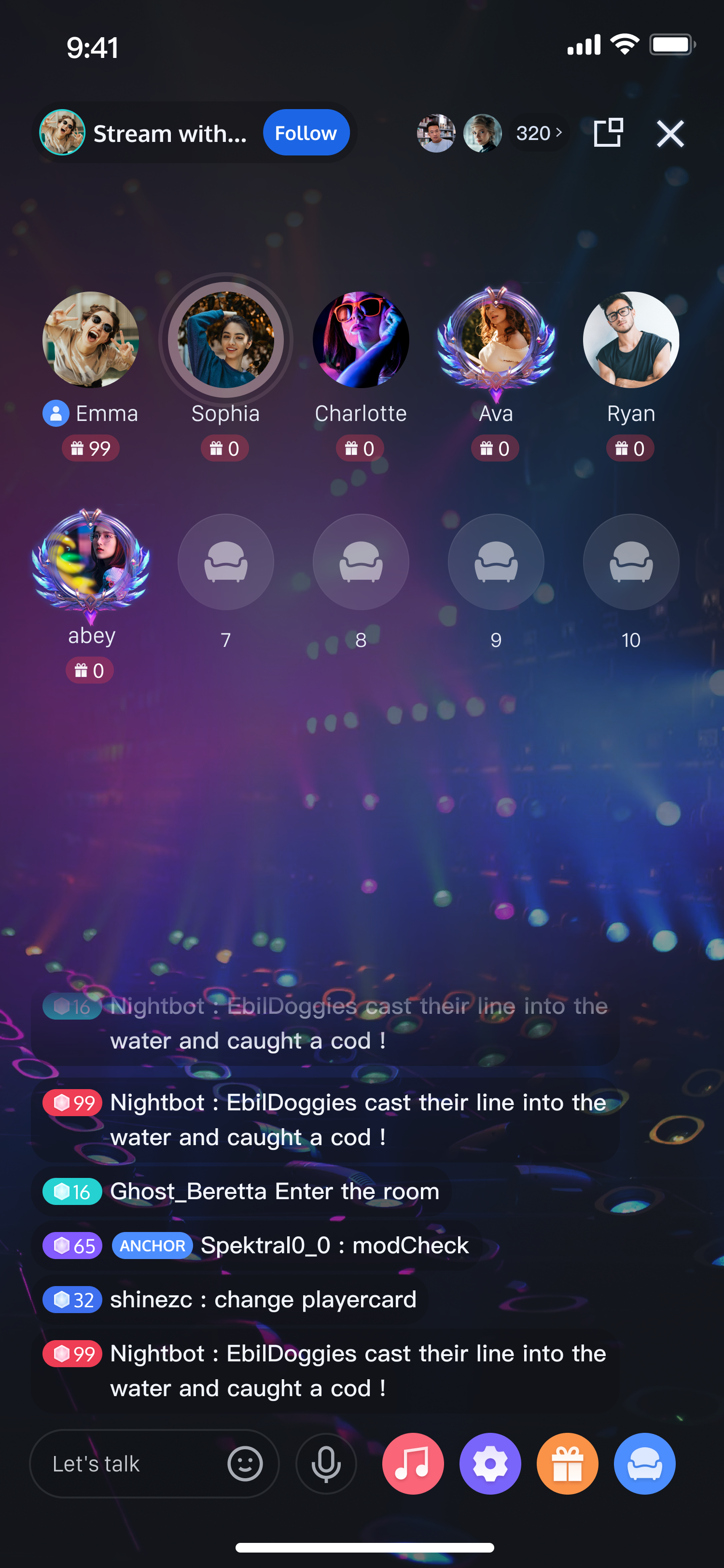
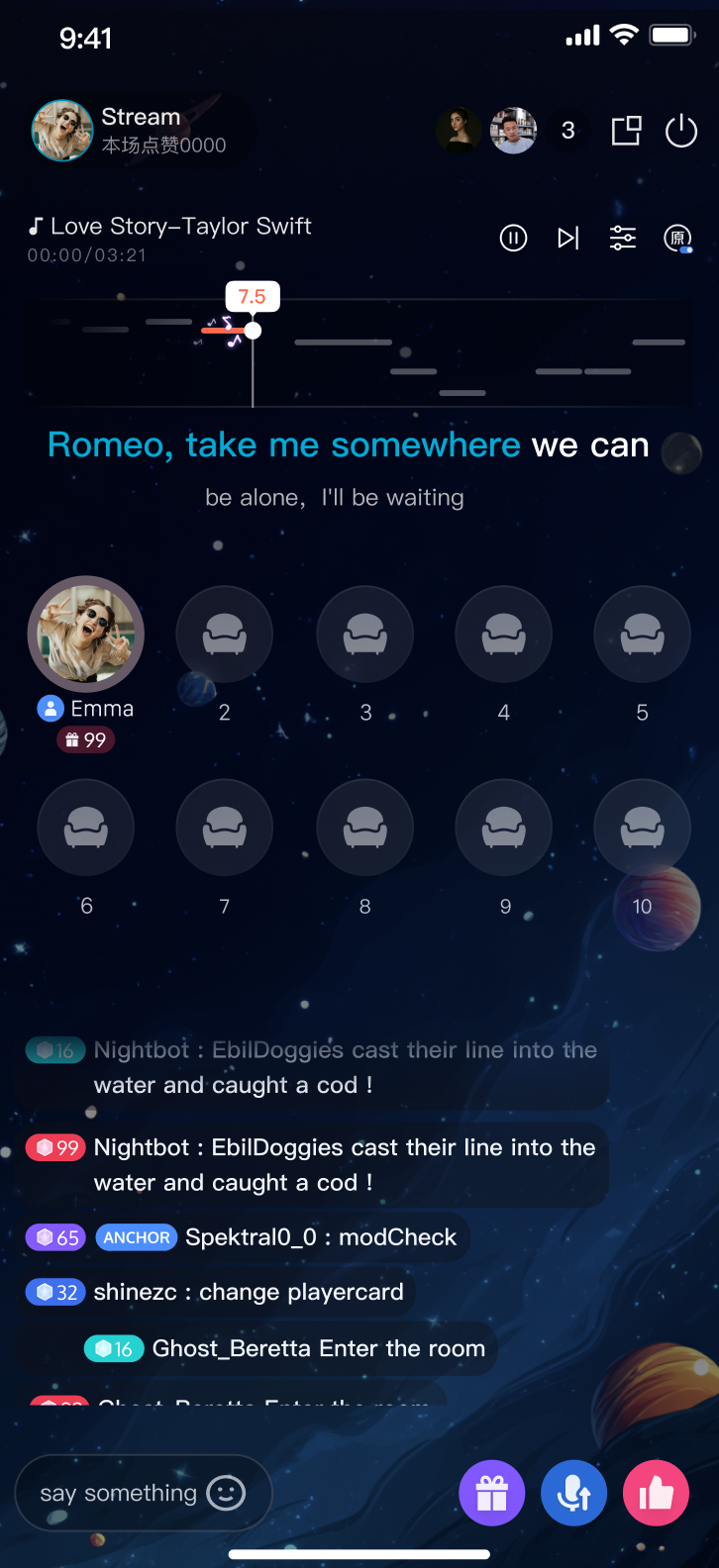
Voice Streaming

Layout type
Chat room layout
KTV layout

Template value

AudioSalon
Karaoke
SDK version
RTCRoomEngine 3.3.0
LiveStreamCore 3.3.0
RTCRoomEngine 3.3.0
LiveStreamCore 3.3.0
Max seat count
Maximum number of microphones in the package

Operation effect


Response Parameters

When the API returns HTTP 200, use the ErrorCode in the response body to determine whether the request was successful.

Success Response Example

{
"ActionStatus": "OK",
"ErrorInfo": "",
"ErrorCode": 0,
"RequestId": "Id-8c9858f01e954611ae2d4c1b1ed7d583-O-Seq-52720",
"RoomId": "live-room"
}

Parameter Details

Field
Type
Description
ActionStatus
String
Result of the request.
OK: success.
FAIL: failure.
ErrorCode
Integer
Error code.
0: success.
Non-zero: failure.
ErrorInfo
String
Error message.
RequestId
String
Unique request ID. Provide this RequestId for troubleshooting.
RoomId
String
Room ID.

Error Codes

For general error codes (60000 to 79999), see the Error Codes, The following are API-specific error codes:
Error Code
Description
100001
Internal server error. Please retry.
100002
Invalid request parameters. Check the error description and verify your request.
100003
Room ID already exists. Please choose a different Room ID.
100007
No payment information. You need to purchase a package in the Console.
100010
Room ID already exists and Owner_Account is the same. You can use it directly.
100011
Room ID is occupied by Chat. Please use a different Room ID.
100012
Room creation exceeds frequency limit. The same Room ID can only be created once per second.
100026
Room name or other information contains sensitive content.

Usage Examples

Scenario: High-Concurrency Showroom Live

Features
Supports large audiences and stream mixing.
Allows audience members to join as guests and enables guest seats.
Public stream, visible in the Live Stream List.
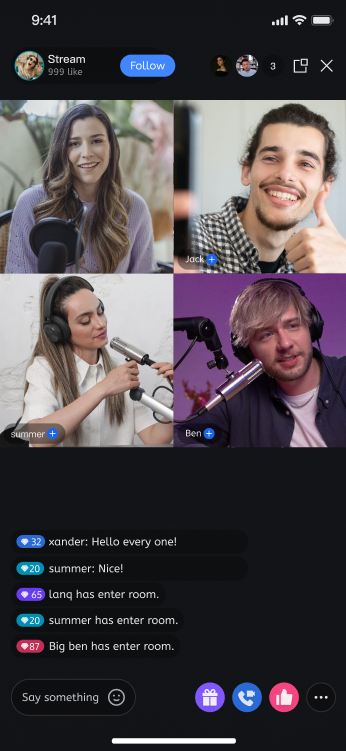
Layout: Uses the standard dynamic nine-grid layout. When only the host is present, the display is full screen. When guests join, the layout switches to a dynamic grid.
Live Effect

Request Example
{
"RoomInfo": {
"RoomId": "live_testA",
"RoomType": "Live",
"Owner_Account": "testA", // Set host
"TakeSeatMode": "ApplyToTake", // Audience must call takeSeat API to apply for guest seat
"SeatTemplate": "VideoDynamicGrid9Seats", // Set layout to dynamic nine-grid for live video
"IsPublicVisible": true, // Make this stream visible in the Live Stream List
"RoomName": "Happy new year", // Set stream name for display in the Live Stream List
"CoverURL": "cover url" // Set stream cover URL for display in the Live Stream List

}
}

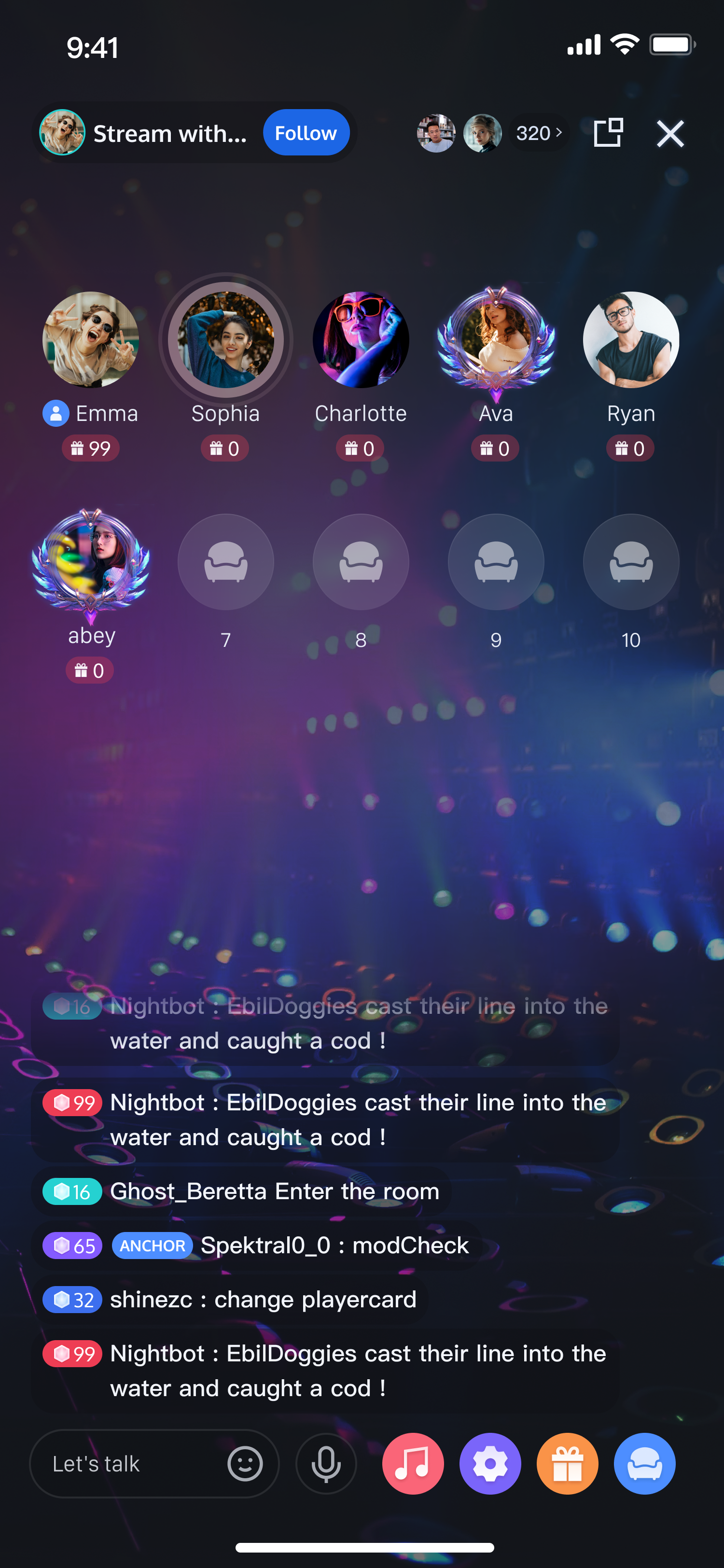
Scenario: Voice Chat Room

Features
Pure audio, everyone can speak freely.
Stream mixing is not required (suitable for small groups).
Public stream, visible in the Live Stream List.
Audience can freely join as guests and speak.
Supports custom guest seat count (e.g., 8, 10).
Live Effect


Request Example
{
"RoomInfo": {
"RoomId": "voice_testA",
"RoomType": "Live",
"Owner_Account": "testA", // Set host
"TakeSeatMode": "FreeToTake", // Audience can freely join as guests
"MaxSeatCount": 10, // Set guest seat count to 10 (max depends on your package)
"SeatTemplate": "AudioSalon", // Set streaming template to voice chat room
"IsPublicVisible": true, // Make this stream visible in the Live Stream List
"RoomName": "Happy new year", // Set stream name for display in the Live Stream List
"CoverURL": "cover url" // Set stream cover URL for display in the Live Stream List
}
}

Possible Webhooks

References

Host preparation page (Layout Introduction)
Host streaming page (Layout Styles)

API Debugging Tool

Use the REST API Online Debugging Tool to test this API.