
iOS
本文档说明在直播 SDK 项目中集成和使用 TEBeautyKit 库。
集成步骤
1. (可选)集成 TELiveAdapter。TELiveAdapter.framework 用来接收直播 SDK 的视频回调,内部经过美颜 SDK 处理后再返回给直播 SDK,如需对视频流做自定义处理,可以跳过此步骤。
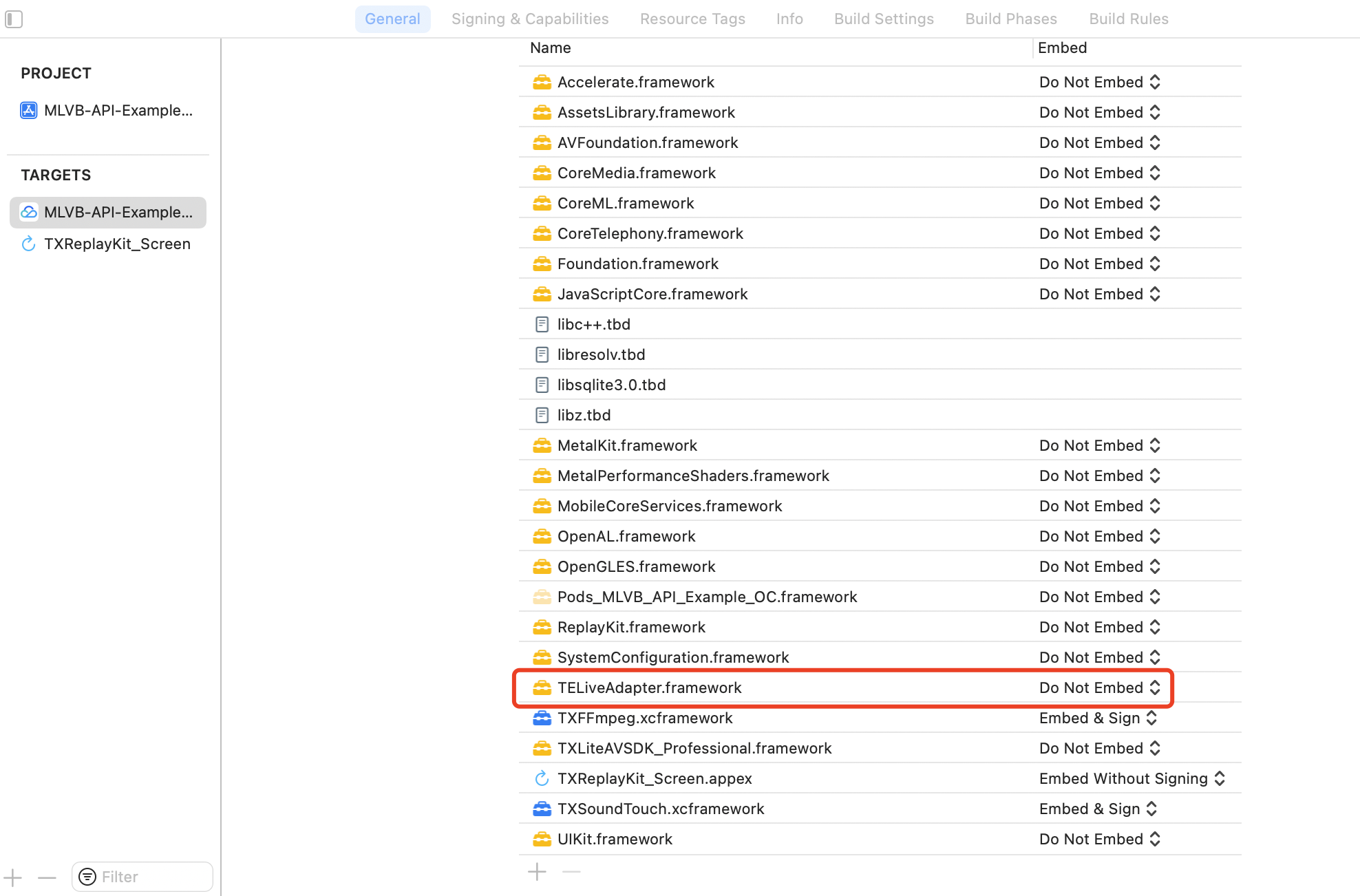
2. 集成 TEBeautyKit,编辑 podfile 文件,添加下面的代码后执行
pod install。# 将S1-07替换成您购买的套餐pod 'TEBeautyKit/S1-07', :podspec => 'https://mediacloud-76607.gzc.vod.tencent-cloud.com/TencentEffect/iOS/TEBeautyKit/latest/TEBeautyKit.podspec'
4. 集成 美颜素材。
使用流程
步骤一:鉴权
[TEBeautyKit setTELicense:@"your license" key:@"your key" completion:^(NSInteger authresult, NSString * _Nullable errorMsg) {NSLog(@"----------result: %zd %@",authresult,errorMsg);}];
步骤二:配置面板资源路径
- (void)configPanel {NSBundle *bundle = [NSBundle mainBundle];NSString *beautyJsonPath = [bundle pathForResource:@"beauty" ofType:@"json"]; //美颜NSString *lutJsonPath = [bundle pathForResource:@"lut" ofType:@"json"]; //滤镜NSString *motion2dJsonPath = [bundle pathForResource:@"motion_2d" ofType:@"json"]; //2d贴纸NSMutableArray *resArray = [[NSMutableArray alloc] init];[resArray addObject:@{TEUI_BEAUTY : beautyJsonPath}];[resArray addObject:@{TEUI_LUT : lutJsonPath}];[resArray addObject:@{TEUI_MOTION_2D : motion2dJsonPath}];/// 设置资源[[TEUIConfig shareInstance] setTEPanelViewResources:resArray];}
步骤三:添加面板
TEPanelView 是自定义的面板视图,用来展示步骤二中配置的数据。
- (void)addPanelView {TEPanelView *tePanelView = [[TEPanelView alloc] init];tePanelView.delegate = self;[self.view addSubview:tePanelView];[tePanelView mas_makeConstraints:^(MASConstraintMaker *make) {make.width.bottom.mas_equalTo(self.view);make.left.right.mas_equalTo(self.view);make.height.mas_equalTo(230 + self.view.safeAreaInsets.bottom);}];}
步骤四:adapter 绑定美颜
/// 创建adapter对象- (TEBeautyLiveAdapter *)liveAdapter {if (!_liveAdapter) {_liveAdapter = [[TEBeautyLiveAdapter alloc] init];}return _liveAdapter;}/// 绑定美颜__weak __typeof(self)weakSelf = self;[self.liveAdapter bind:self.livePusher onCreatedXmagicApi:^(XMagic * _Nullable xmagicApi) {__strong typeof(self) strongSelf = weakSelf;strongSelf.teBeautyKit.xmagicApi = xmagicApi;[strongSelf.teBeautyKit setLogLevel:YT_SDK_ERROR_LEVEL];strongSelf.tePanelView.teBeautyKit = strongSelf.teBeautyKit;[strongSelf.tePanelView setDefaultBeauty];} onDestroyXmagicApi:^{__strong typeof(self) strongSelf = weakSelf;[strongSelf.teBeautyKit onDestroy];strongSelf.teBeautyKit = nil;}];
步骤五:参数变化通知 adapter
/// 通知adapter前后置摄像头,是否编码镜像[self.liveAdapter notifyCameraChanged:self.isFrontCamera isEncoderMirror:self.isEncoderMirror];/// 通知adapter屏幕方向改变[self.liveAdapter setDeviceOrientation:orientation];
步骤六:解绑 adapter
[self.liveAdapter unbind];self.liveAdapter = nil;
步骤七:未集成 TELiveAdapter
监听直播 SDK 视频回调,在回调中处理美颜,然后返回给直播 SDK。
1. 初始化
- (void)initXMagic {__weak __typeof(self)weakSelf = self;[TEBeautyKit createXMagic:EFFECT_MODE_PRO onInitListener:^(TEBeautyKit * _Nullable beautyKit) {__strong typeof(self)strongSelf = weakSelf;strongSelf.teBeautyKit = beautyKit;strongSelf.tePanelView.teBeautyKit = strongSelf.teBeautyKit;[strongSelf.tePanelView setDefaultBeauty];[strongSelf.teBeautyKit setLogLevel:YT_SDK_ERROR_LEVEL];[strongSelf.teBeautyKit registerSDKEventListener:strongSelf];}];}
2. 处理视频数据
- (void)onProcessVideoFrame:(V2TXLiveVideoFrame *)srcFrame dstFrame:(V2TXLiveVideoFrame *)dstFrame {YTProcessOutput *output = [self.teBeautyKit processTexture:srcFrame.textureIdtextureWidth:srcFrame.widthtextureHeight:srcFrame.heightwithOrigin:YtLightImageOriginTopLeftwithOrientation:YtLightCameraRotation0];dstFrame.textureId = output.textureData.texture;}
3. 销毁
- (void)destroyXMagic {[self.teBeautyKit onDestroy];self.teBeautyKit = nil;}

