Tencent RTC manages various businesses or projects through applications. Different applications can be individually created for distinct businesses or projects within the TRTC console, hence facilitating the isolation of data between businesses or projects.
Points of Attention
Each Tencent Cloud account has the capacity to establish a maximum of 300 Tencent RTC applications.
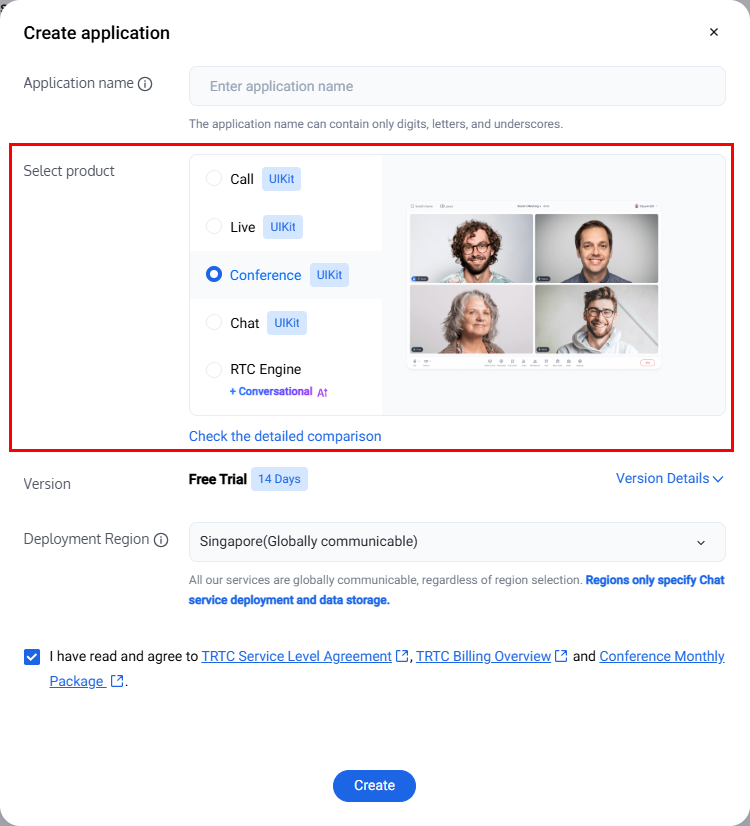
2. Enter the application name in the create pop-up window, select product based on actual business needs, choose appropriate Deployment Region, and click Create.
Note:
The default Data Storage for real-time audio and video service data is in Singapore, and the storage for instant messaging service data is in your selected data center.
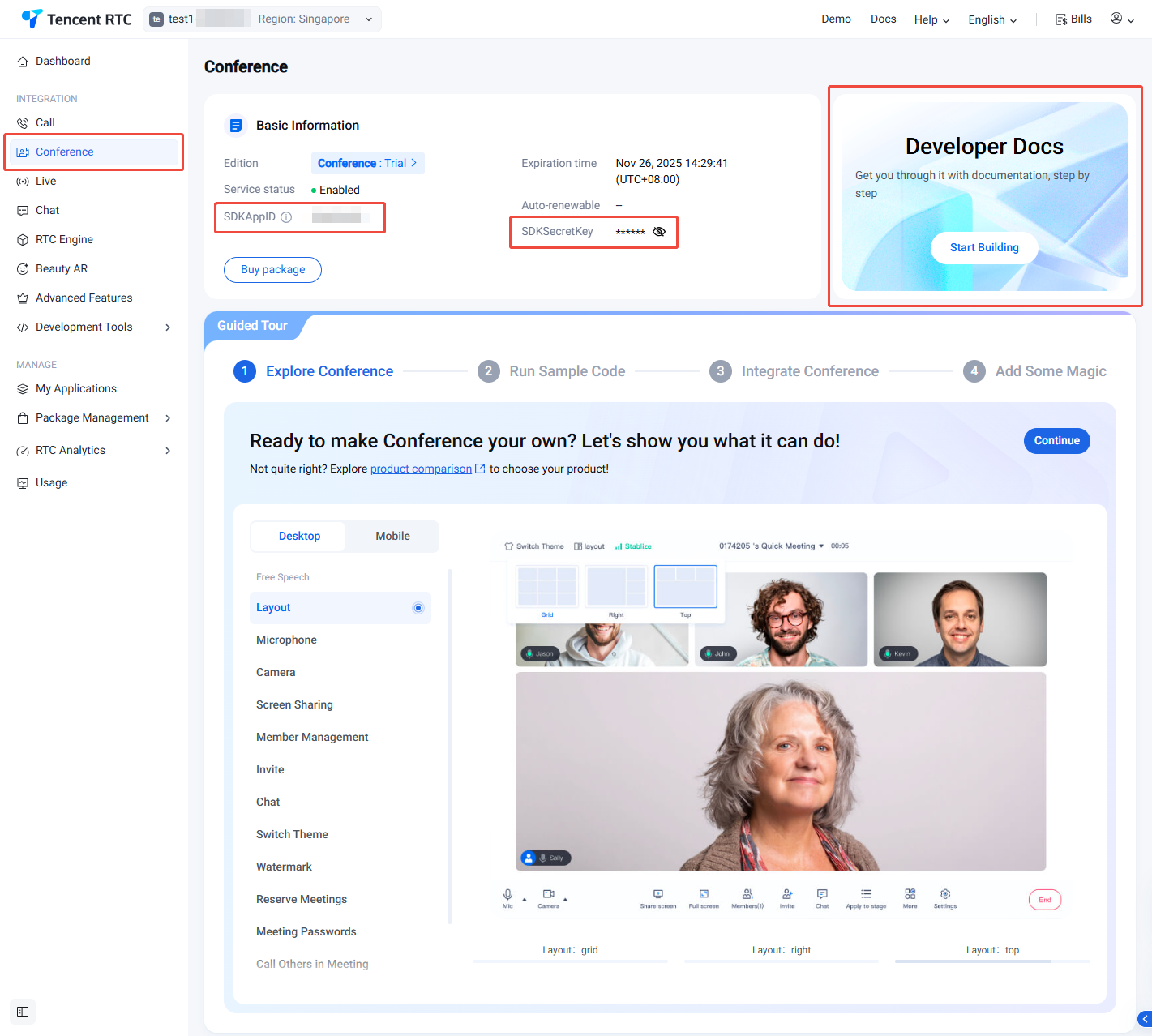
3. Once the application is created, you will enter the selected Product Details Page by default. You can click Developer Docs for a quick run-through of the sample project. View SDKAppID and SDKSecretKey in Basic Information, as they will be used in subsequent steps.
Viewing Application List
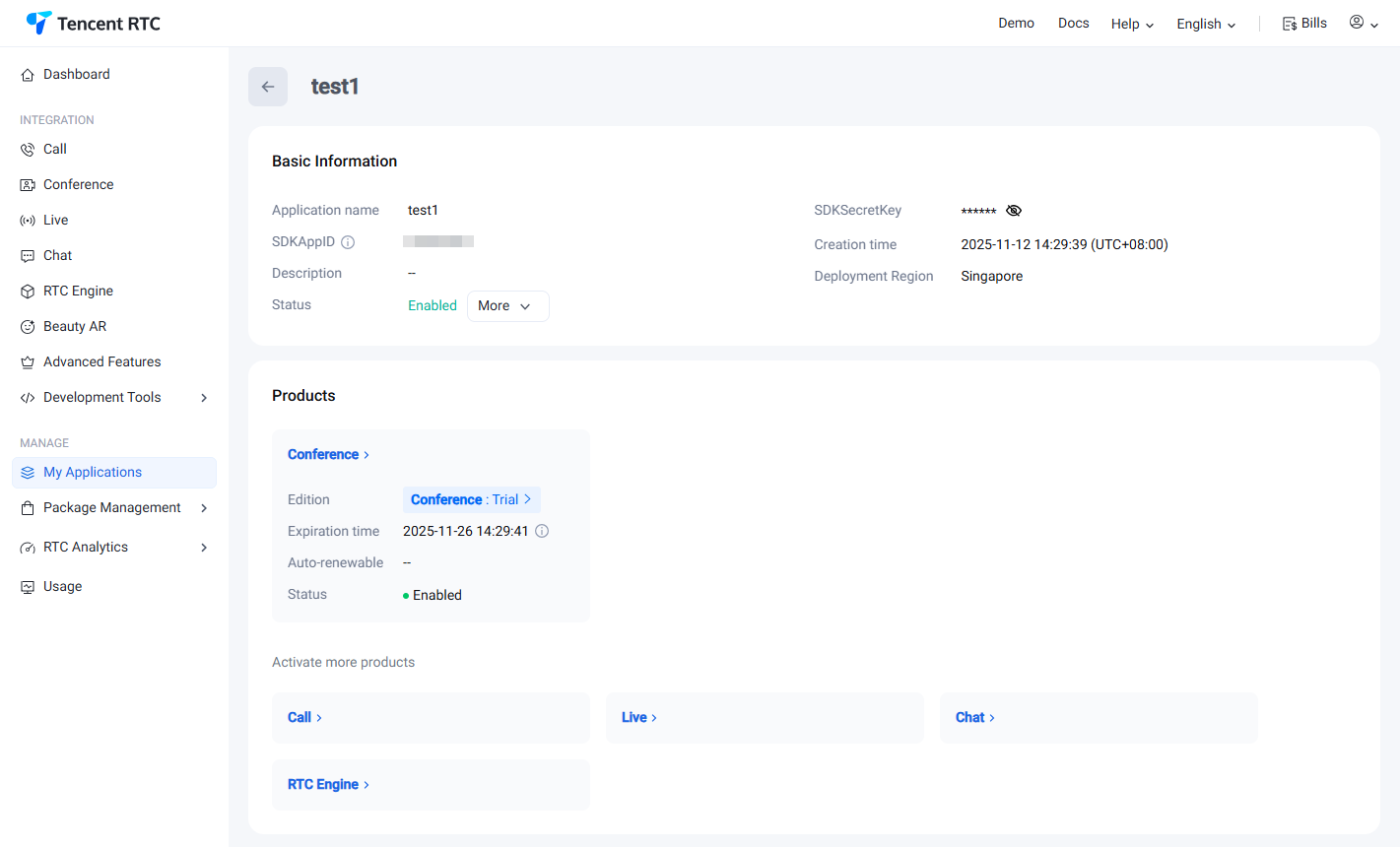
After the application is created successfully, the created application information will be presented in the overview panel. Click the Manage button on the right of the application you want to view to check its basic info.
The basic information displayed includes application name, SDKAppID, SDKSecretKey, application description, TAG, application status, key, application creation time, and service area. Additionally, you can verify whether advanced functions have been enabled and which products have been utilized.
Information Item
Description
Application Name
Set a custom application name when creating an application.
SDKAppID
The SDKAppID, automatically generated after the creation of the application, serves as the unique identifier for the application. This parameter must be provided when invoking the VOICE API interface.
SDKSecretKey
Key information for initializing the SDK configuration file.
Application Description
You have the option to create a custom description for the application.
Application Version
By default, RTC engine are set to the basic version. You may upgrade to a higher version in order to unlock additional features based on your business needs. For more information, see RTC-Engine Packages.To use the Call application, you need to claim the Free Trial version. You can upgrade to a higher version based on your business needs to unlock corresponding value-added features. TRTC Call Monthly Packages
Service Status
The current service status of the application comprises two states: Normal and Disabled. If the service status indicates "Disabled" and it was not manually suspended, please ascertain whether the package balance is zero, and if the Tencent Cloud Account has an overdue balance.
Creation Time
The time at which the application was successfully established.
Deployment Region
Service deployment storage area. Tencent Real-Time Communication (TRTC) service data is stored in Singapore by default, while Chat service data is stored in your selected data center.
Related Documents
To examine the fundamental detailed insights of an application, kindly refer to Application Information.
Should you need to arrange or peruse the application function configuration details, please consult Function Configuration.