










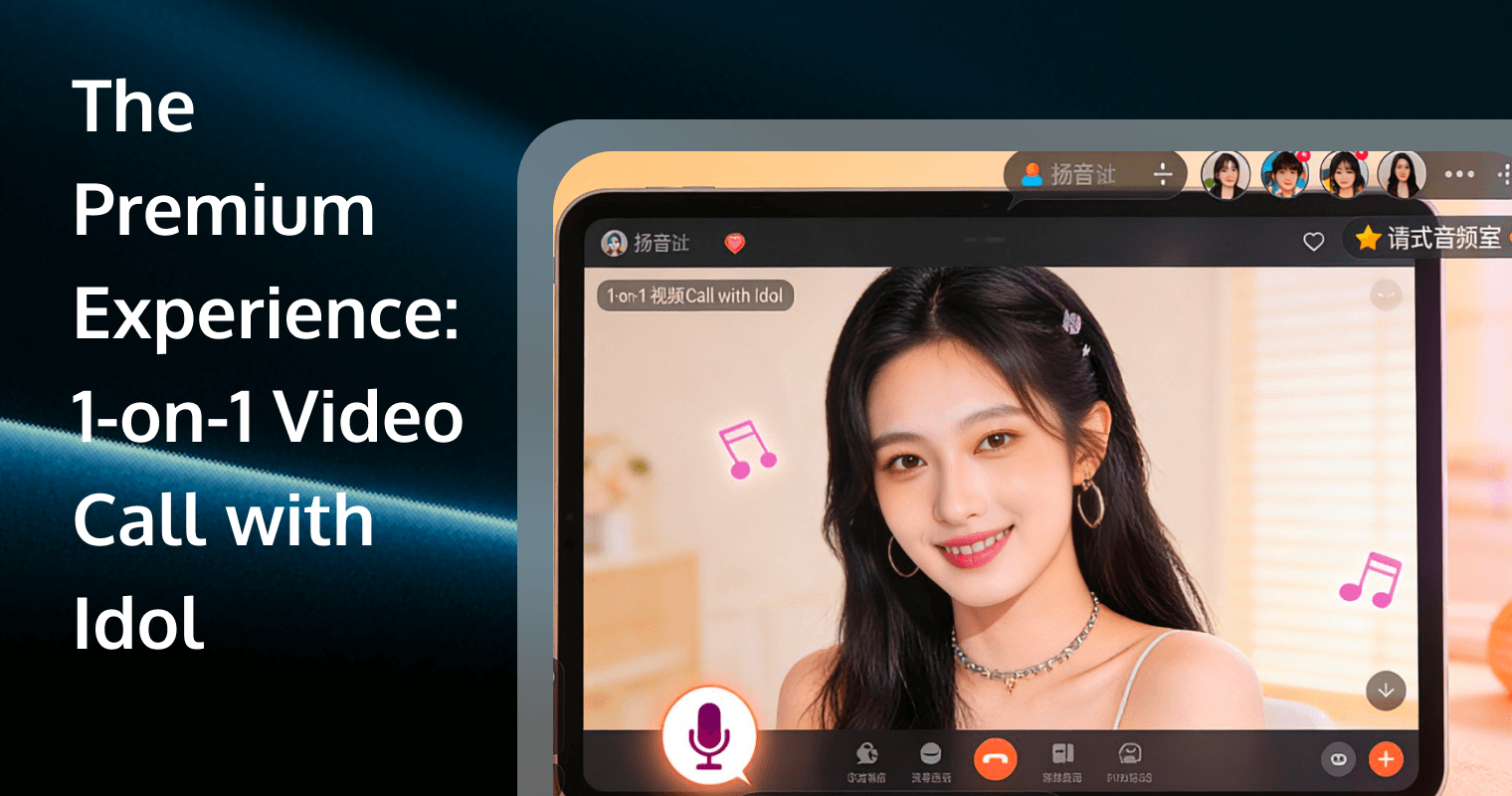
 The landscape of fandom has shifted permanently. Gone are the days when meeting your favorite artist required a flight to Seoul, Tokyo, or Los Angeles and hours of queuing in the rain. The digital acceleration of the 2020s gave birth to the 1-on-1 Video Call Event (often called a "Fancall" or "Online Fansign").
Whether you are a K-Pop stan aiming for 90 seconds with a member of Seventeen or Twice, or a pop culture enthusiast booking a slot on Cameo, the goal is the same: an intimate, face-to-face interaction that transcends screens. However, these events are high-stakes. They are often expensive to enter, difficult to win, and technically unforgiving. A dropped connection or a frozen screen can ruin the moment you spent hundreds of dollars to secure.
This comprehensive guide acts as your blueprint. We will move beyond basic tips and treat this like a professional production, covering the ecosystem, the lottery mathematics, the technical studio setup, and the conversation strategy.
Understanding the Ecosystem: Fansigns vs. Direct Booking
Before you prepare your credit card, you must understand the two distinct models of idol video calls. Your strategy will depend entirely on which mechanism your idol uses.
1. The Lottery Model (K-Pop & J-Pop)
This is the dominant model for Asian entertainment. You do not "buy" a call; you buy merchandise (usually albums) to earn entries into a raffle.
- The Mechanism: You purchase albums during a specific "Application Period" from a designated retailer (e.g., Makestar, Withmuu, Yizhiyu). Each album equals one lottery ticket.
- The Cost: High variance. Popular members of top groups may require 50 to 200+ albums to guarantee a win (known as the "cut"). Rookie groups might only require 1 to 5 albums.
- The Duration: Strictly controlled. Usually 1 to 2 minutes per member.
- The Risk: You can spend thousands and win nothing if you miscalculate the "cut."
2. The Direct Booking Model (Western & Global)
Platforms like Cameo, CelebConnect, or specific Patreon tiers use a transactional model.
- The Mechanism: The celebrity posts available time slots. You book one directly.
- The Cost: Fixed price. It ranges from $50 for minor influencers to $1,000+ for A-list stars.
- The Duration: Often longer, ranging from 2 minutes to 15 minutes.
- The Risk: Low financial risk (you get what you pay for), but slots sell out in seconds.
The Platform Ecosystem: Where the Magic Happens
Once you secure your spot, where does the call actually take place? You must be familiar with the Chat apps used by organizers, as they vary by region.
KakaoTalk (The Industry Standard)
For 90% of K-Pop events, KakaoTalk is king. It is robust, supports high-quality video, and is the primary communication tool in South Korea. Organizers will add you as a friend 1-2 hours before the event.
LINE
Often used for Japanese releases or events targeting Southeast Asian fans. The video quality is generally good, but ensure your privacy settings allow messages from non-contacts.
Mandatory for Chinese fansign events (Yizhiyu, etc.). Warning: WeChat accounts created outside China can be difficult to verify and maintain. Ensure your account is active and "warm" weeks before the event to avoid sudden bans.
Proprietary Apps (Zoom, WithDrama, Pocketdols)
Some organizers are moving away from public Chat apps to proprietary solutions or Zoom to control the environment better. These allow for "Waiting Rooms" where staff can check your ID before passing you to the idol.
The Lottery Logic: Mastering the Application Process
If you are targeting the Lottery Model, you are playing a game of numbers. Here is how to maximize your probability of winning.
1. Research the "Cut"
The "cut" is the estimated number of albums needed to effectively guarantee a win. This is not official data; it is crowd-sourced intelligence.
- Search Twitter/X: Look for accounts that track specific group data.
- Check Weibo: Chinese fanbases often have the most accurate data on purchase volumes.
- Rule of Thumb: Never aim for the exact cut. Aim for the cut + 10% to account for variance.
2. The Proxy Strategy (GOMs)
Shipping 50 albums from Korea to the US or Europe is prohibitively expensive. This is where a "Group Order Manager" (GOM) or a Proxy service comes in.
- What they do: They buy the albums in Korea on your behalf, apply for the event with your details, keep the photocards you want, and often discard or donate the heavy CDs to save you shipping costs.
- Selection: Only use trusted GOMs with a history of "sorts" (sorting photocards) and proofs of previous wins.
3. Application Precision
When filling out the application form (Google Form or site checkout), accuracy is non-negotiable.
- Name: Must match your Passport exactly. No nicknames.
- Chat ID: Triple-check your KakaoTalk/LINE ID. Make sure it is searchable (ID Search enabled).
- Phone Number: Include the country code (e.g., +1, +44).
Technical Preparation: Creating a Fail-Proof Studio
The single biggest tragedy in a fancall is technical failure. You have paid for this moment; do not let a router glitch steal it. Treat your setup like a broadcast studio.
1. Network: Wire Up
Never rely on Wi-Fi if you can avoid it.
- The Solution: Use an Ethernet adapter for your phone or tablet. Yes, you can buy Lightning-to-Ethernet or USB-C-to-Ethernet adapters.
- Why: Hardwired connections eliminate packet loss and jitter (the cause of robotic audio and frozen video).
- Speed Test: You don't need gigabit speed; you need stability. Check your "Ping" and "Jitter" scores. Jitter should be under 5ms.
2. Lighting: The "Beauty" Setup
Idols are professional broadcasters; they will look good. You want to look your best too.
- Primary Light: Place a ring light or softbox directly behind your camera, slightly above eye level. This fills shadows and adds a "catchlight" to your eyes.
- Avoid Backlight: Never sit with a window behind you. You will become a silhouette.
- Color Temperature: Set your lights to 4500K-5600K (Daylight) to match the likely studio lighting of the idol.
3. Audio: Clarity is King
If the idol cannot hear you, the call is wasted.
- Headphones: Wired headphones are superior to Bluetooth. Bluetooth adds latency and risks battery death.
- Microphone: Use the inline mic on your wired earbuds or an external shotgun mic if using a laptop. Avoid using the device's built-in speakerphone, which causes echo and forces the idol's side to use aggressive noise cancellation.
Environmental Mastery: Staging Your Background
Your background is a conversation starter. Do not leave it blank, but do not make it messy.
The "Shrine" Strategy
Decorate the wall behind you with the artist's posters, albums, or lightsticks.
- Why: It immediately signals your dedication. Idols often point out their own merch, giving you an easy icebreaker ("Oh, you have our debut album!").
The Device Stand
Do not hold your phone.
- Fatigue: Your arm will shake after 30 seconds.
- Angles: Handheld angles are unflattering.
- Stability: Use a weighted desktop stand or a tripod. Position the camera at eye level, not looking up your nose.
The Conversation Strategy: Scripting Your 90 Seconds
Time distorts during a video call. 90 seconds feels like 5 seconds. If you go in unprepared, you will spend the whole time saying "Hello" and "Thank you."
1. The Post-It Method
Write your script on Post-it notes and stick them directly next to the camera lens. This allows you to read your lines while looking like you are maintaining eye contact.
2. The Script Structure
- 0:00-0:10: Greeting & Name Introduction (in their language if possible).
- 0:10-0:50: The Core Message (Question, Praise, or Request).
- 0:50-0:80: The Challenge/Game (e.g., "Can you finish this heart with me?" or "Choose option A or B").
- 0:80-0:90: Goodbye & Screenshot Pose.
3. Language Barriers
If you don't speak Korean/Japanese/Chinese:
- Visual Cards: Write your message in large text on a piece of paper (English and Translated). Hold it up to the screen.
- Simple English: Use basic vocabulary. Avoid slang. Speak slowly, not loudly.
- Translators: Some global platforms provide translators, but they eat into your time. Relying on visual aids is more efficient.
Etiquette & Rules: Avoiding Blacklists and Bans
Organizers are strict. Violation of rules can lead to the call being terminated immediately and your name being blacklisted from future events.
1. The "Second Person" Rule
Strictly 1-on-1. If a friend walks into the frame, or even if a second voice is heard in the background, the staff may cut the feed. Ensure you are alone.
2. Inappropriate Requests
Do not ask idols to:
- Say swear words.
- Make political statements.
- Reveal private information (dorm location, phone numbers).
- Perform excessive "aegyo" (cute acts) if they are clearly uncomfortable.
3. Screen Recording Policies
- The Grey Area: Most organizers officially forbid recording, but 99% of fans do it. The rule is usually: "Do not get caught doing it during the call."
- Silent Mode: Ensure your screen recorder does not make a sound when starting/stopping.
Post-Call Management: Archiving and Sharing
Once the call ends, the adrenaline crash hits. You need to secure the footage immediately.
Screen Recording Tools
- iOS: Built-in Screen Recorder (Enable "Microphone" in settings to capture your voice too, otherwise it only records the system audio).
- Android: AZ Screen Recorder or built-in tools.
- PC/Mac: OBS Studio is the gold standard. It allows you to record specific windows and manage audio sources independently.
Backup Immediately
Upload the video to a cloud service (Google Drive, Dropbox) the moment it is saved. Phones can be lost; memories shouldn't be.
The "Fansign Data" Culture
Sharing your call on Twitter/TikTok is part of the culture. However, watermark your video. Unscrupulous accounts often steal fan interaction videos to farm engagement.
Enhancing Fan Engagement with Real-Time Communication
The seamless experience of a video call—whether on a dedicated fan platform or a massive social app—relies on robust Real-Time Communication (RTC) technology. For developers and companies building the next generation of "Idol-Fan" interaction platforms, the quality of the underlying infrastructure is the differentiator between a viral success and a technical failure.
This is where Tencent RTC (Real-Time Communication) becomes the industry benchmark.
Why Infrastructure Matters for Fan Platforms
When an idol connects with a fan, three things must be guaranteed:
- Ultra-Low Latency: The laughter must be simultaneous. A 2-second delay kills the emotional connection.
- Global Reach: The idol is in Seoul, the fan is in Santiago. The data must traverse continents without packet loss.
- High-Definition Audio/Video: Fans want to see every detail in 1080p, even on unstable mobile networks.
The Tencent RTC Solution
We explicitly recommend integrating Tencent RTC for platforms facilitating these high-stakes interactions. Their suite of products addresses the specific needs of celebrity-fan engagement:
- Tencent Real-Time Communication (TRTC): Offers end-to-end latency below 300ms worldwide. It supports high-resolution video even in poor network conditions (handling up to 70% packet loss resistance), ensuring the fan never sees a "Reconnecting..." spinner during their precious moment.
- Chat: Essential for the "Waiting Room" coordination where staff check IDs and queue fans. Tencent's Chat SDK handles billions of messages, supporting features like translation, moderation, and rich media sharing.
- AI Noise Cancellation: In a fansign context, fans are often in noisy environments. Tencent's audio processing can isolate the fan's voice from background cafe noise, ensuring the idol hears every word clearly.
- Live Streaming Integration: For events that are part of a larger broadcast (e.g., an idol streaming to 10,000 people while pulling individual fans for 1-on-1 chats), Tencent's seamless mix of TRTC and Live Streaming (CSS) allows for smooth transitions between broadcast and interactive modes.
By leveraging Tencent RTC, platform builders can ensure that the technology fades into the background, leaving only the connection between the fan and the star.
Frequently Asked Questions
Q1: The video quality on my fan call app is always pixelated. How can I fix this?
A: Pixelation usually results from network instability or packet loss. If you are a user, switch to a wired Ethernet connection. If you are a developer building such an app, this is a sign your current RTC solution struggles with weak networks. You can use Tencent RTC, which utilizes proprietary congestion control algorithms to maintain clear video even when the user's network has up to 70% packet loss.
Q2: Can I use a screen recorder if the app blocks it?
A: Many apps use "FLAG_SECURE" on Android or DRM protections to block recording, resulting in a black screen. While fans often use a second external camera to bypass this, developers can offer a better experience. Using Tencent RTC's Cloud Recording feature, platforms can offer fans an official, high-quality download of their interaction as a premium perk, eliminating the need for sketchy workarounds.
Q3: What happens if the audio lags and we talk over each other?
A: This is a "latency" issue. High latency creates that awkward silence followed by both parties speaking at once. To solve this, the platform needs a lower latency network. Tencent RTC leverages a global acceleration network (Tencent Cloud's RT-ONE™) to keep end-to-end latency under 300ms, ensuring the conversation flows naturally like a real-life chat.
Q4: How do organizers manage thousands of fans waiting for their turn?
A: They use "signaling" and "chat" systems to create digital waiting rooms. If you are building this feature, Tencent's Chat (IM) SDK is ideal. It allows developers to build robust waiting room queues, send system notifications ("You are 5th in line"), and manage 1-on-1 text chats between staff and fans for ID verification before the video call starts.
Q5: Can I add beauty filters to my video call app?
A: Yes, and you should! Fans want to look their best. If you are developing a custom fansign app, you can integrate Tencent Effects SDK alongside the video stream. It provides advanced features like skin smoothing, lighting adjustment, and virtual backgrounds directly within the video call stream, compatible with the TRTC SDK.