










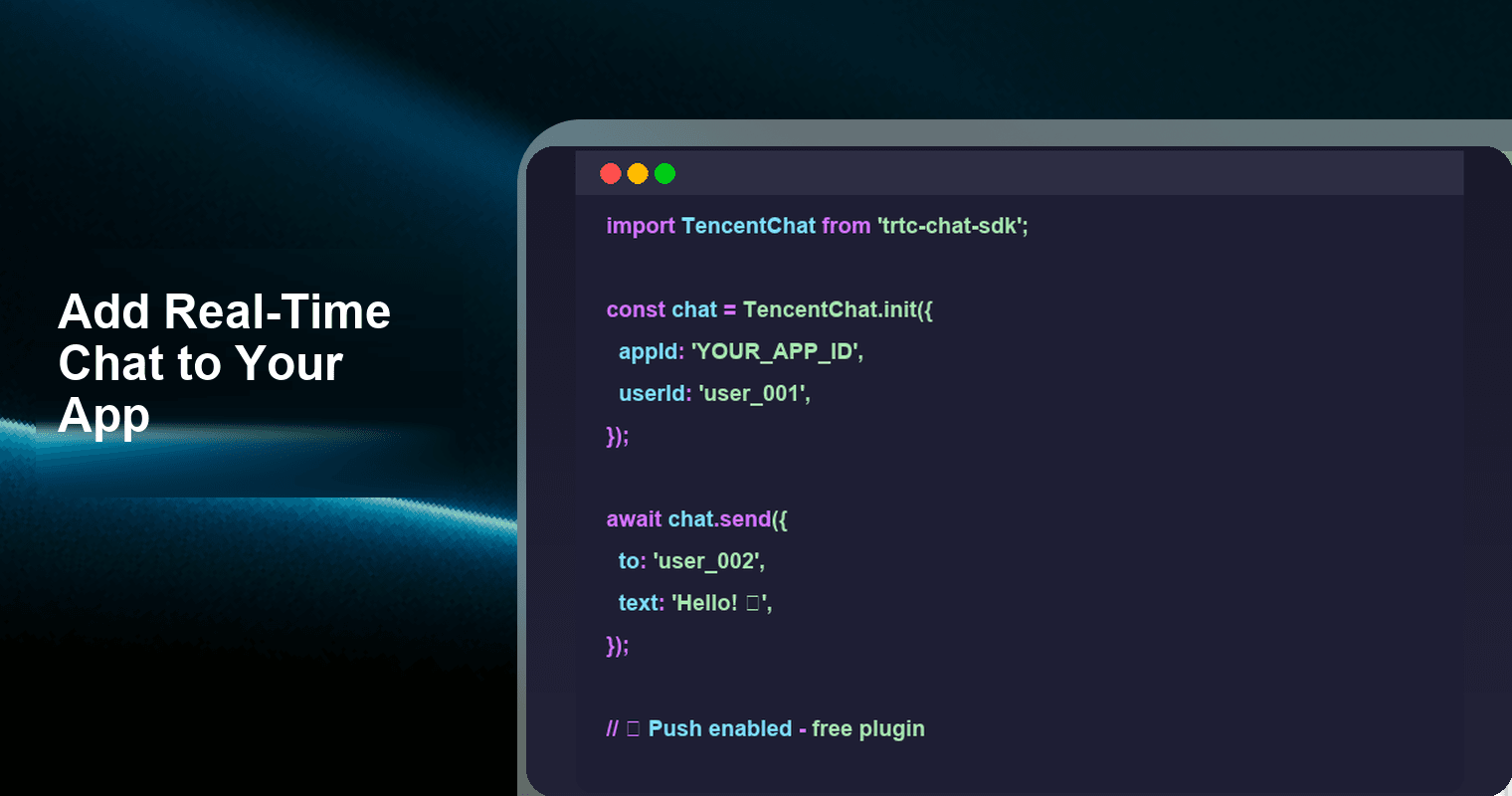
Adding real-time chat to your app doesn't require building a messaging backend from scratch. With a cross-platform chat SDK like Tencent RTC Chat, you can integrate 1-on-1 messaging, group chat, push notifications, and offline sync in under 30 minutes — and it's permanently free for up to 1,000 monthly active users with zero feature restrictions. This guide walks you through every step, from account creation to sending your first message across Android, iOS, Web, Flutter, React Native, or Unity.
The Infrastructure Trap: Why Self-Built Chat Is Harder Than You Think
Before you open a new repo and start writing WebSocket handlers, take an honest look at what a production-grade chat system actually demands:
- WebSocket server cluster — persistent connections, heartbeat management, horizontal scaling, and load balancing across nodes. A single Node.js WebSocket server tops out around 10,000 concurrent connections before you need to introduce clustering, sticky sessions, and a shared pub/sub layer.
- Authentication & session management — token generation, refresh flows, multi-device login handling, and secure key exchange. Every reconnection needs to re-establish identity without exposing credentials.
- Message storage & retrieval — durable writes, conversation threading, search indexing, pagination, and cross-device sync of message history. You'll need a database that can handle high write throughput (Redis for hot data, Postgres or MongoDB for persistence) plus a caching layer.
- Delivery guarantees — at-least-once delivery, message deduplication, retry logic, and sequence ordering so messages never arrive out of order or get silently dropped during network transitions.
- Push notifications — integration with APNs (iOS), FCM (Android), plus vendor-specific channels like Huawei Push, Xiaomi MiPush, OPPO Push, and vivo Push. Each vendor has its own certificate flow, payload format, and rate-limiting rules. Supporting push properly for a global audience means maintaining six separate integrations.
- Offline sync — queuing messages for users who are disconnected and replaying them reliably when they come back online, without duplicates and in the correct order.
- Content moderation — text filtering, image scanning, spam detection, and compliance tooling. Regulators in the EU (DSA), China, and other markets require proactive content moderation for user-generated messaging.
- Typing indicators, read receipts, and presence — these feel like small features, but they introduce real-time state synchronization problems that compound fast at scale. Presence alone can generate more traffic than the messages themselves.
Most teams underestimate this list. A senior engineer might prototype a basic WebSocket chat in a weekend, but hardening it for production — handling tens of thousands of concurrent connections, surviving server restarts without losing messages, and keeping push tokens fresh across six Android vendors — easily consumes 3–6 months and a dedicated infrastructure team. Industry surveys consistently show that engineering teams spend an average of 6–9 months building and stabilizing a custom real-time messaging backend from scratch.
The alternative? A realtime chat SDK that handles all of the above out of the box, with a free tier generous enough to carry you through prototyping, beta testing, and early traction.
Self-Built vs SDK: What You Actually Save
Here's a realistic before/after comparison for a typical mobile + web chat feature:
| Dimension | Self-Built (WebSocket + Custom Backend) | With Tencent RTC Chat SDK |
|---|---|---|
| Lines of code (chat layer) | 8,000–15,000+ (server + client) | 200–500 (client-side integration) |
| Time to first message | 8–16 weeks | < 30 minutes |
| Infrastructure cost (≤1K MAU) | $200–800/mo (servers, DB, CDN, push service) | $0 (permanent free tier) |
| Push notification setup | Weeks per vendor (APNs, FCM, Huawei, Xiaomi, OPPO, vivo) | Built-in free Push plugin, single config |
| Ongoing maintenance | 1–2 engineers part-time (patching, scaling, monitoring, on-call) | Zero — fully managed by Tencent Cloud |
| Platform coverage | Build and maintain per platform | Android, iOS, Web, Flutter, React Native, Unity |
| Offline sync | Custom queue + replay logic + dedup | Included out of the box |
| Scaling path | Re-architect at every 10× growth | Handled by SDK infrastructure — no concurrency limits |
The math is clear: if you're building an MVP, a side project, or an early-stage startup, spending months on chat infrastructure instead of 30 minutes is a decision that costs you product velocity, runway, and focus.
Step-by-Step: Add Chat to Your App in Under 30 Minutes
This walkthrough uses the Web (JavaScript) SDK as the primary example. The concepts and method names are nearly identical across Android, iOS, Flutter, React Native, and Unity.
Step 1: Create an Account and Get Your SDKAppID
- Sign up at trtc.io/free-chat-api.
- Navigate to the Chat console and create a new application.
- Copy your SDKAppID — this is the unique identifier that connects your client to Tencent's messaging backend.
- In the console, generate a UserSig for testing using the built-in debug tool. In production, you'll generate UserSig on your own server using the provided SecretKey.
Time: ~3 minutes
Step 2: Install the SDK
Choose the command for your platform:
Web (npm):
npm install @tencentcloud/chat tim-upload-pluginAndroid (Gradle):
// app/build.gradle
dependencies {
    api 'com.tencent.imsdk:imsdk-plus:8.1.6129'
}
iOS (CocoaPods):
# Podfile
target 'YourApp' do
  pod 'TXIMSDK_Plus_iOS'
end
Then run:
pod installFlutter:
flutter pub add tencent_cloud_chat_sdkReact Native:
npm install react-native-tim-jsTime: ~2 minutes
Step 3: Initialize the SDK
import TencentCloudChat from '@tencentcloud/chat';
import TIMUploadPlugin from 'tim-upload-plugin';

// Create the chat instance with your SDKAppID
const chat = TencentCloudChat.create({
  SDKAppID: 1400000000  // Replace with your actual SDKAppID
});

// Register the file-upload plugin (required for image/video/file messages)
chat.registerPlugin({ 'tim-upload-plugin': TIMUploadPlugin });

// Set log level: 0 = Debug (development), 1 = Release (production)
chat.setLogLevel(0);

// Log in with a userID and UserSig
await chat.login({
  userID: 'alice',
  userSig: 'YOUR_GENERATED_USER_SIG'  // Generate on your backend in production
});
Once login() resolves, the SDK establishes a persistent connection and begins syncing conversation data. You're now ready to send and receive messages.
Step 4: Send a Message
// Create a text message
const message = chat.createTextMessage({
  to: 'bob',                                          // Recipient's userID
  conversationType: TencentCloudChat.TYPES.CONV_C2C,  // 1-on-1 chat
  payload: {
    text: 'Hey Bob, the deploy looks good!'
  }
});

// Send it
try {
  await chat.sendMessage(message);
  console.log('Message sent successfully');
} catch (error) {
  console.error('Send failed:', error.code, error.message);
}
To send to a group instead, change conversationType to TencentCloudChat.TYPES.CONV_GROUP and set to to the group ID. The rest of the code stays the same.
Step 5: Receive Messages
// Listen for new incoming messages
chat.on(TencentCloudChat.EVENT.MESSAGE_RECEIVED, (event) => {
  const newMessages = event.data;  // Array of message objects

  newMessages.forEach((msg) => {
    console.log(`[${msg.from}]: ${msg.payload.text}`);
    // Update your UI: append to conversation view, play notification sound, etc.
  });
});

// Listen for conversation list updates (unread counts, last message preview)
chat.on(TencentCloudChat.EVENT.CONVERSATION_LIST_UPDATED, (event) => {
  const conversations = event.data;
  // Re-render your conversation list sidebar
});
The SDK automatically handles reconnection, message deduplication, and offline message sync. When a user comes back online after being disconnected, MESSAGE_RECEIVED fires with any messages they missed — in the correct order, without duplicates.
Step 6: Enable Push Notifications
For mobile apps, push ensures users receive messages even when the app is backgrounded or killed. This is where most self-built chat systems fall apart — and where Tencent RTC Chat's free Push plugin saves you weeks of vendor integration work.
Install the push plugin:
# Flutter
flutter pub add tencent_cloud_chat_push

# React Native
npm install react-native-tim-push
Register for push on app start (Flutter example):
import 'package:tencent_cloud_chat_push/tencent_cloud_chat_push.dart';

// After Chat SDK login succeeds:
await TencentCloudChatPush().registerPush();
React Native example:
import { TIMPush } from '@tencentcloud/react-native-push';

// Initialize push after login
TIMPush.init({
  sdkAppID: 1400000000,
  appKey: 'your_app_key',  // From Tencent RTC Console push config
});
The push plugin automatically detects the device manufacturer and routes through the correct channel — APNs for iOS, FCM for Google-serviced Android devices, and native vendor channels (Huawei, Xiaomi, OPPO, vivo) for devices in regions where FCM is unavailable. You configure certificates once in the Tencent Cloud console; no per-vendor code changes are needed in your app.
Total time from Step 1 to receiving your first message: ~20–30 minutes.
What You Get for Free
The Tencent RTC Chat free tier (≤1,000 MAU) gives you 100% feature access with no concurrency limits. Here's the complete list of what's included:
- 1-on-1 chat — text, image, video, audio, file, location, and custom messages
- Group chat — work groups, public groups, meeting groups, and community groups
- Read receipts — know when your message has been seen, in both 1-on-1 and group conversations
- Typing indicators — real-time "typing…" status shown to the other party
- File & image sharing — powered by the upload plugin, with automatic thumbnail generation and CDN delivery
- Message recall — let users delete a sent message for everyone within a configurable time window
- Offline sync — full message history synced across devices when a user logs in or reconnects
- Push notifications — free Push plugin supporting APNs, FCM, Huawei, Xiaomi, OPPO, and vivo
- User profiles & avatars — built-in user attribute storage for display names, profile photos, and custom fields
- Message search — local and server-side search across message history
- Moderation callbacks — server-side webhooks that fire before message delivery, letting you filter content, block spam, or trigger bot responses
This isn't a sandbox. There are no "starter plan" restrictions, no feature gates, and no trial expiration. The free tier and the paid tier run the same SDK binary with the same API surface. No credit card is required to activate it.
Scaling Beyond 1,000 MAU
When your app grows past the free tier, upgrading is seamless because you're already running the production SDK:
- No code changes required. You upgrade your plan in the Tencent Cloud console — same SDKAppID, same codebase, same deployment. There's no migration, no re-integration, and no downtime.
- Pay-as-you-grow pricing. Costs scale with your MAU count, not with message volume or concurrency. You won't get surprise bills from a viral moment or a spike in group chat activity.
- Higher-tier features unlock. Paid plans add capabilities like larger group sizes (up to 6,000 members per group), extended message history retention, audio/video calling integration via TRTC, and dedicated support channels.
- Global edge network. As you scale internationally, Tencent's global accelerator network keeps latency low across regions — the same infrastructure backbone that powers WeChat's messaging for over a billion users.
The key point: you can validate your product, onboard your first 1,000 users, and prove product-market fit without spending a dollar on chat infrastructure. When it's time to scale, you flip a switch in the console — you don't rewrite a backend.
FAQ
Q: Is the free tier permanent, or is it a time-limited trial?
The Tencent RTC Chat free edition is permanent — there is no trial expiration and no credit card required. You get 1,000 MAU with 100% feature access for as long as you use the service. This isn't a 14-day sandbox; it's a perpetual free tier designed for prototypes, MVPs, and small-scale production apps.
Q: Can I use the SDK alongside my existing authentication system?
Yes. The SDK uses its own session token (UserSig) for connection authentication, but the userID is a string you define — it can be your existing user ID from your own auth system. In production, your backend generates the UserSig using a SecretKey and passes it to the client on login. This means the Chat SDK plugs into any auth system (Firebase Auth, Auth0, Supabase, custom JWT, etc.) without conflict or replacement.
Q: How does the SDK handle push notifications across different Android vendors?
The free Push plugin supports APNs (iOS), FCM (Google Play Android devices), and vendor-specific channels for Huawei, Xiaomi, OPPO, and vivo. You configure each vendor's credentials once in the Tencent RTC Console, and the SDK automatically detects the device manufacturer and routes notifications through the correct channel. This eliminates the need to integrate and maintain 4–6 separate push SDKs yourself.
Q: What happens when I exceed 1,000 MAU?
You'll need to upgrade to a paid plan to continue service. Upgrading does not require any code changes — you switch plans in the console and your existing integration keeps working. Pricing scales with MAU, so you only pay for the users you actually have.
Q: Which platforms does the SDK support, and is the API consistent across them?
The Tencent RTC Chat SDK provides native SDKs for Android, iOS, Web (JavaScript), Flutter, React Native, and Unity. All six platforms share the same API design and feature set (create → login → send → receive), so your chat logic stays consistent across a multi-platform app. The Web SDK also works in Electron for desktop apps.
Q: Is this SDK suitable for production apps, or just prototyping?
It's production-grade. The same SDK and backend infrastructure powers messaging in apps with millions of users across gaming, e-commerce, social, healthcare, and enterprise verticals. The free tier runs on the same globally distributed infrastructure as paid plans — there is no separate "development" environment with lower reliability.
Start Building Today
Real-time chat is table stakes for modern apps, but it doesn't have to consume your engineering roadmap. With the Tencent RTC Chat SDK, you get a production-ready messaging layer — with push notifications, offline sync, cross-platform support, and zero infrastructure management — completely free for your first 1,000 users.
Here's your quickstart checklist:
- Register at trtc.io/free-chat-api and create your app
- Copy your SDKAppID from the console
- Install the SDK (
npm install @tencentcloud/chat tim-upload-plugin) - Paste the integration code from this guide
- Send your first message — it takes under 30 minutes
No backend to deploy. No infrastructure to manage. No credit card required.
Create your free account and get your SDKAppID →
Stop building chat plumbing. Start building your product.