










After-Hours Call Automation for Small Business: The Complete Guide to Capturing Hidden Revenue (2026)
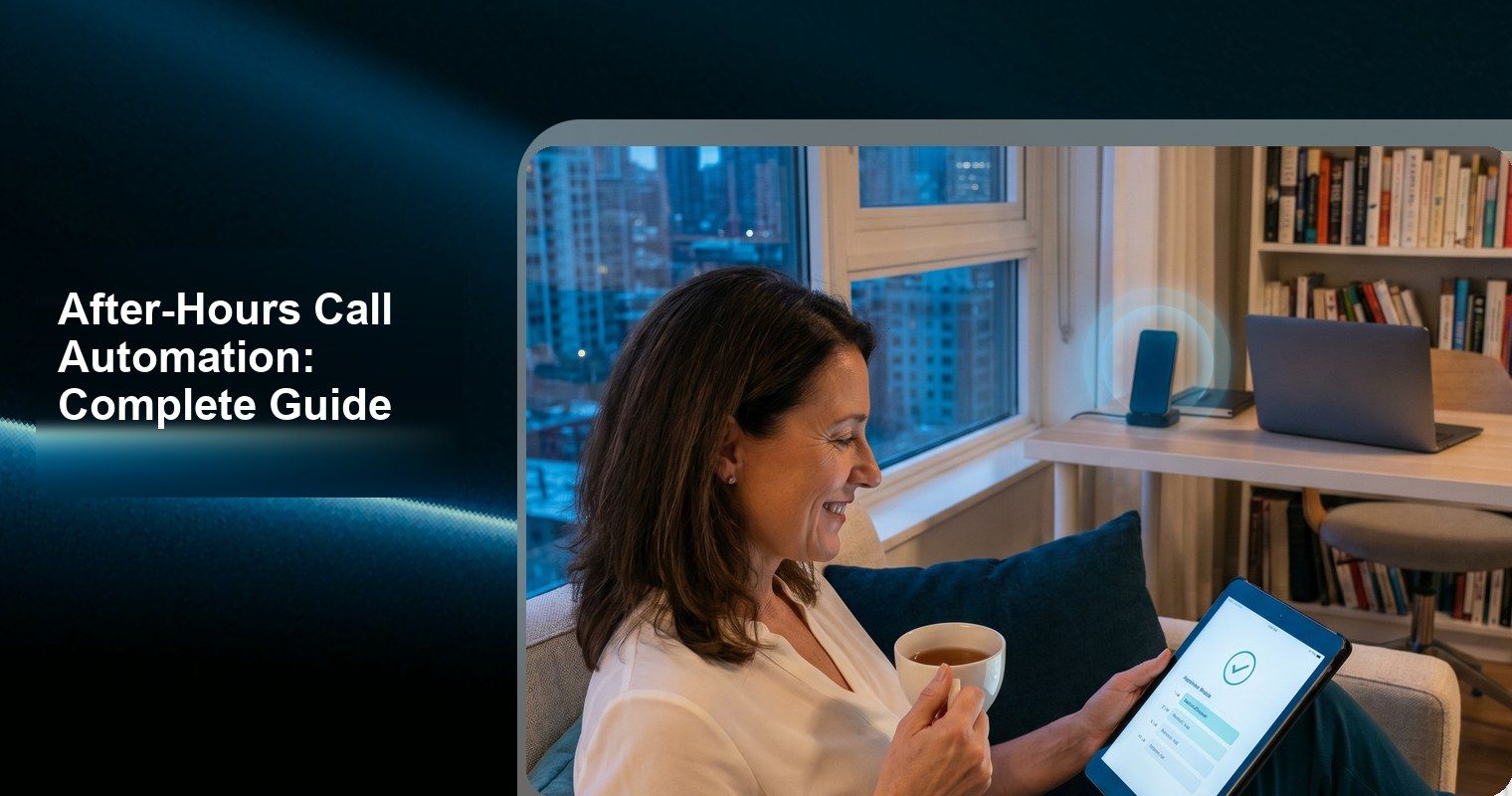
Here’s a number that should keep every small business owner up at night: 35-45% of all inbound calls to service businesses arrive outside of business hours (Ruby Receptionists, 2023). That’s evenings, weekends, early mornings, and holidays — times when no one is answering the phone.
And when those calls go to voicemail? 85% of callers never call back (GetAira, 2026). They call your competitor instead.
After-hours call automation captures this hidden revenue stream by answering every call 24/7, booking appointments, answering questions, and capturing leads — even at 2 AM on a Sunday.
This guide covers the complete data, solution comparison, and implementation strategy for after-hours call automation in 2026.
The After-Hours Revenue Problem: Data
How Many Calls Come After Hours?
Industry | After-Hours Call % | Source |
Home services (HVAC, plumbing, electrical) | 38-42% | |
Property management / Real estate | 40% | |
Legal (personal injury, criminal defense) | 33% | CallSetter AI |
Medical/Dental | 30-35% | Industry data |
Salons & Beauty | 35-40% | |
Pet services | 35% | Industry estimates |
Fitness & Wellness | 30-35% | |
Restaurants (reservations) | 40-45% | Industry data |
All service businesses average | 35-45% |
When Do After-Hours Calls Happen?
Based on CallSetter AI’s analysis of service business call patterns:
Time Window | % of After-Hours Calls | Call Intent |
5 PM – 9 PM (Evenings) | 45-50% | Highest volume; people calling after their workday |
6 AM – 9 AM (Early morning) | 15-20% | Urgency calls (HVAC, plumbing) + day planners |
9 PM – 11 PM (Late night) | 10-15% | Online researchers who found you, impulse callers |
Weekends (all day) | 20-25% | Saturday especially high for salons, restaurants |
11 PM – 6 AM (Overnight) | 5-10% | Low volume but highest urgency + highest value |
Key insight: The 5-9 PM window alone represents 15-20% of your TOTAL call volume — and it’s the easiest to capture because these are motivated buyers calling right after work.
What Happens to After-Hours Calls Today?
For businesses without after-hours answering:
Outcome | Percentage | Source |
Goes to voicemail | 100% | — |
Caller leaves a voicemail | 20% only | |
Caller does NOT leave voicemail | 80% | Forbes |
Caller calls a competitor instead | 65% | |
Caller never calls back at all | 85% | |
Voicemail eventually converts to booking | 15-30% via next-day callback | CallSetter AI |
Translation: Of every 100 after-hours calls you miss:
● 80 don’t leave a voicemail (gone forever)
● 20 leave a voicemail → you call back next day → only 4-6 actually book
● Net capture rate: 4-6% of after-hours callers
With AI after-hours answering, capture rate jumps to 70-85%.
The Financial Impact
Revenue Lost to After-Hours Voicemail
Based on AMBS Call Center data (September 2025):
Business Type | Monthly After-Hours Calls | Lost Bookings | Revenue Lost/Month | Revenue Lost/Year |
4-chair salon | 60 | 45 lost leads | $3,825 | $45,900 |
Solo dental | 50 | 38 lost leads | $7,600 | $91,200 |
Pet groomer | 40 | 30 lost leads | $1,950 | $23,400 |
HVAC contractor | 70 | 53 lost leads | $14,575 | $174,900 |
Fitness studio | 45 | 34 lost leads | $2,040 | $24,480 |
Assumptions: 75% of after-hours callers have booking intent; 85% of voicemail non-leavers never call back; average booking values from industry benchmarks.
The “Hidden Revenue” Math
YOUR HIDDEN AFTER-HOURS REVENUE =
  Monthly calls × After-hours % × Booking intent % × Lost % × Avg booking value

EXAMPLE (Salon):
  200 calls/mo × 38% after-hours × 70% booking intent × 85% never call back
  = ~45 lost high-intent leads/month
  × $85 average booking
  = $3,825/month in HIDDEN lost revenue

WITH AI AFTER-HOURS (capturing 80%):
  45 leads × 80% captured × 70% conversion
  = 25 additional bookings/month × $85
  = $2,125/month RECOVERED
  − $39.9 AI cost
  = $2,085/month NET new revenue
  = $25,020/year from a $479 investment
After-Hours Solutions Compared
The 5 Options
Solution | Monthly Cost | After-Hours Coverage | Books Appointments? | Call Quality at 2 AM | Simultaneous Calls |
Voicemail | $0 | ❌ (records, doesn’t answer) | ❌ | N/A | N/A |
Call forwarding to cell | $0 | ⚠️ (if you answer) | ✅ (manual) | Depends on your mood | 1 |
Traditional answering service | $200-$500 | ✅ (human agents) | ❌ (message only) | ⚠️ May decline at night | 1 per agent |
AI receptionist (full) | $39.9-$99.9 | ✅ 24/7/365 | ✅ Real-time booking | ✅ Identical always | Unlimited |
Night-shift employee | $3,000-$5,000/mo | ✅ (limited hours) | ✅ (manual) | Human fatigue risk | 1 |
Why Each Falls Short (Except AI)
Voicemail:
● 80% of callers hang up without leaving one (Forbes)
● Those who leave messages → 4-8 hour callback delay → only 15-30% convert
● Revenue capture rate: 4-6%
Call forwarding to personal cell:
● You’re working when you shouldn’t be (burnout)
● You miss calls during sleep (11 PM-7 AM)
● Can’t check calendar while on phone at dinner
● Unprofessional background noise
● Revenue capture rate: 30-50% (only when you actually answer)
Traditional answering service ($200-$500/month):
● Takes a message; cannot book appointments
● Message relay has 4-8 hour delay (next morning for night calls)
● Callback conversion is only 15-30% of messages
● Quality declines during overnight shifts
● Revenue capture rate: 15-30%
AI receptionist:
● Answers every call identically at 2 AM and 2 PM
● Books appointments in real-time via calendar API
● Handles FAQ, rescheduling, cancellation
● Trilingual (English/Spanish/Chinese)
● Revenue capture rate: 70-85%
How AI After-Hours Automation Works
The Technical Flow
AFTER-HOURS CALL ARRIVES (8:47 PM Saturday)
        ↓
AI ANSWERS INSTANTLY (0 seconds wait)
"Hi, thanks for calling Bloom Beauty Studio! How can I help you?"
        ↓
CALLER: "I'd like to book a haircut for next week"
        ↓
AI CHECKS LIVE CALENDAR
  → Queries Google Calendar/Mindbody/Square via API
  → Identifies available slots
        ↓
AI OFFERS OPTIONS
"I have openings Tuesday at 2 PM, Wednesday at 10 AM,
 and Thursday at 4:30 PM. Which works best?"
        ↓
CALLER SELECTS → AI CONFIRMS → APPOINTMENT CREATED
        ↓
POST-CALL:
  • Appointment in your calendar (visible immediately)
  • Call recorded + transcribed
  • Owner notified via SMS/email
  • Client receives confirmation SMS
        ↓
TOTAL TIME: 60-90 seconds. Booking complete.
NO CALLBACK NEEDED. NO MESSAGE PAD. NO DELAY.
What AI Handles After Hours
Task | Capability |
Answer calls (0 wait time) | ✅ |
Book new appointments | ✅ |
Reschedule existing appointments | ✅ |
Cancel appointments (free slot for waitlist) | ✅ |
Answer FAQs (hours, pricing, location, parking) | ✅ |
Take messages for complex issues | ✅ |
Transfer urgent calls to your cell | ✅ |
Handle Spanish/Chinese callers | ✅ |
Process payments | ❌ (coming soon) |
Handle emergencies (medical, safety) | Transfer to 911/human |
Industry-Specific After-Hours Strategies
Salons & Beauty
After-hours pattern: 35-40% of calls are after-hours, peaking 5-9 PM weekdays and Saturday mornings.
Strategy:
● AI books appointments 24/7 — same quality at 8 PM as 10 AM
● Configure “next available” logic to fill Monday morning (typically underbooked)
● Enable no-show confirmation calls for next-day appointments
Revenue impact: 15-25 additional bookings/month = $1,275-$2,125/month recovered. See salon phone system guide.
Home Services (HVAC, Plumbing, Electrical)
After-hours pattern: 38-42% after-hours; emergency calls at all hours.
Strategy:
● AI triages urgency: Emergency → immediate transfer to on-call tech
● Non-emergency → books next-day appointment
● Late-night calls often worth 1.5-3x normal rate (emergency pricing)
● According to ServiceTitan data, after-hours service calls average $450+ (vs $275 standard)
Revenue impact: 10-15 captured emergency calls/month = $4,500-$6,750/month. See contractor AI receptionist guide.
Dental & Medical
After-hours pattern: 30-35% after-hours; mix of scheduling and urgent concerns.
Strategy:
● AI books routine appointments (cleanings, checkups) at any hour
● Urgent symptoms → transfer to on-call provider
● After-hours scheduling prevents patient from calling competitor next morning
● Patient lifetime value: $10,000-$25,000 (CallSetter AI)
Revenue impact: 8-12 new patient captures/month at $2,000+ lifetime value. See dental AI receptionist guide.
Fitness & Wellness
After-hours pattern: 30-35% after-hours; class bookings, membership questions.
Strategy:
● AI books class spots and personal training sessions
● Answers membership pricing questions (prevents “I’ll call tomorrow” → forgets)
● Saturday/Sunday booking requests for same-week classes
Revenue impact: 10-20 additional class bookings/month. See gym AI receptionist guide.
Setting Up After-Hours Automation with DeskBuddy
5-Minute Setup
1. Sign up at deskbuddy.trtc.io — free 7-day trial
2. Set business hours — AI knows when you’re open vs closed
3. Configure after-hours greeting — slightly different from daytime (e.g., “Thanks for calling after hours! I can still help you book…”)
4. Connect calendar — Google Calendar, Mindbody, or Square
5. Set transfer rules — Urgent/emergency calls route to your cell; everything else handled by AI
6. Go live — AI starts capturing after-hours revenue immediately
Configuration Tips for Maximum Capture
Based on 1,000+ DeskBuddy businesses:
1. Don’t mention “AI” or “robot” in the greeting — just answer naturally. Callers don’t need to know (or care) whether it’s human or AI as long as their appointment gets booked.
2. Set business hours accurately — AI can adjust behavior (e.g., “We’re currently closed but I can book you for tomorrow”) to manage expectations.
3. Enable emergency transfer — Configure specific trigger phrases (“emergency,” “leaking,” “pain”) to auto-transfer to your cell. Everything else stays with AI.
4. Configure next-morning notification — Get a 7 AM summary of all after-hours calls, bookings, and messages so you start your day informed.
5. Set buffer times for first morning slot — Don’t let AI book 8:00 AM if you open at 9:00. Build in arrival/prep buffer.
ROI of After-Hours Automation
Conservative Estimate
Metric | Without AI | With DeskBuddy | Difference |
After-hours calls/month | 60 | 60 | — |
Callers who book | 4 (voicemail→callback model) | 35 (real-time AI booking) | +31 bookings |
Average booking value | $85 | $85 | — |
Monthly revenue from after-hours | $340 | $2,975 | +$2,635 |
Annual revenue from after-hours | $4,080 | $35,700 | +$31,620 |
AI annual cost | — | $479 | — |
Net annual gain | — | — | $31,141 |
ROI | — | — | 65:1 |
By Business Type
Business | After-Hours Bookings Gained | Monthly Revenue | Annual ROI |
Salon (4 chairs) | +20-30/month | +$1,700-$2,550 | 42-63x |
Solo dentist | +10-15/month | +$2,000-$3,000 | 50-75x |
Pet groomer | +12-18/month | +$780-$1,170 | 19-29x |
HVAC contractor | +8-12/month | +$3,600-$5,400 | 90-135x |
Fitness studio | +15-20/month | +$900-$1,200 | 22-30x |
Restaurant | +25-35/month | +$750-$1,050 | 19-26x |
Frequently Asked Questions
What if someone calls with a real emergency after hours?
DeskBuddy allows configuring emergency detection and transfer rules. If a caller mentions keywords like “emergency,” “urgent,” “pain,” or “flooding,” the AI can immediately transfer the call to your personal cell or an on-call number. Non-emergencies are handled fully by AI.
Will callers know it’s AI answering?
Modern AI voice is natural and conversational. Most callers don’t notice or don’t care — they just want their appointment booked. DeskBuddy users consistently report positive caller experiences (4.9/5 rating across 10,000+ calls).
What if my calendar is full for the near future?
AI offers the next available slot and can add callers to a waitlist. If a cancellation occurs, AI proactively contacts waitlisted clients to fill the gap. See no-show prevention guide.
Can I have different AI behavior for daytime vs after-hours?
Yes. DeskBuddy allows separate greetings, transfer rules, and behavior settings for business hours vs after-hours. For example: during hours, AI can transfer overflow calls to your staff; after hours, AI handles everything independently.
How does this work if I already use a daytime receptionist?
Perfect use case. Keep your human receptionist for daytime in-person duties and phone overflow. Set DeskBuddy to activate after your receptionist leaves — capturing the 35-45% of calls that would otherwise go to voicemail. See AI vs hiring comparison.
Conclusion: Your Competitors’ After-Hours = Your Opportunity
Every competitor who sends after-hours calls to voicemail is handing you revenue. Their callers — the 85% who won’t call back — are one Google search away from finding your business instead.
With AI after-hours automation:
● 35-45% of your calls get answered instead of lost
● 70-85% capture rate vs 4-6% with voicemail
● $0 extra cost for nights/weekends/holidays (same price 24/7)
● 65:1 annual ROI for a typical service business
The technology exists, it costs $39.9/month, and it takes 5 minutes to set up.
Start capturing after-hours revenue tonight. 7-day free trial, 20 calls, no credit card.