


Introduction
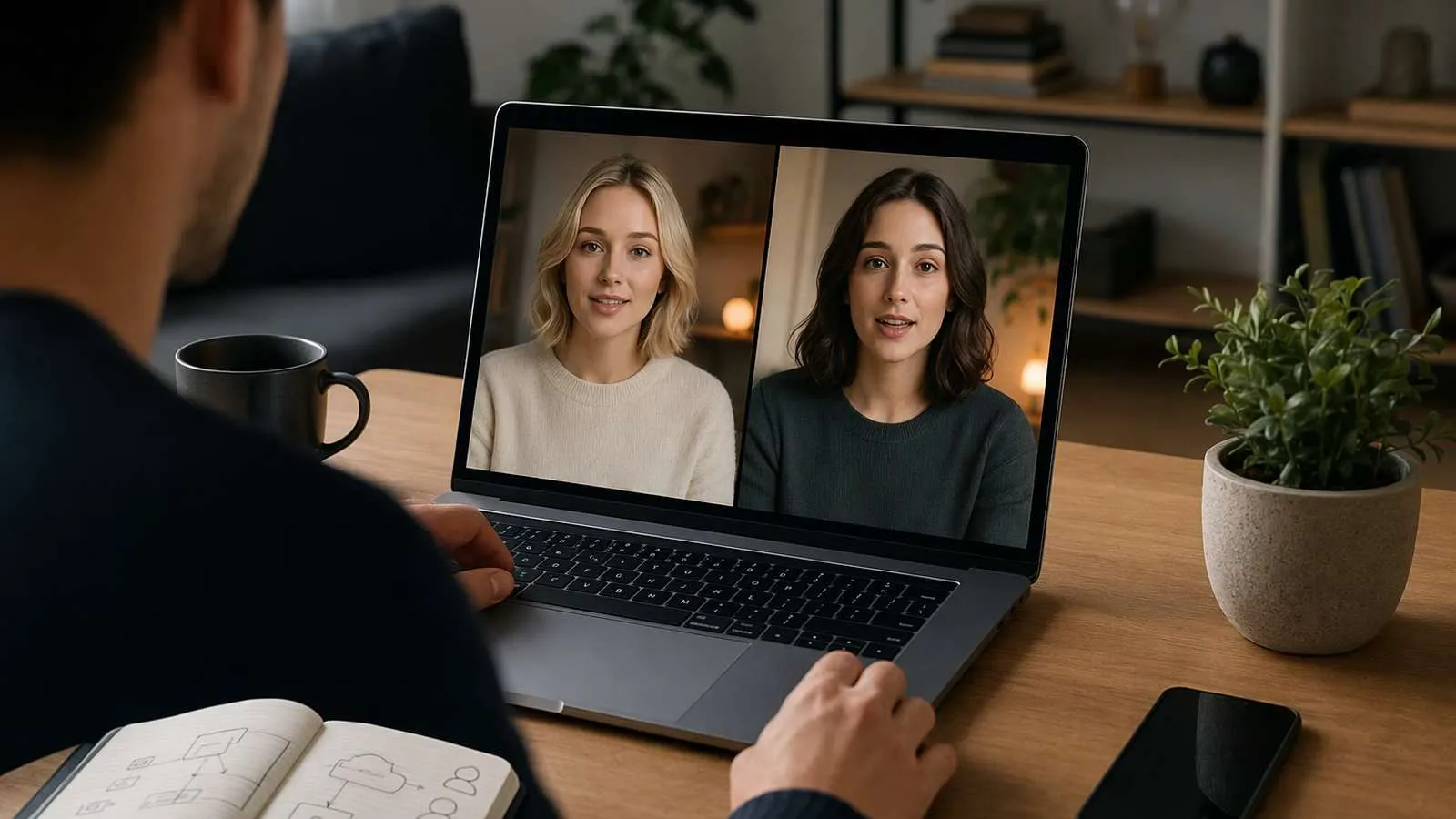
App Nuance Labs AI is the official browser-based research preview from Nuance Labs that lets users hold real-time, face-to-face video conversations with interactive AI personas named Emma and Nora. Built on the Nuplex 1.0 full-duplex architecture launched on November 9, 2026, the platform processes incoming audio and camera video while generating spoken and visual responses at the same time. Users can try the consumer demo directly in a web browser without creating an account, provided they meet strict age and regional eligibility rules.
For developers and product teams, Nuance Labs also offers the Nuance Live preview API, which separates server-side token minting from client-side WebRTC rooms and exposes distinct developer personas (sam, sonia, and mira). Emma and the developer API operate in English only; API video is visibly watermarked, and API conversations run on shared capacity. Alternative interactive avatar and voice-agent platforms include Tavus, LemonSlice, Simli, and HeyGen LiveAvatar.
This guide covers the app nuance labs ai ecosystem: how the company and its Nuplex 1.0 model work, how to access the online demo, how the developer API differs from the consumer characters, how to troubleshoot common audio or capacity errors, and how the leading alternatives compare as of November 2026.
What is App Nuance Labs AI?
App Nuance Labs AI is the consumer web application (app.nuancelabs.ai) created by Nuance Labs, a Seattle-based artificial intelligence research laboratory building audiovisual conversational models. According to the Nuance Labs Series A release published on September 14, 2026, the company was founded by former Apple researchers Fangchang Ma, Edward Zhang, and Karren Yang to develop full-duplex audiovisual AI.
Nuance Labs vs. Microsoft Nuance (Dragon)
Search queries for "Nuance pricing" or "Nuance voice AI" frequently surface Dragon speech recognition and healthcare documentation tools. As shown on the Microsoft Dragon homepage, that legacy speech recognition company is part of Microsoft. The interactive video persona preview discussed in this guide belongs to the independent Seattle research lab found at the Nuance Labs official website.
The Nuplex 1.0 Architecture and Full-Duplex Interaction
Traditional modular voice and avatar pipelines typically combine speech recognition, language-model generation, speech synthesis, and face animation; transcription can stream while the user speaks, even when replies follow turn-based timing. On November 9, 2026, the company published its Emma and Nuplex 1.0 launch announcement, introducing the Nuplex 1.0 model alongside the Nuplex Beta API. Nuance Labs describes its full-duplex architecture as streaming perception in and responses out simultaneously, listening and watching through the user's microphone and camera while generating verbal and nonverbal reactions—such as nods or shifts in gaze—while the human is still conversing.
Two Separate Surfaces: Consumer Preview vs. Developer API
When people search for app nuance labs ai, they are usually looking for one of two distinct surfaces:
- The Consumer Research Preview: Accessible through the browser at the official Emma and Nora browser preview and the official Emma demo address, this interface lets end users talk face-to-face with fixed consumer characters (Emma and Nora) with no account required.
- The Nuance Live Developer Preview (Nuplex Beta API): Documented in the Nuance Live developer overview, this integration surface lets engineers embed real-time audio and video personas into custom applications using server-side API keys, single-use session tokens, LiveKit media rooms, and customizable system prompts.
| Entity / Term | Role in the Nuance Labs Ecosystem | Surface / Status (as of Nov 2026) |
|---|---|---|
| Nuance Labs | Seattle-based AI research company founded by Fangchang Ma, Edward Zhang, and Karren Yang | Corporate entity (nuancelabs.ai) |
| Nuplex 1.0 | Full-duplex audiovisual foundation model released November 9, 2026 | Core AI model |
| App Nuance Labs AI | Browser-based consumer research preview for face-to-face video calls | Consumer web app (app.nuancelabs.ai/try) |
| Emma | First public Nuplex persona; uses an actress's licensed face and voice | Consumer preview character |
| Nora | Second public Nuplex persona introduced after Emma | Consumer preview character |
| Nuance Live | Developer integration API (also referred to as Nuplex Beta API at launch) | Preview API (docs.nuancelabs.ai) |
sam, sonia, mira | Stock developer persona IDs selectable via personality.persona_id | Developer API (sam is the default) |
@nuancelabs/js-sdk | Official JavaScript browser SDK exposing createNuanceConversation | Client-side web integration package |
| LiveKit | Underlying real-time media room transport used for audio/video tracks | WebRTC / native transport layer |
What are the key features of Nuance Labs AI characters?
Nuance Labs AI characters combine licensed human likenesses, real-time visual perception, and simultaneous verbal and nonverbal feedback, while operating under strict language, safety, and watermarking guardrails.
Consumer Personas: Emma and Nora
The consumer research preview features two named characters:
- Emma: Launched on November 9, 2026, Emma is the first public Nuplex persona. According to the launch FAQ, Emma is an AI whose face and voice are licensed from a human actress.
- Nora: In the official Introducing Nora video, the company presents Nora as its next AI persona after Emma. Both the main preview landing page and
emma.nuancelabs.aiinvite users to "Talk to Emma and Nora." A community report on AGI Hunt dated November 18, 2026 noted that Nora's research preview was live for conversations, though Nuance Labs has not published an official comparative changelog contrasting Nora's personality with Emma's.
Developer API Personas: sam, sonia, and mira
Consumer character names (Emma and Nora) are not the verified persona identifiers used in the developer API. According to the available Nuance API personas documentation, API integrations choose from three stock developer persona IDs: sam (selected by default when persona_id is omitted), sonia, and mira. In an API session, personality.persona_id selects the face and voice, while personality.system_prompt defines the character's identity, role, and behavior.
Simultaneous Audio-Visual Perception and Tool Delegation
According to the Nuance API Developer Agreement, user input processed during supported avatar interactions includes images, faces, voices, reactions, and expressions captured by the camera and microphone. For developer implementations, the Nuance Live delegation guide explains that the persona can delegate work to external tools while continuing to talk with the user, and then communicate the returned result once finished.
Known Technical Limitations and Content Guardrails
Nuance Labs documents explicit technical boundaries and prohibited uses:
- Visual and Vocal Glitches: Camera understanding remains imperfect, lip-sync, gaze, and head motion can occasionally glitch, and the persona cannot sing.
- English-Only Operation: According to the Nuance safety rules and session restrictions, the persona speaks English only and refuses prompts or tools containing non-English characters or instructions to speak another language.
- No Self-Serve Cloning & Watermarking: Nuplex Beta does not accept face or voice uploads; enterprise custom personas require explicit permission from the people whose likenesses are used. All personas are identified as AI, and API video is visibly watermarked.
- Prohibited Categories: The beta excludes sexually explicit content, AI girlfriends or boyfriends, healthcare, and uses involving under-18s (including education). Developer prompts are screened and refused for requesting sensitive personal information, medical, mental-health, legal, tax, or financial advice, or political persuasion. Repeated violations trigger session termination and temporary pauses on new conversations.
How can you access and try the Nuance Labs AI online demo?
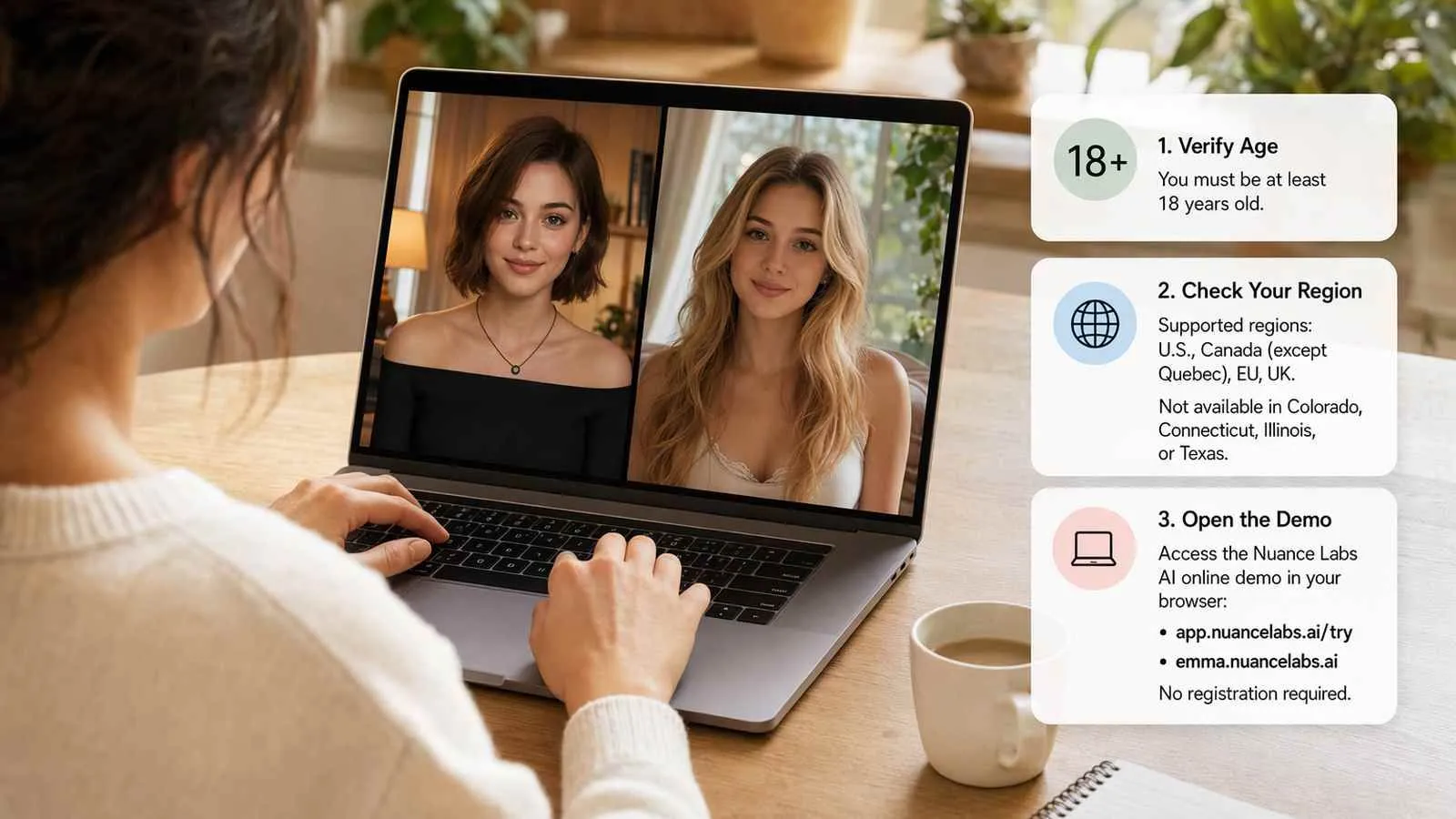
You can access the nuance labs online demo in a web browser at app.nuancelabs.ai/try or emma.nuancelabs.ai without registering an account, provided you are at least 18 years old and located in a supported jurisdiction.
Step 1: Verify Age and Regional Eligibility
Before opening the preview, check the official eligibility disclosures:
- Minimum Age: Under the Nuance Labs age and location requirements (last updated November 9, 2026), you must be at least 18 years old. While the safety documentation notes that a camera age check acts as a backstop and can allow an apparent minor accompanied by an adult to remain in a call, the terms require adult users and launch rules exclude under-18 use.
- Supported Regions: The terms require users to reside in the United States, Canada, the European Union, or the United Kingdom, and neither reside in nor be located in Colorado, Connecticut, Illinois, or Texas. Additionally, the November 9 launch FAQ specifies that availability in Canada excludes Quebec.
Step 2: Open the Official Browser Preview Entry Points
The confirmed consumer access route is the browser preview via either the Emma and Nora browser preview page or the emma.nuancelabs.ai landing page. No account is required, though Nuance Labs has not published an official consumer price schedule or guaranteed guest-call duration limit.
Step 3: Configure Camera, Microphone, and Audio Output
Follow the recommendations from the Nuance microphone, sound, and connection troubleshooting guide:
- Wear Headphones: Using headphones or lowering speaker volume with echo cancellation prevents the persona from hearing its own output through your microphone.
- Grant Browser Permissions: Allow microphone and camera access when prompted by the browser; publishing an unmuted microphone track is a developer integration step.
- Click or Tap to Unlock Audio: Browser audio may require a click or tap on the page to start playback.
How do you use and integrate Nuance Labs AI step by step?
Using Nuance Labs AI involves either conversing with Emma and Nora in the browser preview or integrating the Nuance Live API into your application using server-minted session tokens and @nuancelabs/js-sdk.
Part A: Interacting with the Consumer Preview
When connected to Emma or Nora in the browser preview:
- Speak Naturally in English: Full-duplex streaming lets you react or interrupt mid-sentence; Emma currently supports English only.
- Live Information and Web Search: As noted in the Nuance web-search tutorial, for Nuance Live API integrations you must provide your own search tool for current news, prices, and opening hours; this documentation does not establish whether the consumer preview includes built-in search.
- Treat Output as Unverified & Protect Privacy: The terms warn that AI responses can be inaccurate, incomplete, harmful, offensive, or misleading. Because privacy and retention endpoints were not retrievable in full and user input includes faces and voices, do not assume zero retention or share confidential data.
Part B: Building with the Nuance Live Developer API
Nuance Live is preview software: routes and events can change, starts can be rejected when capacity is unavailable, and running conversations can end early.
1. Separate Server Keys from Client Session Tokens
As detailed in the Nuance keys and tokens documentation, keep API keys beginning with nk_ on your server. Mint single-use session tokens beginning with st_ via server-side POST /session-tokens and pass them to the client to authorize one conversation.
2. Configure the Persona and System Prompt
Select sam, sonia, or mira via personality.persona_id and configure personality.system_prompt. In the Nuance custom persona prompt guide, Nuance recommends briefing the persona with its role, manner, permitted facts, capabilities, and handoff boundaries, using plain spoken sentences and allowing it to admit missing information.
3. Connect the Client and Trigger the First Turn
In the Nuance JavaScript SDK tutorial, web developers install npm install @nuancelabs/js-sdk and call createNuanceConversation to create a conversation, join its LiveKit room, and publish the user's microphone (native integrations use the HTTP API and a platform LiveKit SDK). In the documented API flow, the persona does not speak first automatically; the user must speak or the client must send response.create. Using Nuance Live client events, clients can also supply context, interrupt a reply, hold or release the floor, mute/unmute input, and close the session.
4. Add Cross-Call Memory and Web Search
API conversations start without retained knowledge of earlier calls. The Nuance cross-call memory tutorial has developers store per-user notes and insert them into the next conversation's system prompt. For live facts, provide an external search tool via delegation.
5. Monitor Usage and Handle Startup Errors
Query the server-side GET /usage endpoint to check organization limits, today's credits, additional credit balance, available credits, and active sessions (including conversations still starting). Handle the documented startup failures: 429 capacity_unavailable and 503 busy (which provide retry timing), 409 concurrency_limit, and 401 not_authenticated (expired or reused tokens require a fresh st_ token). For unresolved questions, use the Nuance Labs contact page.
What are the best alternatives to App Nuance Labs AI for virtual characters?
The best alternatives to App Nuance Labs AI as of November 2026 are Tavus, LemonSlice, Simli, HeyGen LiveAvatar, Tencent RTC Conversational AI, and Character.AI. The placements below are recommendations based on current capabilities, published pricing, and update notes as of November 2026.
1. Tavus (Tier S for Developer & Enterprise Video Agents)
For sales, recruiting, and qualification workflows, the Tavus real-time video agents platform offers customizable video agents that see, listen, and respond. According to the Tavus pricing page, Tavus lists a Free plan with 20 conversational-video minutes/month and 16 stock faces, Starter at $22/month with 60 minutes, and Builder at $59/month with 175 minutes plus usage-based overage.
2. LemonSlice (Tier S for Casual Browser Trials & Custom Image-to-Avatar)
The LemonSlice interactive avatars homepage provides a live browser call entry point. According to the LemonSlice pricing page, conversations with featured avatars are free without a subscription or credit card. Custom avatars and API access require a paid plan advertised from $8/month (billing views display both $7 and $8 Starter figures), offering LemonSlice-2.1, a cartoon-optimized model, image-to-avatar creation, and external LLM/voice support (hosted speech/language services carry additional per-minute charges).
3. Simli (Tier A for High-Volume Prototyping & Multi-Avatar Variety)
The Simli homepage offers browser conversations with named avatars including Anna, Zahra, Grace, Professor Gearwright, and Caesar. On the Simli pricing page, Free is $0 with 50 minutes/month and 1 concurrent session, Hobby is $10/month with 1,000 minutes and 2 concurrent sessions, and Pro is $49/month with 5,500 minutes and 10 concurrent sessions.
4. HeyGen LiveAvatar (Tier A for Bring-Your-Own-Pipeline Enterprise Teams)
As explained on the HeyGen vs. LiveAvatar comparison page and the HeyGen LiveAvatar portal, LiveAvatar is separate from HeyGen's prerecorded video product. According to the LiveAvatar LITE vs. FULL mode documentation, LITE mode renders avatar video for an external voice agent at 1 credit/minute, while FULL mode supplies a managed speech-recognition, LLM, voice, and avatar pipeline at 2 credits/minute. The LiveAvatar credits documentation lists Free at $0 (10 credits), Essential at $99/month (1,100 credits + 10 bonus), and Business at $475/month (6,000 credits + 10 bonus), with external providers billed separately in LITE mode.
5. Tencent RTC Conversational AI (Tier A for Custom Voice-First AI Agents)
When teams prioritize voice reliability over rendering a digital face, the Tencent RTC Conversational AI solution provides configurable real-time voice agents. In the Tencent RTC no-code voice-agent tutorial, users create a Conversational AI application, configure an agent in Agent Studio, and test it in Playground using their own LLM and TTS resources; Try Demo provides a separate quick-experience option. The Tencent RTC Conversational AI billing documentation lists the voice service at $0.01/minute before audio-call, speech-to-text, and external LLM/TTS costs, alongside a shared 10,000-minute monthly RTC Engine trial allowance.
6. Character.AI (Tier B — Voice-Only & Subject to Restructuring Continuity Risk)
Character.AI launched Character Calls on June 27, 2024 for two-way voice conversations rather than photorealistic video. However, on October 12, 2026, the company announced a voluntary Chapter 11 sale process in An Update on Character.AI, noting the platform could be wound down if no actionable bid supported continued operations. Its November 5, 2026 Chapter 11 Update and Transaction Notice reported Court approval of bidding procedures on November 4; operational status after November 5 remains unverified.
Comparison Matrix: Nuance Labs AI vs. Top Alternatives (Nov 2026)
| Platform | Tier & Primary Focus | Real-Time Video Face? | Free / Trial Access (Published) | Entry Paid Pricing (Published) | Custom Persona / BYO Stack Support |
|---|---|---|---|---|---|
| App Nuance Labs AI / Nuance Live | Preview Benchmark (Full-duplex audiovisual preview & beta API) | Yes (Emma & Nora in app; sam, sonia, mira in API) | Browser preview requires no account; API uses preview credits | No public consumer or API dollar tariff published | Custom system prompts & tool delegation; no self-serve face/voice uploads |
| Tavus | Tier S (Developer & enterprise video agents) | Yes (16 stock faces on Free tier + custom replicas) | Free plan with 20 conversational video mins/mo | Starter at $22/mo (60 mins); Builder at $59/mo (175 mins + overage) | Developer API for sales, recruiting, and qualification |
| LemonSlice | Tier S (Browser trials & image-to-avatar creation) | Yes (LemonSlice-2.1 & cartoon-optimized models) | Free chats with featured avatars (no card required) | Advertised from $8/mo for custom avatars & API access | Image-to-avatar creation; bring external LLM or voice model |
| Simli | Tier A (High-minute prototyping & multi-avatar demos) | Yes (Anna, Zahra, Grace, Professor Gearwright, Caesar) | Free plan with 50 mins/mo and 1 concurrent session | Hobby at $10/mo (1,000 mins, 2 concurrent); Pro at $49/mo (5,500 mins) | Developer API with custom avatar limits per tier |
| HeyGen LiveAvatar | Tier A (Enterprise live avatars & BYO voice pipeline) | Yes (Real-time avatar streaming workspace) | Free tier with 10 credits | Essential at $99/mo (1,100 credits); Business at $475/mo (6,000 credits) | LITE mode (1 credit/min) for external voice agents; FULL mode (2 credits/min) |
| Tencent RTC Conversational AI | Tier A (Voice-first AI agents & RTC infrastructure) | Voice-first | Shared 10,000-min monthly RTC Engine trial + Try Demo | $0.01/min base fee (plus audio, STT, and external LLM/TTS) | Configure supported providers, OpenAI-protocol-compatible LLMs, and protocol-compatible custom TTS services in Agent Studio |
| Character.AI | Tier B (Consumer voice roleplay; in Chapter 11 process) | No (Two-way voice calls) | Launched free voice calls in 2024 | Consumer model (undergoing Chapter 11 sale process as of Nov 2026) | User-created character prompts; no developer video API |
How to Build an App Like This with Tencent RTC
If your goal is to build your own real-time interactive AI application—combining low-latency voice agents and custom LLM workflows without relying on a region-locked preview—you can assemble the communication layer using Tencent RTC Conversational AI. As detailed in the Tencent RTC no-code voice-agent tutorial and the Tencent RTC Conversational AI billing documentation, you can create a Conversational AI application, configure an interruptible voice agent in Agent Studio with your preferred LLM and TTS providers, test it in Playground, and scale using the 10,000-minute monthly trial allowance and $0.01/minute base conversational AI service rate.
To accelerate integration without writing manual boilerplate, load the official Tencent RTC AI Agents Skills in your AI coding assistant:
- Open the repository and follow the instructions to load the Tencent RTC skills into your coding assistant.
- Describe your project structure, target platform, and the conversational AI voice features you want to integrate.
- Let the assistant generate the integration, then verify credentials, microphone permissions, and interruption handling in a test session.
For example, prompt your coding assistant with a natural-language request like this:
Please use Tencent RTC AI Agents Skills to integrate a real-time conversational AI voice session into my web application, and walk me through wiring up server-side credentials and microphone permissions.
Frequently Asked Questions
Is App Nuance Labs AI free to use?
You can access the consumer research preview at app.nuancelabs.ai/try without creating an account, as confirmed by the November 9, 2026 launch FAQ. However, Nuance Labs has not published an official consumer price schedule or guaranteed unlimited free session durations, and the developer API uses preview credits and shared capacity.
Who are Emma and Nora in Nuance Labs AI?
Emma and Nora are the two consumer-facing AI video personas in the Nuance Labs browser research preview. Emma launched on November 9, 2026 with Nuplex 1.0 using an actress's licensed face and voice, and Nora followed as the next persona.
Why are Emma and Nora not listed in the Nuance Live API documentation?
Consumer characters and developer API personas are separate surfaces. While the consumer preview features Emma and Nora, the Nuance Live API documentation lists sam, sonia, and mira as the valid personality.persona_id values (with sam as the default), paired with custom system prompts.
Where is App Nuance Labs AI available?
Users must be at least 18 and reside in the United States, Canada, the European Union, or the United Kingdom; they must neither reside in nor be located in Colorado, Connecticut, Illinois, or Texas, and the launch FAQ additionally excludes Quebec.
Does Nuance Labs AI support languages other than English?
No. According to the Nuance developer safety documentation, the persona speaks English only and refuses prompts, tools, or instructions containing non-English characters or requests to speak another language.
Can I upload my own face or voice to create a custom persona in Nuance Labs?
Self-serve face or voice uploads are not supported in Nuplex Beta. Enterprise custom personas require working with Nuance Labs and obtaining explicit permission from the people whose likenesses are used.
Do Nuance Labs AI personas remember past conversations or know live news?
In the documented Nuance Live API, conversations start without retained memory of earlier calls, and the model does not know current news, prices, or opening hours. Developers must store per-user notes to insert into future system prompts for memory, and provide a search tool via delegation for live information.