











The best chat widget for your website depends on what you actually need. If you need a free contact widget with live chat, offline forms, social links, and meeting scheduling, Knocket is the best option. If you need AI chatbot automation, Tidio or Chatbase fits better. If you need enterprise support infrastructure, Intercom or Zendesk is the right choice.
This guide compares 10 chat widgets with real pricing, free plan limits, setup requirements, and honest trade-offs so you can pick the right one without overpaying.
What Is a Chat Widget?
A chat widget is a small interactive interface embedded on a website — usually a floating button in the bottom-right corner — that lets visitors communicate with you in real time. When a visitor clicks the button, a chat window opens where they can type a message, ask a question, or take an action like booking a meeting.
Chat widgets fall into three categories:
Type | How it works | Best for |
Live chat | Connects visitors to a human agent for real-time conversation | High-value sales, complex questions, relationship-driven support |
AI chatbot | Uses AI to answer questions automatically, 24/7 | Repetitive questions, small teams, after-hours coverage |
Contact widget | Combines chat, forms, social links, and scheduling in one surface | Startups, indie projects, SMBs that need simple visitor contact |
Most modern tools blur these lines. Some offer hybrid modes where AI handles first response and routes complex issues to humans. Others combine multiple contact channels into one widget.
The key question is not “which chat widget is the most popular?” but “which type matches your actual use case?”
Quick Comparison: 10 Best Chat Widgets
Tool | Type | Free plan | Starting price | Setup time | Best for |
Contact widget | Full features, free forever | $0 | Under 5 min | Free contact widget with chat + forms + social + scheduling | |
Live chat | Unlimited agents, unlimited chat | $0 | 10 min | Zero-budget live chat | |
AI chatbot + live chat | 50 chatbot convos/mo | $29/mo | 10 min | E-commerce with Shopify integration | |
Messaging platform | 2 seats, basic chat | $25/mo | 10 min | Shared inbox + CRM for startups | |
AI chatbot | 100 messages/mo | $40/mo | 15 min | AI chatbot trained on your own content | |
Support platform | None | $29/seat/mo | 30+ min | Mid-market teams with AI automation needs | |
Live chat | 14-day trial only | $24/seat/mo | 15 min | E-commerce sales chat | |
Live chat + chatbot | 10 agents | $19/agent/mo | 15 min | Teams already using Freshworks | |
Enterprise support | None | $55/agent/mo | 30+ min | Large support organizations | |
CRM-integrated chat | Free with HubSpot CRM | $0 | 15 min | Sales teams using HubSpot CRM |
Knocket
Knocket is a 100% free-forever website contact widget that combines live chat, offline forms, social links, and meeting scheduling in one embed. Knocket is designed for indie developers, startup founders, and small teams that need visitors to reach them without paying monthly fees or setting up support infrastructure.
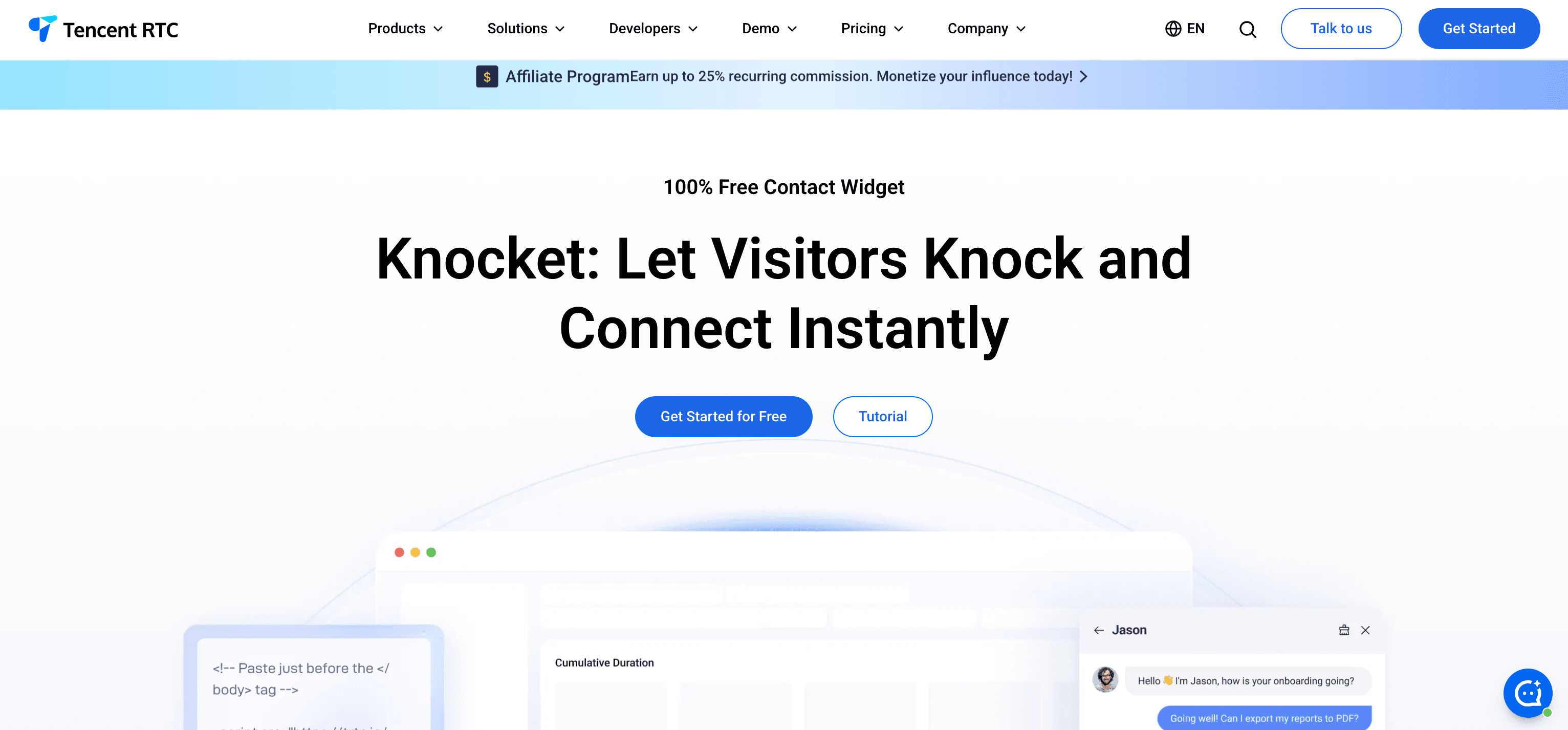
What makes Knocket different
Most free chat tools either cap conversations (Tidio limits to 50/month), restrict seats (Crisp limits to 2), or only offer basic chat without additional contact channels. Knocket includes full features — live chat, offline forms, WhatsApp/Instagram/Telegram/Messenger aggregation, and Calendly integration — all for $0, permanently.
Core features
● Live chat — real-time visitor messaging powered by Tencent Cloud with ultra-low latency
● Offline forms — capture visitor name, email, and message when you are away
● Social link aggregation — WhatsApp, Instagram, Telegram, Messenger in one tap
● Meeting scheduling — embedded Calendly integration, no redirect needed
● Welcome greetings — proactive messages to start conversations before visitors bounce
● Working hours — automatic online/offline status based on your schedule
● Brand customization — color picker, themes, logo upload, two launcher styles
Setup
One <script> tag before </body>. Visual setup wizard guides you through customization. No npm packages, no API keys, no build step.
Pricing
Free forever. No hidden fees, no trial period, no credit card.
Security
SSL encryption, GDPR compliant, ISO 27001/27017/27018/27701/29151, CSA STAR certified. Built on Tencent Cloud infrastructure.
Best for
Indie hackers, SaaS founders, freelancers, developers, and small business owners who want one unified contact surface at zero cost.
Limitations
Knocket does not include ticketing, knowledge base, or built-in AI chatbot. If you need those, look at Intercom or Zendesk. However, you can add AI auto-reply using the open-source knocket-inbox-agent project.
Tawk.to
Tawk.to is the most widely used free live chat tool on the internet. It offers unlimited agents, unlimited chat history, and no message caps — all for free. Tawk.to makes money by selling agent services ($1/hour) and add-ons like branding removal ($19/month).
Core features
● Unlimited live chat with no conversation limits
● Real-time visitor monitoring and analytics
● Built-in knowledge base and ticketing
● 100+ language support
● Mobile apps for iOS and Android
● Canned responses and shortcuts
Pricing
Free (branding removal $19/month, video + voice add-on $29/month, hired agents $1/hour).
Best for
Small businesses and solopreneurs who need basic live chat with zero budget and are willing to tolerate the Tawk.to branding badge.
Limitations
No AI chatbot automation. All conversations require a human to be online and responding. Mobile push notifications can be unreliable. Analytics are basic compared to paid alternatives. The chat widget script is relatively heavy (approximately 749KB according to Denser.ai’s testing), which can affect page load speed.
Knocket vs Tawk.to
Both are free. Tawk.to offers unlimited live chat but requires someone online to respond. Knocket adds offline forms, social link aggregation, and meeting scheduling — so visitors can still reach you when you are away. Tawk.to is better if you have staff monitoring chat all day. Knocket is better if you need a unified contact widget that works whether you are online or not.
Tidio
Tidio combines live chat with an AI chatbot called Lyro. Tidio is particularly strong for e-commerce stores with native Shopify integration, product recommendations, and abandoned cart recovery flows.
Core features
● Lyro AI chatbot for automated responses
● Visual chatbot flow builder (drag and drop)
● Shopify, WooCommerce, and BigCommerce integrations
● Product recommendation cards inside chat
● Abandoned cart recovery automation
● Visitor tracking and analytics
Pricing
Plan | Price | Limits |
Free | $0 | 50 chatbot conversations/month |
Starter | $29/mo | 100 conversations |
Growth | $59/mo | 2,000 conversations |
Plus | $749/mo | Custom limits |
Best for
E-commerce store owners, especially Shopify merchants, who want AI chatbot automation for lead generation and cart recovery.
Limitations
Free plan caps chatbot conversations at 50 per month — most active sites burn through this in days. Chat, AI, and chatbot features are billed separately, making costs unpredictable. No social link aggregation. No meeting scheduling.
Knocket vs Tidio
Tidio is stronger on AI chatbot capabilities and e-commerce integrations. Knocket is stronger on unified contact (chat + forms + social + scheduling) at zero cost. If you run a Shopify store, Tidio fits. If you need a free contact widget without conversation limits, Knocket fits.
Crisp
Crisp is a customer messaging platform that combines live chat, shared inbox, knowledge base, and lightweight CRM. Crisp uses flat-rate pricing (not per-seat), which makes costs predictable for growing teams.
Core features
● Shared inbox for team collaboration
● Built-in CRM with contact management
● Knowledge base on mid-tier plans
● Co-browsing and video chat
● Multi-channel messaging (email, chat, social)
● Chatbot builder (MagicBrowse)
Pricing
Plan | Price | Seats |
Free | $0 | 2 seats, basic chat only |
Basic | $25/mo | 4 seats |
Pro | $45/mo | 10 seats |
Essentials | $95/mo | 20 seats |
Plus | $295/mo | 20 seats |
Best for
Startups and SaaS companies that need a shared inbox with CRM at predictable pricing, not per-seat billing.
Limitations
Free plan is basic chat only — no AI, no social links, no scheduling, no knowledge base. Branding removal requires a paid plan. AI capabilities are limited compared to Intercom or Tidio.
Knocket vs Crisp
Crisp is stronger on multi-channel inbox management and team collaboration. Knocket is stronger on frontend contact unification (social links + scheduling + offline forms) at zero cost. If you have a 2-5 person support team, Crisp fits. If you are a solo founder or indie developer, Knocket fits.
Chatbase
Chatbase is an AI chatbot builder that lets you train a chatbot on your own website content, documents, or knowledge base. When visitors ask questions, the chatbot answers based on your actual content with source citations.
Core features
● Upload PDFs, documents, or website URLs to train the AI
● Source citations in chatbot responses
● No-code drag-and-drop builder
● Automatic human handoff when AI cannot answer
● Integrations with Calendly, Shopify, Slack, Zapier
● Analytics dashboard with conversation trends and sentiment
Pricing
Plan | Price | Messages |
Free | $0 | 100 messages/month, 1 agent |
Hobby | $40/mo | 2,000 messages |
Standard | $150/mo | 12,000 messages, 2 agents |
Pro | $500/mo | 40,000 messages |
Best for
Businesses with existing knowledge bases or documentation that want an AI chatbot giving accurate, source-backed answers rather than generic responses.
Limitations
Free plan is limited to 100 messages per month — not enough for most live websites. AI quality depends on the content you feed it. No built-in live chat for human conversations (AI only). Pricing scales quickly at higher volumes.
Knocket vs Chatbase
Chatbase is an AI chatbot; Knocket is a contact widget. They solve different problems. If you want automated AI answers based on your docs, Chatbase fits. If you want visitors to reach you through chat, forms, social links, or scheduling, Knocket fits. You could use both together — Knocket for contact and Chatbase for automated FAQ.
Intercom
Intercom is a full customer support platform with live chat, ticketing, knowledge base, and a powerful AI chatbot called Fin AI Agent. Intercom is the industry standard for mid-market SaaS companies with dedicated support teams.
Core features
● Fin AI Agent for automated resolution
● Unified inbox (chat, email, social)
● Ticketing with SLA management
● Knowledge base builder
● Product tours and onboarding flows
● Customer segmentation and proactive messaging
● Integrations with Salesforce, HubSpot, Stripe
Pricing
Plan | Annual (per seat/mo) | Monthly (per seat/mo) |
Essential | $29 | $39 |
Advanced | $85 | $99 |
Expert | $132 | $139 |
Hidden costs
Fin AI Agent charges $0.99 per successful resolution. Proactive Support Plus costs $99/month for 500 messages. WhatsApp conversations cost $0.03-$0.10 each.
Best for
SaaS companies with 10+ support agents that need ticket routing, SLA tracking, AI automation, and product tours.
Limitations
Expensive for small teams. A 3-person team on the Advanced plan pays $3,060/year before usage charges. Setup takes 30+ minutes and requires team onboarding. Overkill for teams that just need a contact widget.
Knocket vs Intercom
Intercom is a support platform; Knocket is a contact widget. If you have 10+ agents and need ticketing, AI chatbots, and workflow automation, Intercom fits. If you are a founder or small team that just needs visitors to reach you, Knocket saves you $348+/year per seat.
LiveChat
LiveChat is a dedicated live chat tool focused on human-to-human sales conversations. LiveChat is known for its clean interface, message sneak peek (see what visitors are typing before they send), and strong e-commerce integrations.
Core features
● Real-time visitor monitoring
● Message sneak peek (preview what visitors type)
● Canned responses and chat tags
● Shopify, WooCommerce, BigCommerce integrations
● Cart preview and sales tracking
● Custom CSS for advanced branding
● Rich messages (cards, carousels, buttons)
Pricing
Plan | Per seat/month |
Starter | $24 |
Team | $49 |
Business | $69 |
Enterprise | Custom |
Best for
E-commerce businesses that want human-powered sales chat with visitor tracking and cart integration.
Limitations
No free plan — only a 14-day trial. No social link aggregation. No meeting scheduling. No offline forms on cheaper plans. AI chatbot requires separate integration with ChatBot.com. Purely chat-focused — no forms, social links, or scheduling.
Knocket vs LiveChat
LiveChat is a paid sales chat tool. Knocket is a free contact widget. If you run an e-commerce store and need Shopify cart preview and sales tracking, LiveChat fits. If you need a free widget that combines chat, forms, social links, and scheduling, Knocket fits.
Freshchat
Freshchat is the live chat product in the Freshworks ecosystem. It includes Freddy AI for automated responses, IntelliAssign for smart routing, and native integration with Freshdesk, Freshsales, and other Freshworks products.
Core features
● Freddy AI chatbot
● IntelliAssign smart routing
● Campaign messaging for proactive engagement
● Multi-channel support (web, mobile, WhatsApp, social)
● Native integration with Freshdesk and Freshsales
● Mobile app for on-the-go support
Pricing
Plan | Per agent/month |
Free | $0 (up to 10 agents) |
Growth | $19 |
Pro | $49 |
Enterprise | $79 |
Best for
Mid-size companies already using Freshworks (Freshdesk, Freshsales) that want unified customer engagement.
Limitations
Free plan is basic and lacks many features. Setup is more complex than lightweight tools. Advanced features (campaigns, bot builder) are locked behind higher tiers. The product is designed as part of a larger ecosystem, not as a standalone chat widget.
Knocket vs Freshchat
Freshchat is part of a business software suite. Knocket is a standalone contact widget. If you already use Freshworks products, Freshchat makes sense. If you want a simple, independent chat widget with no ecosystem lock-in, Knocket fits.
Zendesk
Zendesk is the industry-leading enterprise customer support platform. Its chat widget is part of the broader Zendesk Suite, which includes ticketing, knowledge base, AI agents, workforce management, and omnichannel routing.
Core features
● Omnichannel support (chat, email, phone, social)
● Advanced ticketing with SLA management
● AI agents trained on billions of customer interactions
● Workforce management and scheduling
● Advanced reporting and analytics
● 1,500+ marketplace integrations
● Enterprise security (SSO, audit logs, sandbox)
Pricing
Plan | Per agent/month |
Suite Team | $55 |
Suite Growth | $89 |
Suite Professional | $115 |
Suite Enterprise | ~$169 |
Hidden costs
AI Copilot costs $50/month or $155 bundled. AI agents charge $1 per automated resolution. Workforce management adds $25/month.
Best for
Large organizations (10+ agents) with complex ticket workflows, multi-brand support, and enterprise compliance requirements.
Limitations
No free plan. Cheapest plan ($55/agent/month) is expensive for small teams. Chat widget is not sold separately — you must buy the full suite. Setup takes weeks for full configuration. The chat widget script is resource-heavy (approximately 533KB and 991ms JavaScript execution time according to Denser.ai’s testing).
Knocket vs Zendesk
Zendesk is an enterprise support platform. Knocket is a free contact widget. If you have 10+ agents with complex workflows, Zendesk fits. If you are a small team that needs visitors to reach you without enterprise overhead, Knocket saves you $660+/year per agent.
HubSpot Live Chat
HubSpot Live Chat is a free chat widget included with HubSpot’s free CRM. Every chat conversation automatically creates or updates a CRM record, making it valuable for sales teams tracking leads.
Core features
● Free live chat with unlimited conversations
● Automatic CRM contact creation
● Chatbot builder (limited on free plan)
● Meeting scheduling via HubSpot
● Email follow-up integration
● Team inbox for collaboration
Pricing
Free with HubSpot CRM. Paid plans start at $15/month for additional marketing features.
Best for
Sales teams already using or willing to adopt HubSpot CRM who want chat-to-CRM pipeline automation.
Limitations
AI capabilities are basic on the free plan. Requires HubSpot account (ecosystem lock-in). Chat customization is limited without paid plans. Not designed as a standalone chat widget — it is a feature of the CRM platform. HubSpot branding appears on the free plan.
Knocket vs HubSpot Live Chat
Both are free. HubSpot Live Chat is best if you use HubSpot CRM and want automatic lead tracking. Knocket is best if you want a standalone contact widget with social link aggregation and Calendly scheduling without adopting a CRM platform.
How Much Does Each Chat Widget Actually Cost Per Year?
For a solo founder or small team (1-2 people), here is the real annual cost to get a working chat widget:
Tool | Annual cost (1 seat) | What you actually get |
Knocket | $0 | Live chat + offline forms + social links + scheduling (full features) |
Tawk.to | $0 ($228 to remove branding) | Unlimited live chat (requires human online) |
HubSpot | $0 ($180+ for premium) | Live chat + basic CRM (HubSpot ecosystem) |
Freshchat | $0 ($228 for Growth) | Basic chat (10 agents on free) |
Tidio | $0 ($348 for Starter) | 50 chatbot conversations/month on free |
Crisp | $0 ($300 for Basic) | 2 seats, basic chat only on free |
LiveChat | $288+ | Live chat + analytics (no free plan) |
Intercom | $348+ | Chat + inbox (AI and automation cost extra) |
Chatbase | $0 ($480 for Hobby) | 100 messages/month on free |
Zendesk | $660+ | Full suite (no free plan, no standalone chat) |
Knocket is the only tool that offers live chat, offline forms, social link aggregation, and meeting scheduling at $0/year with no conversation limits and no feature restrictions.
How to Choose the Right Chat Widget
By team size:
Team size | Recommended | Why |
Solo founder / indie hacker | Knocket | Free, full features, 5-minute setup, no overhead |
Small team (2-5) | Knocket or Crisp | Knocket for contact widget; Crisp for shared inbox |
E-commerce (any size) | Tidio or LiveChat | Tidio for AI + Shopify; LiveChat for human sales chat |
Growing SaaS (5-20) | Intercom or Crisp | Intercom for AI + ticketing; Crisp for flat-rate pricing |
Enterprise (20+) | Zendesk or Intercom | Full support infrastructure |
By primary need:
Need | Recommended | Why |
“I just want visitors to contact me” | Knocket | Chat + forms + social + scheduling, free forever |
“I need AI to answer questions automatically” | Chatbase or Tidio | AI trained on your content / AI chatbot builder |
“I need live human chat” | Tawk.to or LiveChat | Free unlimited chat / paid sales chat |
“I need full support with tickets and SLAs” | Intercom or Zendesk | Enterprise support platforms |
“I want chat connected to my CRM” | HubSpot or Freshchat | CRM-native chat tools |
What Makes a Good Chat Widget?
Based on reviewing dozens of chat widgets, these five factors matter most:
1. Page speed impact. A chat widget that slows your site hurts SEO and user experience. Test with PageSpeed Insights before and after installation. Lightweight scripts (under 100KB) are ideal. Knocket and LiveChat are among the lightest. Zendesk and Tawk.to are among the heaviest.
2. Mobile experience. More than half your traffic is likely mobile. The widget must be responsive, not cover content, and not interfere with scrolling. Test on a real phone, not just browser dev tools.
3. Offline behavior. What happens when nobody is available to chat? Good widgets show offline forms, display working hours, or route to alternative channels. Bad widgets show an empty chat window with no response.
4. Setup simplicity. One line of code is better than SDK installation. A visual wizard is better than documentation-only setup. If it takes more than 15 minutes, question whether the complexity is justified.
5. Honest pricing. Watch for per-resolution charges, per-seat scaling, conversation caps, and feature gates. Calculate total annual cost for your team size, not just the starting price.
Frequently Asked Questions
What is the best free chat widget for websites?
Knocket is the best free chat widget for websites that need live chat, offline forms, social link aggregation, and meeting scheduling in one embed with no conversation limits or feature restrictions. For free unlimited live chat only, Tawk.to is the most popular option. For free chat with CRM, HubSpot Live Chat is a good choice.
Do chat widgets slow down websites?
It depends on the tool. Lightweight widgets like Knocket and LiveChat add minimal page load impact. Heavier tools like Zendesk (533KB+) and Tawk.to (749KB+) can add noticeable latency. Always load chat widget scripts with the async attribute and test with PageSpeed Insights after installation.
What is the difference between a chat widget and a chatbot?
A chat widget is the visual interface on your website — the floating button and conversation window. A chatbot is the AI logic that automates responses. Some tools combine both (like Tidio or Chatbase). Others provide the widget interface without built-in AI (like Knocket or Tawk.to). You can often add AI to a chat widget through integrations.
Can I use a chat widget on WordPress, Shopify, or Wix?
Yes. Most chat widgets install with a single code snippet pasted before your </body> tag. This works on any platform: plain HTML, WordPress, Shopify, Wix, Squarespace, Webflow, React, Next.js, Vue, and more. Some tools also offer platform-specific plugins for WordPress or Shopify.
How many chat widgets should I install on my website?
One. Installing multiple chat widgets creates a confusing experience for visitors, increases page load time, and makes it harder to manage conversations. Choose one tool that covers your needs. If you need both AI chatbot and contact capabilities, look for a tool that combines them, or run one primary widget.
Is Intercom worth the cost for a small team?
For most small teams (1-5 people), Intercom is overpriced. You pay $29+/seat/month for features you likely will not use (ticketing, product tours, workflow automation). Start with a free tool like Knocket for basic contact, then upgrade only when you outgrow it.
Still not sure which chat widget to choose? Start with the free option that matches your use case, test it for a week, and upgrade only if you hit a real limitation.
For a free contact widget that works in 5 minutes.