











Small teams face a unique challenge: they need enterprise-grade customer support capabilities without the enterprise budget or headcount. The right support software should be easy to set up, affordable, and powerful enough to handle your actual needs – not the needs of a 500-person support organization.
This guide compares the best customer support software options for small teams in 2026, from free options like Knocket to comprehensive platforms like Freshdesk.
What Small Teams Actually Need
Before comparing tools, define what small teams actually need from support software:
● Quick setup: You do not have a 6-week onboarding window. You need something that works today.
● Affordable pricing: $15-50/month is manageable. $500/month is not.
● Shared inbox: One place to see all conversations, assign them to the right person, and track resolution.
● Chat widget: A way for customers to reach you on your website.
● Ticketing: A way to track, assign, and resolve support requests.
● AI automation: Help handling repetitive questions without hiring more agents.
● Multichannel: Support across chat, email, and social – in one place.
The 8 Best Customer Support Software for Small Teams
Quick Comparison Table
Tool | Starting Price | Free Plan | Agents (Free) | AI Chatbot | Social Links | |
$0 | Full features | Unlimited | Via plugin | Via links | Yes | |
$29/mo | 50 AI convos/mo | N/A | Lyro AI | No | No | |
$15/seat/mo | Free | 10 agents | Freddy AI (paid) | Yes | No | |
$20/user/mo | 15-day trial | N/A | No | No | No | |
$0 | Free with CRM | Unlimited | Basic bot | No | No | |
$45/workspace | 2 agents | 2 | Basic | No | No | |
$15/seat/mo | Free trial | N/A | Limited | Yes | Yes | |
$0-$19/seat/mo | Self-hosted free | Unlimited | Via third-party | Yes | Yes |
1. Knocket – Best Free Support Software for Small Teams
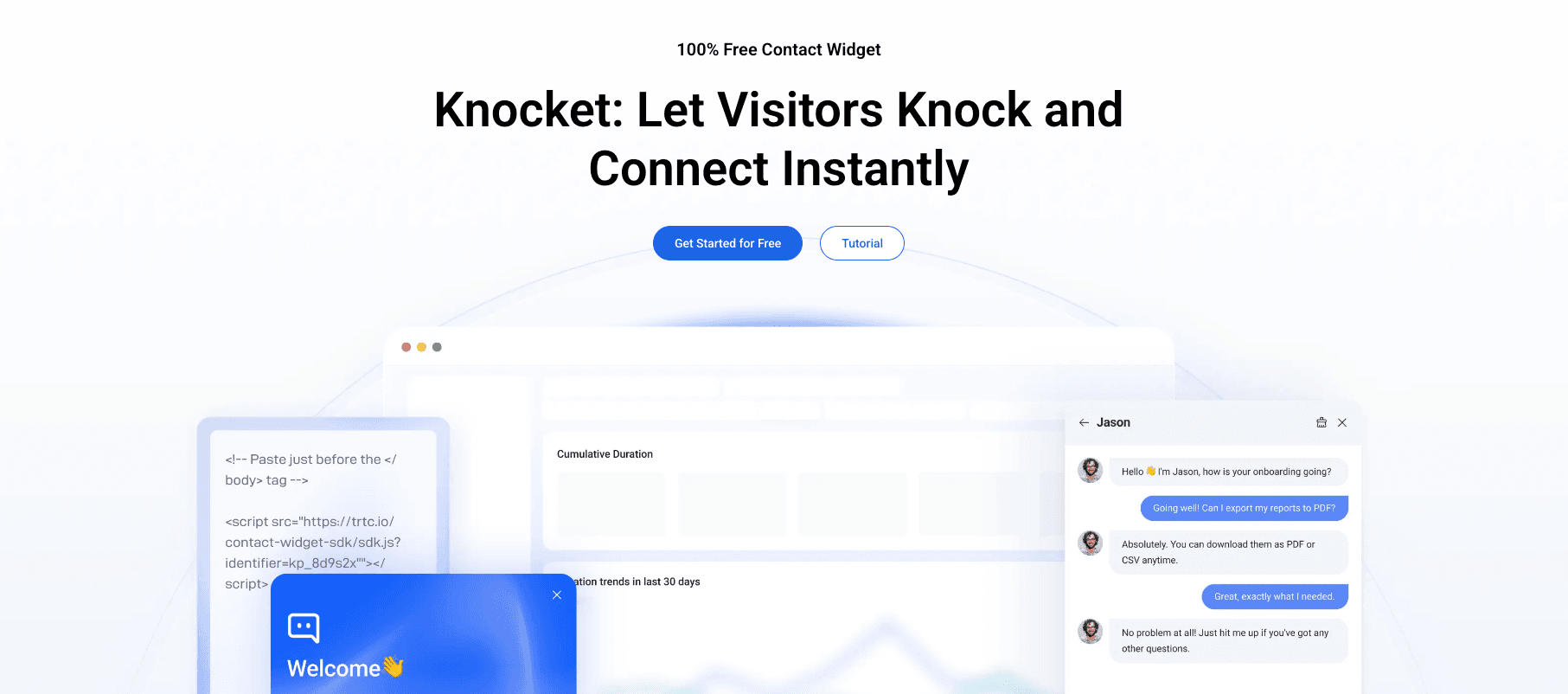
Knocket is the most generous free customer support tool available. It is designed specifically for small teams, indie developers, and startups that need professional visitor communication without paying monthly fees.
Why Small Teams Love It
● 100% free: No per-agent fees, no conversation limits, no branding badge
● Fast setup: Under 5 minutes from signup to live widget
● Multichannel in one widget: Live chat, offline forms, social links (WhatsApp, Instagram, Telegram, Messenger), and Calendly scheduling
● Works with any website: React, Next.js, Vue, WordPress, Shopify, raw HTML
● Async loading: Does not block page rendering or hurt Core Web Vitals
● AI chatbot ready: Connect via the open-source knocket-inbox-agent plugin
Limitations
● No built-in advanced ticketing (SLA management, skill-based routing)
● No built-in knowledge base
● No product tours or lifecycle messaging
Best For
● Solo founders and small teams on zero budget
● Indie developers who want a widget without npm dependencies
● Startups that want professional visitor contact before investing in a full helpdesk
2. Tidio – Best for AI Automation
Tidio is the best small team option for teams that want AI chatbot automation. Lyro AI handles repetitive customer questions automatically, reducing agent workload by up to 64%.
Why Small Teams Love It
● Lyro AI included (50 free conversations/month): Train Lyro on your FAQ and let it answer questions automatically
● E-commerce templates: Ready-made chatbot flows for Shopify and WooCommerce stores
● Shared inbox: Chat, Instagram, and email in one view
● Affordable base plan: $29/month for the platform, Lyro AI starts at $39/month
Limitations
● Free plan AI cap (50 conversations) is very limiting
● No WhatsApp support natively
● Ticketing less advanced than Freshdesk or Zendesk
Best For
● Small e-commerce teams that need AI chatbot automation
● Teams with 50-500 monthly conversations who want to automate FAQs
3. Freshdesk – Best All-Round Value
Freshdesk is Freshworks’ customer support platform. At $15/seat/month with a free plan for up to 10 agents, it offers the best balance of features, ease of use, and price for growing small teams.
Why Small Teams Love It
● Free plan for 10 agents: Generous enough for most small teams to start without paying
● Freddy AI chatbot: Included in paid plans (less sophisticated than Tidio’s Lyro, but included)
● Native WhatsApp: WhatsApp support built natively, not via third-party integration
● Shared inbox: Email, chat, phone, WhatsApp, Twitter, and Facebook in one place
● Easy to use: Clean, intuitive interface that most teams can navigate without training
● Ticketing depth: Better than Knocket or Tidio for structured ticket management
Limitations
● Freddy AI less capable than Tidio’s Lyro or Intercom’s Fin AI
● Knowledge base more basic than Zendesk
● Best value requires upgrading to paid plans
Best For
● Growing small teams (5-30 agents) that need a balanced feature set at an affordable price
● Teams that need WhatsApp support natively
4. Help Scout – Best for Email-First Support
Help Scout is a customer support platform built around the shared inbox. It is designed for teams that prioritize email support alongside chat, with a clean, no-frills interface.
Why Small Teams Love It
● Shared inbox: Clean, intuitive interface for managing email and chat
● Beacon chat widget: Simple embeddable chat with email fall-back
● Docs knowledge base: Self-service help center
● No AI chatbot: Keeps it simple for teams that do not need automation
Limitations
● No built-in AI chatbot (requires third-party integration)
● More expensive than Freshdesk at $20/user/month
● No WhatsApp or social messaging
Best For
● Small teams that prioritize email support over chat automation
● Teams that want simplicity over feature depth
5. HubSpot Live Chat – Best Free with CRM
HubSpot Live Chat is free for anyone with a HubSpot account. For teams already using HubSpot’s CRM, this is a natural choice.
Why Small Teams Love It
● Free with HubSpot CRM: Chat conversations link automatically to contact records
● Meeting scheduler: Built into the chat widget
● Basic chatbot: Included with the free plan
● Integration with HubSpot marketing and sales: Full funnel visibility
Limitations
● HubSpot branding on the chat widget (free plan)
● Advanced features require paid HubSpot plans
● Best value only if already invested in HubSpot’s ecosystem
Best For
● Small teams already using HubSpot’s CRM
● Teams that want chat and CRM in one free tool
6. Crisp – Best Flat-Rate for Unlimited Agents
Crisp offers flat-rate workspace pricing: one price for your entire workspace, unlimited agents.
Why Small Teams Love It
● Flat-rate: Add 5 agents or 50 agents for the same $45/month
● Video calling: Built into the chat widget
● GDPR compliant: French company with strong data privacy focus
Limitations
● Free plan limited to 2 agents
● AI chatbot less sophisticated than Tidio or Freshchat
● No WhatsApp natively
Best For
● Small teams with many support agents (flat-rate makes it cheap)
● European businesses with GDPR requirements
7. LiveAgent – Best for Ticketing Depth
LiveAgent combines live chat, email ticketing, call center, and knowledge base in one platform at $15/seat/month.
Why Small Teams Love It
● 150+ channels: Chat, email, phone, WhatsApp, Instagram, Facebook, and more
● Built-in call center: IVR and queuing without a separate phone tool
● SLA monitoring: Automatic escalation based on service level agreements
● Affordable: $15/seat/month is competitive with Freshdesk
Limitations
● Interface more complex than Freshdesk or Knocket
● Basic AI chatbot capabilities
● Free trial only (no free plan)
Best For
● Small teams that need call center functionality alongside chat
● Teams that prioritize ticketing and SLA management
8. Chatwoot – Best Open-Source Option
Chatwoot is an open-source customer engagement platform available as self-hosted (free) or cloud ($19/seat/month).
Why Small Teams Love It
● Self-hosted free: Complete data ownership, no per-agent pricing
● WhatsApp natively: WhatsApp, Instagram, Telegram, SMS, chat, email
● Shared inbox: Unified view across all channels
● Active open-source community: Continuous development and improvement
Limitations
● Self-hosted requires technical resources for setup and maintenance
● AI chatbot requires third-party integration
● Cloud version ($19/seat/month) introduces per-seat pricing
Best For
● Technically sophisticated teams that want complete data control
● Teams with engineering resources to manage self-hosted infrastructure
How to Choose: Decision Framework
Your Situation | Recommended Tool |
Zero budget, want everything free | |
Need AI chatbot + e-commerce | |
Need the best all-round value | |
Prioritize email + chat inbox | |
Already using HubSpot CRM | |
Have many agents, want flat-rate pricing | |
Need call center + chat + ticketing | |
Need self-hosted, full data control |
Real Cost Comparison for Small Teams
Tool | Monthly Cost (5 agents) | Annual Cost |
Knocket | $0 | $0 |
Tidio (base + Lyro AI) | $68 | $816 |
Freshdesk (Pro) | $75 | $900 |
Help Scout (Basic) | $100 | $1,200 |
HubSpot Live Chat | $0 | $0 |
Crisp (Mini) | $45 | $540 |
LiveAgent | $75 | $900 |
Chatwoot (cloud) | $95 | $1,140 |
Frequently Asked Questions
What is the best free customer support software for small teams?
Knocket is the best free customer support software for small teams. It includes live chat, offline forms, social link aggregation, Calendly scheduling, and unlimited agents – all completely free.
What customer support software do startups use?
Startups commonly use Knocket (free), Tidio (AI chatbot), Freshdesk (balanced value), and Intercom (full platform). The choice depends on team size, budget, and support complexity.
Can small teams use enterprise support software?
Some enterprise tools like Freshdesk and HubSpot have free or affordable plans designed for small teams. Zendesk and Intercom are typically too expensive and complex for teams under 20 people.
Does Knocket work as a helpdesk?
Knocket works as a lightweight contact widget for visitor communication. For advanced ticketing, SLA management, and knowledge base features, pair Knocket with Freshdesk or LiveAgent.
How do I migrate from one support tool to another?
Most support tools offer import capabilities. Export your data (conversations, contacts, knowledge base) from your current tool and import it into the new one. Most migrations take 1-2 weeks for a small team.
For a free contact widget that small teams can start using today: Get started with Knocket