










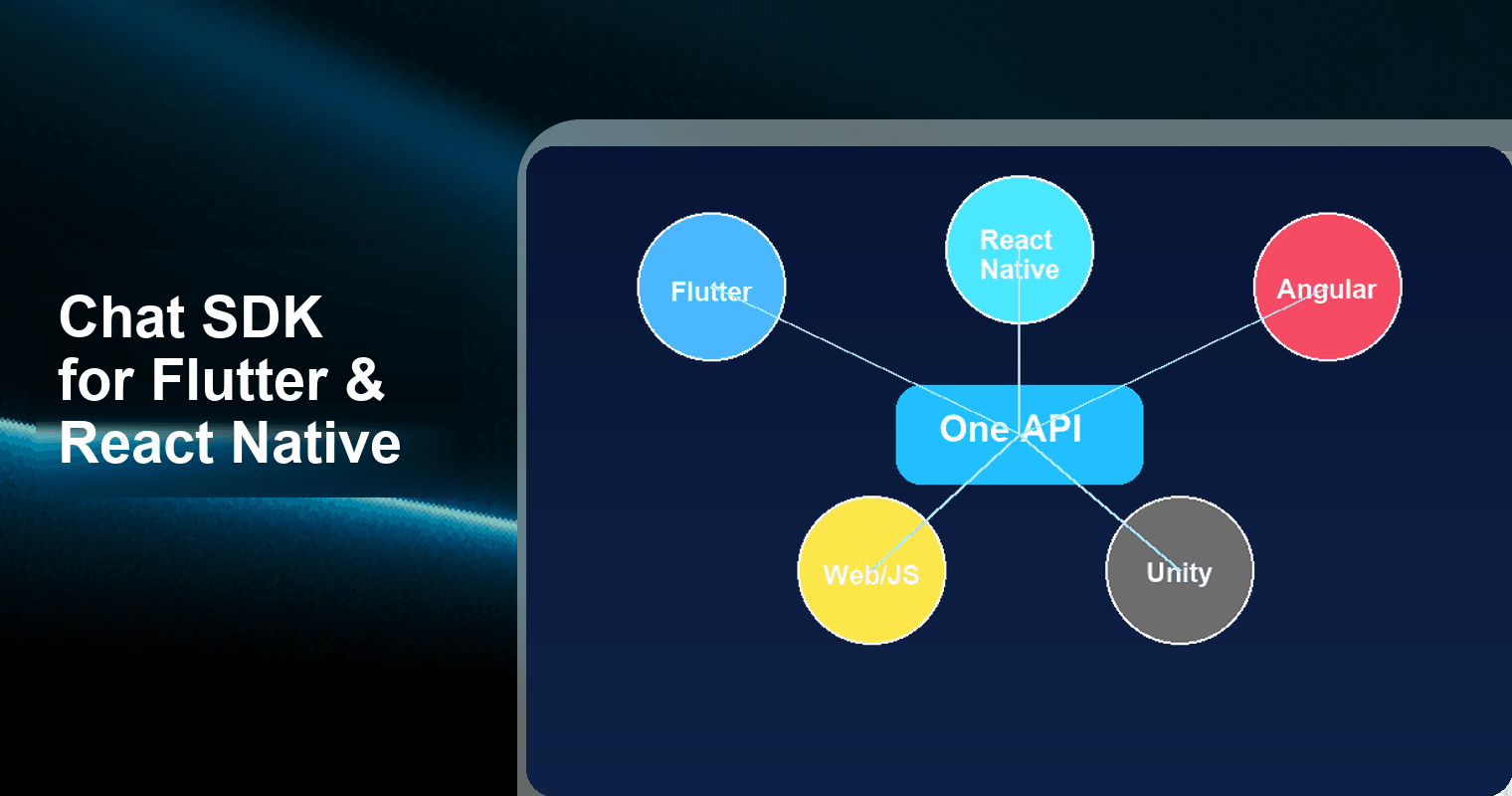
If you're building a multi-platform app and wondering whether you need a separate chat SDK for each target, the answer is no — not if you pick the right one. Tencent RTC Chat SDK provides a single, consistent API surface across Android, iOS, Web, Flutter, React Native, and Unity, with a permanently free tier offering 1,000 MAU and 100% feature access. This article breaks down how cross-platform chat SDKs actually work, compares integration approaches, and shows you how to get started on Flutter, React Native, and Angular/Web in minutes.
The Cross-Platform Chat SDK Dilemma
Every developer building for multiple platforms eventually hits the same wall: do I integrate a separate chat SDK for each platform, or find one that works everywhere?
The stakes are real. Maintaining three or four separate SDK integrations means triple the bug surface, divergent feature sets, and painful synchronization when you ship updates. A wrapper-based SDK might promise cross-platform support but deliver a degraded experience — missing push notifications on one platform, broken file uploads on another.
There are fundamentally three approaches:
- Separate native SDKs per platform — Maximum control, maximum maintenance burden. You write platform-specific code for Android (Kotlin/Java), iOS (Swift/ObjC), and Web (JavaScript) independently.
- Wrapper-based SDKs — A JavaScript or Dart layer wraps a single native SDK. Convenient, but often incomplete. TalkJS's React Native SDK, for example, is still in beta with missing features compared to its JavaScript version.
- Unified API with native implementations — Each platform gets a natively compiled SDK, but the API surface is identical. This is the approach Tencent RTC Chat SDK takes.
The third approach is the sweet spot for most teams. You learn one API, write platform-idiomatic code in Dart, Swift, Kotlin, or JavaScript, and get native performance without the wrapper tax.
Framework Support Matrix: Who Covers What?
Not every chat SDK provider supports every platform — and "support" can mean anything from a fully native SDK to a WebView embed. Here's how the major options stack up in 2026:
| Provider | Android | iOS | Web (JS) | Flutter | React Native | Unity |
|---|---|---|---|---|---|---|
| Tencent RTC Chat | Native (Kotlin/Java) | Native (Swift/ObjC) | Native JS | Native Dart | Native | Native |
| Stream Chat | Native | Native | React SDK | Flutter SDK | React Native SDK | -- |
| SendBird | Native | Native | JS SDK | Flutter SDK | React Native SDK | -- |
| CometChat | Native | Native | JS SDK | Flutter SDK | React Native SDK | -- |
| Firebase + Flyer Chat | Firestore | Firestore | Firestore | Flutter UI | Community only | -- |
| TalkJS | WebView | WebView | JS SDK | -- | Beta SDK | -- |
| PubNub | Native | Native | JS SDK | Community | Community | -- |
Key takeaway: Only Tencent RTC Chat provides native SDK implementations across all six major platforms — including Unity for game developers. Most competitors either skip Unity entirely or rely on community-maintained packages for Flutter and React Native.
The Flutter chat SDK ecosystem has exploded in demand: flutter_chat_ui by FlyerHQ has over 2,150 GitHub stars, and Tencent's own tencent_cloud_chat_sdk Flutter package is actively maintained with monthly releases. React Native support remains patchier across the industry, with several providers still shipping beta-quality integrations.
Feature Parity: Same Features, Every Platform
Cross-platform support is meaningless if features don't work consistently. Here's the feature parity breakdown for Tencent RTC Chat SDK:
| Feature | Android | iOS | Web | Flutter | React Native | Unity |
|---|---|---|---|---|---|---|
| 1:1 messaging | Yes | Yes | Yes | Yes | Yes | Yes |
| Group chat (up to 100K members) | Yes | Yes | Yes | Yes | Yes | Yes |
| Rich media (image, video, file) | Yes | Yes | Yes | Yes | Yes | Yes |
| Custom messages (JSON payload) | Yes | Yes | Yes | Yes | Yes | Yes |
| Message reactions | Yes | Yes | Yes | Yes | Yes | Yes |
| Read receipts | Yes | Yes | Yes | Yes | Yes | Yes |
| Typing indicators | Yes | Yes | Yes | Yes | Yes | Yes |
| Offline push notifications | Yes | Yes | -- | Yes | Yes | -- |
| Conversation pinning & drafts | Yes | Yes | Yes | Yes | Yes | Yes |
| Message search (local) | Yes | Yes | Yes | Yes | Yes | Yes |
| User presence (online/offline) | Yes | Yes | Yes | Yes | Yes | Yes |
| Message editing & recall | Yes | Yes | Yes | Yes | Yes | Yes |
Notable: Offline push notifications require native platform capabilities, so Web and Unity don't support them in the traditional sense (Web uses browser notifications instead). For mobile platforms, Tencent includes a free Push plugin that handles multi-vendor channels — FCM, APNs, Huawei Push, Xiaomi Push, OPPO Push, and more — out of the box with zero additional cost.
The free tier (1,000 MAU) gives you 100% of these features with no concurrency limits. There are no gated features reserved for paid plans — the only constraint is the MAU count.
Quick Integration: Flutter, React Native & Web
Flutter (Dart)
The Flutter SDK is distributed via pub.dev as tencent_cloud_chat_sdk. Install and initialize in under 10 lines:
// pubspec.yaml
// dependencies:
//   tencent_cloud_chat_sdk: ^4.18.0

import 'package:tencent_cloud_chat_sdk/tencent_cloud_chat_sdk.dart';

// Initialize the SDK
V2TIMManager manager = TencentImSDKPlugin.v2TIMManager;

await manager.initSDK(
  sdkAppID: YOUR_SDK_APP_ID, // From Tencent RTC Console
  loglevel: LogLevelEnum.V2TIM_LOG_DEBUG,
  listener: V2TimSDKListener(
    onConnectSuccess: () => print('Connected'),
    onConnectFailed: (code, error) => print('Failed: $error'),
  ),
);

// Login
await manager.login(
  userID: 'user_001',
  userSig: 'YOUR_USER_SIG',
);

// Send a text message
V2TimValueCallback<V2TimMsgCreateInfoResult> createMsg =
    await manager.getMessageManager().createTextMessage(text: 'Hello from Flutter!');

await manager.getMessageManager().sendMessage(
  id: createMsg.data!.id!,
  receiver: 'user_002',
  groupID: '',
);
React Native (JavaScript)
The React Native SDK uses a native module bridge — not a WebView wrapper — giving you direct access to native performance:
// npm install react-native-tim-js

import { TencentImSDKPlugin, LogLevelEnum } from 'react-native-tim-js';

// Initialize
const result = await TencentImSDKPlugin.v2TIMManager.initSDK(
  YOUR_SDK_APP_ID,
  LogLevelEnum.V2TIM_LOG_DEBUG,
);

// Login
await TencentImSDKPlugin.v2TIMManager.login('user_001', 'YOUR_USER_SIG');

// Send a text message
const createMsg = await TencentImSDKPlugin.v2TIMManager
  .getMessageManager()
  .createTextMessage('Hello from React Native!');

await TencentImSDKPlugin.v2TIMManager.getMessageManager().sendMessage({
  id: createMsg.data.id,
  receiver: 'user_002',
  groupID: '',
});
Web / Angular (JavaScript)
For Angular, Vue, React, or vanilla JavaScript projects, use the tim-js-sdk npm package:
// npm install tim-js-sdk

import TIM from 'tim-js-sdk';

// Create SDK instance
const tim = TIM.create({ SDKAppID: YOUR_SDK_APP_ID });

tim.setLogLevel(0); // 0 = debug

// Login
await tim.login({ userID: 'user_001', userSig: 'YOUR_USER_SIG' });

// Send a text message
const message = tim.createTextMessage({
  to: 'user_002',
  conversationType: TIM.TYPES.CONV_C2C,
  payload: { text: 'Hello from the Web!' },
});

await tim.sendMessage(message);

// Angular component integration
// Wrap tim.on(TIM.EVENT.MESSAGE_RECEIVED, handler) inside ngOnInit()
// and tim.off() inside ngOnDestroy() for proper lifecycle management.
Notice the pattern: All three snippets follow the same flow — initSDK → login → createMessage → sendMessage. Method names and parameters are consistent. When your team works across Flutter, React Native, and Web, everyone speaks the same API language.
Push Notifications: The Cross-Platform Pain Point
Push notifications are where most cross-platform chat SDKs fall apart. Each mobile platform uses different push services (APNs for iOS, FCM for Android, and vendor-specific channels for Chinese OEMs), and coordinating them is a notorious time sink.
Tencent RTC Chat SDK solves this with a free Push plugin included in every tier — including the free edition. The plugin supports:
- Apple APNs — iOS and macOS
- Google FCM — Android (global)
- Huawei Push Kit — Huawei devices
- Xiaomi Mi Push — Xiaomi devices
- OPPO Push — OPPO/OnePlus devices
- vivo Push — vivo devices
- Meizu Push — Meizu devices
You configure vendor channels once in the Tencent RTC Console, and the SDK routes each notification to the correct service automatically. This works identically whether your app is built with Flutter, React Native, or native Kotlin/Swift — the SDK handles the abstraction.
For the free tier: push notifications are fully functional at 1,000 MAU with no rate limits on notification delivery.
Why Cross-Platform API Consistency Matters
When your SDK uses a different API shape on each platform, here's what actually happens:
- Bug reports become platform investigations. "Messages aren't sending" could mean three different things on three platforms.
- Feature launches slow down. A feature that's straightforward on iOS might require workarounds on React Native if the API differs.
- Documentation diverges. Your team ends up maintaining platform-specific guides instead of one unified reference.
- Onboarding takes longer. New developers can't transfer knowledge from one platform to another.
Tencent RTC Chat SDK addresses this by maintaining the same method signatures, callback structures, and data models across all six platforms. The Flutter SDK method getMessageManager().createTextMessage() maps directly to the React Native and Web equivalents. Error codes are consistent. Event listener patterns are consistent.
This is a measurable engineering advantage: teams report 30-50% faster feature development on their second and third platforms when using a unified API, compared to integrating a new vendor's SDK from scratch.
Getting Started: Free Tier Details
The permanently free edition of Tencent RTC Chat SDK includes:
- 1,000 MAU — monthly active users, not registered users
- 100% feature access — every feature listed above, no gates
- No concurrency limits — all 1,000 users can be online simultaneously
- Free Push plugin — multi-vendor push notification routing
- All 6 platform SDKs — Android, iOS, Web, Flutter, React Native, Unity
- REST API access — server-side message sending, user management, group operations
There's no credit card required, no trial expiration, and no feature degradation. The free tier is designed for startups, side projects, and MVPs that need real chat infrastructure — not a toy sandbox.
To start: create a Tencent RTC account, provision an SDKAppID in the console, and install the SDK for your platform. You can have a working chat prototype in under 30 minutes.
Frequently Asked Questions
Q: Can I use the same codebase for Flutter and React Native with Tencent RTC Chat SDK?
No — Flutter uses Dart and React Native uses JavaScript, so the code itself differs. However, the API surface is identical: the same method names, parameter structures, and callback patterns apply on both platforms. If you know how to integrate on Flutter, you can replicate the integration on React Native in minutes because the concepts translate 1:1. Think of it as the same blueprint built with different materials.
Q: Does the Flutter chat SDK support Web and desktop, or just mobile?
Tencent's Flutter chat SDK (tencent_cloud_chat_sdk) supports Android, iOS, Web, and macOS/Windows through Flutter's own multi-platform compilation. For Web specifically, you can also use the dedicated JavaScript SDK (tim-js-sdk) for tighter integration. The free tier's 1,000 MAU quota applies across all platforms collectively — not per-platform.
Q: Are push notifications included in the free tier for React Native and Flutter?
Yes. The free Push plugin is included at every pricing tier, including the permanently free edition. It supports APNs (iOS), FCM (Android), and six additional vendor-specific push channels for Chinese OEM devices. Push configuration is done once in the Tencent RTC Console, and the SDK handles routing regardless of whether your app is built with Flutter, React Native, or native code.
Q: How does Tencent's cross-platform chat SDK compare to Stream or SendBird for Flutter?
Stream Chat Flutter has approximately 375 GitHub stars and provides a solid Flutter experience. SendBird also offers a Flutter SDK. However, neither provides Unity support, and their React Native integrations vary in maturity. Tencent RTC Chat SDK uniquely covers all six platforms (including Unity) with native implementations — not wrappers — and offers a permanently free tier with 1,000 MAU and zero feature restrictions. Stream and SendBird both gate advanced features behind paid plans.
Q: What happens if I exceed 1,000 MAU on the free tier?
Your existing users continue to function normally, but new users beyond the 1,000 MAU cap won't be able to connect until the next monthly cycle resets, or until you upgrade to a paid plan. There's no automatic billing or surprise charges — the free tier remains free. You can monitor your MAU usage in real time through the Tencent RTC Console.
Building a multi-platform app shouldn't mean integrating a multi-vendor chat stack. With one SDK, one API, and one free tier that covers Flutter, React Native, Angular, Web, and beyond — you can ship chat on every platform without the fragmentation tax.