










A well-configured chat widget can increase website conversion rates by 10-40%, according to data from multiple live chat providers. The mechanism is straightforward: visitors who have questions get instant answers, which removes the friction between interest and action. Without a chat widget, those visitors leave with unresolved doubts and never come back.
But simply installing a chat widget does not guarantee conversions. The difference between a widget that converts and one that annoys visitors comes down to configuration, timing, and channel strategy. This guide covers the data behind chat widget conversion, 7 specific tactics that work, and common mistakes that hurt rather than help.
The Data: How Chat Widgets Impact Conversions
Multiple sources point to significant conversion lifts from live chat and chat widget implementations:
Source | Finding |
38% of consumers are more likely to buy from a company that offers live chat | |
Chat-engaged visitors are 2.8x more likely to convert than those who do not chat | |
Live chat can increase conversions by 20% or more | |
Visitors who engage with chat spend 60% more per purchase on average | |
79% of businesses report that live chat positively impacts sales |
The pattern is consistent: visitors who engage with chat are significantly more likely to convert than visitors who browse passively. The chat widget does not create demand — it captures existing intent by giving visitors a low-friction way to act on their interest.
Why Chat Widgets Work for Conversion
The conversion lift from chat widgets comes from solving three specific problems:
Problem 1: Unanswered questions kill deals
A visitor lands on your pricing page. They have a question: “Does this work with my existing tool?” There is no obvious way to ask. They look at the FAQ — it does not cover their question. They consider emailing support — too slow. They leave.
A chat widget eliminates this gap. The question gets answered in seconds, the objection is resolved, and the visitor converts.
Problem 2: Contact friction is invisible
Most websites bury contact options. The email is in the footer. The contact form is on a separate page. The support link is three clicks deep in the navigation. Each layer of friction filters out visitors who might have converted.
A chat widget puts the contact option on every page, accessible in one click. It reduces the path from “I have a question” to “I am talking to someone” to a single interaction.
Problem 3: After-hours visitors get nothing
Depending on your audience and time zones, 30-60% of your traffic may arrive outside business hours. Without a chat widget, these visitors see a static page and leave. With a contact widget that includes offline forms, social links, and meeting scheduling, after-hours visitors can still take action.
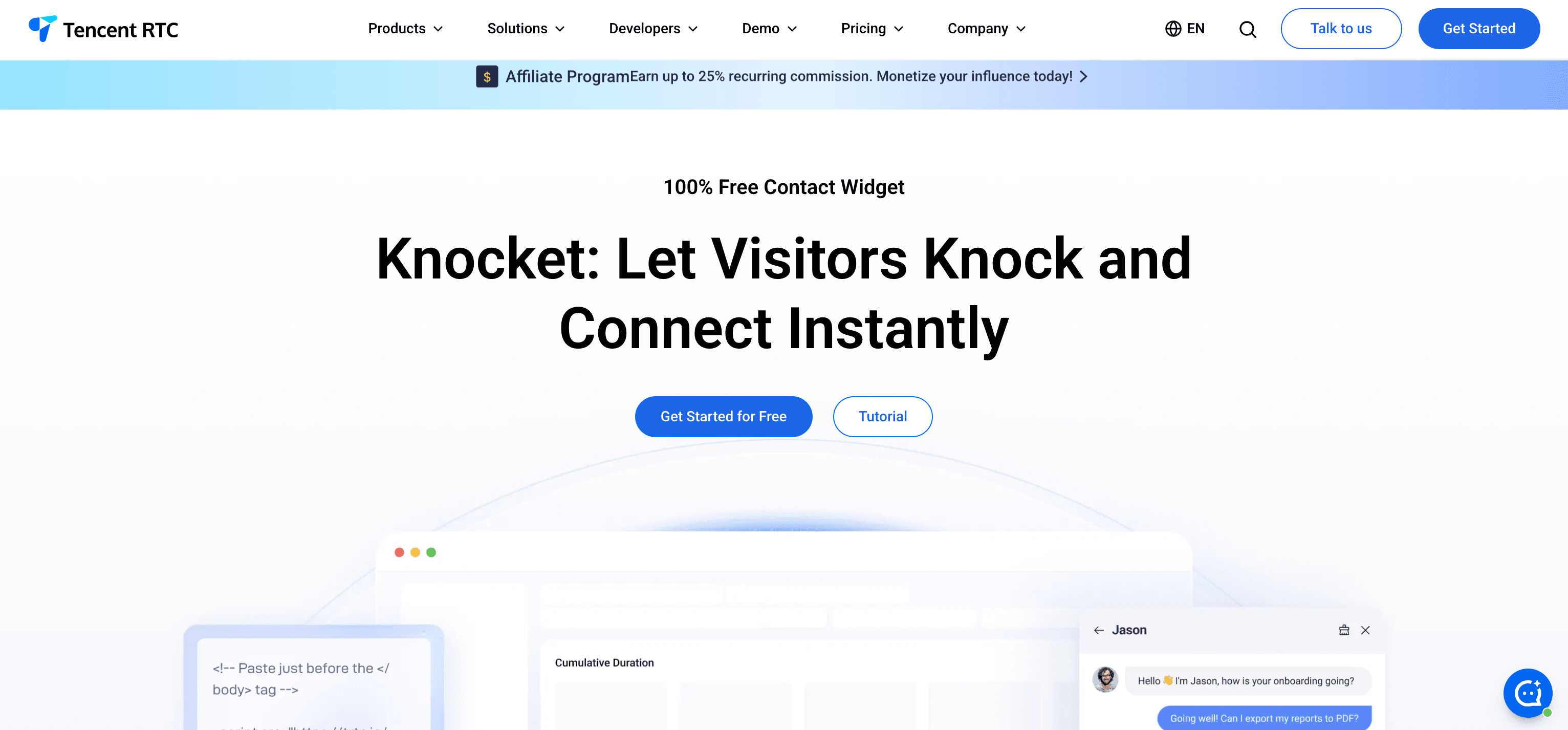
Knocket handles this by automatically switching between live chat (when you are online) and offline forms (when you are away). Visitors always have a way to reach you.
7 Tactics to Maximize Chat Widget Conversions
Tactic 1: Place the widget on high-intent pages
Not every page needs aggressive chat engagement. Focus your widget configuration on pages where visitors are most likely to convert:
Page type | Visitor intent | Widget behavior |
Pricing page | Comparing options, evaluating cost | Proactive greeting: “Questions about pricing? Happy to help.” |
Product/feature page | Understanding capabilities | Proactive greeting: “Want to see how this works for your use case?” |
Checkout/signup | Ready to act, may have last-minute doubts | Passive (available but not intrusive) |
Blog post | Learning, not buying yet | Passive or hidden |
Landing page | Evaluating your offering | Proactive greeting after 15-30 seconds |
Tools like Intercom and Tidio offer page-specific rules for proactive messages. With simpler tools like Knocket, write a welcome greeting that addresses the most common visitor intent across your site.
Tactic 2: Write greetings that trigger action
The default greeting of most chat widgets is generic: “How can I help you?” This rarely motivates visitors to type. Effective greetings are specific, address a problem, and make responding easy.
Generic (low conversion) | Specific (high conversion) |
“Welcome! How can we help?” | “Questions about our pricing? Most teams start with the free plan.” |
“Chat with us!” | “Looking for a tool that works with WordPress? We integrate with one line of code.” |
“Need help?” | “Not sure if this fits your use case? Tell me what you are building.” |
“Hello!” | “First time here? Here is how most teams get started in 5 minutes.” |
The key principle: acknowledge what the visitor is likely thinking and offer a specific path forward.
Tactic 3: Offer multiple contact channels
Not every visitor wants to type in a chat window. Some prefer WhatsApp. Some want to schedule a call. Some would rather send a message and get a reply later.
A contact widget like Knocket aggregates multiple channels in one surface:
● Live chat for visitors who want immediate conversation
● Offline forms for visitors who want to leave a message
● WhatsApp, Instagram, Telegram, Messenger for visitors who prefer social messaging
● Calendly scheduling for visitors who want to book a call
Each additional channel captures intent that would otherwise be lost. A visitor who will not type in a chat window might happily tap the WhatsApp icon.
Tactic 4: Use offline forms to capture after-hours leads
According to analytics from various SaaS companies, 30-60% of website traffic arrives outside standard business hours. If your chat widget shows an empty window during those hours, you lose that traffic.
Configure your widget to show an offline form when you are unavailable:
● Ask for name, email, and message (keep it short — three fields maximum)
● Set a clear expectation: “We’ll reply within [timeframe]”
● Follow up via email within 24 hours
Knocket automates this with working hours settings. When you mark yourself as offline, the widget switches to offline form mode automatically.
Tactic 5: Respond fast (or set realistic expectations)
Response time directly impacts conversion. Data from SuperOffice shows that the average live chat response time is 2 minutes and 40 seconds, but top-performing companies respond in under 1 minute.
Response time | Visitor behavior |
Under 1 minute | Visitor stays engaged, conversation progresses |
1-3 minutes | Visitor waits, but attention starts to wander |
3-5 minutes | Visitor opens another tab, may abandon chat |
Over 5 minutes | Visitor has likely left your site |
If you cannot guarantee fast response times:
● Set working hours so the chat widget only shows live chat when you are available
● Use offline forms outside business hours
● Consider adding AI auto-reply for common questions (Knocket supports this through the open-source knocket-inbox-agent)
Tactic 6: Do not auto-open the chat window
One of the most common mistakes: configuring the chat widget to automatically open and display a message as soon as the page loads. This interrupts the visitor before they have read your content, creates an immediate negative impression, and often gets dismissed permanently.
What to do instead:
● Show the chat bubble (launcher button) immediately
● Display a small greeting tooltip after 15-30 seconds (not the full chat window)
● Let the visitor choose to click and open the chat
● On mobile, never auto-expand the chat window — it covers the entire screen
The goal is availability, not interruption. Visitors should know they can reach you, not feel ambushed.
Tactic 7: Track and learn from chat conversations
Your chat widget is a qualitative data source that complements quantitative analytics. Review conversations regularly to identify:
Repeated questions — If multiple visitors ask the same question, the answer should be on your website. Add it to your FAQ, product page, or pricing page. This reduces chat volume and improves the conversion path for all visitors.
Common objections — If visitors consistently raise the same concern (pricing, compatibility, security), address it proactively on your marketing pages.
Feature requests — Visitors telling you what they want is product feedback you cannot get from analytics alone.
Drop-off patterns — If visitors start a conversation but leave before converting, review the conversation to identify where the breakdown happens.
Chat Widget ROI: Is It Worth Adding?
For most websites, a chat widget is one of the highest-ROI additions you can make. Here is a simplified calculation:
Assumptions:
● 1,000 monthly website visitors
● Current conversion rate: 2% (20 conversions/month)
● Chat widget engagement rate: 5% (50 visitors engage with chat)
● Chat-to-conversion rate: 15% (7-8 additional conversions from chat)
● New total conversions: approximately 28/month
● Conversion rate increase: approximately 40%
Cost with Knocket: $0/month (free forever)
Even with conservative estimates (3% engagement, 10% chat-to-conversion), a free chat widget typically adds measurable conversion lift with zero cost.
Compare this to other conversion optimization tactics:
Tactic | Typical cost | Implementation time | Conversion impact |
Chat widget (Knocket) | $0 | 5 minutes | 10-40% lift |
A/B testing tool | $100-500/month | Days to weeks | 5-15% per test |
Landing page redesign | $1,000-5,000 | Weeks | Variable |
Paid chat tool | $24-130/seat/month | Hours | 10-40% lift |
Exit-intent popup | $30-100/month | Hours | 5-10% lift |
A free chat widget is the fastest, cheapest way to improve website conversion.
Common Mistakes That Hurt Conversion
Mistake 1: Installing a chat widget and never monitoring it
A chat widget with no one responding is worse than no chat widget. Visitors who initiate a conversation and get no response lose trust in your brand. Either staff the chat during business hours or configure offline forms for when you are away.
Mistake 2: Using the chat widget as a sales pitch tool
Visitors engage with chat widgets to get help, not to receive a sales pitch. If every response pushes a product or asks for a demo, visitors disengage. Answer their question first. The sale follows naturally from a good experience.
Mistake 3: Requiring sign-up before chatting
Some tools require visitors to enter their email before they can chat. This adds friction at the worst possible moment — when the visitor is already willing to engage. Let visitors chat anonymously. Capture their information through the conversation, not a gate.
Mistake 4: Ignoring mobile experience
Over 50% of web traffic is mobile. A chat widget that covers the entire screen, blocks navigation, or interferes with scrolling on mobile drives visitors away rather than converting them. Test your widget on a real phone (not just browser developer tools).
Mistake 5: Running multiple chat widgets
Some teams install two or three chat widgets (e.g., Tawk.to for live chat and Tidio for chatbot). This creates a confusing experience: multiple floating buttons, overlapping windows, and inconsistent interactions. Use one tool that covers your needs.
Frequently Asked Questions
How much can a chat widget increase my conversion rate?
Studies consistently show 10-40% conversion rate increases for websites that implement chat widgets effectively. The exact impact depends on your current conversion rate, traffic volume, and how well you configure and respond through the widget. Higher-intent traffic (pricing pages, product pages) sees the largest impact.
Which chat widget has the best conversion rate?
Conversion rate depends on your configuration and response quality, not just the tool. That said, contact widgets like Knocket that offer multiple channels (chat + forms + social + scheduling) capture more intent than single-channel tools, because visitors can choose their preferred communication method.
Does a chat widget affect SEO?
Indirectly, yes. If a chat widget improves engagement metrics (lower bounce rate, longer time on page), it can positively impact SEO rankings. However, a heavy widget script that slows page load can hurt SEO through worse Core Web Vitals scores. Use a lightweight, async-loading widget like Knocket to get the engagement benefits without the speed penalty.
How do I measure chat widget ROI?
Track these metrics:
1. Chat engagement rate — percentage of visitors who interact with the widget
2. Chat-to-conversion rate — percentage of chat conversations that lead to a desired action (signup, purchase, booking)
3. Conversations per conversion — how many chats it takes to generate one conversion
4. Response time — average time to first response (faster = higher conversion)
5. Resolution rate — percentage of conversations that result in a satisfied visitor
Can a free chat widget convert as well as a paid one?
Yes. Conversion depends on configuration, response quality, and visitor experience — not on how much you pay for the tool. A well-configured free widget (Knocket) with fast response times will outperform a poorly configured $100/month tool with slow responses.
A chat widget is not a magic conversion button. It is a channel that reduces friction between visitor interest and action. Install it, configure it thoughtfully, respond promptly, and measure the results.