










A chat widget on your SaaS website is the fastest way to collect user feedback without building support tooling from scratch. When a user encounters a bug, wants a feature, or has a question, they click the chat widget and tell you directly. No ticket system to set up, no feedback board to build, no helpdesk to configure.
Knocket is a free-forever contact widget that gives SaaS teams live chat, offline forms, social links, and meeting scheduling in one embed. It installs with one line of code and starts capturing user feedback in under 5 minutes.
The SaaS Feedback Problem
Every SaaS product needs user feedback to improve. But most early and mid-stage SaaS teams collect feedback through fragmented, high-friction channels:
Channel | Friction level | What gets lost |
High — users must open email client, compose message | Casual feedback, quick bug reports, feature ideas | |
Contact form | Medium — users must navigate to the page | Impulse feedback, in-context observations |
Feedback board (Canny, Productboard) | Medium — users must create an account, write a structured request | Unstructured observations, edge case reports |
GitHub Issues | High — users need a GitHub account, must follow issue template | Non-technical user feedback entirely |
Social media / Twitter | Low — but scattered and hard to track | Responses get buried in timelines |
NPS surveys | Low — but only captures sentiment, not actionable feedback | Specific pain points, feature-level detail |
The problem is not that SaaS teams lack feedback tools. The problem is that the tools require effort from users who were not planning to give feedback. A chat widget lowers the barrier to zero: the user sees the widget, clicks it, and types what is on their mind.
5 Types of Feedback a Chat Widget Captures for SaaS
1. Bug reports in real time
When a user encounters a bug, the optimal moment to capture the report is immediately — while the user is looking at the broken UI, remembers exactly what they did, and has the motivation to tell you.
A chat widget captures this moment. The user types “this button doesn’t work” or “the export is missing columns” without leaving the page, without opening another tool, without filing a formal report.
For developer-led SaaS products, these real-time bug reports are more valuable than automated error monitoring because they include the user’s intent and context — what they were trying to do, not just what the system logged.
2. Feature requests with context
The most actionable feature requests come with context: what the user was trying to accomplish, why the current product does not support it, and how important it is to their workflow.
A chat widget captures this naturally. Users say things like:
● “I was trying to export to PDF but there’s no option for it”
● “Can you add Slack integration? My team uses it for notifications”
● “It would be great if I could duplicate a project instead of creating from scratch”
These messages contain the user’s workflow context, the specific gap, and often the suggested solution. Structured feedback tools like Canny capture the request but rarely the context.
3. Onboarding friction
New users who sign up for your SaaS product will encounter moments of confusion: unclear UI, missing documentation, unexpected behavior. Most leave silently. A chat widget gives them a way to say “I don’t understand how to do X” — which tells you exactly where your onboarding breaks down.
This is especially valuable for developer tools and technical SaaS products where the initial learning curve determines whether users activate or churn.
4. Pricing and purchase questions
Visitors on your pricing page have specific questions: “Does the Pro plan include API access?” or “Can I switch plans mid-month?” or “Do you offer team pricing?”
These questions represent direct purchase intent. Without a chat widget, the visitor leaves to research alternatives or sends an email that gets answered 24 hours later (by which time they have signed up for a competitor). With a chat widget, you answer in real time and close the deal.
5. Churn signals
Active users who are about to churn often signal it through questions: “How do I cancel?” or “Is there a way to export all my data?” or “Does this integrate with [competitor product]?”
A chat widget captures these signals in real time, giving you the opportunity to intervene — offer help, understand the reason, or provide an alternative before the user leaves.
Why SaaS Teams Should Not Start with Enterprise Support Tools
Many SaaS founders default to Intercom or Zendesk because they see successful SaaS companies using them. But these tools are designed for mature support operations, not early feedback collection.
The cost mismatch
Tool | Annual cost (1 seat) | What you pay for |
$348+ | Ticketing, workflows, AI chatbot, product tours | |
$660+ | Omnichannel support, SLA management, workforce tools | |
$228+ | Ticket routing, automation, knowledge base | |
$0 | Live chat + offline forms + social links + scheduling |
At the early stage, you do not need ticketing. You do not need SLA management. You do not need workflow automation. You need a way for users to talk to you. A chat widget does that at zero cost.
The complexity mismatch
Enterprise support tools require configuration: workspace setup, team onboarding, workflow design, automation rules, knowledge base population. This takes hours or days — time a SaaS founder should spend on product and distribution.
Knocket installs in 5 minutes. There is nothing to configure beyond colors, logo, and greeting text.
The feature mismatch
Enterprise tools are designed for high-volume support operations with multiple agents. Features like ticket routing, canned responses, and SLA tracking are irrelevant when one or two people handle all conversations. These features add complexity without adding value for early-stage teams.
How to Set Up a SaaS Feedback Channel in 5 Minutes with Knocket
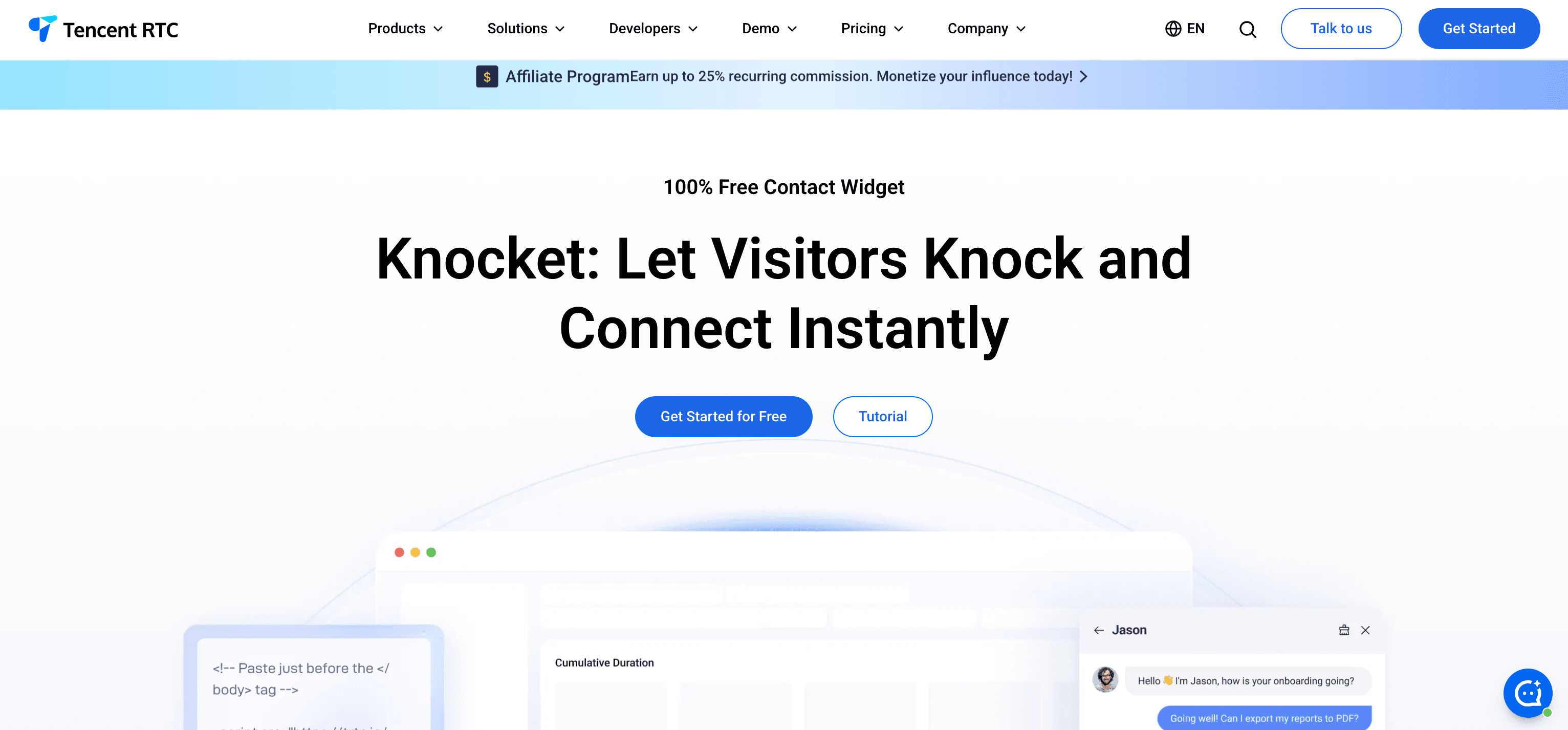
Step 1: Install Knocket
Go to trtc.io/solutions/knocket, create a free account, and customize your widget.
For SaaS products, recommended settings:
● Theme color: Match your product’s primary brand color
● Logo: Your product logo
● Greeting: “Found a bug? Have feedback? We’re building this for you — tell us what’s on your mind.”
● Components: Enable Chat + Meeting Scheduler (for user calls) + Social Links (if you have a Discord or community)
Step 2: Add one line of code
<script src="https://trtc.io/knocket-sdk/sdk.js?identifier=YOUR_ID" async></script>
Add this to your marketing site AND your product app. Users give feedback from both contexts:
● Marketing site: Pricing questions, feature comparisons, purchase intent
● Product app: Bug reports, feature requests, onboarding confusion, usage questions
Step 3: Set working hours
Configure when you are available for live chat. For solo founders, even 2-3 hours per day is sufficient. Outside those hours, Knocket shows offline forms that capture every message.
Step 4: Add Calendly for user calls
Paste your Calendly URL into Knocket’s Meeting Scheduler setting. This lets users book 15-minute feedback calls directly from the widget — invaluable for understanding complex issues or conducting user interviews.
Step 5: Connect your community channels
If your SaaS has Instagram, Telegram or Whatsapp, add those links to Knocket through knocket-inbox-agent. Some users prefer community channels over direct chat.
Chat Widget Best Practices for SaaS Products
Put the widget on your app, not just your marketing site
The highest-quality feedback comes from users inside your product. They encounter issues in real time and can describe them with context. If you only put the chat widget on your marketing site, you miss the most valuable feedback channel.
Write a greeting that invites feedback
SaaS stage | Greeting example |
Beta / early access | “You’re one of our first users. Your feedback shapes what we build next.” |
Post-launch | “Found a bug? Have an idea? We ship fixes fast — tell us.” |
Growth stage | “Questions about features? Need help with setup? We’re here.” |
Enterprise trial | “Evaluating for your team? Let us walk you through your use case.” |
Respond personally from the founder
In the early days, every message should come from the founder or a core team member — not a support agent or automated response. Users who talk to the person building the product become the most loyal advocates.
Review chat logs weekly for patterns
Treat your chat widget as a qualitative data source:
Pattern | Action |
Same question asked 3+ times | Add it to your FAQ or documentation |
Feature requested by 5+ users | Prioritize it on your roadmap |
Users confused by same UI element | Redesign it |
Users asking about competitor integration | Consider building it |
“How do I cancel?” conversations | Investigate churn reasons |
Do not automate responses too early
AI chatbots make sense when you have hundreds of conversations per month and clear patterns. Before that, manual responses are more valuable because you learn:
● What language users use to describe problems (informs your marketing copy)
● What features users expect but do not find (informs your roadmap)
● What competitors users compare you to (informs your positioning)
Start with a contact widget. Layer in AI when you have enough data to train it well.
When to Upgrade from a Chat Widget to a Support Platform
Your SaaS has outgrown a simple chat widget when:
Signal | What it means | Recommended tool |
More than 50 conversations/day | You need agent routing and workflows | |
Multiple support agents | You need shared inbox and assignments | |
Repetitive questions (30%+ of volume) | You need AI chatbot deflection | |
SLA requirements from enterprise customers | You need ticket tracking and SLA management | |
Need to tie conversations to user accounts | You need CRM integration |
Until you hit these signals, a free contact widget covers everything a SaaS team needs for user communication.
Knocket vs Alternatives for SaaS Feedback
Tool | Price | Best for SaaS when… |
Free forever | You need simple user contact and feedback collection | |
$29+/seat/mo | You have 10+ agents and need product tours, AI, workflows | |
Free-$95/mo | You need shared inbox with CRM for a small team | |
$79+/mo | You need structured feature request voting and roadmap | |
$20+/user/mo | You need enterprise product management with feedback integration | |
Free | You have staff to monitor live chat throughout the day |
For most SaaS products pre-product-market-fit, Knocket is the right choice: zero cost, zero setup complexity, captures all the feedback you need.
Frequently Asked Questions
Should I put a chat widget on my SaaS app or just the marketing site?
Both. Marketing site chat captures pricing questions and purchase intent. App chat captures bug reports, feature requests, and onboarding feedback. The highest-value feedback comes from users inside your product.
What is the best free chat widget for a SaaS product?
Knocket is the best free chat widget for SaaS products. It includes live chat, offline forms, social links (for Discord/Telegram communities), and Calendly scheduling (for user interviews) at zero cost with no conversation limits.
When should a SaaS startup switch from a chat widget to Intercom?
When you have a dedicated support person (not the founder), receive more than 50 conversations per day, and need ticket routing, SLA management, or AI chatbot automation. For most startups, this happens after Series A or when the team reaches 10+ people.
Can I use a chat widget for customer success, not just support?
Yes. A chat widget works for proactive customer success: check in with new users during onboarding, offer help when users visit specific product pages, and provide a channel for users to share feedback outside formal review cycles. Knocket’s proactive welcome greetings can be configured to prompt engagement at key moments.
How do I handle chat volume as my SaaS grows?
Start with manual responses (founder or core team). When volume exceeds what one person can handle:
1. Set working hours so offline forms capture messages outside business hours
2. Add AI auto-reply for common questions using the open-source knocket-inbox-agent
3. When you consistently exceed 50+ conversations per day, evaluate platforms like Intercom or Crisp
Your users are your best product advisors. Give them a frictionless way to talk to you, and they will tell you exactly what to build next.