











Why Does Every Startup Need a Chat Widget on Their Website? Because your earliest visitors are your most valuable visitors, and most of them leave without telling you what they think. A chat widget gives every visitor a low-friction way to ask a question, report a bug, request a feature, or become a customer. For early-stage startups, this direct feedback loop is worth more than any analytics dashboard.
Knocket is a free-forever contact widget that combines live chat, offline forms, social links, and meeting scheduling in one embed. It installs with one line of code in under 5 minutes — perfect for founders who ship fast and have zero time for support infrastructure.
The Problem: Startup Websites Are Leaking Intent
You launch your product. You share it on Product Hunt, Hacker News, and Reddit. Traffic spikes. You watch the analytics. People visit, scroll, and leave.
But you never hear from them.
The standard startup website has a contact page buried in the footer navigation. Maybe a mailto link. Maybe a Google Form. These options require visitors to actively seek out a way to reach you — and most will not bother.
How visitors actually behave | What you lose |
Visitor has a question about pricing but cannot find quick answers | Potential customer leaves, goes to competitor |
Visitor finds a bug but has no easy way to report it | Bug persists, hurts product quality |
Visitor wants to suggest a feature but sees no feedback channel | Feature insight lost, product-market fit delayed |
Visitor is ready to buy but has one objection | Sale lost because objection was never addressed |
Visitor visits after midnight (your time zone) | Zero engagement because nobody is available |
The cost is invisible. You see bounces in your analytics, but you never see the reasons behind them.
What a Chat Widget Does for Early-Stage Startups
A chat widget on your startup website creates a direct, low-friction channel between you and every visitor. Here is what that unlocks at each stage:
Pre-launch: Validate demand
Before writing code, put up a landing page with a chat widget. When visitors arrive from your early distribution (social posts, communities, waitlists), the chat widget lets them ask questions and express intent. This is live market validation — better than surveys because visitors are voluntarily engaging.
Launch week: Capture momentum
During launch, traffic from Product Hunt, Hacker News, or Twitter/X brings your most curious, most opinionated visitors. A chat widget captures their feedback in real time. Bug reports arrive faster. Feature requests come directly. Interested buyers ask about pricing without filling out a form.
Post-launch: Build relationships
After the launch spike, your chat widget becomes a persistent feedback channel. It captures long-tail visitors — people who find you through search, referrals, or social — and gives them a way to start a conversation at their pace.
Growth: Convert visitors to customers
As your site traffic grows, the chat widget becomes a conversion tool. Proactive welcome greetings engage visitors before they bounce. Offline forms capture leads around the clock. Social link aggregation lets visitors follow or message you on the platform they already use.
5 Specific Ways Startups Use Chat Widgets
1. Direct founder-to-user communication
In the early days, the founder IS the support team. A chat widget lets you talk to users directly without setting up email forwarding, helpdesk software, or support workflows. When a visitor messages you through Knocket, you see it in your inbox and reply — that is the entire workflow.
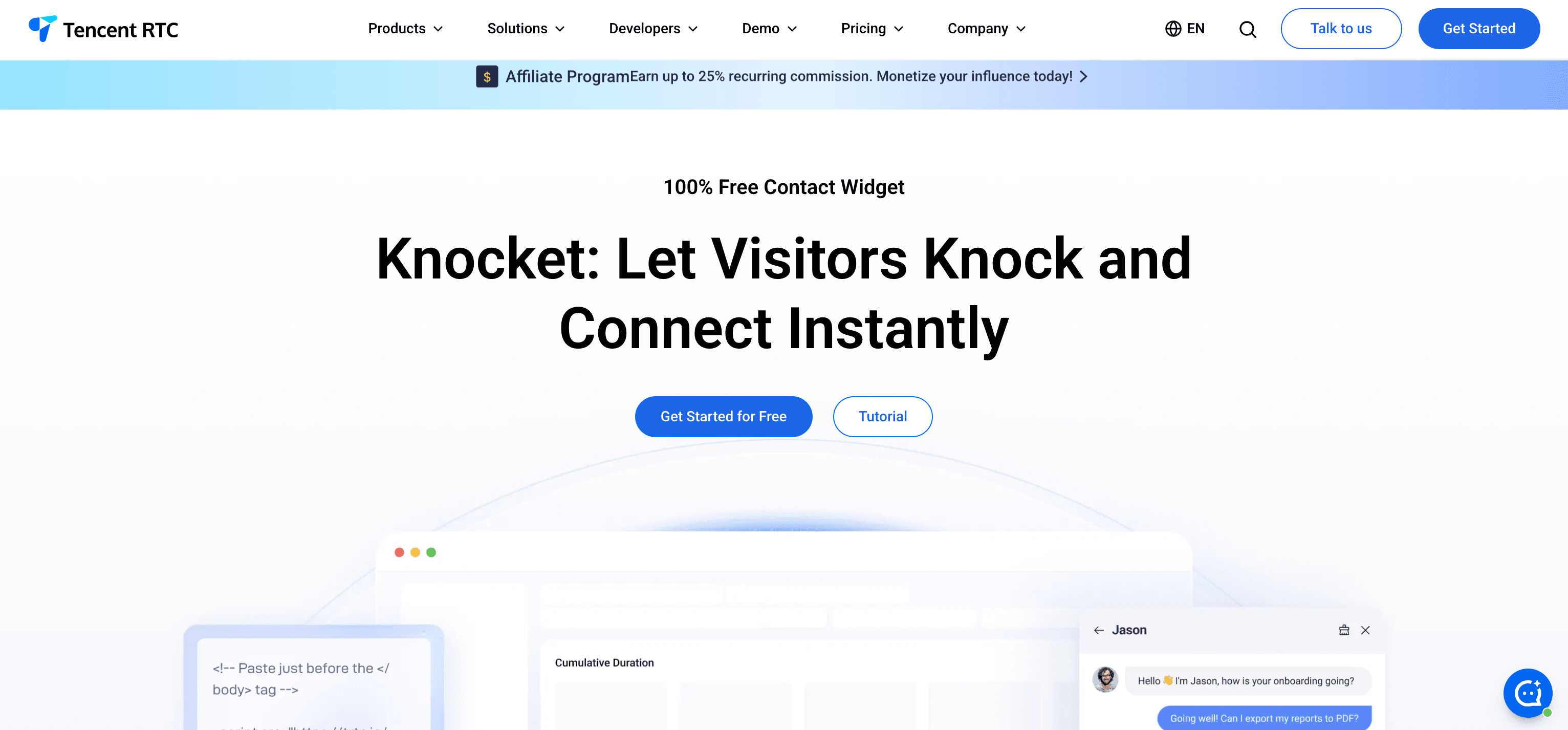
This direct channel creates an advantage that larger competitors cannot replicate: the person who built the product is talking to the person using it.
2. Real-time bug reporting
Users discover bugs faster than any test suite. A chat widget lowers the barrier to reporting them. Instead of finding your GitHub Issues page or writing a formal email, visitors can type “this button does not work” and you have a bug report in seconds.
For developer tools and SaaS products, this is critical during early launches when the product is changing daily.
3. Feature request collection
The most valuable product decisions come from user requests you did not anticipate. A chat widget captures these organically. Visitors say “I wish this could do X” in a casual message — and you have a feature insight that no product roadmap exercise would have surfaced.
Tools like Canny and Productboard are designed for structured feature request management. But for early-stage startups, a chat widget captures the raw signal before you need formal tooling.
4. Sales objection handling
When a potential customer visits your pricing page and hesitates, a chat widget gives them a way to ask “does this work with X?” or “what happens if I outgrow the free plan?” before they close the tab.
According to Kayako’s research, 38% of consumers are more likely to buy from a company that offers live chat. For startups selling to other businesses, real-time objection handling directly impacts conversion.
5. After-hours intent capture
Your visitors come from different time zones. If you are a startup targeting global users, many visitors arrive while you are asleep. A contact widget with offline forms captures their name, email, and message — so you can follow up in the morning.
Knocket automatically switches between live chat (when you are online) and offline forms (when you are away) based on working hours you set. No visitor intent is lost.
Why Heavyweight Tools Are Wrong for Early Startups
Many founders default to well-known tools like Intercom, Zendesk, or LiveChat because they see established companies using them. This is a mistake for three reasons:
1. Cost is unjustifiable
Tool | Annual cost (1 founder) | What you pay for |
$348/year | Ticketing, workflows, AI chatbot you will not use | |
$660/year | Enterprise support infrastructure you do not need | |
$288/year | Sales chat features designed for e-commerce | |
$300/year | Shared inbox for a team you do not have yet | |
$0/year | Live chat + forms + social + scheduling (full features) |
At the pre-revenue or early-revenue stage, every dollar matters. Paying $300-$660/year for a chat widget is a misallocation when free tools cover the same core need.
2. Setup and maintenance overhead
Enterprise tools like Intercom require SDK installation, workspace configuration, team onboarding, and ongoing workflow management. A startup founder should spend that time on product and distribution — not configuring support software.
Knocket installs with one line of code in under 5 minutes. There is no configuration overhead, no dashboard complexity, and no maintenance burden.
3. Feature bloat creates complexity
Intercom has product tours, custom bots, workflow automation, ticket routing, knowledge base builder, and dozens of settings. For a startup with one or two people, this complexity is a liability. You spend time navigating features instead of talking to users.
A contact widget does one thing well: lets visitors reach you. That is all you need at the early stage.
How to Set Up a Chat Widget for Your Startup in 5 Minutes
Using Knocket:
1. Create a free account. Go to trtc.io/solutions/knocket. No credit card required.
2. Customize the widget. Pick your brand color, upload your logo, write a welcome greeting. For startups, use a greeting that invites feedback:
● “We ship fast and want your feedback. What’s on your mind?”
● “Found something broken? Have an idea? Let us know.”
● “Questions about the product? We’re here to help.”
3. Enable your channels. Toggle on:
● Chat — for real-time conversations
● Meeting Scheduler — paste your Calendly URL for investor or customer calls
● Social Links — add your Twitter/X, Discord, or Telegram if your community uses them
4. Copy and paste one line of code.
<script src="https://trtc.io/knocket-sdk/sdk.js?identifier=YOUR_ID" async></script>Paste before </body> on your website. Works with any stack: plain HTML, React, Next.js, Vue, WordPress, Webflow, Shopify, or any platform with an HTML </body> tag.
5. Set working hours. Configure when you are available for live chat. Outside those hours, Knocket automatically shows offline forms so visitors can still leave messages.
That is it. Your startup now has a direct communication channel with every visitor.
Chat Widget Best Practices for Startup Founders
Write a greeting that invites action
Generic greetings like “Welcome to our website!” do not motivate visitors to type. Write a greeting that addresses the visitor’s likely intent:
Stage | Greeting |
Pre-launch / waitlist | “We’re building [product]. What problem would you want it to solve?” |
Launch week | “Just launched! Found a bug or have feedback? We want to hear it.” |
Post-launch | “Questions about [product]? Feedback? Drop us a message.” |
Growth stage | “Looking for [specific use case]? Chat with us.” |
Respond fast or set expectations
If you are going to offer live chat, respond within 2 minutes during working hours. If you cannot guarantee that, set working hours to “offline” and let offline forms capture messages. A slow response is worse than an offline form — it signals that you do not care.
Review chat logs weekly
Your chat widget is a qualitative data source. Review conversations weekly to identify:
● Repeated questions (these should become FAQ or documentation)
● Feature requests (these inform your roadmap)
● Bug reports (these need immediate action)
● Sales objections (these inform your positioning)
Do not try to automate too early
AI chatbots make sense when you have hundreds of conversations per month and the patterns are clear. Before that, manual responses from the founder are more valuable — because you learn what users actually ask and how they phrase their problems.
Start with a contact widget. Add AI later when you have the data to train it.
When to Upgrade Beyond a Free Chat Widget
Your startup has outgrown a free contact widget when:
● You have a dedicated support person (not the founder) handling chat
● You receive more than 50 conversations per day
● You need ticket routing, SLAs, or multi-agent workflows
● You need an AI chatbot to deflect repetitive questions
● You need CRM integration for sales pipeline tracking
At that point, consider:
Need | Tool | Starting price |
AI chatbot + ticketing | $29/seat/month | |
Shared inbox + CRM | $25/month | |
Full ticketing platform | $55/agent/month | |
E-commerce chat + AI | $29/month | |
Email-first support | $22/user/month |
Until then, a free contact widget like Knocket covers everything an early-stage startup needs.
Frequently Asked Questions
Do startups really need a chat widget?
Yes. A chat widget is the lowest-friction way for visitors to give feedback, report bugs, ask questions, and become customers. Without one, startup founders rely on contact forms, email, and social media DMs — all of which have higher friction and lower response rates. The earlier you install a chat widget, the sooner you hear from users.
What is the best chat widget for a bootstrapped startup?
Knocket is the best option for bootstrapped startups. It is 100% free forever with no conversation limits, includes live chat, offline forms, social links, and meeting scheduling, and installs in under 5 minutes. No budget required, no maintenance overhead.
Should a startup use Intercom?
Not until you have product-market fit and a dedicated support team. Intercom starts at $29/seat/month and is designed for mid-market companies with complex support workflows. For early-stage startups, the cost, setup complexity, and feature bloat are counterproductive. Start free with Knocket, then evaluate Intercom when your support volume justifies it.
Can I add a chat widget to a landing page before my product launches?
Yes. This is one of the best uses of a chat widget. Put it on your pre-launch landing page to capture visitor intent, answer questions, and validate demand. When visitors engage with your chat widget before the product exists, their questions tell you what to build.
How do I handle chat if I am a solo founder?
Set working hours for when you can actively monitor chat (even if it is just 2-3 hours per day). Outside those hours, Knocket’s offline forms capture visitor messages with their email. Reply when you are back. You do not need to be available 24/7 — you need to be reachable.
Your earliest visitors are your most valuable. Do not let them leave without a way to reach you.