


TL;DR
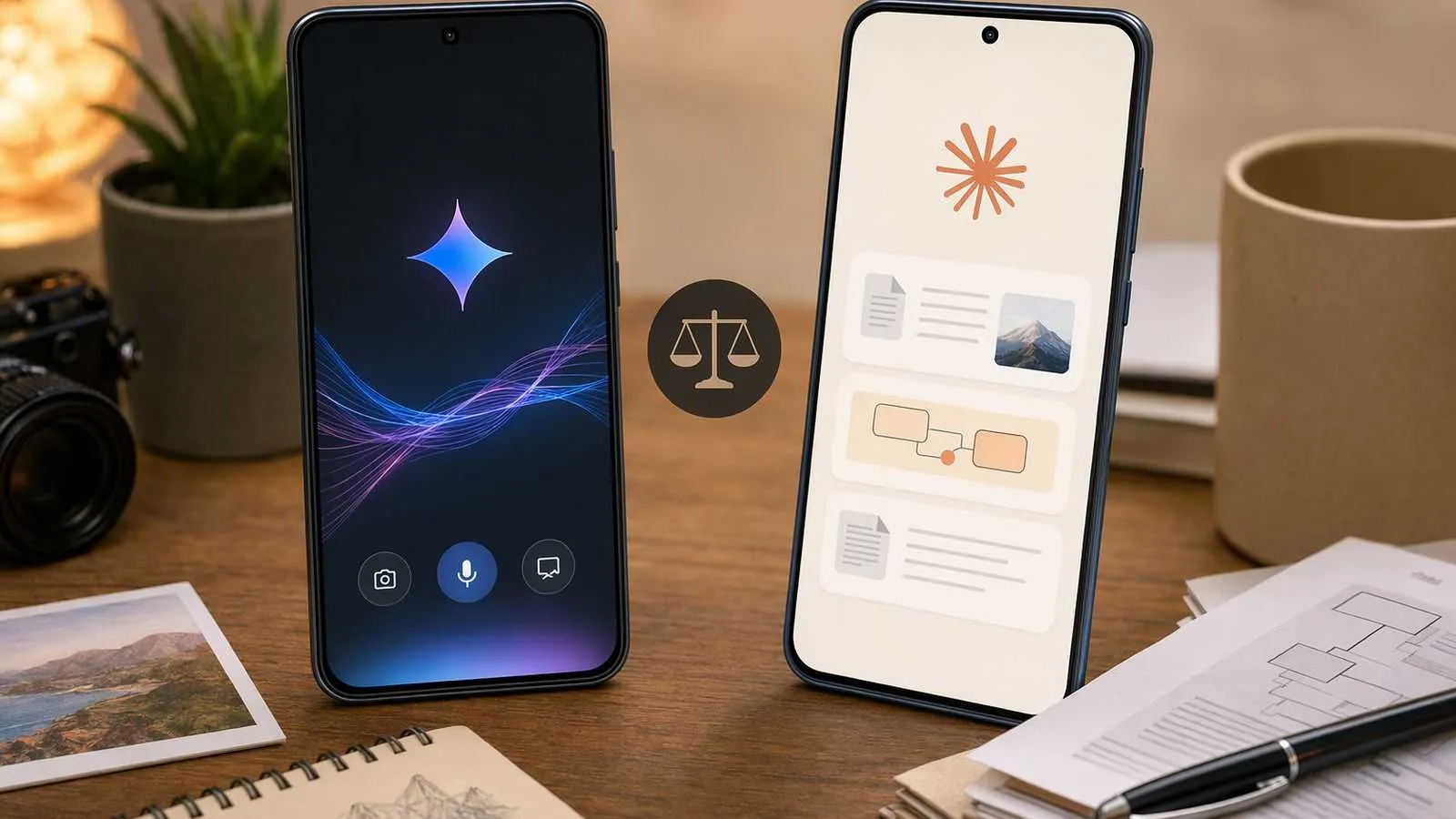
Choose Gemini for controlling your Android phone and discussing what your camera or screen shows. Choose Claude for a document-centered assistant with mobile Artifacts and explicit app handoffs. Neither has a demonstrated current-model advantage across every writing or reasoning task.
- Best general Android assistant: Gemini. Its documented default-assistant role, Utilities actions, and Gemini Live give it the stronger phone-level workflow.
- Best fit for document-centered work: Claude. Its documented upload limits, mobile Artifacts, and review-before-send handoffs make it a practical option.
- Best starting point: try both free plans. Pay only after identifying a task, feature, or usage limit that justifies the subscription.
- Privacy has no universal winner. Compare training settings, retention, permissions, and connected services separately.
These recommendations reflect documented capabilities and release updates, not measured same-device benchmark results. Availability can vary by account, region, language, device, and rollout.
Quick Verdict: Which Assistant Should You Choose on Android?
The most useful Claude vs Gemini Android comparison separates two jobs: answering questions inside an app and acting as your phone’s assistant.
Both products support conversational work. Gemini additionally has a documented route to becoming Android’s primary assistant, controlling supported device functions, and discussing a live camera or screen feed. Claude supports native Android actions too, but several actions deliberately hand you to another app for review and completion.
| Your main need | Recommended first choice | Reason and boundary |
|---|---|---|
| Default assistant and phone controls | Gemini | Documented assistant invocation and Utilities integration |
| Live camera or screen discussion | Gemini | Gemini Live supports both; eligible account and rollout required |
| PDFs and structured document work | Claude | Clear attachment rules and mobile Artifacts; verify output accuracy |
| Message drafting with final review | Claude | Native integration prepares content for you to send in the destination app |
| Reading or replying to notifications | Gemini | Supported through notification access; requires a sensitive permission |
| Writing quality or Kotlin debugging | Test both | No controlled current Android comparison establishes a universal winner |
| Lowest-cost starting point | Both free plans | Evaluate your actual workflow before purchasing |
| Sensitive personal information | Neither by default | Review permissions and retention before sharing |
Gemini is the better default recommendation for most people seeking a phone assistant. Claude is the more targeted recommendation when your priority is working through documents, drafting content, and reviewing actions before execution.
An Android AI assistant is not necessarily an offline model, an autonomous agent, or a system-wide assistant. A conversational app can produce an excellent answer while still requiring manual copying, app switching, or confirmation. Those extra steps matter more on a phone than they do at a desk.
Android App Availability, Device Requirements, and Setup
Install the authentic apps
The official Claude Android app is published by Anthropic PBC, with package identifier com.anthropic.claude. Its listing shows a November 13, 2026 update.
The official Gemini Android app is published by Google LLC, with package identifier com.google.android.apps.bard. Its listing shows an October 13, 2026 update.
Check the publisher rather than installing an app solely because its name contains “Claude” or “Gemini.”
| Requirement | Claude Android app | Gemini Android app |
|---|---|---|
| General Android requirement | Android 8.0 or later | Android 9 or later, at least 2 GB RAM |
| Age eligibility | At least 18 | Generally 13 or the applicable country minimum; younger users need parental approval |
| Important exclusions | Unsupported region, device, or OS can hide the listing | Android Go and Android Work Profiles are unsupported |
| Installation guarantee | No; store eligibility still applies | No; device and account eligibility still apply |
These requirements come from Claude’s installation guidance and Google’s central Gemini availability page. Claude’s Teen store rating does not override Anthropic’s minimum account age of 18.
Treat installation and feature access as separate checks
After installation, check:
- Whether your account can sign in.
- Which model and tools appear.
- Whether voice and attachments are available.
- Whether the desired integration supports your language and country.
- Which permissions it requests.
Store update dates are not model-version evidence. Anthropic announced Claude Fable 5.2 on November 9, while Google announced Gemini 4 Carbon access for Ultra subscribers and Hydrogen’s consumer rollout after Gemini’s displayed store update date.
A newly installed app can therefore receive server-side features that its store description does not fully explain.
How We Test: Same Phone, Same Prompts, and Documented App Versions
No original same-device measurements or screenshots are claimed here. To decide which assistant fits your phone, use the following repeatable test rather than comparing unrelated conversations.
Record the conditions
For each app, note the phone model, Android version, app version shown in system settings, country, language, account type, subscription, selected model, permissions, and test date.
Start each task in a fresh conversation. Give both assistants the same files and instructions. Keep personalization and connected services consistent where possible; otherwise, record the difference.
Text and voice results need separate labels. Claude’s voice documentation currently excludes Fable, so a Fable text answer cannot stand in for its voice-mode performance.
Run this practical task set
| Test | Identical request | What to evaluate |
|---|---|---|
| Email rewriting | Rewrite this email professionally, preserving every commitment | Tone, factual preservation, unnecessary additions |
| PDF summary | Summarize this PDF and cite pages supporting the main conclusions | Accuracy, references, missed visual evidence |
| Kotlin debugging | Identify the defect, explain it, and propose a minimal correction | Correct diagnosis, assumptions, testability |
| Camera reading | Read this label and separate visible text from interpretation | Transcription, uncertainty, invented details |
| Voice interruption | Begin an explanation, then interrupt with a correction | Recovery, context preservation, repetition |
| Alarm action | Set an alarm using an explicit time and date | Execution, confirmation, wrong-time risk |
| Message workflow | Prepare a message to a test recipient | Recipient handling, review, final sending step |
Use a scoring scale you define in advance: failed, completed with correction, or completed as requested. Separately count taps, app switches, clarification turns, and required permissions.
Do not reward fluent output that changes the task. A polished rewrite that invents a deadline fails factual preservation. An alarm answer that merely says what to do is not equivalent to creating the alarm.
Everyday Tasks Compared: Writing, Research, Summaries, and Planning
Writing: judge preservation before style
For emails, cover letters, and everyday drafting, begin with a task that has a clear factual boundary.
For example:
Rewrite this client update in a calm, direct tone. Keep the delivery date unchanged, preserve the unresolved issue, and do not promise a refund.
Compare whether the answer preserves those constraints before deciding which style you prefer. Then request a revision: shorter, warmer, or more formal. A mobile writing assistant needs to revise reliably, not just produce an attractive first draft.
Claude is a reasonable first choice for a document-centered workflow, but that is a workflow recommendation—not proof that it writes better than Gemini.
Research: distinguish web sources from your connected files
Claude Research is available on paid plans and mobile, with a consequential limitation: Research started on mobile searches the web and skips connectors. Connector-inclusive Research must begin on web or desktop.
That means “research my project” may not include the connected project material you expected, even if the resulting answer looks comprehensive.
Google’s United States subscription page lists Deep Research on Gemini Free. Its presence does not establish equal depth, equal source access, or unlimited use.
For either app, require the answer to distinguish source statements from inference. Open the cited pages before relying on a consequential conclusion.
Summaries: demand evidence, not just compression
For a PDF, ask for:
- The central claim.
- Supporting page references.
- Exceptions and caveats.
- A separation between document content and the assistant’s interpretation.
Claude’s documented PDF processing changes with document length: shorter PDFs receive visual analysis, while larger ones receive text-only processing. That boundary matters when tables, charts, or scanned diagrams contain the evidence.
Gemini’s supported attachment workflow makes it a viable alternative, but the complete ordinary-file limits are not established here. Test the actual document rather than assuming that successful upload means every element was understood.
Planning: a proposed schedule is not a saved event
A trip itinerary or weekly plan can remain conversational text. A useful phone workflow may also need a calendar event, map destination, timer, or task entry.
Ask each assistant to state what it has actually created. Separate “here is your plan” from “this event is now saved.”
Gemini’s connected-service workflow is the stronger starting point for Google-centered planning. Claude’s Android handoffs can suit users who prefer reviewing an event or message before completing the action.
Voice, Camera, Image Uploads, and File Handling
Voice conversation is different from dictation
Claude voice mode is a beta available on every plan, including Free. The sound-wave control starts two-way spoken conversation; microphone dictation converts speech into prompt text.
Voice mode offers hands-free and push-to-talk operation. It consumes normal plan usage, and conversations are saved as text transcripts. Anthropic says audio is not retained unless you choose to share it.
Gemini Live supports interruptible spoken conversation plus camera and screen sharing. That makes Gemini the recommended first choice for discussing an object in front of you or a problem visible on your phone.
No generally available full offline Gemini-app conversation is established here. Do not confuse on-device Pixel features with an offline version of the complete assistant.
Camera and screen sharing have different exposure
A still photo gives the assistant a selected image. Live camera sharing exposes an ongoing view. Screen sharing sends the full screen, not merely the portion you want to discuss.
Google documents that locking the phone stops Gemini Live camera and screen sharing. Screen sharing must be explicitly restarted after unlocking, and Live notifications are required.
Before sharing your screen, close banking pages, private messages, and authentication screens. Avoid assuming that only the active app will contain visible information.
Claude’s Android widget provides chat, camera, and dictation shortcuts. A camera shortcut is not evidence of a Gemini-equivalent continuous live camera mode.
File limits need context
Claude’s upload documentation distinguishes chat attachments from project files:
| Claude input | Documented boundary | Practical consequence |
|---|---|---|
| Chat attachment | 500 MB per file | Not the same limit as project storage |
| Files in a chat | Up to 20 | Select relevant material rather than uploading everything |
| PDF, up to 100 pages | Text-and-visual analysis | Useful when diagrams or charts matter |
| PDF, 101–1,000 pages | Text-only processing | Visual evidence may not be analyzed |
| PDF over 1,000 pages | Cannot be uploaded | Split or select the relevant material |
| Project file | 30 MB per file | Combined material must fit the context window |
The visual-processing boundary is explained in Claude’s PDF guidance.
Gemini’s Android attachment workflow offers Photos, Camera, Files, and Drive. Supported inputs include documents, spreadsheets, photos, and videos; Drive access requires connecting Google Workspace. A universal Gemini file-size cap should not be inferred from those supported formats.
Android Integration: Default Assistant, Google Apps, and Device Actions
Gemini has the documented system-assistant route
To use Gemini as Android’s primary assistant, Google says the Google app must be the default digital assistant app. Eligible users can invoke Gemini through enabled Hey Google detection and existing touch shortcuts after switching.
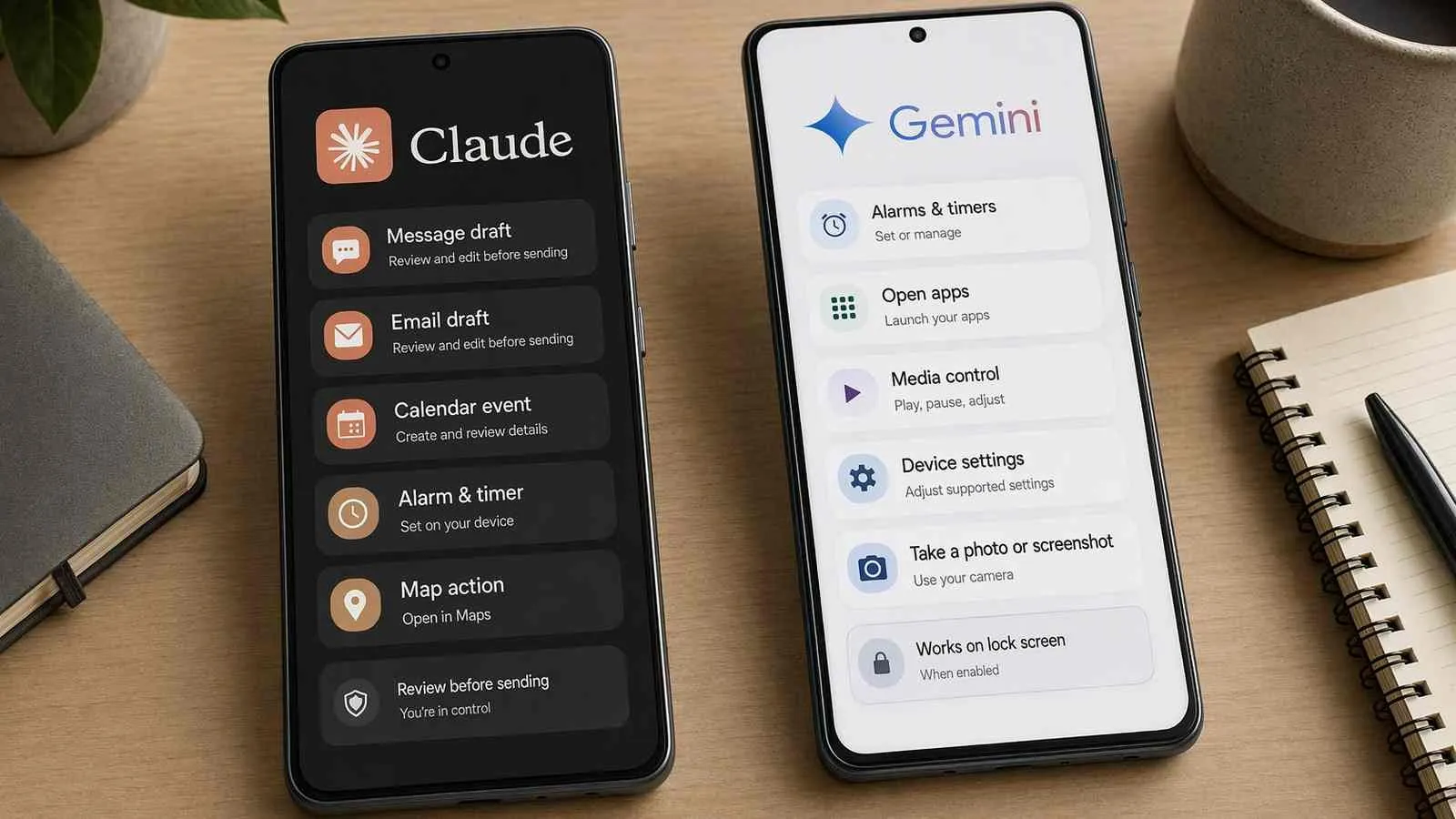
Gemini Utilities can manage alarms and timers, open apps, control media, adjust supported settings, and take photos or screenshots. Selected actions can work from the lock screen when enabled.
Reading and replying to notifications requires the Google app’s notification-access permission. This is a separate decision from granting microphone access: it exposes notification content to the integration.
Claude uses native actions and reviewable handoffs
Claude’s Android app integration is available on all plans and can prepare messages, emails, calendar events, alarms, timers, and map actions.
For messages and emails, you review a card, open the destination app, and send the prefilled content yourself. This adds a step but preserves an explicit final review.
Its native integration does not directly access contacts or read existing messages and emails. Android reminders are unsupported. Separately authorized cloud connectors are different mechanisms and can have different access.
The documentation establishes Claude widgets, in-app voice, and Android intents—not a supported Gemini-equivalent system-wide default-assistant role.
Device-specific capabilities are not general app features
Google’s November Android update adds Gemini Intelligence features to selected Pixel 10 models. Device Assistance requires selected devices running Android 17 or later, with country and language restrictions.
Similarly, Claude’s Health Connect integration is a United States-only beta for Pro, Max, and Ultra subscribers on Android 14 or later. It can read permitted health data but cannot modify entries.
Google’s Wallet integration announcement covers Gemini app users in the United States. The opt-in connection can read financial information, but cannot move, manage, or invest money.
These are conditional benefits, not reasons to assume every Android phone gets the same assistant.
Side-by-Side Screenshots: Interface, Responses, and Workflow Friction
Screenshots should prove a workflow claim. Store images from the official listings are promotional assets, not hands-on evidence.
For your own comparison, capture matching stages:
| Capture | What it should show |
|---|---|
| Before submission | Identical prompt and attachments |
| First response | Whether key requirements were followed |
| Revision | Whether the assistant corrected the requested issue |
| Action handoff | Whether it executed, prepared, or only described an action |
| Final state | The saved alarm, event, draft, or other outcome |
Do not compare one app’s polished final output with the other’s unfinished response. Remove personal information and record the app version, model, plan, and date alongside the captures.
Measure the whole workflow
The useful measurement is the path from request to verified result, not merely time to first text.
Track:
- How many times you switch apps.
- Whether content must be copied manually.
- Whether the assistant asks for avoidable clarification.
- Whether the final action needs correction.
- Whether an extra permission improves the task enough to justify access.
Claude’s Artifacts are available in its Android and iOS apps, and its current Artifacts guidance lists Docs, Slides, and Design templates on all plans. That establishes mobile availability, not parity for every advanced editing operation on every phone.
Inspecting and revising the output is part of the comparison.
Free vs Paid Plans: Limits, Features, and Value
Claude and Gemini pricing should be compared by the task you need to unlock, not by subscription name alone.
The following are displayed United States list prices; local checkout, taxes, promotions, and account-specific offers can differ.
| Plan | Displayed price | Main decision point |
|---|---|---|
| Claude Free | $0 on Claude’s pricing page | Try conversation, uploads, voice, and supported Artifacts |
| Claude Pro | $20 monthly, or $200 annually on Claude’s pricing page | Paid capabilities and higher usage; annual billing is advertised as $17 monthly |
| Claude Max | $100 monthly on Claude’s pricing page | Higher usage than Pro |
| Claude Ultra | $200 monthly on Claude’s pricing page | Higher weekly usage; verified accounts have no five-hour limit |
| Gemini Free | $0 on Google’s US plan page | Includes Live, image generation, Deep Research, and Canvas |
| Google AI Plus | $4.99 monthly on Google’s US plan page | Higher usage, Hydrogen access, and 400 GB storage |
| Google AI Pro | $19.99 monthly on Google’s US plan page | Higher usage, Argon and Hydrogen access, and 5 TB storage |
| Google AI Ultra | Starts at $99.99 or $199.99 monthly on Google’s US plan page | Different usage tiers, Carbon access, and storage starting at 20 TB |
Neither platform offers a simple universal message count. Claude usage varies with model and task complexity and is shared across web, desktop, mobile, and Claude Code. Google’s limits documentation describes compute-based allowances affected by models, features, prompt complexity, and chat length.
For most Android users, the sensible progression is:
- Test both free plans with real tasks.
- Identify the specific limitation.
- Confirm that the paid plan addresses it.
- Recheck performance after subscribing.
Gemini has the lower-priced paid entry point in the listed US plans. Claude Pro may still be the better purchase if its paid workflow is the one you actually need. Bundled storage has value only if you will use it.
Privacy Controls, Permissions, and Data Settings
Android AI assistant privacy has four separate layers: training, history, retention, and access permissions. Turning off one does not automatically turn off the others.
Claude: training controls and retention
Claude consumer users can disable Help Improve our AI models under Settings and Privacy. New chats then stop being used for future model training, with safety-related processing exceptions.
Anthropic’s retention guidance says deleted chats disappear from history immediately and are removed from backend storage within 30 days. When model improvement is permitted, de-identified training-pipeline data may remain for up to five years.
Claude incognito chats do not enter history or memory and are not used for training, but have a default 30-day retention period. Exact Android UI availability was not confirmed on-device.
Gemini: new controls are still rolling out
Google’s November 16 announcement separates saved history from generative-AI training permission. Users can retain history while opting out of training, but global rollout begins in the coming weeks.
On November 17, you may therefore encounter either the older interface or the new controls.
Google’s updated privacy documentation describes:
- An 18-month default history auto-deletion period.
- Alternatives of three months, 36 months, or indefinite retention.
- Around two months of account-linked retention for temporary chats and chats made with History off.
- Up to three years of retention for human-reviewed chats and related data.
- No model training for temporary chats.
Disabling generative-AI training does not eliminate every human-review pathway, and submitted feedback has separate implications.
Audit permissions by purpose
Microphone access enables voice input. Camera access enables capture or sharing. Notification access enables notification reading and replies. Calendar, location, health, and connected-service access expose different categories of information.
For a privacy-conscious setup, grant permissions only when a specific task needs them, use sanitized test material, and review connected services separately.
Neither consumer policy supports a blanket “private” label or a claim that every conversation stays on the phone.
Recommendations by Use Case
Choose Gemini for an everyday Android assistant. Its documented default-assistant role and device controls are the strongest reasons—not an unproven claim that every answer is smarter.
Choose Gemini for live visual help. Camera and screen sharing make it the clearer fit for discussing visible objects or navigating a confusing screen.
Choose Claude for document-centered work with explicit review. Its upload boundaries, mobile Artifacts, and message handoffs support that workflow. Test your document’s charts and page references before relying on the summary.
Test both for writing and programming. Use identical material and score factual preservation or correctness. Style preference and fluent explanation are not sufficient evidence.
Start free if you are undecided. Upgrade only when you can name the task or allowance you need.
One timely Gemini consideration: Google’s Gems-to-skills transition schedules Gems to become read-only on November 17 and be removed on December 17, 2026, for eligible personal accounts. Skills are reusable, combinable instructions, initially limited to personal Google Account users over 18. Check the transition before investing in a new reusable workflow.
The practical next step is to install the official apps, run the same task set, and choose the one that gets you to a verified result with acceptable permissions and fewer corrections.
How to Build an App Like This with Tencent RTC
A custom Android voice assistant needs a conversation layer as well as an LLM. Tencent RTC Conversational AI supports real-time voice agents built on top of an LLM; Tencent RTC RTC Engine provides real-time audio and video capabilities. Check the Conversational AI documentation for capabilities and limitations.
For integration, open Tencent RTC AI Agents Skills and follow its instructions to load the appropriate product and platform Skills into your AI coding assistant.
Describe your existing Android project, technology stack, chosen LLM, and intended interaction:
Inspect my Android project and use the appropriate Tencent RTC AI Agents Skills to add a real-time voice assistant. Explain microphone permissions, credential handling, conversation controls, and recovery behavior before implementing the supported workflow.
Review the generated changes and validate actual conversation behavior, permission denial, credentials, and network recovery. Model choice remains separate from the real-time interaction layer.
Frequently Asked Questions
Is Claude or Gemini the best AI assistant for Android?
Gemini is the stronger general recommendation for phone controls and live camera or screen assistance. Claude is a practical alternative for document-centered work. Writing and reasoning quality should be tested with your actual tasks.
Can Claude replace Gemini as Android’s default assistant?
Claude’s documentation establishes widgets, in-app voice, and native app actions, but does not establish a supported system-wide default-assistant role equivalent to Gemini’s.
Are Claude and Gemini free on Android?
Both have free plans. Features and usage are limited, and subscribing does not remove every allowance. Test the free versions before paying.
Can both assistants talk out loud?
Yes. Claude offers two-way voice mode, and Gemini offers Gemini Live. Claude dictation is a separate feature that converts speech into prompt text rather than starting a spoken conversation.
Which assistant is better for PDFs?
Claude has clearly documented upload and PDF-processing boundaries, making it a useful starting point. Gemini also supports document uploads. The better choice depends on whether the app accurately handles your specific text, tables, and charts.
Which assistant is more private?
There is no overall winner established by the consumer policies. Compare training controls, retention, human review, permissions, and connected services separately. Temporary or incognito use does not mean zero retention.
Do Claude or Gemini work fully offline on Android?
A generally available full offline conversational experience is not established here. Do not assume that on-device Android or Pixel AI features provide the complete Claude or Gemini app without a connection.