




TL;DR
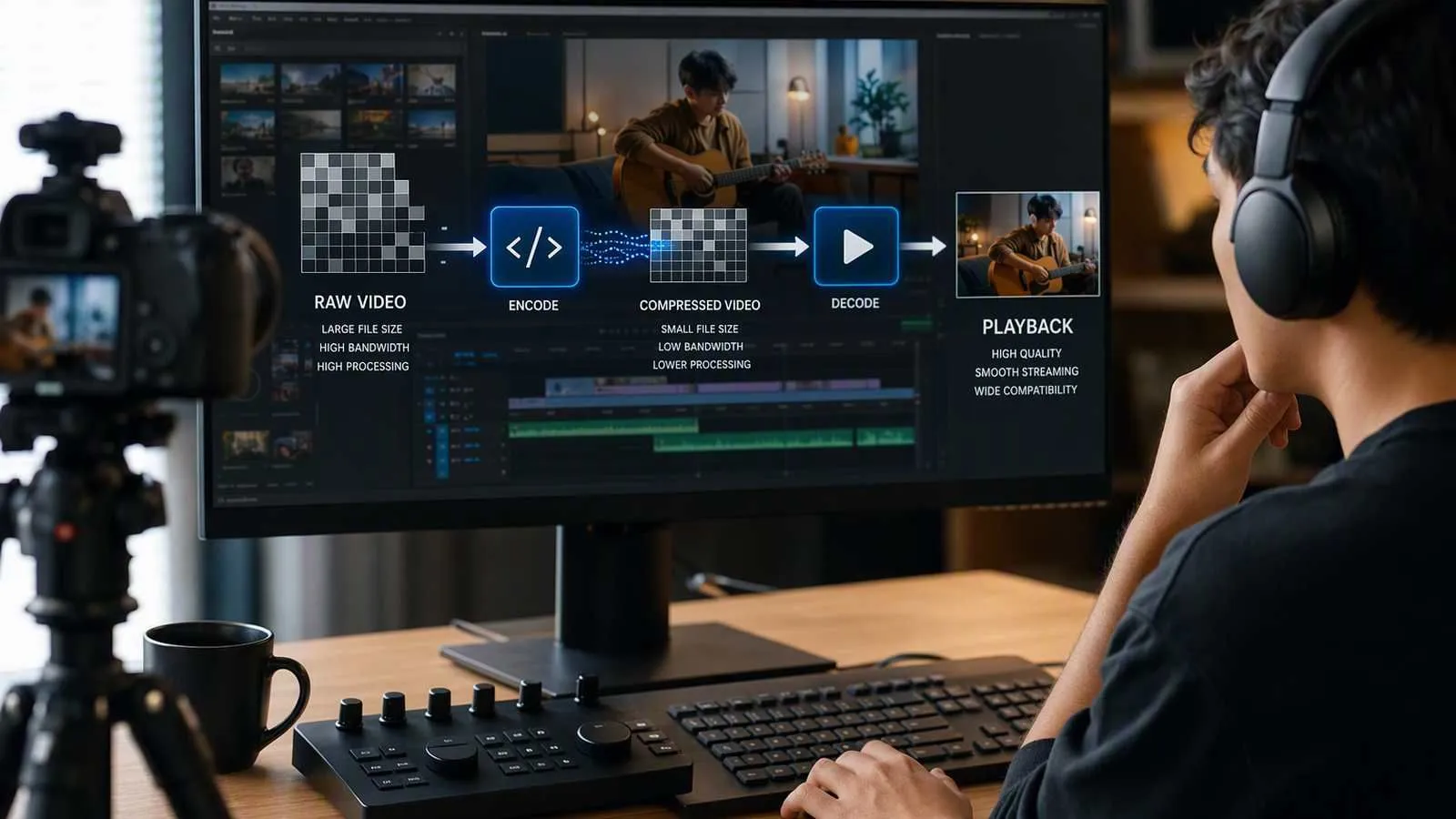
A codec encodes raw audio, video, or image data into a more compact representation and decodes it for playback or processing. The right codec can reduce bandwidth and storage costs while preserving acceptable quality, but compatibility, latency, and device processing requirements matter as much as compression efficiency.
For real-time communication, H.264 is often chosen for broad video compatibility, while Opus is a strong default for speech and mixed audio. HEVC, VP9, and AV1 can improve video compression, but support and computational cost vary.
How Codec Encoding and Decoding Work
The word codec combines “coder” and “decoder.” A codec’s meaning is therefore straightforward: it is technology that converts media into an encoded form and reconstructs that media when it needs to be played, transmitted, edited, or analyzed.
Raw media is usually too large for practical delivery. For example, one uncompressed 1920 × 1080 video frame with 24-bit color contains roughly 6 MB of data. At 30 frames per second, that would require around 180 MB per second before audio or protocol overhead. A codec reduces this volume by removing redundant information and, in many cases, details people are less likely to notice.
The process has two sides:
- Encoding: The codec analyzes raw media and represents it with fewer bits.
- Decoding: A compatible decoder reconstructs frames or audio samples for playback.
A codec is not the same as a container. A codec such as H.264 compresses video; a container such as MP4 can hold that video alongside audio, subtitles, and metadata. A file extension therefore does not always reveal which codec is inside.
Media codecs primarily rely on two complementary compression approaches.
Transform-Based Compression
Transform-based compression converts image or audio data into mathematical components that are easier to simplify. Instead of recording every pixel or sample independently, the encoder identifies patterns such as gradual color changes, recurring frequencies, and visually insignificant detail.
After transformation, the encoder can represent important information precisely while storing less important information with lower precision. Quantization is typically responsible for much of the size reduction—and most of the irreversible quality loss—in a lossy codec.
JPEG uses this approach for still images. Video codecs also apply transform coding to blocks within individual frames. These self-contained frames, often called intra-coded frames or keyframes, provide reference points that a decoder can reconstruct without relying on earlier frames.
Transform compression is effective, but compressing every video frame independently misses a major opportunity: consecutive frames often look nearly identical.
Prediction-Based Compression
Predictive compression stores relationships between samples or frames instead of repeatedly encoding the same information.
In video, an encoder can divide a frame into blocks, estimate how those blocks moved, and save motion information plus the difference between the predicted and actual image. If a speaker’s background remains unchanged during a video call, the codec does not need to describe that background from scratch 30 times per second.
Modern video codecs combine several forms of prediction:
- Intra-frame prediction uses nearby areas within the same frame.
- Inter-frame prediction references earlier or later frames.
- Motion compensation predicts where visual blocks have moved.
- Entropy coding represents common values with fewer bits.
Audio codecs similarly use psychoacoustic models and prediction to reduce data. They may discard masked frequencies or encode the difference between predicted and measured samples.
Prediction produces substantial savings, but it introduces tradeoffs. Longer dependencies between frames can improve compression while increasing decoding complexity and making packet loss more disruptive. Real-time systems therefore configure codecs differently from offline video encoders, prioritizing fast recovery and low delay over maximum compression.
Why Applications Depend on Codecs
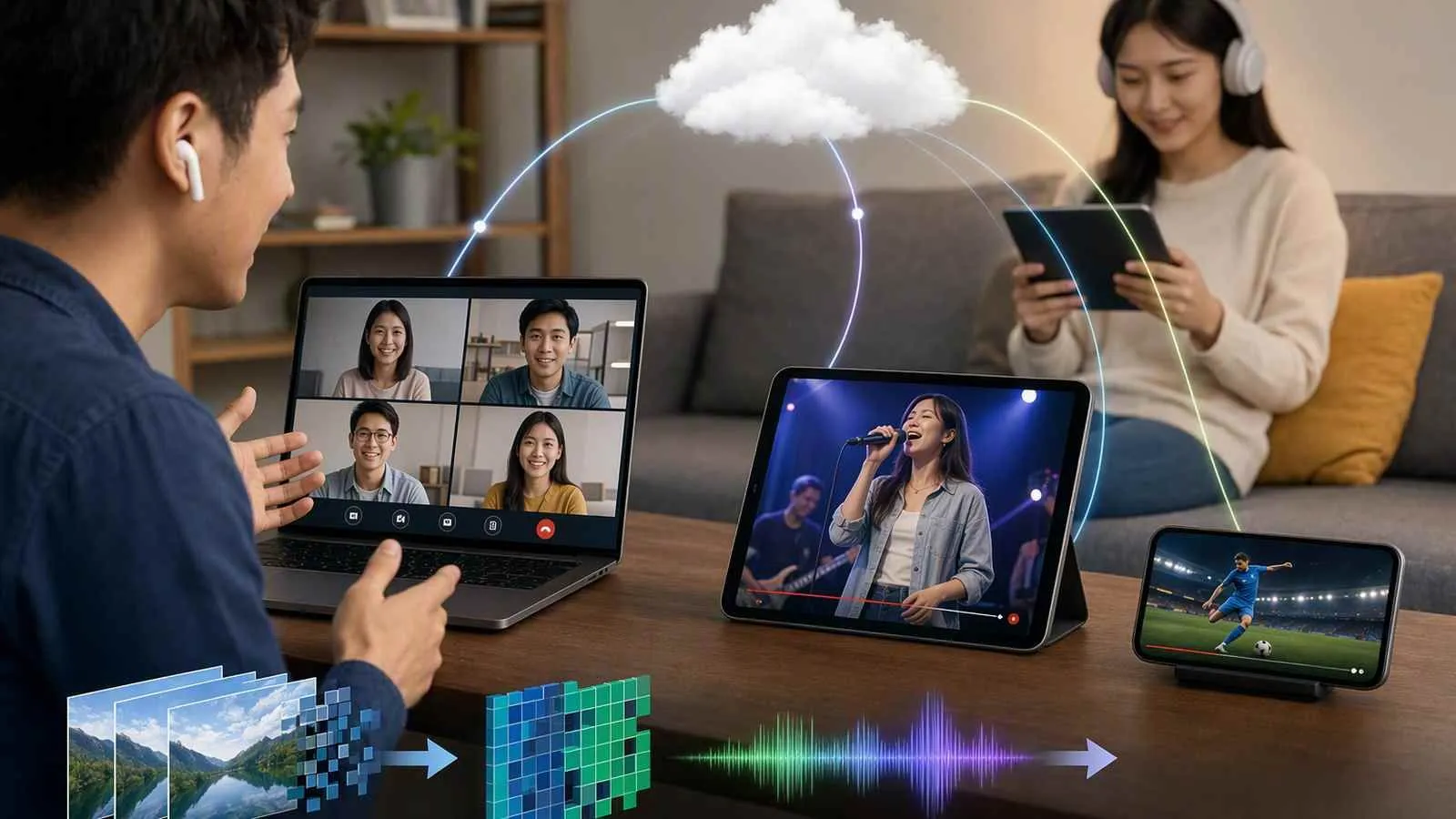
Without codecs, high-resolution media would consume excessive bandwidth, storage, and processing resources. For developers, however, “smallest file” is rarely the only goal. A practical codec must balance efficiency, latency, quality, compatibility, and computational cost.
More Efficient Storage and Delivery
Compression makes media manageable enough to upload, archive, stream, and transmit over ordinary networks. Lower bitrate can reduce transfer time and infrastructure costs while allowing more users to participate on the same connection.
The benefit is especially important for cloud-based video conferencing. Every participant continuously sends audio and video, so even a modest bitrate reduction can have a significant effect at scale.
Compression efficiency should still be evaluated in context. A newer video codec might reduce bandwidth but increase CPU usage, battery consumption, or transcoding costs. If unsupported devices require a fallback codec, the application may also need to maintain multiple encoded versions.
Low Latency and Network Adaptability
In calls, conferences, and interactive live streams, media must be encoded and decoded quickly. A codec configuration designed for movie distribution may buffer frames to achieve better compression, but that delay can make conversation feel unnatural.
Real-time applications usually favor:
- Short encoding and decoding pipelines
- Frequent recovery points when network conditions require them
- Dynamic bitrate and resolution adjustments
- Packet-loss resilience
- Hardware acceleration where available
Codec selection alone does not guarantee low latency. Network routing, jitter buffers, retransmission policies, congestion control, and media-server architecture also contribute to the end-to-end delay.
A real-time media platform such as Tencent RTC Engine coordinates these layers around the codec. It provides cross-platform audio and video transport, weak-network resilience, monitoring, and media processing for calls, conferences, live streaming, and custom interactive applications.
Perceived Quality at a Sustainable Bitrate
A good codec preserves the details that matter most at the available bitrate. For video calls, facial clarity and readable screen content may matter more than background texture. For music, frequency range and stereo fidelity may matter more than optimizations designed primarily for speech.
Advanced codecs such as AV1 can deliver strong quality at relatively low bitrates, but quality claims should not be considered in isolation. Actual results depend on encoder implementation, preset, content type, resolution, frame rate, latency constraints, and device capabilities.
The best choice is therefore the codec that maintains acceptable quality on the weakest devices and networks your application must support—not necessarily the codec with the highest laboratory efficiency.
The Main Codec Categories
Codecs can be grouped by what they encode, whether they preserve every bit of source information, and where their processing takes place.
Lossy and Lossless Codecs
Lossy codecs discard selected information to achieve much smaller outputs. The decoded media is not identical to the source, although a well-configured encode may look or sound nearly indistinguishable under normal conditions.
JPEG, AAC, Opus, H.264, HEVC, VP9, and AV1 commonly use lossy compression. Lossy codecs are standard for streaming and real-time communication because network bandwidth is limited.
Too much lossy compression can produce recognizable artifacts:
- Blockiness or smearing in video
- Banding in gradients
- Lost texture and text detail
- Metallic or “underwater” audio
- Reduced stereo depth
Lossless codecs reconstruct the original data exactly. PNG and FLAC are familiar examples. They are useful for archiving, production workflows, graphics, and assets that may be edited repeatedly.
The tradeoff is size. Lossless compression cannot usually achieve the bandwidth reductions needed for typical real-time video, so interactive applications primarily rely on lossy codecs with carefully controlled quality.
Hardware and Software Processing
A software codec runs on general-purpose CPU instructions. It can offer broad configurability and faster rollout of new codec features, but high-resolution encoding may consume substantial processing power.
A hardware codec uses dedicated media circuitry built into a CPU, GPU, or system-on-chip. Hardware acceleration can reduce CPU load, power consumption, heat, and encode time. These gains are valuable on phones and laptops, especially during long calls.
Hardware support is not uniform, however. A device may decode a codec in hardware but lack hardware encoding, or it may support only certain profiles, resolutions, and bit depths. Output quality can also differ among hardware implementations.
For broad deployment, developers should verify both encode and decode support across target browsers and operating systems. The MDN Web Docs codec guide provides useful browser-oriented compatibility considerations.
Popular Audio, Image, and Video Codecs
Codec choice begins with the media type and intended experience. A still image can tolerate more processing time than a live conversation; a streaming movie can use more frame reordering than an interactive video call.
Still-Image Codecs
JPEG/JPG is a lossy image codec suited to photographs and complex scenes. It provides adjustable compression and nearly universal compatibility, but repeated editing and re-encoding can accumulate visible damage. It does not support transparency.
PNG uses lossless compression and supports transparency. It works particularly well for screenshots, interface elements, diagrams, and graphics with sharp edges. Photographs encoded as PNG are often much larger than equivalent JPEG images.
TIFF can store lossless or uncompressed image data and supports professional color and metadata workflows. It is common in publishing, scanning, and archival production, but its large size and inconsistent web support make it unsuitable for ordinary delivery.
The practical decision is simple: use JPEG when photographic size matters, PNG when exact pixels or transparency matter, and TIFF when a professional production workflow requires it.
Video Codecs
A video codec compresses sequences of frames by combining spatial compression within a frame with temporal prediction across frames.
H.264/AVC remains one of the safest choices for broad compatibility. It is supported by a wide range of browsers, mobile devices, cameras, and hardware encoders. Its compression is less efficient than some newer options, but mature tooling and predictable playback make it valuable for real-time applications.
HEVC/H.265 improves compression efficiency compared with H.264, particularly for high-resolution video. An HEVC codec can be attractive for 4K distribution and constrained-bandwidth delivery. Its disadvantages include licensing considerations and uneven browser support, so it is not always the best universal option.
VP9 is an open video codec widely associated with online video delivery. A VP9 codec generally offers better compression than H.264 and has useful browser support, but encoding can demand more resources. Real-time availability depends on the browser and device.
AV1 is an open, royalty-free codec developed by the Alliance for Open Media. The AV1 codec can provide excellent compression for streaming and increasingly supports real-time use. Its main concern is processing cost on devices without efficient hardware acceleration, although modern hardware support continues to expand.
For a consumer-facing application, use negotiated capability rather than assuming every participant supports the same video codec. H.264 remains a dependable baseline, while VP9 or AV1 may be enabled when compatible endpoints can benefit.
Audio Codecs
An audio codec compresses sampled sound while attempting to preserve intelligibility, fidelity, or both.
AAC is a widely supported lossy codec used in streaming, mobile devices, and MP4-based media. The AAC codec is efficient for music and general-purpose audio, but support for interactive communication profiles can vary by platform.
Opus is designed for interactive internet audio. The Opus codec can adapt across a wide bitrate range, handle speech and music, and respond well to changing network conditions. Its low algorithmic delay and built-in packet-loss features make it a strong option for voice and video calls. Opus is standardized in IETF RFC 6716.
When choosing between them, AAC is often a practical fit for one-way media distribution, while Opus is generally better aligned with conversational audio. The final decision still depends on endpoint support and the surrounding media stack.
How to Build an App Like This with Tencent RTC
For a custom calling, conferencing, or interactive streaming application, use Tencent RTC Engine through trtc-sdk-v5. Its role is broader than selecting a codec: it handles capture, codec negotiation, real-time transport, weak-network adaptation, room membership, and remote media delivery.
A typical architecture has four parts:
- Client application: Captures microphone and camera input, enters a room, and renders remote participants.
- Application server: Authenticates users and generates
userSigcredentials. Never generate production credentials with secret keys in the browser. - Tencent RTC Engine: Encodes and transports real-time media, adapts to network conditions, and distributes streams.
- Monitoring and business services: Track quality, permissions, room state, and application-specific data.
Follow the Tencent RTC Engine overview and integration guidance to select the SDK for each target platform. For a web client, install the v5 SDK:
npm install trtc-sdk-v5Then create an instance, register remote-media events before entering the room, and start local capture. In the v5 API, starting local audio or video also makes that media available in the room; remote tracks are rendered when participants publish them.
import TRTC from "trtc-sdk-v5";

const trtc = TRTC.create();

trtc.on(TRTC.EVENT.REMOTE_VIDEO_AVAILABLE, ({ userId, streamType }) => {
  trtc.startRemoteVideo({
    userId,
    streamType,
    view: `remote-video-${userId}`
  });
});

trtc.on(TRTC.EVENT.REMOTE_AUDIO_AVAILABLE, ({ userId }) => {
  trtc.startRemoteAudio({ userId });
});

await trtc.enterRoom({
  sdkAppId: 1400000000,
  userId: "user-123",
  userSig: userSigFromYourServer,
  roomId: 10001
});

await trtc.startLocalVideo({ view: "local-video" });
await trtc.startLocalAudio();
Build the production flow in this order:
- Create the Tencent RTC application and obtain its
sdkAppId. - Generate short-lived user credentials on a trusted server.
- Request camera and microphone permission with a clear pre-call screen.
- Enter the room and start local media only after authentication succeeds.
- Subscribe to remote audio and video availability events.
- Provide mute, camera, device-selection, and leave-room controls.
- Test packet loss, bandwidth reduction, device changes, and background-tab behavior.
- Use quality monitoring to distinguish codec or capture problems from network problems.
You normally should not force one codec for every endpoint. Let Tencent RTC Engine and the supported clients negotiate an appropriate media path, then use SDK-level quality controls to express the experience you need. This avoids excluding users whose devices lack reliable hardware support for a newer codec.
FAQ
What is a codec?
A codec is software or hardware that encodes audio, video, or image data into a compact representation and decodes it for playback or processing.
What does the term codec mean?
“Codec” combines coder and decoder. The codec definition may also be expressed as compressor-decompressor because many codecs reduce media size during encoding.
Which codec is best for real-time audio and video?
There is no universal winner. H.264 offers broad video compatibility, while Opus is well suited to conversational audio. HEVC, VP9, and AV1 may improve compression, but device support, latency, hardware acceleration, and licensing must also be considered.