










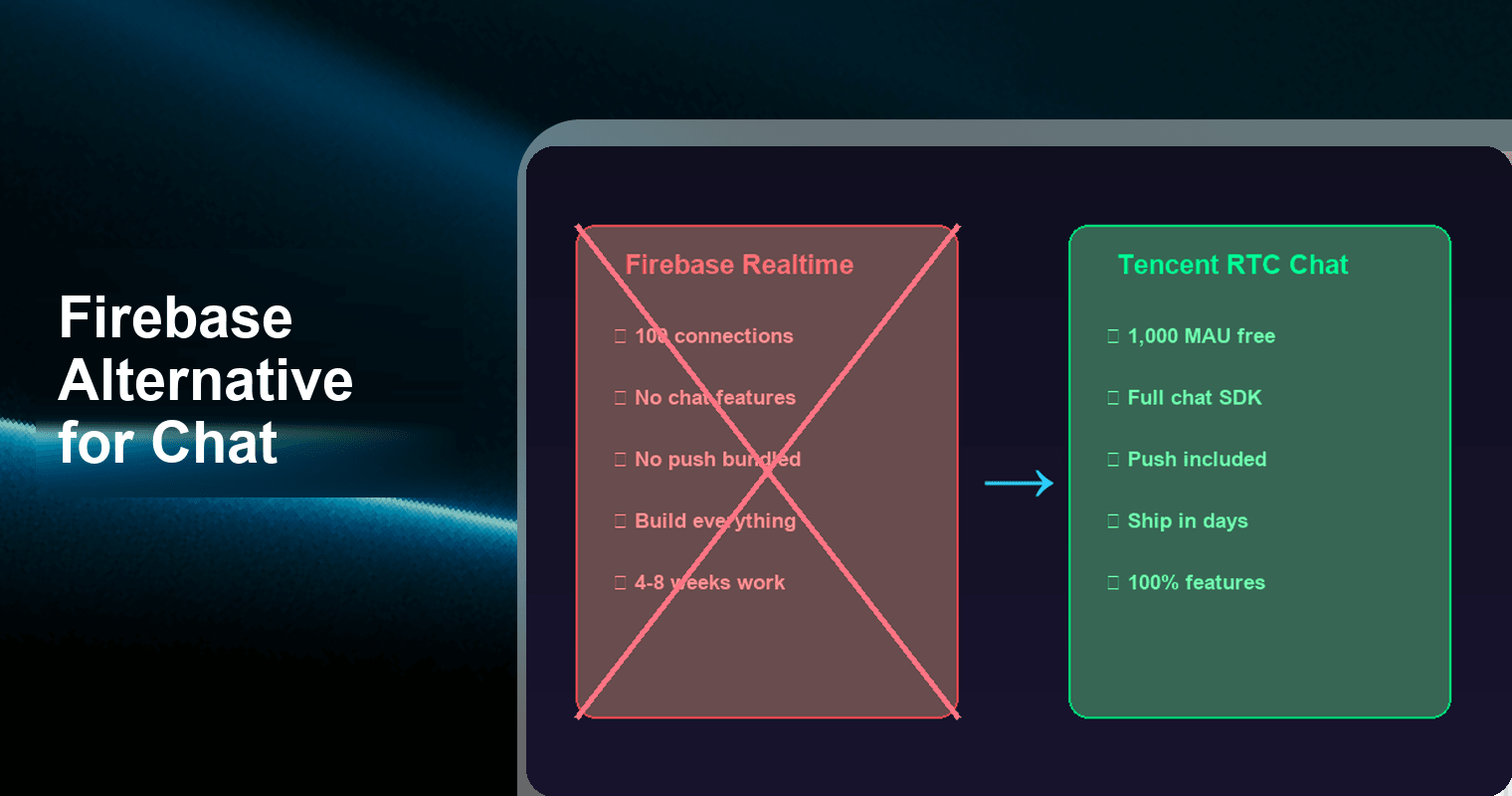
If you're building in-app chat on Firebase Realtime Database, you're building on a general-purpose sync layer — not a chat SDK. That means you'll end up hand-rolling typing indicators, read receipts, message threads, moderation, offline queues, and push notifications yourself. This article compares Firebase, Supabase Realtime, and Tencent RTC Chat SDK & API on the features that actually matter for production chat, with real cost numbers and migration estimates so you can make an informed switch in 2026.
Why Developers Look for Firebase Alternatives in 2026
Firebase Realtime Database was never designed to be a chat product. It's a cloud-hosted JSON store with real-time synchronization — excellent for syncing game state, collaborative cursors, or live dashboards. But when developers try to stretch it into a full messaging system, they consistently hit the same walls:
No application-layer chat primitives. Firebase gives you data sync. It does not give you conversations, message threads, typing indicators, read receipts, user presence, or contact lists. Every one of those features is custom code you write and maintain on top of the database.
Connection limits bite early. The Spark (free) plan caps you at 100 simultaneous connections and 1 GB of stored data. A chat app with even moderate engagement can exhaust those limits in weeks.
Push is a separate product. Firebase Cloud Messaging (FCM) is free, but it's a completely separate integration. You need to manage device tokens, build notification payloads, handle multi-platform routing (APNs for iOS, HMS for Huawei), and wire it all together with Cloud Functions.
Security rules become unmanageable. Implementing per-conversation access control, message-level permissions, and admin moderation through Firebase Security Rules is brittle and hard to audit at scale.
Vendor lock-in with no chat portability. Your data model is Firebase-specific JSON. There's no standard message format, no exportable conversation history, and no clean migration path.
These aren't theoretical concerns — they're the reasons Firebase chat tutorials have a 70%+ abandonment rate past the "hello world" demo. The real work starts after the tutorial ends.
Understanding the Architecture Gap
Before comparing features, it's critical to understand what each product actually is:
| Layer | Firebase Realtime DB | Supabase Realtime | Tencent RTC Chat SDK & API |
|---|---|---|---|
| Core architecture | Transport-layer JSON sync | Transport-layer PostgreSQL CDC | Application-layer IM engine |
| Data model | Generic JSON tree | Generic relational tables | Purpose-built message/conversation model |
| Chat logic | You build it | You build it | Built-in |
| Push notifications | Separate (FCM) | Separate (third-party) | Included (multi-vendor) |
This is the fundamental distinction most comparison articles miss. Firebase and Supabase are databases with real-time listeners. Tencent RTC Chat is a messaging system with a database behind it. The abstraction layer you're working at is completely different.
Feature Comparison: What Ships Out of the Box
The table below compares what you get without writing custom backend code:
| Feature | Firebase Realtime DB | Supabase Realtime | Tencent RTC Chat SDK & API (Free) |
|---|---|---|---|
| 1:1 messaging | DIY (data sync only) | DIY (data sync only) | Built-in |
| Group chat | DIY | DIY | Built-in (up to 200K members) |
| Typing indicators | DIY | DIY | Built-in |
| Read receipts | DIY | DIY | Built-in |
| Message threads / replies | DIY | DIY | Built-in |
| Offline message sync | Partial (local cache) | No native offline | Built-in (roaming messages) |
| Content moderation | DIY (Cloud Functions) | DIY (Edge Functions) | Built-in (text + image filtering) |
| Push notifications | Separate (FCM integration) | Third-party required | Included (APNs, FCM, HMS, etc.) |
| User presence (online/offline) | DIY | DIY via Presence API | Built-in |
| Message recall / delete | DIY | DIY | Built-in |
| Conversation pinning & muting | DIY | DIY | Built-in |
| File / image / video messages | DIY (Cloud Storage) | DIY (Supabase Storage) | Built-in (with CDN) |
Data point 1: Firebase Realtime Database provides zero out-of-the-box chat features — every row marked "DIY" represents weeks of development and ongoing maintenance.
Data point 2: Tencent RTC Chat's free edition includes 100% feature access with no feature gating between free and paid tiers. The only limit is MAU count.
Cost Comparison: 12-Month Total Cost of Ownership
Cost comparisons for chat are tricky because Firebase and Supabase charge for infrastructure (storage, bandwidth, connections), while Tencent RTC Chat charges for users (MAU). You also need to factor in push notification costs and the engineering time to build missing features.
Infrastructure + Push: 12-Month Cost
| Cost Component | Firebase Realtime DB + FCM | Supabase Realtime (Pro) | Tencent RTC Chat SDK & API |
|---|---|---|---|
| 500 MAU | $0 (Spark plan) + FCM free — but 100 connection limit likely exceeded | $0 (Free tier) — 200 connection limit may suffice | $0 (Free edition, 1,000 MAU included) |
| 1,000 MAU | ~$300/yr (Blaze plan, ~2 GB stored, ~50 GB/mo egress at $0.12/GB) + FCM free | $300/yr ($25/mo Pro plan for connection headroom) | $0 (Free edition covers 1,000 MAU exactly) |
| 5,000 MAU | ~$960/yr (Blaze plan, ~10 GB stored, ~200 GB/mo egress) + FCM free | $540/yr ($25/mo + connection overage + message overage) | ~$500/yr (Growth tier pricing) |
| Push notifications | Included (FCM free) but APNs/HMS routing = custom code | Third-party required (~$0–$100/yr) | Included (multi-vendor: APNs, FCM, HMS, Xiaomi, OPPO, vivo) |
| Hidden cost: engineering | 4–8 weeks to build chat features | 4–8 weeks to build chat features | 1–3 days SDK integration |
Data point 3: At 1,000 MAU, Firebase Realtime Database on the Blaze plan costs approximately $300/year for chat-level storage and egress, while Tencent RTC Chat's free edition costs $0 — a 100% savings before you factor in engineering time.
Data point 4: Supabase's free tier allows 200 concurrent connections and 2 GB bandwidth/month, but upgrading to Pro ($25/month) becomes necessary once you exceed those limits — that's $300/year just for the base plan.
Data point 5: Tencent RTC Chat's free Push plugin covers 6+ vendor channels (APNs, FCM, HMS, Xiaomi, OPPO, vivo) out of the box. Building equivalent multi-vendor push routing on Firebase requires custom Cloud Functions code and individual vendor SDK integrations.
What "Free" Really Means
| Platform | Free Tier Ceiling | What Happens Next |
|---|---|---|
| Firebase Spark | 100 simultaneous connections, 1 GB storage, 10 GB/mo egress | Hard cutoff — app stops working until next billing cycle or upgrade |
| Supabase Free | 200 connections, 2 GB bandwidth/mo, 500 MB database, 2 projects | Project pauses after 7 days of inactivity; hard limits enforced |
| Tencent RTC Chat Free | 1,000 MAU, 100% features, no concurrency cap | Overage charges or upgrade to Growth tier |
Data point 6: Firebase's Spark plan enforces a hard 100 simultaneous connection limit — meaning your app returns QUOTA_EXCEEDED errors and becomes unusable the moment 101 users are connected. Tencent RTC Chat's free tier has no concurrency limit at all within the 1,000 MAU allowance.
When Firebase Is Still the Right Choice
Being honest: Firebase isn't always the wrong tool. It's still a strong choice when:
- You're building a collaborative feature, not a chat product. Real-time cursors in a document editor, live scoreboards, or synced form state — these are data-sync problems, and Firebase excels at them.
- Your app is already deep in the Google ecosystem. If you use Firebase Auth, Firestore, Cloud Functions, and Analytics, adding FCM is a natural extension — even if it's not a purpose-built chat solution.
- You need a thin notification layer, not conversations. If "chat" means "send a one-way alert to users," FCM alone may be all you need.
- You have a small, engaged team that enjoys building infrastructure. Some teams genuinely prefer building their own messaging stack for full control. If that's you, Firebase (or Supabase) as the sync layer is viable.
But if you're building conversational messaging — with threads, receipts, moderation, and push — you're signing up for months of undifferentiated work by staying on Firebase.
Migration Path: Firebase → Tencent RTC Chat SDK & API
Migration Effort Estimates
| Migration Path | Estimated Time | Complexity | Key Steps |
|---|---|---|---|
| Firebase → Tencent RTC Chat | 1–2 weeks | Medium | Replace Firebase listeners with Chat SDK callbacks; migrate user IDs; export/import message history via server API; swap FCM with built-in Push plugin |
| Supabase → Tencent RTC Chat | 1–2 weeks | Medium | Replace Supabase channels with Chat SDK; migrate PostgreSQL message data via server API; add Push plugin |
| Socket.IO (custom) → Tencent RTC Chat | 2–4 weeks | Medium-High | Replace custom protocol with Chat SDK; refactor server-side message routing; migrate message store; replace custom push infra |
| Greenfield (new app) | 2–5 days | Low | Integrate Chat SDK, configure Push plugin, map UI to SDK callbacks |
Step-by-Step: Firebase to Tencent RTC Chat
Map your data model. Firebase stores messages as JSON nodes keyed by push IDs. Tencent RTC Chat uses a conversation → message hierarchy with built-in metadata (sender, timestamp, read state, etc.). Plan your mapping before writing code.
Register and initialize. Create a Tencent RTC Chat app in the console. Get your SDKAppID. Initialize the SDK in your client with TencentImSDKPlugin.v2TIMManager.initSDK() (Flutter) or the equivalent for your platform.
Migrate user identities. Import your Firebase UIDs as Tencent RTC Chat userIDs via the server-side REST API. This is a one-time batch operation.
Replace real-time listeners. Swap Firebase onValue / onChildAdded listeners with Chat SDK message listeners (addAdvancedMsgListener). The SDK handles connection management, reconnection, and offline message sync automatically.
Enable the Push plugin. In the Tencent RTC console, enable the free Push plugin and upload your APNs certificates and vendor push credentials. The SDK handles token registration and multi-vendor routing — no Cloud Functions needed.
Migrate history (optional). Use the server-side REST API to import historical messages if you need conversation continuity. For many apps, starting fresh post-migration is simpler.
Remove Firebase dependencies. Once validated, remove firebase_database and related packages from your project. Keep Firebase Auth if you still use it for login — Tencent RTC Chat can authenticate via your existing auth tokens.
What Existing Comparison Articles Get Wrong
Most "Firebase alternative" articles (including the top-ranking ones from RST Software and similar publishers) share the same blind spots:
They compare databases, not chat products. Listing Supabase, Appwrite, and Nhost as "Firebase alternatives" makes sense for BaaS. It doesn't help if your specific problem is chat.
They ignore Total Cost of Ownership. Comparing free tier limits without accounting for the 4–8 weeks of engineering to build chat features on a sync layer is misleading.
They skip push notification bundling. Push is half the chat experience (users aren't always in-app). Firebase requires separate FCM integration; Supabase has no push at all. Tencent RTC Chat includes multi-vendor push free.
They recommend "build your own." This advice is valid for learning. It's expensive for shipping. A purpose-built Chat SDK eliminates months of work on features that are table stakes for any messaging experience.
FAQ
Q: Can I use Tencent RTC Chat SDK with Firebase Auth?
Yes. Tencent RTC Chat uses its own authentication via UserSig tokens, but you can generate these server-side using your Firebase Auth UIDs. Many developers keep Firebase Auth for login and use Tencent RTC Chat for messaging — the two systems are fully compatible. Your server generates a UserSig for each authenticated Firebase user, and the Chat SDK uses that token to connect.
Q: Is the Tencent RTC Chat free edition really free forever, or is it a trial?
It's a permanent free edition, not a time-limited trial. You get 1,000 MAU with 100% feature access and no concurrency limits, indefinitely. There's no credit card required to activate, and the free tier doesn't expire. If you exceed 1,000 MAU, you upgrade to a paid tier — but you're never forced off the free plan if you stay within limits.
Q: How does Tencent RTC Chat handle push notifications differently from Firebase + FCM?
Firebase requires you to integrate FCM separately, manage device tokens in your database, write Cloud Functions to construct notification payloads, and handle platform-specific routing (APNs for iOS, HMS for Huawei devices in China). Tencent RTC Chat's free Push plugin handles all of this internally — you upload your push credentials once in the console, and the SDK manages token registration, payload construction, and multi-vendor routing (APNs, FCM, HMS, Xiaomi, OPPO, vivo) automatically. There's no additional code or Cloud Functions required.
Q: What happens if I exceed the 1,000 MAU free limit?
Your existing users continue to function normally — the service doesn't hard-cut like Firebase's Spark plan. You'll receive console notifications as you approach the limit. To serve additional users beyond 1,000 MAU, you upgrade to the Growth tier. There's no data loss, no service interruption for existing conversations, and no need to re-integrate.
Q: Can Tencent RTC Chat SDK work alongside Socket.IO in the same app?
Yes, but there's rarely a reason to. The Chat SDK handles persistent connections, reconnection logic, message ordering, offline sync, and presence — all things you'd typically use Socket.IO for in a chat context. If you use Socket.IO for non-chat real-time features (like live collaboration), you can run both in the same app without conflicts. For the chat portion, the SDK replaces your Socket.IO messaging layer entirely.
Q: Is the Chat SDK suitable for apps outside China?
Absolutely. Tencent RTC Chat operates global edge nodes and supports international push channels (APNs, FCM). While the product originates from Tencent, the SDK is designed for global deployment. Latency, data residency, and compliance considerations are comparable to other international chat SDK providers. The documentation and console are available in English.
Q: How does message moderation work in the free edition?
The free edition includes built-in content moderation for text and image messages, powered by Tencent's moderation engine. You can configure custom keyword filters, enable automatic image scanning, and set moderation policies per conversation type — all from the console, without writing Cloud Functions or moderation microservices. On Firebase, equivalent moderation requires a custom Cloud Functions pipeline with a third-party moderation API (like Perspective API or AWS Rekognition), adding both cost and complexity.
Bottom Line
Firebase Realtime Database is a powerful sync engine. It's not a chat SDK. If you're spending weeks building typing indicators, read receipts, moderation, offline sync, and multi-vendor push on top of Firebase, you're solving problems that purpose-built messaging SDKs solved years ago.
Tencent RTC Chat SDK & API's free edition gives you 1,000 MAU with every chat feature unlocked — including push notifications across 6+ vendor channels — at zero cost. For most indie apps, MVPs, and early-stage products, that's enough to validate your product without writing a single line of messaging infrastructure code.
Start here: Tencent RTC Chat SDK & API Free Edition — 1,000 MAU, full features, free push, no credit card.