



Introduction
- Flowbound: Masters of Four is a free Windows PC pre-alpha arena fighter built around Fire, Water, Earth, and Air. Get access through the developer’s official playtest page and Discord, not an unrelated same-name download.
- The current official instructions use an auto-updating launcher. Guest play does not require an Epic Games account; optional Pathfinder registration is separate.
- Build 33 is the newest build visible in the official changelog as of the date below. Older Build 22 guides remain useful, but their controls and installation instructions can differ.
- Start by learning movement, manually aimed attacks, and one elemental kit. There is no verified character tier list, complete campaign walkthrough, or published minimum-spec table.
If you want the elemental PvP Flowbound game, the correct starting point is the official Flowbound: Masters of Four playtest page. It directs players to Discord’s #how-to-play channel for the launcher, access code, and setup instructions. The full release remains TBA, so treat this as a changing playtest rather than a finished game with settled balance, platform support, or progression systems.
What Is Flowbound? Identify the Game, Developer, and Current Version
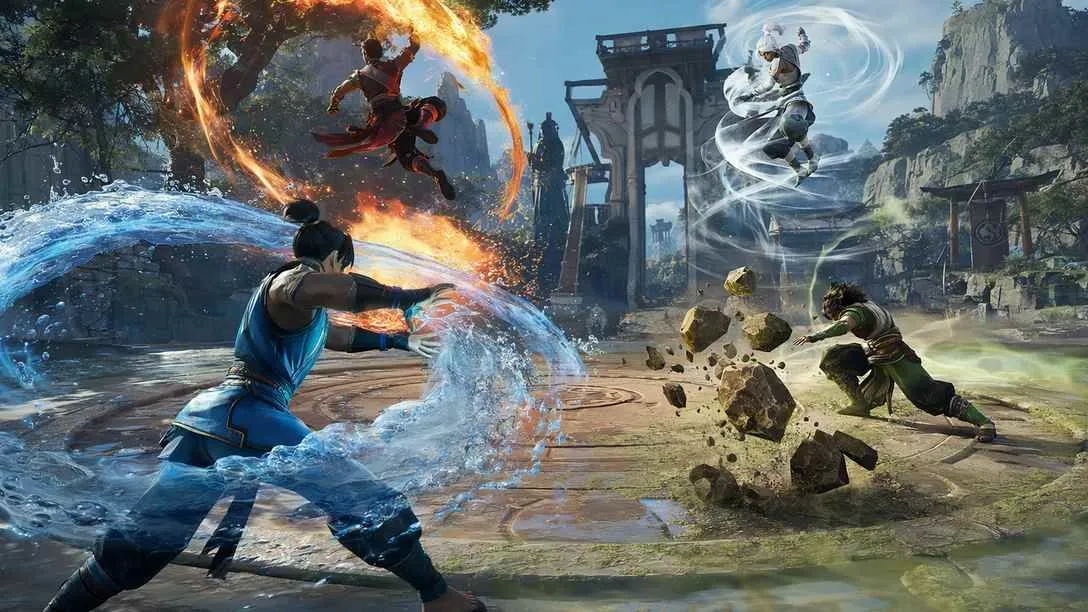
Flowbound: Masters of Four’s official press kit describes an online PvP arena fighter in which players choose Fire, Water, Earth, or Air and fight using that element’s kit. The project started with a solo developer and is now described as being made by a small independent team.
The official homepage identifies the available game as a free-to-play Windows PC pre-alpha. That distinction matters: “pre-alpha” describes the current development stage, while the press kit lists the full release date as TBA. A video calling it “Early Access” does not establish a Steam Early Access release.
Make sure you have the right Flowbound
Several unrelated projects share the name. Match the setting and developer page before downloading anything.
| Project or term | What it means | How to recognize it |
|---|---|---|
| Flowbound: Masters of Four | The elemental online PvP arena fighter | Fire, Water, Earth, and Air combat |
| Flowbound on itch.io | A separate Windows puzzle adventure | Menny searches for his cousin on a giant turtle |
| Flowbound Roblox project | A separate platformer racing mini-game | Introduced by kneebandit49 on the Roblox developer forum |
| Elemental kit | The moves associated with your chosen element | Not a verified named-character roster |
| Pre-alpha | The current public development stage | Features and access procedures can change |
| Build 33 | Newest build visible in the official changelog | Controller additions and separate team-mode ratings |
| Launcher | The current installation and update tool | Obtained through the official playtest route |
| Pathfinder | An optional early-player title registration | Separate from access to the playtest |
The itch.io Flowbound listing belongs to the turtle puzzle adventure, not Masters of Four. Likewise, the original Roblox developer post describes a different racing platformer. A guide mentioning Roblox ladders or that project’s characters is not automatically relevant to elemental arena combat.
Which version should you follow?
The official patch notes reach Build 33, the newest build visible on November 17, 2026; its exact release date is unconfirmed.
Some community references still describe Build 22. Use those for orientation, but give the developer’s newer notes priority whenever they disagree. This is especially relevant to controller support, matchmaking ratings, movement behavior, and installation.
Where to Download Flowbound: Verified Official Listings and Supported Platforms
For Masters of Four, use the developer’s website as your entry point. The official access instructions direct players to join Discord and open #how-to-play, where the launcher, access code, and setup guidance are provided.
Those instructions identify flowboundgame.com/download as the launcher location. Following the playtest page first helps you avoid confusing an older archive tutorial with the current installation route.
The launcher executable’s filename, signing status, checksum, and current download availability are unconfirmed. Do not use those unknowns as a reason to substitute an unofficial mirror.
Platform availability at a glance
| Platform or access method | Current status | Recommendation |
|---|---|---|
| Windows PC | Officially identified pre-alpha platform | Follow the official playtest instructions |
| Epic Games account | Not required for current guest access | Start with guest play if you only want to try it |
| Epic Games Store | Planned before Steam in the press kit | Do not confuse planned distribution with an available listing |
| Steam | Planned later; full release remains TBA | Use official announcements for availability |
| Browser | No verified browser-play version | Do not expect the Windows build to run in a browser |
| Android or iOS | No verified support | Avoid purported mobile downloads |
| macOS, Linux, or Steam Deck | No verified support | Do not assume compatibility |
| PlayStation or Xbox | No confirmed release | Treat console claims as unconfirmed |
The distribution sequence comes from the official press kit. It is a plan, not proof that either store currently has a published game listing.
Do you need an invitation or an Epic account?
The current playtest page says you can enter a name in the hub and play as a guest without an Epic Games account. The official privacy page dates unrestricted guest access to Build 22 on November 12, 2026, replacing the earlier invited-account restriction.
That does not mean every access step disappeared. The current launcher instructions still include obtaining an access code through the official channel.
Price, System Requirements, and Installation Steps
The available Flowbound game is described as free-to-play on the official homepage. There is no verified paid-edition comparison or purchase requirement to present for the current pre-alpha.
Optional email registration is a different decision. The playtest page offers the Pathfinder title to registered early players when the game reaches Steam, but explicitly separates that registration from obtaining playtest access. You do not need to register for the title simply to try guest play.
System requirements: what is actually known?
No official minimum or recommended CPU, GPU, RAM, Windows-version, or storage requirements are confirmed for Masters of Four.
Consequently, a hardware table promising that a particular laptop will run it smoothly would be misleading. The developer’s Build 33 notes also list effect-related frame drops as a known issue. Performance during an empty practice area may not represent performance during a crowded fight.
After installation, evaluate performance in stages:
- Check movement and camera response in the hub.
- Test attacks and visually busy abilities in practice.
- Compare that experience with an actual multiplayer match.
- Note whether a problem appears during effects, network interaction, or both.
These are diagnostic steps, not a substitute for published hardware requirements.
Current installation sequence
Follow the sequence on the official playtest page:
- Open the developer’s website and follow its Discord access route.
- Find #how-to-play and read the current instructions.
- Obtain the launcher through the official download location.
- Choose an installation folder.
- Enter the access code once.
- Press PLAY.
- Enter a guest name in the hub if you do not want to use an Epic account.
The launcher automatically keeps the game updated. If an older video tells you to download and extract a ZIP, use it only as historical context; the official launcher instructions take precedence.
How to Play: Controls, Objectives, and the Core Gameplay Loop
Flowbound gameplay centers on selecting an elemental kit, positioning in an arena, aiming attacks, and responding to opponents’ moves. The official gameplay overview describes manually aimed attacks without homing, with readable wind-ups for large moves.
That makes observation and spacing central to your first matches. A powerful attack still needs to connect. An opponent beginning a large move gives you information before its effect reaches you.
Exact current victory conditions, round limits, and mode-specific rules are unconfirmed. Read the current match interface instead of importing rules from another arena fighter.
Keyboard and mouse controls
The following inputs come from the community Build 22 controls reference. Check them against your current on-screen bindings before relying on them.
| Action | Build 22 reference | What to verify in your build |
|---|---|---|
| Movement | WASD or ZQSD | Active keyboard layout |
| Double jump | Press Space twice | Your element’s second-jump behavior |
| Light attack | Left mouse button | Aim, response, and move interaction |
| Heavy attack | Right mouse button | Wind-up and context-sensitive behavior |
| Element-specific movement | Shift | Grounded and airborne behavior |
| Swap camera shoulder | Left Ctrl | Which shoulder gives a clearer view |
| Camera zoom | Ctrl plus mouse wheel | Available zoom range |
| Abilities | Consult the spell bar | Actual labels, cooldowns, and charges |
The guide warns that an ability-slot label A in Build 22 notes can conflict with WASD notation. Do not assume every written “A” means pressing the keyboard’s A key; your spell bar is the safer reference.
Newer behavior is documented separately. Build 33 restores forward-ground Shift to a fixed 11.5-meter dash for both tap and hold. It also adds controller-operated menus, contextual prompts, stick sensitivity, and stick deadzones. Controller aim assist is listed as coming next, not as a released Build 33 feature.
The combat loop to learn first
Use a simple loop: observe, position, commit, recover.
Observe the opponent’s wind-up and direction of movement. Position yourself so you can see the incoming move and aim your response. Commit to an attack you understand. Then check your resources and position before committing again.
Projectile interactions add another layer. The official homepage states that a big shot survives a clash with a small shot, while equally sized shots both burst. Equal-sized shots both burst under the current official clash rules; do not substitute an elemental counter chart for that rule.
Teamwork also extends beyond attacking the same target. Official examples include thawing frozen allies, cutting restraining ropes, and adding an element to an ally’s tornado. Recognizing these interactions can be more useful than blindly repeating your highest-impact move.
Beginner Walkthrough: Your First Session and Early Progression
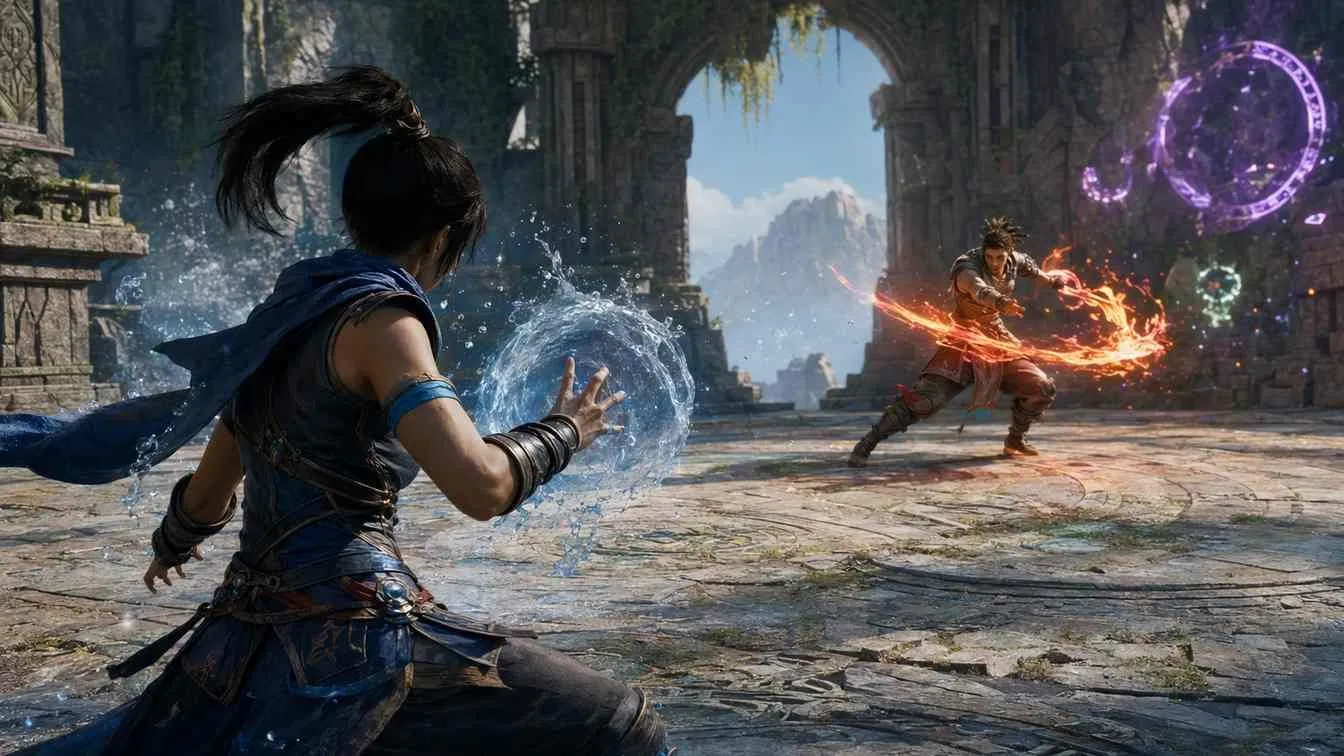
This Flowbound walkthrough covers learning the arena fighter, not completing a story campaign. No named-character progression system or campaign sequence is confirmed.
The Build 22 beginner guide provides a practical first-session route: an optional First Steps tutorial, practice against AI, and checks of the hub interface. Menu paths below are historical references; follow their current equivalents if the interface has changed.
Step 1: Learn movement before judging an element
Start with First Steps, if it is available. The guide describes movement, double jump, light and heavy attacks, a dash, and one ability.
Your immediate goal is not a win. It is to move without losing track of your opponent, aim without fighting the camera, and recognize when an input changes behavior because you are airborne or using a different element.
Test the camera shoulder and zoom before a match. A camera view that hides your target will undermine every later decision, even if your attack timing is otherwise sensible.
Step 2: Choose one kit and confirm it is selected
The Build 22 element guide documents Esc → Switch Element in the hub and says the chosen kit locks when a match begins. The beginner guide also warns that a previously used element can be marked without being selected for the next match.
Check the selection before pressing READY. Accidentally entering with another kit makes it harder to distinguish a gameplay mistake from simple unfamiliarity.
Step 3: Practice against AI with a specific question
The beginner guide places solo practice at Esc → Play → VS AI and says players can choose the bot’s element.
Use practice to answer a concrete question:
- Can you land light attacks while moving?
- What happens when you use your movement input airborne?
- Can you recognize a large enemy wind-up?
- Can you check the spell bar without losing sight of the opponent?
Repeat a situation until you understand the result. Changing your kit, opponent, camera, and attack pattern simultaneously makes failures difficult to diagnose.
Step 4: Read the spell bar during combat
The beginner guide identifies the spell bar as the display for cooldowns, remaining charges, and held-move availability.
When a move does not activate, look there first. The failure may reflect its current state rather than a broken input. Learn one basic attack, one movement option, and one ability before trying to manage the whole kit at once.
Step 5: Enter multiplayer with one learning objective
Choose something observable: avoiding a large wind-up, maintaining aim while moving, or noticing an ally who needs help.
After the match, identify one recurring failure. Were you missing attacks? Losing sight of the opponent? Attempting unavailable abilities? Return to practice with that question.
This creates useful skill progression alongside the documented account levels, prestige stars, name-plate rewards, and unlockable titles.
Characters and Skills: Explain Verified Mechanics Where Applicable
Searches for Flowbound characters can imply a roster of named heroes, but official Masters of Four material centers on four elemental kits. No named playable-character roster is confirmed.
Likewise, Flowbound skills should be understood as elemental moves, not a verified skill tree with unlock levels.
Which element should a beginner choose?
Choose by the behavior you want to learn. The recommendations below draw on the official elemental descriptions, not win-rate data or a competitive tier list.
| Element | Official emphasis | Choose it if you want to practice | Named moves on the official homepage |
|---|---|---|---|
| Fire | Aggressive pressure, flame walls, explosive attacks | Advancing with purpose and maintaining pressure | Crown of Fire, Propel, Finger Blast, Simon’s Rage |
| Water | Waves, freezing, ice spikes, battlefield control | Shaping space and learning move interactions | Ice Surf, Ice Wall, Tentacle Grab, The Octopus |
| Earth | Heavy attacks, raised walls, launched rocks | Deliberate attacks and defensive positioning | Seismic Snare, Stone Guard, Meteor Slam, Earth Armor |
| Air | Speed, tornadoes, evasive movement | Repositioning while keeping attacks controlled | Wind Guard, Ridden Tornado, The Curve, Tornado Field |
The move names appear on the official homepage. Their complete current damage, cooldowns, durations, ranges, and bindings are unconfirmed. A name alone is not enough to infer a reliable combo.
Fire: learn pressure without blind commitment
Fire is the natural recommendation if aggressive combat is what interests you. Its official emphasis is flame walls and explosive attacks.
Keep the learning objective narrow: maintain pressure while still recognizing an opponent’s response. Repeatedly attacking into a readable counter does not become effective simply because the kit is aggressive.
Water: learn interactions and space control
Water suits players interested in shaping where a fight happens. The Build 22 element guide proposes creating an Ice Wall and turning it into a wave with the right mouse button.
Treat that as a historical practice drill to verify in your build. If it still works, observe the transition and aim requirements rather than only the resulting hit.
Earth: learn deliberate commitment
Earth’s official description emphasizes heavy attacks, walls, and rocks. Choose it if you want to focus on purposeful attack timing and defensive placement.
The Build 22 controls guide describes Earth’s E input as Stone Spears striking beneath the first enemy in their path. Verify the current binding and behavior before building a routine around it; the official move-name list is not a complete current input map.
Air: learn mobility without losing orientation
Air’s speed and evasive movement make it appealing, but movement only helps if you still know where the fight is.
The Build 22 element guide suggests holding Wind Guard, aiming, and releasing caught shots with the left mouse button. Use that drill, where supported, to practice observation followed by a controlled response.
There is no defensible current “best element” ranking. Start with the kit that matches your preferred learning goal, then compare alternatives after your basic controls are reliable.
Practical Tips, Common Mistakes, and Difficult Sections
The hardest early moments are often interpretation problems: knowing why an input failed, why an attack missed, or why an older guide behaves differently.
Use this failure-to-fix checklist
| Problem | First thing to check | Practical response |
|---|---|---|
| You entered with the wrong element | Selection before READY | Explicitly select the intended kit |
| An ability will not activate | Spell-bar state | Check cooldowns, charges, and held availability |
| Attacks miss moving opponents | Aim and enemy movement | Practice simple attacks before adding combinations |
| A guide’s keybind behaves differently | Guide version and current labels | Follow the current spell bar |
| Movement feels inconsistent | Grounded versus airborne input | Test each state separately |
| Combat becomes choppy during effects | Known effect-related frame drops | Record the triggering scene and build |
| Controller aiming feels unexpected | Sensitivity and deadzone settings | Do not assume aim assist is released |
| Team rating differs from solo expectations | Mode-specific rating | Consult newer team-mode patch notes |
Do not spend every resource at once
Using every available move obscures what helped and what failed. Start exchanges with tools you understand, then add another ability when you can identify its purpose.
If you lose, ask a specific question: did you miss, misread a wind-up, lack an available move, or lose track of the opponent? Each answer leads to a different practice task.
Do not confuse the hub’s fighting area with a recovery area
The Build 22 beginner guide says automatic healing occurs in the hub’s peace zone, not its fighting arena. If that distinction remains in your build, moving to the correct area is more useful than waiting in combat.
Treat network and performance symptoms separately
Build 33 uses direct player-to-player connections where possible, with relays as fallback. That does not establish a guaranteed connection quality or explain every stutter.
Compare practice and multiplayer behavior. Note whether slowdowns coincide with effects or whether the problem is specific to online interaction. This produces a more useful support report than labeling every issue “lag.”
Gameplay Videos: What to Watch Before Downloading
A good Flowbound gameplay video should help you identify the game, judge the combat pace, and understand a mechanic. It should not be your sole authority for current access or balance.
The developer’s featured playtest devlog has indexed chapters for gameplay at 1:54, movement at 10:20, and a first real match at 12:14. These are useful starting points; the footage is a development demonstration, not proof that every shown detail remains unchanged.
| Video source | Best use | Limitation |
|---|---|---|
| Official gameplay videos and devlogs | Understanding intended combat and development direction | Individual videos can predate the latest build |
| Featured playtest devlog | Comparing movement demonstrations with a match | Historical playtest footage |
| Community Fire-versus-Earth fight | Observing a player-recorded matchup | Not an authoritative balance comparison |
| Rival’s download tutorial | Understanding the older access process | ZIP-era instructions are superseded by the launcher route |
When watching, focus on attack wind-ups, how players maintain aim during movement, and what happens after an attack misses. Those observations are more transferable than copying an unexplained sequence.
Be cautious with titles calling Flowbound an “Avatar game.” The official identity is Flowbound: Masters of Four; no licensed Avatar relationship is confirmed. Also, do not treat “Early Access” in a video title as evidence of a Steam release.
Updates, Official Community Channels, and Troubleshooting
Use three developer destinations for different tasks:
- The playtest page explains access and launcher setup.
- The patch notes explain build changes and known issues.
- The leaderboard shows playtest standings.
The leaderboard describes a weekly reset on Monday at 00:00 UTC, with players beginning at 1000. However, its explanatory text does not fully match the newer Build 33 notes, which give matchmade 2v2 and 3v3 separate ladder ratings. Follow newer mode-specific notes rather than assuming all queues share one ladder.
What to include in a useful problem report
Record the build number, input device, mode, selected element, and steps leading to the problem. Explain what you expected and what actually happened.
For performance issues, identify the effects or scene involved. For controls, distinguish a binding mismatch from an unavailable ability. For access, state which official setup step failed without posting private codes or account information publicly.
If an old guide requests an invited Epic account, directs you to #how-to-playtest, or centers on ZIP extraction, return to the current official instructions.
Your next step: use the official access page, learn one kit in practice, and check the latest patch notes before relying on an older walkthrough. That is the shortest reliable route from download intent to an informed first match.
How to Build an App Like This with Tencent RTC
For a studio building an elemental arena game, Tencent RTC GVoice provides in-game team and proximity voice. Separate community voice rooms can support squad formation and strategy discussions, while Tencent RTC Live can support game streams and watch parties. These are possible additions to your own project, not confirmed Flowbound features.
To explore implementation, open Tencent RTC AI Agents Skills and follow the repository instructions to load suitable available Skills into your AI coding assistant.
Describe your existing project, engine, platforms, and goal:
Inspect my multiplayer arena project and identify the available Skills relevant to team voice and spectator streaming. Explain supported options and limitations before making changes.
Let the assistant work within the repository’s actual support scope. Then review permissions, credential handling, mute behavior, disconnections, and recovery. For streaming capabilities and limitations, consult the Tencent RTC Live documentation rather than assuming every platform behaves identically.
FAQ
Is the Flowbound game free?
The official website describes Flowbound: Masters of Four as a free-to-play Windows PC pre-alpha. Optional Pathfinder email registration is separate from playtest access.
Where can I download Flowbound?
Start at the developer’s official playtest page. Its current instructions direct you to Discord’s #how-to-play channel for the launcher, access code, and setup guidance.
Do I need an Epic Games account?
Not for current guest play. The official access page says you can enter a name in the hub without an Epic Games account, although the launcher setup still includes an access code.
Is Flowbound available on Steam, consoles, or mobile?
The press kit plans Epic Games Store distribution before Steam, with full release TBA. No published store listing or confirmed console, mobile, macOS, Linux, or Steam Deck support is established.
Which Flowbound element is best for beginners?
Choose by learning preference: Fire for pressure, Water for battlefield control, Earth for deliberate attacks and walls, or Air for evasive movement. No verified current win-rate ranking establishes one universal best choice.
Does Flowbound have named characters or a story walkthrough?
Official Masters of Four material focuses on four elemental kits and PvP arena combat. A named playable-character roster and story campaign are unconfirmed. The separate itch.io puzzle game does feature Menny.
Can I practice Flowbound offline?
The community Build 22 access guide describes opening a local hub without a connection for VS AI practice. Continued support in every newer build is unconfirmed; do not assume the current launcher setup can be completed offline.
What is the latest Flowbound build?
Build 33 is the newest build visible in the official changelog as of November 17, 2026. Its exact release date is unconfirmed, and the auto-updating launcher may deliver subsequent changes.