










Free Chat API with Built-In Push Notifications: Why You Shouldn't Pay for Two Vendors
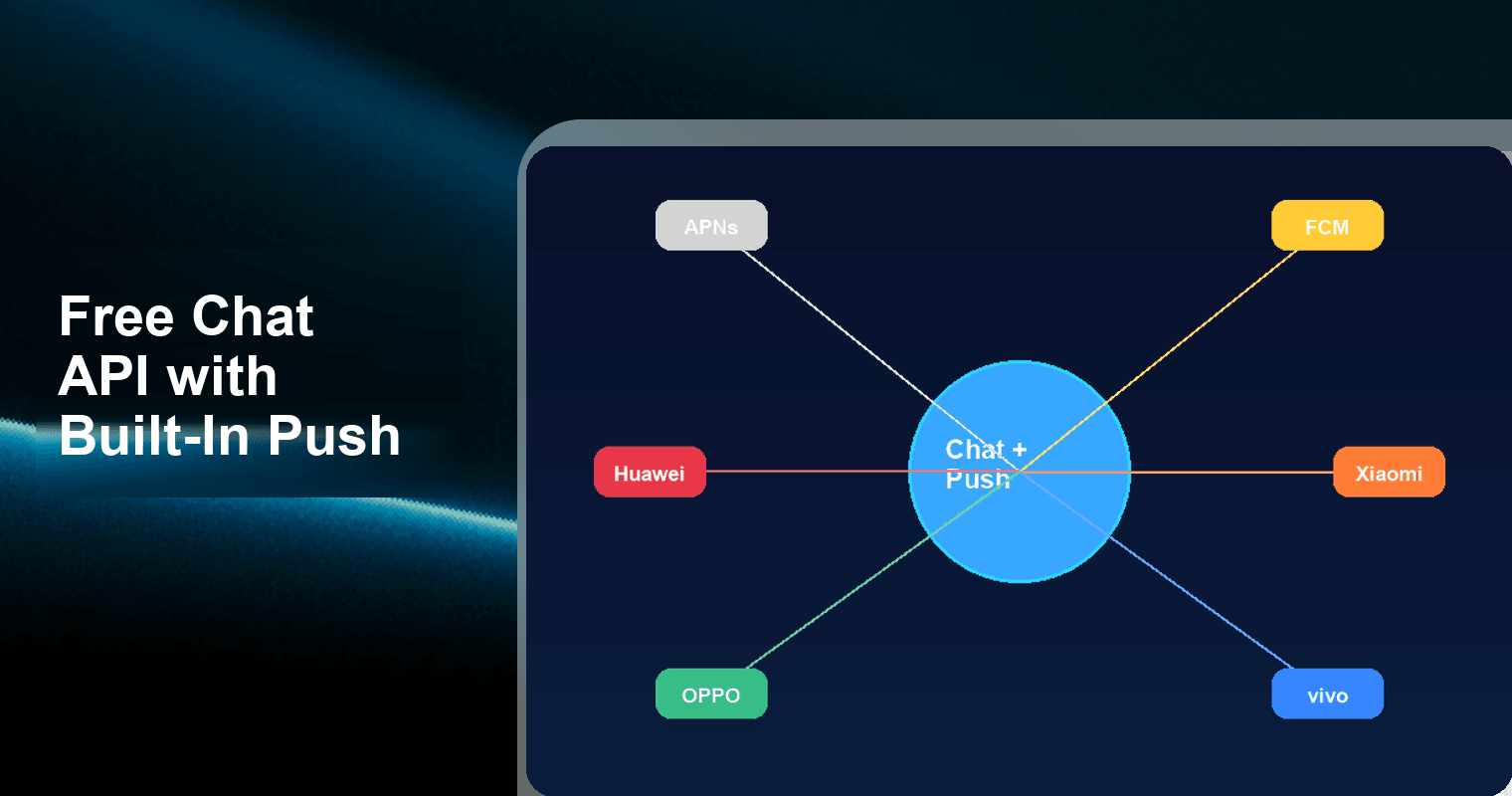
If you're building a chat feature and shopping for a push notification service separately, you're already overpaying. Tencent RTC Chat SDK & API free edition ships with a built-in Push plugin—covering APNs, FCM, Huawei, Xiaomi, OPPO, and vivo—at zero cost for up to 1,000 MAU. That means one SDK, one integration, one vendor, zero monthly invoices for both chat and push.
The 3-Vendor Problem Every Startup Hits
Here's the stack most early-stage teams end up with when they need in-app messaging plus offline notifications:
- Chat API vendor — handles message routing, conversation threads, read receipts, group chats.
- Push notification vendor — delivers offline/background alerts via APNs (iOS) and FCM (Android).
- Analytics or event tracking vendor — ties message events to user behavior for retention metrics.
Each vendor means a separate SDK integration, a separate dashboard, a separate billing cycle, and—critically—a separate failure surface. When a user reports "I didn't get the notification," you're debugging across two or three systems with no shared request ID.
What this actually costs at startup scale
Let's put numbers on a typical indie/SaaS project running 5,000 MAU with moderate messaging activity (~50K messages/month):
| Cost Component | Typical Vendor | Monthly Cost |
|---|---|---|
| Chat API | Sendbird (Starter) | ~$399/month (5K MAU) |
| Push notifications | OneSignal (Growth) | ~$9/month (basic); $0 if under free tier limits |
| Push notifications | Amazon SNS (mobile push) | $0 for first 1M notifications; $0.50/1M after |
| Analytics/event glue | Custom or Mixpanel free tier | $0–$25/month |
| Integration engineering | Your team's time | 40–80 hours one-time |
| Ongoing maintenance | Token sync, error handling | 5–10 hours/month |
The cash cost looks manageable at small scale. The hidden cost is engineering time: wiring push tokens from your chat SDK to your push vendor, handling token refresh, building retry logic, and maintaining the glue code that keeps them in sync.
Why Chat + Push Should Be One Vendor
Push notifications aren't a separate product category from chat—they're a delivery channel for chat messages. When a user is offline and receives a message, the system should:
- Detect the user is offline or backgrounded.
- Route the message payload to the correct push channel (APNs, FCM, or OEM channel).
- Deliver a notification with the correct sender name, message preview, and deep link.
- Track delivery and tap-through events in the same analytics pipeline.
When these steps span two vendors, you own the integration. When they're bundled, the SDK owns it.
The before/after: fragmented vs. unified stack
| Dimension | 3-Vendor Stack (Chat + Push + Analytics) | 1-Vendor Stack (Tencent RTC Chat) |
|---|---|---|
| SDKs to integrate | 3 (e.g., Stream + OneSignal + Mixpanel) | 1 (Chat SDK + Push plugin) |
| Dashboards to monitor | 3 separate consoles | 1 unified console |
| Token management | You sync push tokens manually | SDK handles token lifecycle |
| Offline message → push | Custom webhook/glue code | Automatic, built-in |
| Push channel coverage | APNs + FCM only (most vendors) | APNs + FCM + Huawei + Xiaomi + OPPO + vivo |
| Monthly cost (≤1,000 MAU) | $0–$399+ depending on chat vendor | $0 (free edition) |
| Concurrency limits on free tier | Common (e.g., Stream: 100 concurrent connections per account) | None |
| Integration time | 40–80 hours | 4–8 hours |
What You Actually Get in the Free Edition
Tencent RTC Chat SDK & API permanent free edition) isn't a crippled trial. Here's the spec sheet:
- 1,000 MAU — upgraded from the previous 100 MAU cap
- 100% feature access — every feature available on paid tiers works on free
- No concurrency limits — no cap on simultaneous connections
- Free Push plugin included — not an add-on, not a paid module
- Multi-vendor push channels: APNs, FCM, Huawei Push, Xiaomi Push, OPPO Push, vivo Push
- Push capabilities: broadcast push, tag-based push, custom notification styles
- Platform SDKs: iOS, Android, Web, Flutter, React Native, Unity
Five data points that matter
- 1,000 MAU free — enough for MVP validation, beta testing, or low-volume SaaS tools.
- 6 push channels included — APNs, FCM, Huawei, Xiaomi, OPPO, vivo. No other free chat API covers all six.
- 0 concurrency limits — competitors like Stream cap at 100 concurrent connections per account on free tier; Sendbird charges $5 per extra concurrent connection.
- $0/month total cost — chat + push + offline message routing, all included.
- 100% feature parity — free tier isn't missing group chat, read receipts, typing indicators, or message recall. You get everything.
The Multi-Vendor Push Channel Problem (and Why It Matters)
If you're only targeting iOS and stock Android, APNs + FCM covers you. But if your app has any presence in China, Southeast Asia, or among users with Huawei/Xiaomi/OPPO/vivo devices, FCM alone won't cut it.
Why FCM isn't enough globally
- Huawei devices (post-2019 models without Google Play Services) cannot receive FCM messages. Huawei Push Kit is required.
- Xiaomi, OPPO, and vivo ship custom Android ROMs that aggressively kill background processes. Their native push channels bypass these restrictions. Without them, your FCM notifications arrive late or not at all.
- China market: Google services are blocked entirely. You need OEM push channels (Huawei + Xiaomi + OPPO + vivo) to reach Android users.
Push channel coverage: Tencent RTC Chat vs. alternatives
| Push Channel | Tencent RTC Chat (Free) | OneSignal (Free) | FCM (Free) | Amazon SNS |
|---|---|---|---|---|
| APNs (iOS) | ✅ | ✅ | ❌ (requires APNs setup) | ✅ |
| FCM (Android) | ✅ | ✅ | ✅ | ✅ |
| Huawei Push | ✅ | ❌ | ❌ | ❌ |
| Xiaomi Push | ✅ | ❌ | ❌ | ❌ |
| OPPO Push | ✅ | ❌ | ❌ | ❌ |
| vivo Push | ✅ | ❌ | ❌ | ❌ |
| Bundled with Chat SDK | ✅ | ❌ (push only) | ❌ (push only) | ❌ (push only) |
| Free tier | 1,000 MAU | 10K web subscribers | Unlimited messages | 1M notifications/month |
No other free chat API bundles all six push channels. If you need OEM push coverage, every other solution requires you to integrate each vendor's push SDK separately—or pay for a push aggregation service on top of your chat vendor.
3 Use Cases: Where Bundled Chat + Push Wins
1. SaaS In-App Notifications
Scenario: You're building a project management tool. Users need to receive chat messages from teammates and get push alerts when they're not in the app.
Without bundled push: Integrate a chat SDK for the messaging UI, then wire up OneSignal or FCM for offline alerts. Build a webhook that listens for new messages, checks if the recipient is offline, formats a push payload, and sends it. Maintain token sync between your chat provider and push provider.
With Tencent RTC Chat: Integrate the Chat SDK. Enable the Push plugin. Done. Offline messages automatically trigger push notifications through the correct channel. No webhook, no token sync, no glue code.
Time saved: ~30 hours of integration work.
2. AI Application Retention
Scenario: You've built an AI assistant app. Users interact via chat, and you need to re-engage inactive users with proactive messages (e.g., "Your daily summary is ready").
Without bundled push: Your AI backend generates a message, sends it via chat API, and separately triggers a push notification via a second API. You need to handle the case where the user has the app open (suppress push) vs. backgrounded (send push). Two API calls, two failure modes.
With Tencent RTC Chat: Send the message through the Chat SDK. The Push plugin handles presence detection and push delivery automatically. Use tag-based push for broadcast re-engagement campaigns ("send to all users inactive >7 days") directly from the console—no custom backend needed.
Retention lift: Push notifications drive 3–10x re-engagement vs. in-app-only messaging. Bundling removes the integration barrier that causes most indie devs to skip push entirely.
3. Marketplace Transaction Alerts
Scenario: You're running a marketplace app (freelancer platform, secondhand goods, tutoring). Buyers and sellers chat, and critical alerts (new offer, payment received, order shipped) must reach users reliably.
Without bundled push: Chat for the conversation, separate push for transactional alerts. You likely end up with two notification systems: one for chat messages, one for system events. Users get confused by inconsistent notification styles.
With Tencent RTC Chat: Both conversation messages and system alerts flow through the same Chat SDK. Custom notification styles let you visually differentiate "new message from seller" vs. "payment confirmed" at the push level. One system, consistent UX.
On Huawei/Xiaomi devices: Marketplace alerts arrive reliably via OEM push channels instead of getting killed by battery optimization—a real problem with FCM-only solutions.
Integration in Under 30 Minutes
Here's what the actual integration looks like:
Step 1: Initialize the Chat SDK
import TencentCloudChat from '@tencentcloud/chat';

const chat = TencentCloudChat.create({
  SDKAppID: YOUR_APP_ID
});
Step 2: Enable Push Plugin
import TencentCloudPush from '@tencentcloud/push';

chat.registerPlugin({ 'push': TencentCloudPush });
Step 3: Configure Push Channels (Console)
In the Tencent RTC console, add your push certificates:
- APNs: Upload your
.p8key or.p12certificate - FCM: Add your
google-services.jsonserver key - Huawei/Xiaomi/OPPO/vivo: Enter each vendor's App ID and App Secret
Step 4: Send a Message (Push Happens Automatically)
const message = chat.createTextMessage({
  to: 'recipient_user_id',
  conversationType: TencentCloudChat.TYPES.CONV_C2C,
  payload: { text: 'Hey, your order shipped!' }
});

await chat.sendMessage(message);
// If recipient is offline → push notification sent automatically
No webhook setup. No token management. No second API call.
Who Should Use This
The free edition is purpose-built for:
- Indie developers validating an MVP with real-time chat
- SaaS founders who need in-app messaging without a $399/month chat vendor bill
- Small-to-mid teams replacing fragile self-built WebSocket stacks
- AI app builders who need a conversation interface with push-based re-engagement
- Global apps that need to reach Huawei, Xiaomi, OPPO, and vivo users reliably
If you're under 1,000 MAU, the total cost is $0. When you grow past that threshold, paid tiers scale incrementally—you don't hit a cliff.
Frequently Asked Questions
Q: Is the free tier actually permanent, or is it a limited-time trial?
The Tencent RTC Chat free edition is a permanent free tier, not a trial. It supports up to 1,000 MAU with 100% feature access and no time limit. You can run your app on the free tier indefinitely as long as you stay within the MAU quota.
Q: What push notification channels are included for free?
The free Push plugin covers six channels: Apple Push Notification service (APNs) for iOS, Firebase Cloud Messaging (FCM) for Android, and four OEM channels—Huawei Push, Xiaomi Push, OPPO Push, and vivo Push. All six are included at no additional cost under the free tier.
Q: Are there concurrency limits on the free tier?
No. Unlike competitors that cap simultaneous connections or users-per-chat on free plans (e.g., Stream limits to 100 concurrent connections per account), Tencent RTC Chat's free edition has no concurrency limits. All connected users can send and receive messages simultaneously.
Q: Do I need to set up webhooks to trigger push notifications for offline users?
No. The Chat SDK's Push plugin automatically detects when a recipient is offline or backgrounded and routes the message through the appropriate push channel. You don't need to build webhook listeners, manage push tokens, or write glue code between a chat service and a separate push provider.
Q: Can I customize the push notification appearance?
Yes. The Push plugin supports custom notification styles, including custom titles, body text, badge counts, and sounds. You can also use tag-based push to send targeted notifications to user segments, and broadcast push to reach all users. These customization options are available on the free tier.
Q: How does this compare to using Firebase Cloud Messaging directly?
FCM is free and handles push delivery, but it's not a chat solution—you still need a separate chat API for message routing, conversation management, group chat, read receipts, and message history. Tencent RTC Chat bundles both chat and push in one SDK. Additionally, FCM doesn't cover Huawei devices (post-2019 models without Google Play) or reliably deliver on Xiaomi/OPPO/vivo ROMs that aggressively restrict background processes.
Q: What happens when I exceed 1,000 MAU?
You upgrade to a paid tier. Pricing scales incrementally based on MAU, so you're not forced into an expensive enterprise plan. The key advantage is that your integration stays identical—same SDK, same Push plugin, same code. No migration required.
Bottom Line
The real cost of running chat + push isn't the monthly invoice from each vendor—it's the 40–80 hours of integration engineering to wire them together, plus the ongoing maintenance burden of keeping tokens synced and debugging delivery failures across multiple dashboards.
Tencent RTC Chat's free edition eliminates this entirely: one SDK, one console, six push channels, zero cost under 1,000 MAU. If you're an indie developer or small team building an app with real-time messaging, stop evaluating chat vendors and push vendors as separate purchases. They're the same product.
Get started: Tencent RTC Chat Free Edition →