




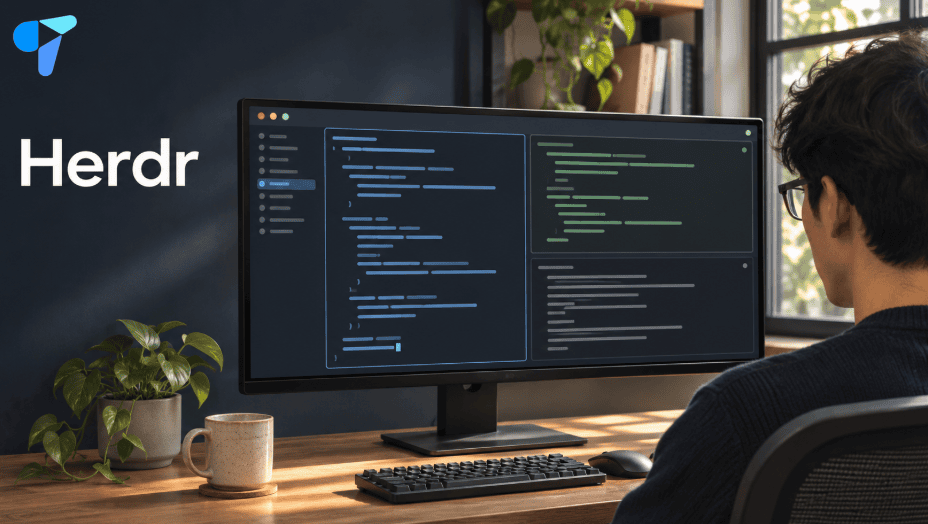
If you keep switching between terminal tabs to find out whether Claude Code finished, Codex is waiting for input, or your dev server failed, Herdr gives those sessions one workspace. You can keep your agents, shell, and logs visible together, then jump to the pane that needs your attention.
Start with Herdr App if you want a desktop interface. Start with Herdr TUI if you work in a terminal or spend most of your day over SSH. If tmux already handles your remote sessions and scripts, try Herdr on one project before changing your setup.
Herdr App, Herdr TUI, and Herdr GPUI: Which One Should You Install?
| What you found | What it is | When to use it |
|---|---|---|
| Herdr App | The official desktop app for terminals and coding agents, built on herdr-core. | You want a visual workspace with tabs, layouts, and agent status. |
| Herdr TUI | A terminal multiplexer that runs inside your existing terminal. | You want persistent terminal sessions, keyboard shortcuts, or an SSH workflow. |
| Herdr GPUI / Sheprd | A separate community desktop client for Herdr, built with Rust and GPUI. | You found an older herdr-gpui tutorial and want that specific client. |
| herdr-core | The terminal runtime behind the official desktop app. | You want to run the runtime independently or build your own client. |
If an older guide points you to herdr-gpui, check the Sheprd GitHub repository for its current installers. For the official desktop app’s underlying runtime and API, see how herdr-core works. Treat the desktop app and TUI as separate session environments when choosing which one to install.
How to Install Herdr
Install the Herdr desktop app
On an Apple Silicon Mac with Homebrew:
brew install --cask herdr-appYou can also download the Herdr desktop app and install it from the macOS disk image. Intel Mac users can build the app from source.
On Linux, Herdr App requires a graphical desktop session and a working Vulkan driver. On Windows, the project documents a PowerShell installer for x64 systems. Use the Herdr App installation instructions to check the requirements and copy the command for your platform.
Install Herdr TUI
On macOS or Linux with Homebrew:
brew install herdrOr use the project’s shell installer:
curl -fsSL https://herdr.dev/install.sh | shOn Windows, the Herdr TUI installation guide offers a PowerShell installer and a ZIP option. If you choose the ZIP from the latest Herdr GitHub release, extract the full archive so herdr.exe keeps its bundled dependencies.
Verify the installation, then launch Herdr from a project directory:
herdr --version
cd /path/to/your/project
herdr
How to Use Herdr with Claude Code and Codex
Start with three panes: one for implementation, one for review, and one for your dev server or tests. Launch Claude Code and Codex as you normally would. Each agent still uses its own installation, account, and permissions.
In Herdr App, use the + in the tab bar to open an agent or shell. The Herdr App guide shows how to arrange your workspace and customize its layout. If an agent runs but never shows a status, check whether it reports status to herdr-core. For troubleshooting, try launching it directly in a Herdr terminal before adding another multiplexer in between.
In Herdr TUI, press Ctrl+B, release it, then press the second key:
| Action | Second key |
|---|---|
| Open a tab | c |
| Split right | v |
| Split down | - |
| Move between panes | h, j, k, l |
| Switch workspaces | w |
| Show active shortcuts | ? |
| Detach and leave the session running | q |
The Herdr keyboard guide also explains how to jump directly to an agent waiting for input.
Watch a Herdr desktop demo
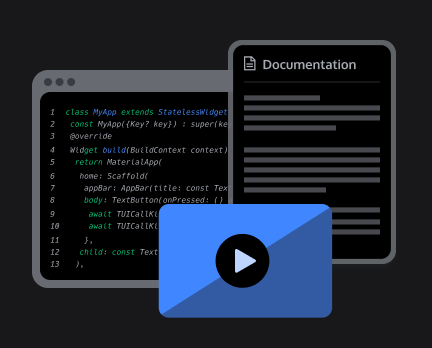
Watch Typecraft’s Herdr desktop walkthrough to see the app and its layout in use before you install it.
Try a Real Workflow: Build and Review a Two-Person Video Room
A small React meeting room makes it easy to see what each pane contributes. One agent builds the room, another checks the changes, and you verify that two people can actually talk.
- Set up the implementation pane. From your React project, install Tencent RTC Agent Skills for Claude Code or Codex. Ask the implementation agent to inspect the project and add the official meeting UI so one user can create a room and another can join it. The React meeting walkthrough covers application setup, test credentials, and the two-user test.
- Give the second agent a review task. Ask it to read the diff and check that the participants have distinct user IDs, the production signing secret stays on the server, and the app handles microphone permission denial and releases media when a user leaves. Keep this review read-only so both agents can work in the same checkout.
- Test in two browser profiles. Run the app in the third pane. Join the same room as two different users, confirm that each can hear the other, then test mute and leave. If the room renders but audio fails, keep the browser and server logs visible while you reproduce the problem.
If both agents need to edit files, give each a separate Git worktree. In a Herdr TUI pane, the worktree command can create a checkout and open it as a workspace:
herdr worktree create --cwd "$PWD" --branch herdr-demo/alternate --focusCan You Use Herdr Over SSH or From Your Phone?
For a basic SSH workflow, install Herdr TUI on the remote machine. SSH into that host, run herdr, and start your tasks. To leave them running, detach with Ctrl+B, then q. Reconnect to the same host and run herdr again to return to the default session. The Herdr session restore guide explains what can be reconstructed when a session stops. A host reboot ends the original running processes, even when Herdr can restore the workspace layout.
The desktop app also supports adding an SSH host under Settings → Machines; use the desktop remote setup instructions for that route. If you found Herdr while searching for Collie, ColliePWA’s terminal setup guide explains how to view sessions from your phone. Collie lists Herdr TUI as its primary backend and marks herdr-core support as experimental.
Herdr vs. tmux, Zellij, and Orca
| Tool | Choose it if… | What to test first |
|---|---|---|
| Herdr | You run several coding agents and want to see which one needs you without checking each pane. | Run your usual agents and see whether their statuses and workspace navigation save time. |
| tmux | Your workflow depends on existing keybindings, session scripts, and remote terminal setups. | Check which scripts and bindings you would need to recreate before switching. |
| Zellij | You want a terminal workspace built around layouts and session restoration. | Recreate a typical project layout and see how well it restores. |
| Orca | You organize parallel tasks by Git worktree and review changes from a desktop app. | Run two tasks on separate branches and compare the review process. |
If you already use tmux, keep it for your existing remote work and try Herdr on one project where you regularly run more than one coding agent. The useful comparison is how quickly you can find the agent that needs input, review its changes, and get back to your work.
How to Change Herdr Themes
For the desktop app, browse the Herdr layout gallery to see what a terminal-focused layout or agent board looks like before changing yours.
For the TUI, the Herdr theme configuration guide lists the built-in options. For example, add this to your Herdr config.toml to use Catppuccin:
[theme]
name = "catppuccin"
Frequently Asked Questions
Do I need an AI subscription to use Herdr?
No. You can use Herdr for regular shells, logs, and terminal tools. Claude Code, Codex, and other coding agents have their own account and billing requirements.
Can two agents work in the same repository?
Yes. For a build-and-review workflow, one agent can edit while the other reviews the diff in the same checkout. If both need to make changes, use separate Git worktrees so you can review each branch independently.
Will my coding agent keep running if I disconnect?
With Herdr TUI, detaching leaves the process running as long as the host and Herdr server stay up. A reboot ends that process. Restoring the layout afterward brings back the workspace structure; resuming the agent conversation depends on the agent and its session support.
Should I switch from tmux to Herdr?
Try Herdr if you regularly lose track of which agent is working, waiting, or done. If your main need is reliable remote shells and your tmux setup already handles them, keep using it for that work.