











Install TenChaty AI from the Shopify App Store, grant store permissions, let the AI auto-learn your products and orders for ~3 minutes, configure brand voice, then go live. Free plan available; paid plans (Standard $18.80/mo, Pro $48.80/mo, Plus $188/mo) include a 14-day free trial.
If you've been weighing whether to add an AI chatbot to your Shopify store, the honest answer is: 2026 is the year you stop debating it. According to TenChaty AI, a properly configured Shopify chatbot automatically resolves 80% of common pre- and post-sales questions and reduces human agent workload by 60%. The math gets even better during BFCM when ticket volume can 3–5x.
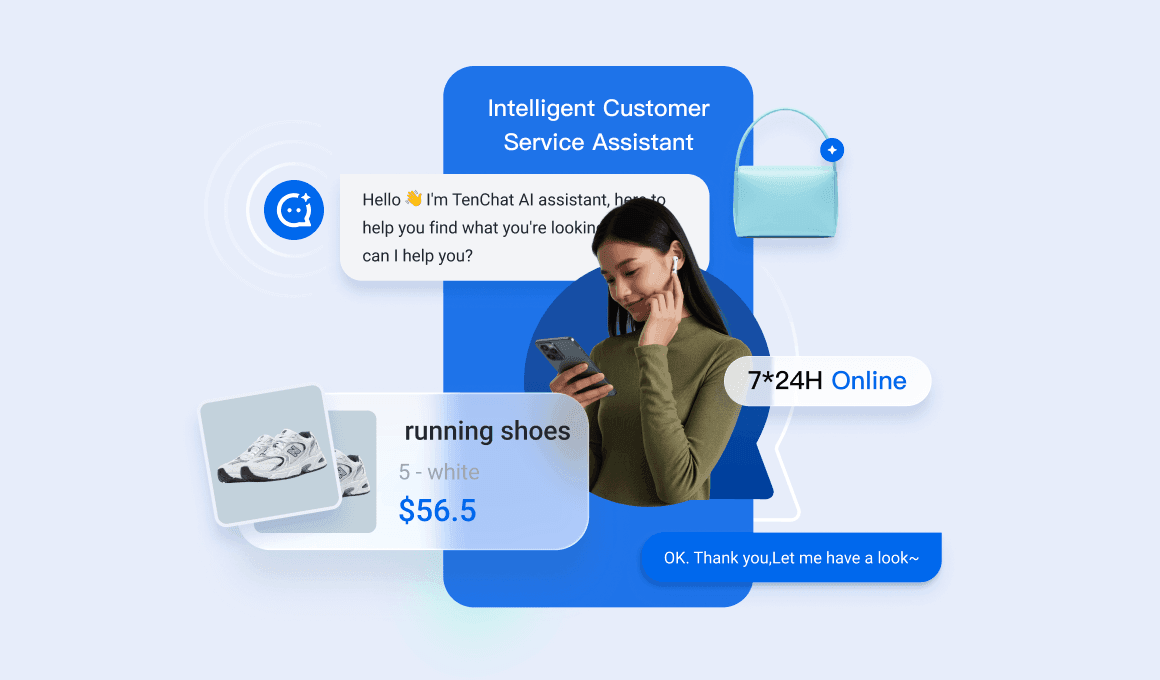
This guide walks you through installing TenChaty AI — but the same five-step pattern applies to any Shopify-native AI chatbot.
Why automate Shopify customer service in 2026
Three numbers worth keeping in mind before you start (according to TenChaty):
- 80% of pre- and post-sales questions can be auto-resolved by a well-trained AI agent
- 60% human workload reduction once FAQs, order tracking, and translation are handled by AI
- +30% pre-sales conversion lift from Smart Product Cards and proactive recommendations
The other reason: customers expect 24/7 answers. If you're running a cross-border DTC store, sleeping through European morning means missing high-intent buyers.
Before you start: 3 things to prepare
It will save 10 minutes of fumbling later if you have these ready before installing:
- Shopify admin access with permission to install apps.
- A short brand voice description — something like "warm, casual, never use slang, always offer a discount when shipping is delayed." 2–3 sentences is enough.
- An FAQ draft — even a rough doc with your top 5–10 customer questions. The AI will auto-generate most of these from your store data, but having your own pass speeds up Knowledge Base tuning.
Step 1: Find TenChaty AI in the Shopify App Store
- Open
apps.shopify.com/tenchatyfrom your store admin or a separate tab. - Click Add app.
- You'll be redirected back to your Shopify admin to authorize the install.
This part takes about 30 seconds.
Tip: If your team has multiple Shopify stores, make sure you're logged into the correct one before installing — apps are installed per store.
Step 2: Grant permissions and connect your store
TenChaty needs read access to your products, orders, and customers so it can answer questions accurately. Shopify will show you the exact scopes before you click Install.
A few notes on data security:
- TenChaty inherits Tencent Cloud's compliance posture: ISO 27001, ISO 27017, ISO 27018, ISO 27701, and CSA STAR.
- Customer data stays encrypted in transit and at rest.
- You can revoke permissions any time by removing the app from your Shopify admin.
If you're a regulated brand (health, finance, kids), this step is the one your security team will care about. The certifications list above is what they'll ask for.
Step 3: Pick a plan (or start free)
TenChaty offers a Free plan for getting started, plus three paid tiers. All paid plans include a 14-day free trial:
| Plan | Price | AI replies / month | Products trained | FAQ trained | Chat history | Overage rate |
|---|---|---|---|---|---|---|
| Free | $0 | 100 | 100 | 5 | 90 days | — |
| Standard | $18.80/mo | 1,000 | 500 | 10 | 360 days | $0.05/reply |
| Pro | $48.80/mo | 3,000 | 1,000 | 50 | Unlimited | $0.04/reply |
| Plus | $188/mo | 10,000 | 5,000 | 50 | Unlimited | $0.03/reply |
Most growing DTC stores start on Standard or Pro. The Free plan is great for validation and testing before committing.
Tip on overage cost: At $0.05 per overage reply on Standard, a 1,000-reply BFCM spike costs roughly $50. That's an order of magnitude lower than several other Shopify AI chat apps.
Step 4: Let the AI auto-learn your products, orders, and logistics
This is where the "3 minutes to live" claim comes from. After authorization, TenChaty's AI will:
- Index your Shopify product catalog (titles, descriptions, variants, prices, inventory)
- Learn your store policies (shipping, returns, refunds) from existing pages
- Connect to order status and logistics tracking in real time
- Build a baseline Knowledge Base from your existing FAQ / Help pages
You'll see a progress indicator. Most stores complete training in 2–4 minutes depending on catalog size. Bigger stores may take a bit longer the first time.
Why this matters: TenChaty's Knowledge Base management is what prevents AI hallucinations. The model only answers from data you control. If a customer asks something not in the Knowledge Base, the AI says so and offers to escalate to a human — instead of inventing an answer.
Step 5: Configure brand voice and welcome message
In the TenChaty admin you'll see four configuration tabs that matter most on day one:
- Brand Voice — paste the 2–3 sentences you prepared earlier. The AI will adapt tone (friendly vs. formal, formal-Japanese vs. casual-English, etc.) automatically based on this.
- Welcome message — the first thing customers see when they open chat. Keep it under 12 words.
- Smart Product Cards — turn on if you want the AI to proactively recommend products based on what the customer is asking. This is the feature that drives the +30% pre-sales conversion lift.
- Human handoff rules — set conditions for when the AI should escalate to a human.
This part takes 5–7 minutes if you do it carefully. You can always come back and adjust.
Test and go live
Before flipping the switch on real traffic:
- Open your storefront in an incognito window.
- Click the chat widget and ask 5–7 representative questions:
- Product question: "Do you have this in size M?"
- Order tracking: "Where is my order #1234?"
- Policy: "What's your return window?"
- Multilingual (if you ship cross-border): try one in Spanish or Japanese.
- Edge case: a question your store can't answer — verify the AI gracefully escalates.
- Trigger a human handoff manually to confirm the routing works.
- When everything looks right, toggle the chat widget to Live.
That's it. You're now running an AI customer service layer on Shopify.
Advanced: Multilingual, human handoff, Smart Product Cards
Once the basics are stable, three configurations make a meaningful difference:
Multilingual: 30+ languages out of the box
TenChaty includes built-in real-time translation for 30+ languages. There's nothing to install — just toggle the languages you want active, and the AI handles real-time translation for both incoming customer messages and outgoing responses.
Human handoff: keeping the human in the loop
Set escalation triggers for negative sentiment, VIP customers, refund/complaint keywords, after 3 unresolved back-and-forths, or specific product categories.
Smart Product Cards: turning chat into a sales channel
When a customer asks "do you have something for sensitive skin?", Smart Product Cards let the AI surface 2–3 relevant products in-chat with images, price, and an Add-to-Cart button. This is the single feature most associated with TenChaty's +30% pre-sales conversion lift.
Common questions and troubleshooting
Q: Will it work alongside my existing Shopify Inbox? Yes. Many stores keep Shopify Inbox as a basic free layer and add TenChaty as the AI brain. Just don't render two chat widgets simultaneously.
Q: What if the AI gives a wrong answer? Update your Knowledge Base. TenChaty answers strictly from the data you control, so a wrong answer means there's a gap or contradiction in the source.
Q: Can I run this across multiple Shopify stores? Yes — install per store. Configurations can be cloned via the admin to avoid setting up brand voice from scratch each time.
Q: How does TenChaty handle returns and refunds? By default the AI explains your return policy and provides return instructions. For actual refund issuance, configure a human handoff rule so a person owns the final decision.
What's next
- Compare other AI chatbot options before committing: Best Shopify AI Chatbot & Live Chat App 2026.
- For the single highest-impact use case — WISMO automation — see: Reduce WISMO Tickets by 80%.
- Already on Shopify Inbox and wondering when to upgrade? Read Shopify Inbox Alternative: When You Outgrow Native Chat.
FAQ
Do I need any coding knowledge to add an AI chatbot to Shopify?
No. TenChaty installs from the Shopify App Store with no code. Authorization, training, and brand voice are all configured in a UI.
Will it work with my existing Shopify Inbox?
Yes. You can keep Shopify Inbox installed for Shop App messages while running TenChaty as the customer-facing AI chat widget on your storefront. Just make sure only one widget is rendered to avoid customer confusion.
How does TenChaty handle multilingual customers automatically?
TenChaty includes high-fidelity real-time translation for 30+ languages. Once you toggle a language on in the admin, incoming and outgoing messages are translated automatically.
What happens if the AI doesn't know the answer?
It says so honestly and offers to escalate to a human. The Knowledge Base management feature ensures the AI never hallucinates an answer outside the data you've provided.
Is TenChaty free to install?
Yes — you can install and use the Free plan at no cost (100 AI replies/month, 100 products trained). Paid plans (Standard $18.80/mo and up) come with a 14-day free trial.
🎁 Try TenChaty AI on Shopify
TenChaty AI is the AI customer service solution built for Shopify DTC brands by Tencent Cloud International (Tencent RTC).
- ✅ Auto-resolve up to 80% of pre-sales and post-sales questions
- ✅ Reduce human agent workload by 60%
- ✅ Boost pre-sales conversion by up to 30% with Smart Product Cards
- ✅ 30+ language real-time translation, global server coverage
- ✅ Native Shopify integration: products, orders, inventory, logistics — install in 3 minutes
Get started: Free plan available, paid plans from $18.80/mo with a 14-day free trial. Overage just $0.05 per AI reply on Standard.
👉 Install TenChaty AI on Shopify
Growing your store? Contact us about extended trial perks and onboarding support for early-stage brands. We currently run an early-stage program offering up to a 3-month extended trial for qualifying stores.