










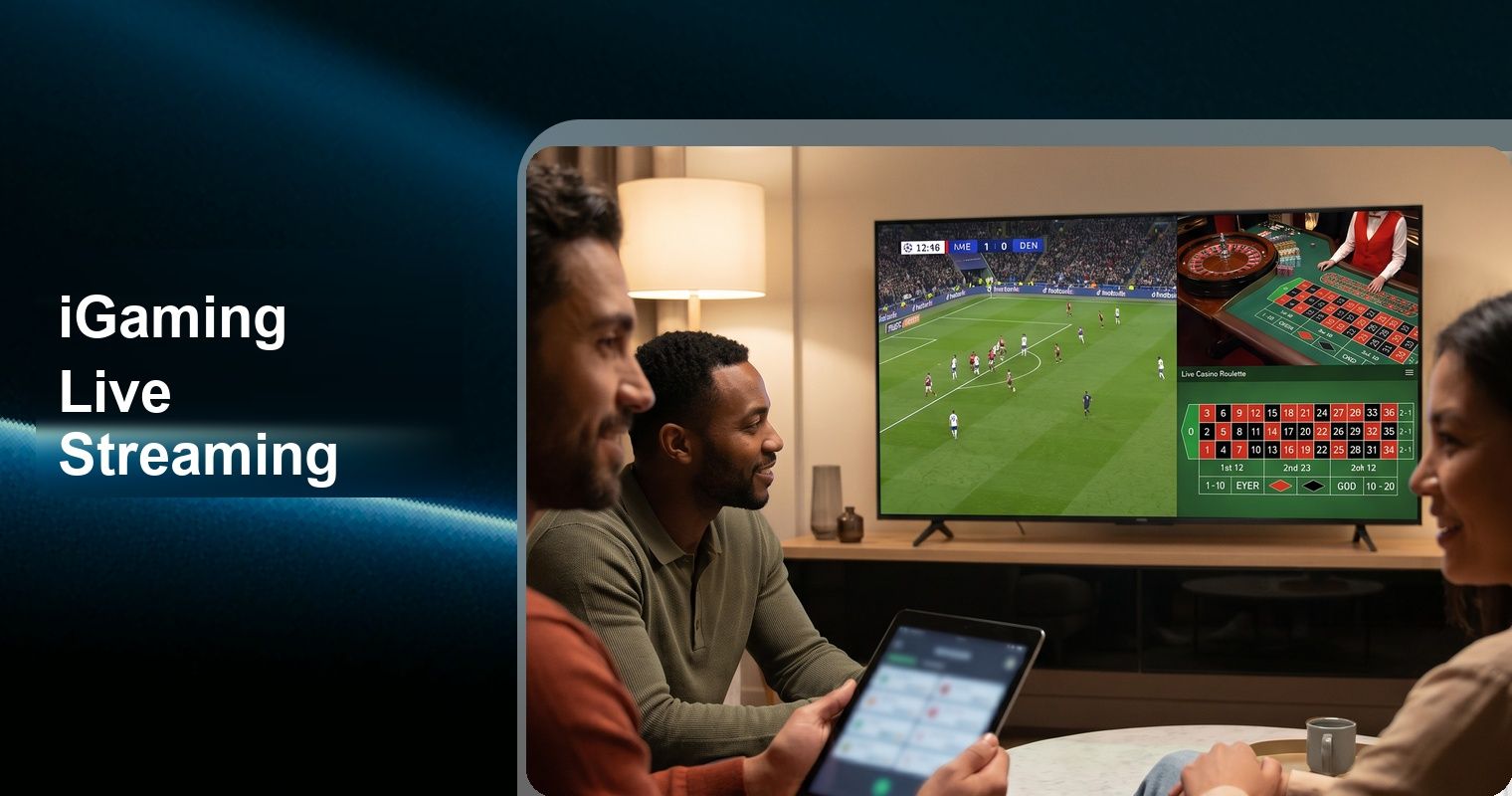
In live sports betting, 300 milliseconds is the difference between a valid bet and a rejected one. When a goal is scored, a card is dealt, or a roulette wheel stops, every player must see the result at effectively the same instant. Traditional streaming infrastructure — built for Netflix and YouTube where 5–30 seconds of latency is invisible — fails catastrophically in iGaming.
This technical guide covers the complete architecture for sub-300ms live streaming in iGaming: protocol selection (RTMP vs RTC), multi-camera configuration, first-frame optimization, CDN topology, danmaku (barrage) synchronization, and production-ready code using the Tencent RTC SDK.
TL;DR
- 300ms is the industry-accepted maximum latency for interactive iGaming — above this, delay arbitrage and past-posting become exploitable
- Full RTC chain (UDP-based) achieves 100-300ms end-to-end; RTMP+RTC hybrid delivers 300-500ms; HLS/DASH is unusable at 3-30s
- First-frame optimization (edge pre-connection, I-frame caching) reduces stream startup from 3-5s to under 1.5s
- Jitter buffer is the largest single latency contributor — tuning from 200ms default to 80ms is safe on reliable studio-to-SFU paths
- Multi-camera danmaku synchronization requires video, chat, and game state to travel the same network path
TL;DR
- 300ms is the industry-accepted maximum latency for interactive iGaming — above this, delay arbitrage and past-posting become exploitable
- Full RTC chain (UDP-based) achieves 100-300ms end-to-end; RTMP+RTC hybrid delivers 300-500ms; HLS/DASH is unusable at 3-30s
- First-frame optimization (edge pre-connection, I-frame caching) reduces stream startup from 3-5s to under 1.5s
- Jitter buffer is the largest single latency contributor — tuning from 200ms default to 80ms is safe on reliable studio-to-SFU paths
- Multi-camera danmaku synchronization requires video, chat, and game state to travel the same network path
Why Latency Matters in iGaming
The 300ms Threshold
Industry consensus and regulatory requirements converge on 300ms as the maximum acceptable end-to-end latency for interactive iGaming. The global online gambling market reached $78.66 billion in 2024 (Grand View Research) with live/interactive segments growing fastest, making low-latency delivery a critical competitive differentiator:
- Live dealer casinos: Players must see card reveals within 300ms to maintain game integrity. A player seeing results 500ms late could receive bets from confederates who already know the outcome. The Malta Gaming Authority (MGA) Remote Gaming Regulations explicitly require operators to ensure streaming infrastructure prevents exploitation through latency.
- In-play sports betting: Odds shift on every play. A 2-second delay means players bet on stale odds — either the operator loses money (accepting bets on already-scored goals) or players lose trust (bets rejected due to "odds changed"). In-play betting now represents over 70% of all online sports betting turnover according to H2 Gambling Capital.
- Prediction games: Real-time horse racing, virtual sports, and esports require synchronized viewing for fair wagering windows.
- Regulatory compliance: The UK Gambling Commission (UKGC) mandates that remote casino operators demonstrate adequate controls against "past-posting" — placing bets after outcomes are determined but before the system registers them.
The Cost of Latency
| Latency | Impact on iGaming Operations |
|---|---|
| <300ms | Ideal. Full interactivity possible. No exploitation window. |
| 300ms–1s | Marginal. In-play betting still viable with tighter bet windows. |
| 1–3s | Problematic. Must close betting earlier. Player experience degrades. |
| 3–5s | Critical. Live betting essentially impossible. Results leaked via faster channels (social media, data feeds). |
| >5s | Unusable for any interactive betting. Players abandon to competitors. |
Real-World Consequences
LiveG24, an iGaming streaming provider, documented their migration from RTMP/Flash (3–4 second latency) to WebRTC-based delivery (sub-1 second). The result: 40% increase in in-play bet volume and 25% reduction in void bets caused by latency-related odds changes.
Nanocosmos reports that iGaming operators streaming to Latin America (physically distant from European studios) achieved sub-1-second delivery using edge computing and WebRTC transport — compared to 4–8 seconds with traditional HLS/DASH delivery. The W3C WebRTC standard provides the underlying framework for these ultra-low-latency implementations, while vendor-specific optimizations like FEC and adaptive jitter buffers push latency below the 300ms threshold.
Protocol Deep Dive: RTMP vs RTC
RTMP (Real-Time Messaging Protocol)
RTMP was designed by Adobe in 2002 for Flash-based streaming. Despite Flash's deprecation, RTMP persists as an ingest protocol because of hardware encoder ubiquity.
How RTMP Works:
- TCP connection established between encoder and server
- Handshake and connection negotiation
- Audio/video data transmitted as FLV (Flash Video) chunks
- Server receives, processes, and redistributes
RTMP Latency Breakdown:
Encoder buffer:          50–200ms
TCP transmission:        50–150ms (RTT dependent)
Server processing:       50–100ms
Transcoding:             100–500ms (if adaptive bitrate needed)
CDN distribution:        100–500ms (HLS/DASH segmentation)
Player buffer:           500–2000ms
─────────────────────────────────────
Total:                   900ms – 3.5s (typical)
Why RTMP Can't Achieve Sub-300ms:
- TCP requires acknowledgment of every packet before sending the next (head-of-line blocking)
- FLV container format adds packaging overhead
- Transcoding for adaptive delivery introduces mandatory delay
- HLS/DASH segment-based delivery requires accumulating 2–6 seconds of content per segment
- Player-side buffers compensate for TCP's jitter sensitivity
Where RTMP Still Makes Sense:
- Camera/encoder ingest (hardware support is universal)
- Non-interactive content delivery (VOD, non-betting streams)
- Hybrid architectures where RTMP feeds into an RTC conversion layer
RTC (Real-Time Communication)
RTC protocols (WebRTC, proprietary RTC implementations) were designed for interactive communication where latency must be imperceptible.
How RTC Works:
- UDP-based transport (no TCP acknowledgment delays)
- DTLS-SRTP encryption (secure without TCP overhead)
- ICE/STUN/TURN for NAT traversal (finds optimal network path)
- Adaptive jitter buffer (minimizes buffering without accumulated delay)
- Forward Error Correction (FEC) recovers lost packets without retransmission
RTC Latency Breakdown:
Encoder:                 20–50ms
UDP transmission:        20–80ms (one-way, no ACK wait)
Edge processing:         10–30ms
Network jitter buffer:   30–80ms
Decoder:                 10–30ms
─────────────────────────────────────
Total:                   90–270ms (typical)
Why RTC Achieves Sub-300ms:
- UDP eliminates head-of-line blocking (lost packets skipped, not retransmitted)
- No segmentation required (frames delivered individually)
- FEC recovers common packet loss without round-trip retransmission
- Adaptive bitrate responds in milliseconds (not seconds like HLS ABR)
- Direct edge delivery (no CDN segment caching delays)
Trade-offs:
- Higher bandwidth consumption (no aggressive buffering/caching)
- More complex infrastructure (signaling servers, TURN relays, edge nodes)
- Packet loss above 30–40% causes visible artifacts (TCP would buffer instead)
- Requires RTC-capable encoding hardware or software bridges
Protocol Selection Matrix for iGaming
| Use Case | Recommended Protocol | Latency Target | Justification |
|---|---|---|---|
| Live dealer casino | Full RTC | <200ms | Player decisions are real-time |
| In-play sports betting | RTC or Hybrid | <300ms | Odds integrity requires synchronization |
| Horse racing/virtual sports | RTC or Hybrid | <300ms | Synchronized wagering windows |
| Esports betting | Full RTC | <150ms | Fastest-paced betting markets |
| Pre-match streaming | Hybrid (RTMP→RTC) | <500ms | Lower interactivity requirements |
| Replay/highlights | RTMP/HLS | 2–5s acceptable | No betting integrity concerns |
| Casino game shows | RTC | <300ms | Interactive voting/chat synchronization |
Architecture 1: RTMP Hybrid (RTMP Ingest → RTC Delivery)
The hybrid architecture uses RTMP for camera ingest (leveraging existing hardware) and converts to RTC for last-mile delivery. This is documented in TRTC's Live Streaming Architecture Guide as the lower-cost starting point.
Architecture Diagram
┌────────────────────────────────────────────────────────┐
│                    Studio / Venue                        │
│                                                         │
│  ┌──────────┐     RTMP Push      ┌─────────────────┐  │
│  │ Camera   │ ──────────────────→ │ RTMP Encoder    │  │
│  │ (IP/SDI) │                     │ (OBS/Hardware)  │  │
│  └──────────┘                     └────────┬────────┘  │
│                                            │           │
└────────────────────────────────────────────┼───────────┘
                                             │ RTMP
                                             ▼
                              ┌──────────────────────────┐
                              │   TRTC Media Server      │
                              │                          │
                              │  ┌────────────────────┐  │
                              │  │ RTMP→RTC Converter │  │
                              │  │ • Demux FLV        │  │
                              │  │ • Transcode (opt)  │  │
                              │  │ • RTC packetize    │  │
                              │  └─────────┬──────────┘  │
                              │            │             │
                              │  ┌─────────▼──────────┐  │
                              │  │   RTC Engine       │  │
                              │  │   Room Manager     │  │
                              │  └─────────┬──────────┘  │
                              └────────────┼─────────────┘
                                           │
                              ┌─────────────┼──────────────┐
                              │    TRTC Edge Network       │
                              │                            │
                              │  ┌─────┐ ┌─────┐ ┌─────┐ │
                              │  │ EU  │ │ NA  │ │ APAC│ │
                              │  │Edge │ │Edge │ │Edge │ │
                              │  └──┬──┘ └──┬──┘ └──┬──┘ │
                              └─────┼───────┼───────┼─────┘
                                    │       │       │
                              ┌─────▼──┐ ┌──▼───┐ ┌▼─────┐
                              │Players │ │Players│ │Players│
                              │(EU)    │ │(NA)   │ │(APAC) │
                              └────────┘ └──────┘ └───────┘
Latency Analysis
Camera capture:              16ms (1 frame at 60fps)
RTMP encoding + push:       50–100ms
Network (studio → server):  20–80ms (depends on proximity)
RTMP→RTC conversion:        30–80ms
RTC edge distribution:      20–60ms
Client decode + render:     20–50ms
─────────────────────────────────────────────
Total:                      156–386ms
Achievable: 200–400ms typical, meeting the <300ms target in favorable conditions.
Configuration: RTMP Push Setup
// OBS Studio RTMP configuration for TRTC ingest
// Server: rtmp://push.trtc.io/live/
// Stream Key: sdkAppId_roomId_userId_userSig

// Programmatic RTMP push using FFmpeg (server-side)
const ffmpegCommand = `
ffmpeg -i /dev/video0 \
  -c:v libx264 \
  -preset ultrafast \
  -tune zerolatency \
  -profile:v baseline \
  -level 3.1 \
  -b:v 3000k \
  -maxrate 3500k \
  -bufsize 1000k \
  -g 30 \
  -keyint_min 30 \
  -sc_threshold 0 \
  -r 30 \
  -s 1920x1080 \
  -c:a aac \
  -b:a 128k \
  -ar 44100 \
  -f flv \
  "rtmp://push.trtc.io/live/${streamKey}"
`;
Critical FFmpeg Parameters for Low Latency:
| Parameter | Value | Purpose |
|---|---|---|
-preset ultrafast | Minimum encoding latency | Sacrifices compression for speed |
-tune zerolatency | Disables lookahead | Prevents frame buffering |
-profile:v baseline | No B-frames | Eliminates future-reference delay |
-g 30 | GOP = 30 frames (1 second) | Frequent I-frames for fast join |
-bufsize 1000k | Small rate control buffer | Reduces encoder-side buffering |
-sc_threshold 0 | Disable scene change detection | Predictable I-frame spacing |
Configuration: TRTC Hybrid Room Setup
import TRTC from 'trtc-sdk-v5';

const trtc = TRTC.create();

// Configure room for RTMP hybrid streaming
async function setupHybridStreamRoom(roomConfig) {
  const { roomId, sdkAppId, userId, userSig } = roomConfig;

  await trtc.enterRoom({
    roomId: roomId,
    sdkAppId: sdkAppId,
    userId: userId,
    userSig: userSig,
    scene: 'live',
    role: 'audience', // Viewers join as audience
  });

  // Configure low-latency playback
  trtc.setRemoteVideoConfig({
    userId: 'rtmp_source', // The RTMP-converted stream appears as this user
    streamType: TRTC.TYPE.STREAM_TYPE_MAIN,
    option: {
      // Low-latency playback optimization
      minCacheDuration: 80,  // ms - minimum buffer
      maxCacheDuration: 100, // ms - maximum buffer (keep tight)
      enableHardwareDecode: true,
      enableSoftwareDecode: true, // Fallback
    },
  });

  // Subscribe to the converted RTMP stream
  trtc.on(TRTC.EVENT.REMOTE_VIDEO_AVAILABLE, ({ userId, streamType }) => {
    trtc.startRemoteVideo({
      userId,
      streamType,
      view: document.getElementById('live-stream-container'),
    });
  });
}
Server-Side: RTMP Relay Configuration with MCP
// Configure RTMP-to-RTC relay via server management
const configureRtmpRelay = {
  tool: "@tencentcloud/sdk-mcp",
  action: "configureStreamRelay",
  params: {
    sdkAppId: process.env.TRTC_APP_ID,
    roomId: "live_match_001",
    relayConfig: {
      inputProtocol: "rtmp",
      inputUrl: "rtmp://push.trtc.io/live/stream_key_here",
      outputProtocol: "rtc",
      transcoding: {
        enabled: true,
        videoCodec: "H264",
        videoProfile: "Baseline",
        videoBitrate: 3000, // kbps
        videoFrameRate: 30,
        videoWidth: 1920,
        videoHeight: 1080,
        audioCodec: "AAC",
        audioBitrate: 128,
        audioSampleRate: 44100,
      },
      lowLatencyConfig: {
        enableBFrames: false,
        keyFrameIntervalMs: 50, // Frequent I-frames
        minBufferMs: 80,
        maxBufferMs: 100,
        enableFEC: true, // Forward Error Correction
        fecRate: 0.2, // 20% redundancy
      }
    }
  }
};
Architecture 2: Full RTC (End-to-End RTC)
The full RTC architecture eliminates RTMP entirely. Cameras or encoding hardware embed the TRTC SDK directly, publishing video via RTC protocol from the source. This achieves the lowest possible latency (100–300ms) as documented in TRTC's architecture reference.
Architecture Diagram
┌──────────────────────────────────────────────────────────┐
│                    Studio / Venue                          │
│                                                           │
│  ┌──────────────┐   ┌──────────────┐   ┌─────────────┐  │
│  │ Camera 1     │   │ Camera 2     │   │ Camera 3    │  │
│  │ (Wide Shot)  │   │ (Close-up)   │   │ (Detail)    │  │
│  │ +TRTC SDK    │   │ +TRTC SDK    │   │ +TRTC SDK   │  │
│  └──────┬───────┘   └──────┬───────┘   └──────┬──────┘  │
│         │                   │                   │         │
│         └───────────────────┼───────────────────┘         │
│                             │ RTC (UDP)                    │
└─────────────────────────────┼─────────────────────────────┘
                              │
                              ▼
               ┌──────────────────────────────┐
               │      TRTC Edge Network       │
               │                              │
               │  Nearest Edge Node           │
               │  • Receives RTC streams      │
               │  • Distributes to global     │
               │    edge network              │
               │  • No transcoding needed     │
               │    (already RTC format)      │
               └──────────────┬───────────────┘
                              │
               ┌──────────────┼───────────────┐
               │              │               │
        ┌──────▼──────┐ ┌────▼─────┐ ┌──────▼──────┐
        │  Edge EU    │ │ Edge NA  │ │  Edge APAC  │
        │  (Frankfurt)│ │ (Virginia│ │  (Singapore)│
        └──────┬──────┘ └────┬─────┘ └──────┬──────┘
               │             │               │
        ┌──────▼──────┐ ┌────▼─────┐ ┌──────▼──────┐
        │  Players    │ │ Players  │ │  Players    │
        │  ~30-80ms   │ │ ~30-80ms │ │  ~30-80ms   │
        └─────────────┘ └──────────┘ └─────────────┘
Latency Analysis
Camera capture:              16ms (1 frame at 60fps)
RTC encoding (H.264 HW):    10–30ms
UDP transmission to edge:    20–50ms
Edge relay:                  5–15ms
UDP transmission to viewer:  20–50ms
Client jitter buffer:        30–60ms
Client decode + render:      10–20ms
─────────────────────────────────────────────
Total:                       111–241ms
Achievable: 100–250ms typical, consistently sub-300ms globally.
Configuration: Full RTC Camera Publishing
import TRTC from 'trtc-sdk-v5';

// Each camera runs the TRTC SDK directly
async function startCameraRtcPublish(cameraConfig) {
  const { cameraId, roomId, resolution, frameRate, bitrate } = cameraConfig;

  const trtc = TRTC.create();

  await trtc.enterRoom({
    roomId: roomId,
    sdkAppId: YOUR_SDK_APP_ID,
    userId: `camera_${cameraId}`,
    userSig: generateUserSig(`camera_${cameraId}`),
    scene: 'live',
    role: 'anchor',
  });

  // Configure video encoding for minimal latency
  await trtc.startLocalVideo({
    option: {
      profile: resolution, // '1080p', '720p', '540p', '360p'
      frameRate: frameRate, // 30 recommended, 60 for fast action
      bitrate: bitrate, // kbps
      // Low-latency encoding parameters
      encoderConfig: {
        codec: 'H264',
        profile: 'Baseline', // No B-frames
        keyFrameInterval: 50, // ms between I-frames
        rateControl: 'VBR',
        enableHardwareEncoder: true,
      },
    },
  });

  // Publish audio (one camera handles audio, others video-only)
  if (cameraConfig.publishAudio) {
    await trtc.startLocalAudio({
      option: { profile: 'music' }, // High quality for studio environment
    });
  }

  return trtc;
}

// Initialize multi-camera setup
async function initializeStudio() {
  const cameras = [
    {
      cameraId: 'wide',
      roomId: 'live_match_001',
      resolution: '1080p',
      frameRate: 30,
      bitrate: 4000,
      publishAudio: true, // Main camera handles audio
    },
    {
      cameraId: 'closeup_1',
      roomId: 'live_match_001',
      resolution: '1080p',
      frameRate: 30,
      bitrate: 3000,
      publishAudio: false,
    },
    {
      cameraId: 'detail',
      roomId: 'live_match_001',
      resolution: '720p',
      frameRate: 60, // Higher framerate for fast-moving detail shots
      bitrate: 2500,
      publishAudio: false,
    },
  ];

  const instances = await Promise.all(
    cameras.map(cam => startCameraRtcPublish(cam))
  );

  return instances;
}
Configuration: Viewer-Side Low-Latency Playback
import TRTC from 'trtc-sdk-v5';

const trtc = TRTC.create();

async function joinLiveStream(roomId, userId) {
  await trtc.enterRoom({
    roomId: roomId,
    sdkAppId: YOUR_SDK_APP_ID,
    userId: userId,
    userSig: generateUserSig(userId),
    scene: 'live',
    role: 'audience',
  });

  // Configure for minimum latency playback
  trtc.on(TRTC.EVENT.REMOTE_VIDEO_AVAILABLE, ({ userId: remoteId, streamType }) => {
    trtc.startRemoteVideo({
      userId: remoteId,
      streamType,
      view: document.getElementById('stream-container'),
      option: {
        // Playback buffer configuration
        minCacheDuration: 80,   // ms minimum buffer
        maxCacheDuration: 100,  // ms maximum buffer
        // Decoder configuration
        enableHardwareDecode: true,
        enableSoftwareDecode: true, // Fallback for compatibility
        // Render configuration
        fillMode: 'contain',
        mirror: false,
      },
    });
  });

  // Monitor stream quality
  trtc.on(TRTC.EVENT.NETWORK_QUALITY, (event) => {
    const { uplinkNetworkQuality, downlinkNetworkQuality } = event;

    if (downlinkNetworkQuality > 3) {
      // Network degrading — switch to lower quality stream
      console.warn('Network quality dropping, requesting lower bitrate');
      switchToLowerQuality();
    }
  });

  // Handle stream statistics for debugging
  trtc.on(TRTC.EVENT.STATISTICS, (stats) => {
    stats.remoteStatistics.forEach(remote => {
      console.log(`Stream from ${remote.userId}:`);
      console.log(`  Video bitrate: ${remote.videoBitrate} kbps`);
      console.log(`  Frame rate: ${remote.frameRate} fps`);
      console.log(`  Packet loss: ${remote.videoPacketLoss}%`);
      console.log(`  Jitter: ${remote.jitterBufferDelay} ms`);
    });
  });
}

function switchToLowerQuality() {
  // Request small stream (lower resolution/bitrate backup)
  trtc.startRemoteVideo({
    userId: 'camera_wide',
    streamType: TRTC.TYPE.STREAM_TYPE_SMALL, // Small stream subscription
    view: document.getElementById('stream-container'),
  });
}
Hardware Integration: Android Camera SDK
For operators building custom hardware (smart cameras, encoding boxes), TRTC provides native Android SDK integration:
// Android: Custom camera capture with TRTC SDK
// Resolution: 768x1024 @ 20fps / 1500kbps (high quality)
// Alternative: 480x640 @ 20fps / 900kbps (medium quality)

public class CameraPublisher {
    private TRTCCloud trtcCloud;

    public void initializeCamera(String roomId, String userId) {
        trtcCloud = TRTCCloud.sharedInstance(getApplicationContext());

        // Configure encoding parameters for low latency
        TRTCCloudDef.TRTCVideoEncParam encParam = new TRTCCloudDef.TRTCVideoEncParam();
        encParam.videoResolution = TRTCCloudDef.TRTC_VIDEO_RESOLUTION_1280_720;
        encParam.videoFps = 30;
        encParam.videoBitrate = 3000;
        encParam.videoResolutionMode = TRTCCloudDef.TRTC_VIDEO_RESOLUTION_MODE_LANDSCAPE;
        encParam.enableAdjustRes = false; // Fixed resolution for consistency

        trtcCloud.setVideoEncoderParam(encParam);

        // Set encoding profile to Baseline (no B-frames)
        trtcCloud.callExperimentalAPI("{\"api\":\"setVideoEncoderProfile\",\"params\":{\"profile\":\"baseline\"}}");

        // Set key frame interval to 50ms for fast first-frame
        trtcCloud.callExperimentalAPI("{\"api\":\"setKeyFrameInterval\",\"params\":{\"interval\":50}}");

        // Enter room as anchor
        TRTCCloudDef.TRTCParams params = new TRTCCloudDef.TRTCParams();
        params.sdkAppId = SDK_APP_ID;
        params.roomId = Integer.parseInt(roomId);
        params.userId = userId;
        params.userSig = generateUserSig(userId);
        params.role = TRTCCloudDef.TRTCRoleAnchor;

        trtcCloud.enterRoom(params, TRTCCloudDef.TRTC_APP_SCENE_LIVE);

        // Start custom video capture (texture-based for efficiency)
        trtcCloud.enableCustomVideoCapture(
            TRTCCloudDef.TRTC_VIDEO_STREAM_TYPE_BIG, true);
    }

    // Feed camera frames to TRTC (texture-based)
    public void onCameraFrame(int textureId, int width, int height) {
        TRTCCloudDef.TRTCVideoFrame frame = new TRTCCloudDef.TRTCVideoFrame();
        frame.texture = new TRTCCloudDef.TRTCTexture();
        frame.texture.textureId = textureId;
        frame.width = width;   // Must be multiple of 16
        frame.height = height; // Must be multiple of 16
        frame.pixelFormat = TRTCCloudDef.TRTC_VIDEO_PIXEL_FORMAT_Texture_2D;
        frame.bufferType = TRTCCloudDef.TRTC_VIDEO_BUFFER_TYPE_TEXTURE;
        frame.timestamp = System.currentTimeMillis();

        trtcCloud.sendCustomVideoData(
            TRTCCloudDef.TRTC_VIDEO_STREAM_TYPE_BIG, frame);
    }
}
First-Frame Optimization
First-frame time (time from "join" to "first visible frame") directly impacts player experience and retention. Players who wait more than 2 seconds for a stream to start abandon at 50%+ rates.
Bottleneck Analysis
Standard first-frame timeline (unoptimized):
──────────────────────────────────────────────────────────────
DNS resolution:           50–200ms
TCP/TLS handshake:        100–300ms  (eliminated with UDP/DTLS)
Authentication API:       200–500ms  ← Major bottleneck
Room info retrieval:      100–300ms  ← Major bottleneck
Signaling exchange:       50–100ms
ICE connectivity check:   100–300ms
Wait for I-frame:         0–1000ms   ← Major bottleneck (depends on GOP)
Decode first frame:       10–30ms
──────────────────────────────────────────────────────────────
Total (worst case):       610–2730ms
Optimization Strategies
Strategy 1: Asynchronous API Preloading
Don't wait for authentication and room info sequentially. Fire them in parallel before the user taps "Watch":
class StreamPreloader {
  constructor(sdkAppId) {
    this.sdkAppId = sdkAppId;
    this.preloadedData = {};
    this.trtc = null;
  }

  // Call this when stream thumbnail is VISIBLE (before user taps)
  async preload(roomId, userId) {
    // Fire all preparatory requests in parallel
    const [userSig, roomInfo, trtcInstance] = await Promise.all([
      this.generateUserSig(userId),
      this.fetchRoomInfo(roomId),
      this.initializeTrtc(),
    ]);

    this.preloadedData[roomId] = { userSig, roomInfo, trtcInstance };

    // Pre-establish UDP connection (DTLS handshake)
    await trtcInstance.preconnect({
      roomId,
      sdkAppId: this.sdkAppId,
      userId,
      userSig,
    });
  }

  // When user taps "Watch" — near-instant join
  async joinStream(roomId) {
    const { userSig, roomInfo, trtcInstance } = this.preloadedData[roomId];

    // Room entry is fast because connection is pre-established
    await trtcInstance.enterRoom({
      roomId,
      sdkAppId: this.sdkAppId,
      userId: roomInfo.userId,
      userSig,
      scene: 'live',
      role: 'audience',
    });

    // Subscribe immediately — first frame arrives within 1 I-frame interval
    trtcInstance.on(TRTC.EVENT.REMOTE_VIDEO_AVAILABLE, ({ userId, streamType }) => {
      trtcInstance.startRemoteVideo({
        userId,
        streamType,
        view: document.getElementById('stream-container'),
      });
    });
  }
}

// Usage: preload when listing available streams
const preloader = new StreamPreloader(YOUR_SDK_APP_ID);
availableStreams.forEach(stream => {
  preloader.preload(stream.roomId, currentUserId);
});
Strategy 2: Frequent I-Frames (Short Key Frame Interval)
The viewer can only start rendering from the next I-frame. If GOP is 2 seconds, worst-case wait is 2 seconds.
// Publisher-side: Configure 50ms key frame interval
const publisherConfig = {
  keyFrameInterval: 50, // I-frame every 50ms = 20 I-frames/second at 30fps
  // Trade-off: higher bitrate (I-frames are larger than P-frames)
  // Mitigation: only during first 2 seconds, then relax to normal GOP
};

// Dynamic I-frame strategy:
// 1. On new viewer join → send immediate I-frame
// 2. Normal operation → standard 1-second GOP
// This eliminates worst-case I-frame wait entirely
Strategy 3: Progressive Quality Enhancement
Show something immediately, enhance quality progressively:
async function progressiveStreamJoin(roomId) {
  const trtc = TRTC.create();

  await trtc.enterRoom({
    roomId,
    sdkAppId: YOUR_SDK_APP_ID,
    userId: currentUserId,
    userSig: await getUserSig(),
    scene: 'live',
    role: 'audience',
  });

  trtc.on(TRTC.EVENT.REMOTE_VIDEO_AVAILABLE, ({ userId, streamType }) => {
    // Phase 1: Subscribe to small stream first (lower resolution, faster first frame)
    trtc.startRemoteVideo({
      userId,
      streamType: TRTC.TYPE.STREAM_TYPE_SMALL,
      view: document.getElementById('stream-container'),
    });

    // Phase 2: After first frame rendered, upgrade to main stream
    setTimeout(() => {
      trtc.startRemoteVideo({
        userId,
        streamType: TRTC.TYPE.STREAM_TYPE_MAIN,
        view: document.getElementById('stream-container'),
      });
    }, 500); // Wait 500ms for stable playback, then upgrade
  });
}
Strategy 4: Network-Aware Feature Downgrade
Under poor network conditions, prioritize video delivery over auxiliary features:
class AdaptiveStreamManager {
  constructor(trtc) {
    this.trtc = trtc;
    this.qualityLevel = 'high'; // high, medium, low

    this.trtc.on(TRTC.EVENT.NETWORK_QUALITY, (event) => {
      this.adaptToNetwork(event.downlinkNetworkQuality);
    });
  }

  adaptToNetwork(quality) {
    // quality: 1 (excellent) to 6 (disconnected)
    if (quality <= 2 && this.qualityLevel !== 'high') {
      this.upgradeQuality();
    } else if (quality === 3 || quality === 4) {
      this.degradeToMedium();
    } else if (quality >= 5) {
      this.degradeToLow();
    }
  }

  upgradeQuality() {
    this.qualityLevel = 'high';
    // Full quality: main stream + chat overlay + reactions
    this.trtc.startRemoteVideo({
      userId: this.streamUserId,
      streamType: TRTC.TYPE.STREAM_TYPE_MAIN,
      view: this.container,
    });
    this.enableChatOverlay(true);
    this.enableReactions(true);
  }

  degradeToMedium() {
    this.qualityLevel = 'medium';
    // Reduced: small stream + chat (no reactions overlay)
    this.trtc.startRemoteVideo({
      userId: this.streamUserId,
      streamType: TRTC.TYPE.STREAM_TYPE_SMALL,
      view: this.container,
    });
    this.enableChatOverlay(true);
    this.enableReactions(false);
  }

  degradeToLow() {
    this.qualityLevel = 'low';
    // Minimum: audio only + static frame + text chat
    this.trtc.stopRemoteVideo({ userId: this.streamUserId });
    // Keep audio for commentary
    this.enableChatOverlay(true);
    this.enableReactions(false);
    this.showStaticFrame(); // Last captured frame as placeholder
  }
}
First-Frame Optimization Results
With all strategies applied:
Optimized first-frame timeline:
──────────────────────────────────────────────────────────────
Preloaded connection:     0ms (already established)
Room entry:               20–50ms (pre-authenticated)
Wait for I-frame:         0–50ms (50ms key frame interval)
Decode first frame:       10–20ms
──────────────────────────────────────────────────────────────
Total:                    30–120ms
From 2.7 seconds worst-case to 120ms worst-case — a 22x improvement.
Multi-Camera Setup for iGaming
Sports Betting: Multi-Angle Match Coverage
// Multi-camera sports broadcast configuration
const sportsStreamConfig = {
  cameras: [
    {
      id: 'main_wide',
      description: 'Wide shot covering full pitch/court',
      resolution: '1080p',
      frameRate: 30,
      bitrate: 4000,
      priority: 'high', // Always available
    },
    {
      id: 'action_cam',
      description: 'Follow-the-ball/puck camera',
      resolution: '1080p',
      frameRate: 60, // Higher FPS for fast action
      bitrate: 5000,
      priority: 'high',
    },
    {
      id: 'scoreboard',
      description: 'Scoreboard and statistics overlay',
      resolution: '720p',
      frameRate: 15, // Lower FPS sufficient for stats
      bitrate: 1000,
      priority: 'medium',
    },
    {
      id: 'crowd_atmosphere',
      description: 'Crowd reactions and atmosphere',
      resolution: '720p',
      frameRate: 30,
      bitrate: 2000,
      priority: 'low', // Dropped first under bandwidth pressure
    },
  ],

  // Automatic camera switching based on game events
  autoSwitch: {
    enabled: true,
    rules: [
      { event: 'goal', camera: 'action_cam', duration: 10000 },
      { event: 'penalty', camera: 'action_cam', duration: 30000 },
      { event: 'timeout', camera: 'crowd_atmosphere', duration: 15000 },
      { event: 'default', camera: 'main_wide' },
    ],
  },
};
Live Dealer Casino: Table Coverage
// Multi-camera live dealer configuration
const casinoStreamConfig = {
  cameras: [
    {
      id: 'dealer_table',
      description: 'Wide shot of dealer and table',
      resolution: '1080p',
      frameRate: 30,
      bitrate: 3500,
      priority: 'high',
    },
    {
      id: 'cards_closeup',
      description: 'Overhead close-up of cards/wheel',
      resolution: '1080p',
      frameRate: 30,
      bitrate: 3000,
      priority: 'high',
    },
    {
      id: 'shoe_cam',
      description: 'Side view of card shoe (integrity)',
      resolution: '720p',
      frameRate: 30,
      bitrate: 2000,
      priority: 'medium',
    },
  ],

  // OCR integration for card/result detection
  ocrConfig: {
    enabled: true,
    cameraSource: 'cards_closeup',
    detectionTypes: ['playing_cards', 'roulette_number', 'dice_value'],
    outputChannel: 'game_state_ws', // Feed results to game state server
    latencyBudget: 50, // ms maximum OCR processing time
  },
};
Danmaku (Barrage) Synchronization
Danmaku — scrolling comments overlaid on the video stream — are essential for live betting engagement. Players react to goals, big wins, and game events in real-time. The challenge: synchronizing text messages with video streams that have variable latency.
The Synchronization Problem
Video stream:    ──[frame 1]──[frame 2]──[frame 3]──[goal!]──
                                                      ↓
Chat messages:   ──────────────────────[GOAL!!!]──[OMG]──[💰]──
                                          ↑
                                     Chat arrives 50ms before
                                     video shows the goal
                                     (chat is text = faster)
If chat messages about a goal appear before the viewer sees the goal on video, it spoils the experience and can enable information exploitation in betting.
Solution: Timestamp-Aligned Danmaku
class DanmakuSynchronizer {
  constructor(videoTimestamp, chatTimestamp) {
    this.videoOffset = 0; // Current video playback timestamp
    this.pendingMessages = []; // Messages waiting for display
    this.displayDelay = 100; // ms delay to account for video jitter
  }

  // Called when video frame is rendered (with timestamp)
  onVideoFrame(frameTimestamp) {
    this.videoOffset = frameTimestamp;
    this.flushPendingMessages();
  }

  // Called when chat message arrives
  onChatMessage(message) {
    // Message includes server timestamp of when it was sent
    const displayTime = message.serverTimestamp + this.displayDelay;

    if (displayTime <= this.videoOffset) {
      // Video has already passed this point — display immediately
      this.renderDanmaku(message);
    } else {
      // Queue until video catches up
      this.pendingMessages.push({ message, displayTime });
      this.pendingMessages.sort((a, b) => a.displayTime - b.displayTime);
    }
  }

  flushPendingMessages() {
    while (
      this.pendingMessages.length > 0 &&
      this.pendingMessages[0].displayTime <= this.videoOffset
    ) {
      const { message } = this.pendingMessages.shift();
      this.renderDanmaku(message);
    }
  }

  renderDanmaku(message) {
    const danmaku = document.createElement('div');
    danmaku.className = 'danmaku-message';
    danmaku.textContent = `${message.username}: ${message.text}`;
    danmaku.style.top = `${this.getAvailableTrack() * 30}px`;

    document.getElementById('danmaku-layer').appendChild(danmaku);

    // Animate scrolling from right to left
    danmaku.animate(
      [
        { transform: 'translateX(100vw)' },
        { transform: 'translateX(-100%)' },
      ],
      { duration: 8000, easing: 'linear' }
    ).onfinish = () => danmaku.remove();
  }

  getAvailableTrack() {
    // Simple track allocation to prevent overlap
    return Math.floor(Math.random() * 10); // 10 available tracks
  }
}

// Integration with TRTC stream
const sync = new DanmakuSynchronizer();

// Video timestamp callback
trtc.on(TRTC.EVENT.VIDEO_FRAME_DECODED, ({ timestamp }) => {
  sync.onVideoFrame(timestamp);
});

// Chat message callback
chatClient.on('MESSAGE_RECEIVED', (messages) => {
  messages.forEach(msg => sync.onChatMessage(msg));
});
Danmaku Moderation for iGaming
In betting environments, danmaku moderation must prevent:
- Result spoiling (chat revealing outcomes before video shows them)
- Coordinated cheating signals
- Problem gambling language
- Underage user identification
// Server-side danmaku moderation pipeline
const moderationPipeline = {
  tool: "@tencentcloud/sdk-mcp",
  action: "configureDanmakuModeration",
  params: {
    sdkAppId: process.env.TRTC_APP_ID,
    roomId: "live_match_001",
    moderation: {
      // Real-time text filtering
      textFilters: [
        {
          type: "profanity",
          action: "block",
          languages: ["en", "es", "pt", "de"],
        },
        {
          type: "custom_regex",
          patterns: [
            "goal.*scored", // Prevent early result disclosure
            "winner.*is",
            "result.*\\d+",
          ],
          action: "delay", // Hold message until video catches up
          delayMs: 500,
        },
        {
          type: "gambling_promotion",
          action: "block",
        },
      ],
      // Rate limiting
      rateLimiting: {
        maxMessagesPerUser: 3, // per 5 seconds
        maxMessagesPerRoom: 100, // per second
        burstAllowance: 10, // During exciting moments
      },
      // Spam detection
      spamDetection: {
        duplicateThreshold: 0.8, // 80% similarity = spam
        emojiBombThreshold: 20, // Max consecutive emojis
      },
    },
  },
};
CDN Topology for Global iGaming Delivery
Edge Network Architecture
TRTC operates edge nodes across 200+ countries, but iGaming requires strategic node placement to comply with licensing jurisdictions and minimize latency to regulated markets.
                    ┌──────────────────────┐
                    │   Origin (Studio)    │
                    │   Frankfurt, DE      │
                    └──────────┬───────────┘
                               │
              ┌────────────────┼────────────────┐
              │                │                │
    ┌─────────▼──────┐  ┌─────▼──────┐  ┌─────▼──────────┐
    │  EU Region     │  │  NA Region │  │  APAC Region   │
    │  ┌──────────┐  │  │  ┌──────┐  │  │  ┌──────────┐  │
    │  │Frankfurt │  │  │  │Virgin│  │  │  │Singapore │  │
    │  │London    │  │  │  │ia    │  │  │  │Tokyo     │  │
    │  │Amsterdam │  │  │  │Dallas│  │  │  │Mumbai    │  │
    │  │Madrid    │  │  │  │LA    │  │  │  │Sydney    │  │
    │  └──────────┘  │  │  └──────┘  │  │  └──────────┘  │
    └────────────────┘  └────────────┘  └────────────────┘
Geo-Fencing for Regulated Markets
iGaming streaming must respect licensing boundaries:
// Server-side geo-fencing configuration
const geoFenceConfig = {
  tool: "@tencentcloud/sdk-mcp",
  action: "configureGeoFencing",
  params: {
    sdkAppId: process.env.TRTC_APP_ID,
    roomId: "live_match_001",
    geoPolicy: {
      allowedRegions: [
        "GB", // UK Gambling Commission license
        "MT", // Malta Gaming Authority
        "GI", // Gibraltar
        "SE", // Sweden (Spelinspektionen)
        "DE", // Germany (state licenses)
        "IE", // Ireland
        "CA-ON", // Ontario, Canada
      ],
      blockedRegions: [
        "US-*", // Block all US states except where licensed
        "AU", // Australia (no online casino)
        "CN", // China
      ],
      // Per-state US licensing
      usStateOverrides: {
        "US-NJ": "allow", // New Jersey
        "US-PA": "allow", // Pennsylvania
        "US-MI": "allow", // Michigan
      },
      enforcementLevel: "strict", // Block + log
      vpnDetection: true,
    },
  },
};
Latency Monitoring and Alerting
Continuous latency monitoring ensures the sub-300ms SLA is maintained:
class LatencyMonitor {
  constructor(trtc, alertThreshold = 300) {
    this.trtc = trtc;
    this.alertThreshold = alertThreshold;
    this.measurements = [];
    this.alertCallback = null;

    this.startMonitoring();
  }

  startMonitoring() {
    // Monitor every 2 seconds
    setInterval(() => {
      this.measureLatency();
    }, 2000);

    // TRTC statistics event
    this.trtc.on(TRTC.EVENT.STATISTICS, (stats) => {
      stats.remoteStatistics.forEach(remote => {
        const measurement = {
          timestamp: Date.now(),
          userId: remote.userId,
          e2eLatency: remote.e2eDelay, // End-to-end latency
          jitterBuffer: remote.jitterBufferDelay,
          packetLoss: remote.videoPacketLoss,
          frameRate: remote.frameRate,
          bitrate: remote.videoBitrate,
        };

        this.measurements.push(measurement);

        // Alert if latency exceeds threshold
        if (measurement.e2eLatency > this.alertThreshold) {
          this.onLatencyAlert(measurement);
        }
      });
    });
  }

  onLatencyAlert(measurement) {
    console.error(`LATENCY ALERT: ${measurement.e2eLatency}ms exceeds ${this.alertThreshold}ms threshold`);
    console.error(`  Jitter buffer: ${measurement.jitterBuffer}ms`);
    console.error(`  Packet loss: ${measurement.packetLoss}%`);

    if (this.alertCallback) {
      this.alertCallback(measurement);
    }
  }

  getAverageLatency(windowMs = 30000) {
    const cutoff = Date.now() - windowMs;
    const recent = this.measurements.filter(m => m.timestamp > cutoff);

    if (recent.length === 0) return null;

    return {
      avg: recent.reduce((sum, m) => sum + m.e2eLatency, 0) / recent.length,
      p95: this.percentile(recent.map(m => m.e2eLatency), 95),
      p99: this.percentile(recent.map(m => m.e2eLatency), 99),
      max: Math.max(...recent.map(m => m.e2eLatency)),
      samples: recent.length,
    };
  }

  percentile(arr, p) {
    const sorted = [...arr].sort((a, b) => a - b);
    const index = Math.ceil((p / 100) * sorted.length) - 1;
    return sorted[index];
  }
}
Comparing TRTC with Alternative iGaming Streaming Solutions
The 2025 iGaming streaming landscape is defined by the convergence of WebRTC (formally recognized as a W3C standard) and emerging protocols like Media over QUIC (MoQ). Industry benchmarks for premium iGaming streaming target glass-to-glass latency under 500ms, with optimized deployments achieving 150–200ms via edge computing and MoQ transport.
| Feature | TRTC | nanoStream Cloud | Wowza | AWS IVS |
|---|---|---|---|---|
| End-to-end latency | 100–300ms | 500–1000ms | 1–3s | 2–5s |
| Protocol | RTC (UDP) | ABR (WebRTC hybrid) | RTMP/HLS | HLS Low-Latency |
| Global edge nodes | 200+ countries | 50+ | Region-dependent | AWS regions |
| Multi-camera | Native | Supported | Supported | Limited |
| Chat integration | Built-in | Separate | Separate | Separate |
| Content moderation | Built-in AI | Separate | Separate | None |
| First-frame time | 100–400ms | 500ms–1s | 1–3s | 2–5s |
| Packet loss resistance | 80%+ | ~30% | Buffering-based | Buffering-based |
| Pricing model | Usage-based | Usage-based | License + hosting | Usage-based |
| Free tier | 10,000 min/month | No | No | 5 hours/month |
| iGaming focus | Yes (game console solution) | Yes | General | General |
TRTC's advantage for iGaming specifically comes from:
- Sub-300ms consistently — not achievable with HTTP-based delivery
- Integrated chat + moderation — one vendor for all real-time features
- Purpose-built game console solution with iGaming-specific optimizations
- Scale proven at 1B+ MAU (Tencent's own gaming platforms)
Production Checklist: Going Live with iGaming Streaming
Pre-Launch
During Live Operation
Post-Event
Conclusion
Achieving sub-300ms latency for iGaming live streaming requires a fundamental architecture shift from traditional RTMP/HLS delivery to RTC-based transport. With the global iGaming market projected to exceed $107 billion in 2025 and live betting accounting for over 70% of sports betting turnover, the infrastructure investment in low-latency streaming delivers direct ROI through higher in-play bet volumes and reduced void rates. The two architectures TRTC supports — RTMP Hybrid (300–500ms, lower cost) and Full RTC (100–300ms, lowest latency) — cover the spectrum of iGaming use cases from pre-match streaming to real-time live dealer interaction.
The critical optimizations that make iGaming streaming work:
- Protocol selection: UDP-based RTC eliminates TCP's head-of-line blocking
- Encoding configuration: Baseline Profile + 50ms key frame interval + no B-frames
- First-frame optimization: Preloading + progressive quality + instant I-frame delivery
- Buffer tuning: 80–100ms cache window (tight enough for low latency, stable enough for smooth playback)
- Network resilience: 80%+ packet loss resistance via FEC and adaptive bitrate
- Danmaku synchronization: Timestamp-aligned message display prevents spoilers
TRTC provides all of these as configurable infrastructure rather than problems to solve from scratch. The Interactive Game Console solution is purpose-built for iGaming with both architecture patterns documented. The RTC product handles the transport layer while the Live product adds production features (multi-camera, mixing, recording).
Start with the RTMP Hybrid architecture if you have existing studio hardware, or go Full RTC for the lowest latency possible. Either way, the 10,000 free monthly minutes let you validate performance in your target markets before committing to production scale.
Full architecture documentation: TRTC Live Streaming Architecture Guide
SDK documentation and quick-start: TRTC Developer Documentation
Frequently Asked Questions
Why can't I use HLS or DASH for iGaming live streaming?
HLS/DASH adds 6-30 seconds of latency due to segment-based delivery. Even Low-Latency HLS (2-5s) is exploitable for live betting — players with faster data feeds can bet on known outcomes before the stream shows them. Only RTC protocols deliver the sub-300ms required for betting integrity.
What's the difference between RTMP ingest and RTC ingest?
RTMP uses TCP (reliable but adds head-of-line blocking latency of 500-2000ms). RTC uses UDP with FEC/NACK for packet loss recovery without latency penalty. RTMP works for existing hardware encoders; RTC requires SDK integration but achieves 100-300ms ingest latency.
How does first-frame optimization reduce stream startup time?
Three techniques: pre-connecting to the nearest edge node while users browse (eliminates 100-200ms handshake), caching the latest I-frame at edge nodes (no need to wait for next keyframe), and GOP alignment so new subscribers receive decodable data immediately.
What causes the jitter buffer to add so much latency?
Default jitter buffers (200-300ms) absorb network fluctuation to prevent video stuttering. For live casino with studio fiber uplinks, reducing to 80-100ms is safe because source jitter is near-zero. The trade-off is occasional brief glitches, which are preferable to persistent delay for betting fairness.
How do you synchronize danmaku (barrage) comments with the live stream?
Route video, chat messages, and game state through the same edge network infrastructure. Because all three data types travel the same path, they arrive within a tight delivery window. Timestamp-based client-side synchronization handles any residual offset.
Can low-latency streaming work for mobile users on 4G?
Yes. Adaptive bitrate (simulcast with high/medium/low layers) automatically selects quality based on bandwidth. FEC handles up to 20% packet loss without retransmission delays. Audio is prioritized so commentary continues even if video temporarily freezes.
What's the cost difference between RTMP hybrid and full RTC?
RTMP hybrid is cheaper (works with existing OBS/hardware encoders, lower per-minute costs) but adds 200-300ms latency. Full RTC requires SDK integration in the encoder but achieves 100-300ms. For live dealer and in-play betting, the latency savings justify the extra integration work.
How do I test latency in my deployment before going live?
Embed invisible timestamps in video frames (camera-side QR codes or pixel patterns), detect them client-side with JavaScript, and compute the delta. TRTC's SDK also exposes network quality events and RTT metrics. Target P95 under 300ms across all viewer geographies.
Frequently Asked Questions
Why can't I use HLS or DASH for iGaming live streaming?
HLS/DASH adds 6-30 seconds of latency due to segment-based delivery. Even Low-Latency HLS (2-5s) is exploitable for live betting — players with faster data feeds can bet on known outcomes before the stream shows them. Only RTC protocols deliver the sub-300ms required for betting integrity.
What's the difference between RTMP ingest and RTC ingest?
RTMP uses TCP (reliable but adds head-of-line blocking latency of 500-2000ms). RTC uses UDP with FEC/NACK for packet loss recovery without latency penalty. RTMP works for existing hardware encoders; RTC requires SDK integration but achieves 100-300ms ingest latency.
How does first-frame optimization reduce stream startup time?
Three techniques: pre-connecting to the nearest edge node while users browse (eliminates 100-200ms handshake), caching the latest I-frame at edge nodes (no need to wait for next keyframe), and GOP alignment so new subscribers receive decodable data immediately.
What causes the jitter buffer to add so much latency?
Default jitter buffers (200-300ms) absorb network fluctuation to prevent video stuttering. For live casino with studio fiber uplinks, reducing to 80-100ms is safe because source jitter is near-zero. The trade-off is occasional brief glitches, which are preferable to persistent delay for betting fairness.
How do you synchronize danmaku (barrage) comments with the live stream?
Route video, chat messages, and game state through the same edge network infrastructure. Because all three data types travel the same path, they arrive within a tight delivery window. Timestamp-based client-side synchronization handles any residual offset.
Can low-latency streaming work for mobile users on 4G?
Yes. Adaptive bitrate (simulcast with high/medium/low layers) automatically selects quality based on bandwidth. FEC handles up to 20% packet loss without retransmission delays. Audio is prioritized so commentary continues even if video temporarily freezes.
What's the cost difference between RTMP hybrid and full RTC?
RTMP hybrid is cheaper (works with existing OBS/hardware encoders, lower per-minute costs) but adds 200-300ms latency. Full RTC requires SDK integration in the encoder but achieves 100-300ms. For live dealer and in-play betting, the latency savings justify the extra integration work.
How do I test latency in my deployment before going live?
Embed invisible timestamps in video frames (camera-side QR codes or pixel patterns), detect them client-side with JavaScript, and compute the delta. TRTC's SDK also exposes network quality events and RTT metrics. Target P95 under 300ms across all viewer geographies.