


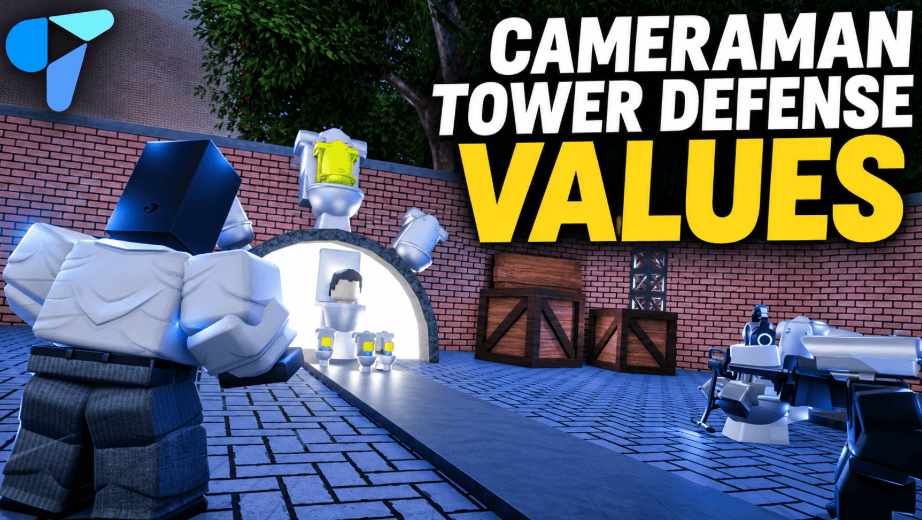
How much is your Cameraman Tower Defense unit worth—and is the offer you received actually fair?
Start with the exact unit and variant, compare both sides using the same value list, and check demand before accepting. A bundle can look profitable on a calculator while leaving you with items that are harder to trade.
This guide covers Cameraman Tower Defense by Aligators Games. Confirm the experience before using these values, since similarly named units appear in other Roblox tower defense games. Play Cameraman Tower Defense on Roblox
Check Your Trade
Use the calculator to:
- Search units, signed variants, crates and passes.
- Add up to four different items per side.
- Enter quantities for repeated items.
- Compare total listed value and the percentage difference.
- Check demand, source labels and recorded value changes.
- Identify offers containing items without a numeric price.
Select Example trade to see how a numerically balanced offer can still include unstable items.
The calculator measures listed value. It cannot guarantee that another player will accept an offer or that you can resell the received items at that price.
Cameraman Tower Defense Values
Last verified: November 6, 2026, at 14:39 UTC.
The saved dataset contains 63 source entries, including units, crates, passes and signed variants. Of these, 42 have numeric estimates and 21 do not. Values and demand ratings come from the published Cameraman TD Values board on Vaulted Values X. Source value list
Selected Unit Values
| Unit | Listed value | Demand /10 | Source label |
|---|---|---|---|
| Spider Tv | 12,000 | 9.5 | Overpaid/Stable |
| Engineer Cameraman | 7,150 | 8 | Stable |
| Upgraded Titan TV Man | 4,000 | 7 | Heavily Overpaid |
| Chaos Cameraman | 3,750 | 7 | Fluctuating |
| Upgraded Titan Cameraman | 3,250 | 7 | Fluctuating/Unstable |
| Vampire Camera Man | 3,000 | 3 | Dropping |
| Hacked Cameraman | 1,500 | 8 | Overpaid/slowly rising |
| Executioner TV Man | 1,200 | 5 | Unstable/Fluctuating |
| Jetpack Cameraman | 570 | 4 | Stable |
| Camera Attack Helicopter | 500 | 3.5 | Unstable |
These are the publisher’s listed estimates and ratings, rather than verified completed-sale prices. Search the embedded tool for the remaining entries. View the source board
Signed Units Need Separate Checks
Signed variants should retain their own entries. Do not apply a normal unit’s price to a signed copy.
At this check, DevSigned Engineer and DevSigned Scientist carried the non-numeric label “O/C.” The calculator therefore leaves them unpriced and blocks a W/F/L verdict. An older numeric quote should not silently replace that current status. Check signed entries
How to Tell Whether a Trade Is W, F or L
For items with numeric values, the calculation is:
Your total = Σ(item value × quantity)

Their total = Σ(item value × quantity)

Difference = Their total − Your total

Difference % = Difference ÷ Your total × 100
The default comparison band is 10%:
| Result | Calculator rule |
|---|---|
| W | You receive more than 10% above your listed total |
| F | The difference stays within ±10% of your listed total |
| L | You receive more than 10% below your listed total |
| Unpriced | At least one selected item lacks a numeric quote |
The 10% band is an adjustable comparison rule. It is not an official trading standard.
Example: A Fair Total With Different Risks
Using this snapshot:
- You give: Engineer Cameraman — 7,150.
- You receive: Chaos Cameraman plus Upgraded Titan Cameraman — 7,000 combined.
The difference is −150, or approximately −2.1% of your offer. The calculator returns F under its default band.
That result only establishes that the totals are close. You should still consider whether you want the received units, how easy they may be to trade onward, and whether their source labels suggest additional uncertainty.
What Does Demand Mean?
A demand rating is the value-list publisher’s assessment of interest in an item.
It does not tell you:
- The probability that your next offer will be accepted.
- How many completed trades occurred today.
- How long an item will take to sell.
- The exact premium another player will pay.
Use demand to help compare offers with similar totals. If your goal is to trade onward quickly, ask for recent offers or completed-trade evidence rather than relying on the score alone.
Why More Items Can Still Be a Worse Offer
Suppose another player offers several low-demand units for one desirable unit. Their combined listed total might be higher.
You would still need to find buyers for those separate items. Some may require discounts, and each additional trade takes time.
Before accepting a bundle, ask:
- Would I keep these units if I could not trade them onward?
- Does the offer depend on receiving full listed value for every item?
- Am I giving up a unit that is difficult to replace?
- Does the apparent gain survive a reasonable discount?
Quantity increases the total. It does not establish liquidity.
How to Read Stability and Price Changes
The tool keeps two different signals separate:
Source label: The publisher’s description, such as Stable, Dropping or Fluctuating.
Recorded value change: A previous and current quote shown in the source’s available change records.
A label describes the publisher’s assessment. A recorded change shows a specific revision. Neither establishes what every player is currently paying.
An empty change cell means that this snapshot does not contain a recorded numeric revision for that entry. It should not be read as proof that the value has never changed.
Why Do Different Value Lists Disagree?
Different sites may use different observation times, editorial methods or underlying lists.
For example, CTD Guide identifies its figures as a November 4 snapshot and lists Engineer Cameraman at 6,300. A dated snapshot can remain internally consistent while becoming unsuitable for a newer offer. CTD Guide’s methodology and values
Other sites publish ranges instead of a single number. Game.Guide, for example, displays a range for TV Spider. A published range and a point estimate answer slightly different questions; averaging them together would create a new number without establishing a new market price. Game.Guide value list
When two lists disagree, check:
| Check | Why it matters |
|---|---|
| Same game | Similar names can belong to different experiences |
| Same variant | Normal and signed copies need separate comparisons |
| Same currency | Gems, Robux and list points are different measures |
| Same observation date | Older figures may miss recent changes |
| Same evidence type | Asking prices and completed trades provide different evidence |
Compare an offer using one consistent dataset first. Investigate disagreements before treating either figure as definitive.
Five Practical Trading Rules
1. Match the Exact Item
Check the full name and variant. “Titan Cameraman” and “Upgraded Titan Cameraman” should not be treated as interchangeable.
2. Recheck Unstable Items Before Accepting
A saved value is a starting point. When an offer depends heavily on a volatile item, inspect the current source and seek recent comparable offers.
3. Do Not Turn Missing Prices Into Zero
“Unpriced” means the dataset cannot provide a numeric estimate. It does not establish that an item is worthless.
This is why the calculator stops its verdict when an offer contains an unpriced entry.
4. Keep Combat Strength Separate From Trade Value
A unit can be useful in a match without being scarce in the trading market. Decide whether you are optimizing your loadout, collecting a specific variant or trying to trade onward.
5. Check the Actual Exchange
Confirm the exact items, variants and quantities in any supported exchange before committing. A calculator evaluates the offer you entered; it cannot verify what another player ultimately provides.
How Fresh Is This List?
This edition uses a saved, dated snapshot. Reloading the embedded calculator does not fetch new prices or advance its verification time.
The tool displays its original check time and adds a reminder once that snapshot is over 24 hours old. Use Check source before relying on an older quote.
A useful value list should distinguish:
- When someone last checked the data.
- When the source last recorded a change.
- Whether a completed trade supports the estimate.
A newly displayed date alone does not establish that the underlying prices were rechecked.
Frequently Asked Questions
Are These Official, Guaranteed Prices?
No guaranteed transaction price is established here. The figures are published trading estimates, and the demand labels represent the source publisher’s ratings.
Does “Fair” Mean I Should Accept?
It means the listed totals fall within your selected comparison band. Your preferred units, demand, uncertainty and ability to trade onward still matter.
What Happens If I Select an O/C Item?
The calculator marks the offer as unpriced and withholds W/F/L. It does not reuse an old price or assign zero.
Can I Compare Crates and Passes?
The tool includes the source’s crate and pass entries. Their presence in a value list does not independently confirm that every item can currently be exchanged in every game interface.
Does This Calculator Confirm Trading Is Enabled?
No. It compares entered offers. Check the current experience and developer announcements for supported trading features.
Communication for Multiplayer Game Developers
Trading discussions and cooperative matches both depend on players understanding one another. In a tower defense session, teammates may need to coordinate placement, upgrades and who covers a particular lane.
Developers building their own multiplayer games can use Tencent RTC In-Game Voice Chat to support real-time team communication, with capabilities including spatial audio and AI noise cancellation. This is an infrastructure option for similar multiplayer experiences; it does not establish a Tencent RTC integration in Cameraman Tower Defense.