










How to Build a Web3 Dating App: Video Chat, Wallet Auth & On-Chain Reputation
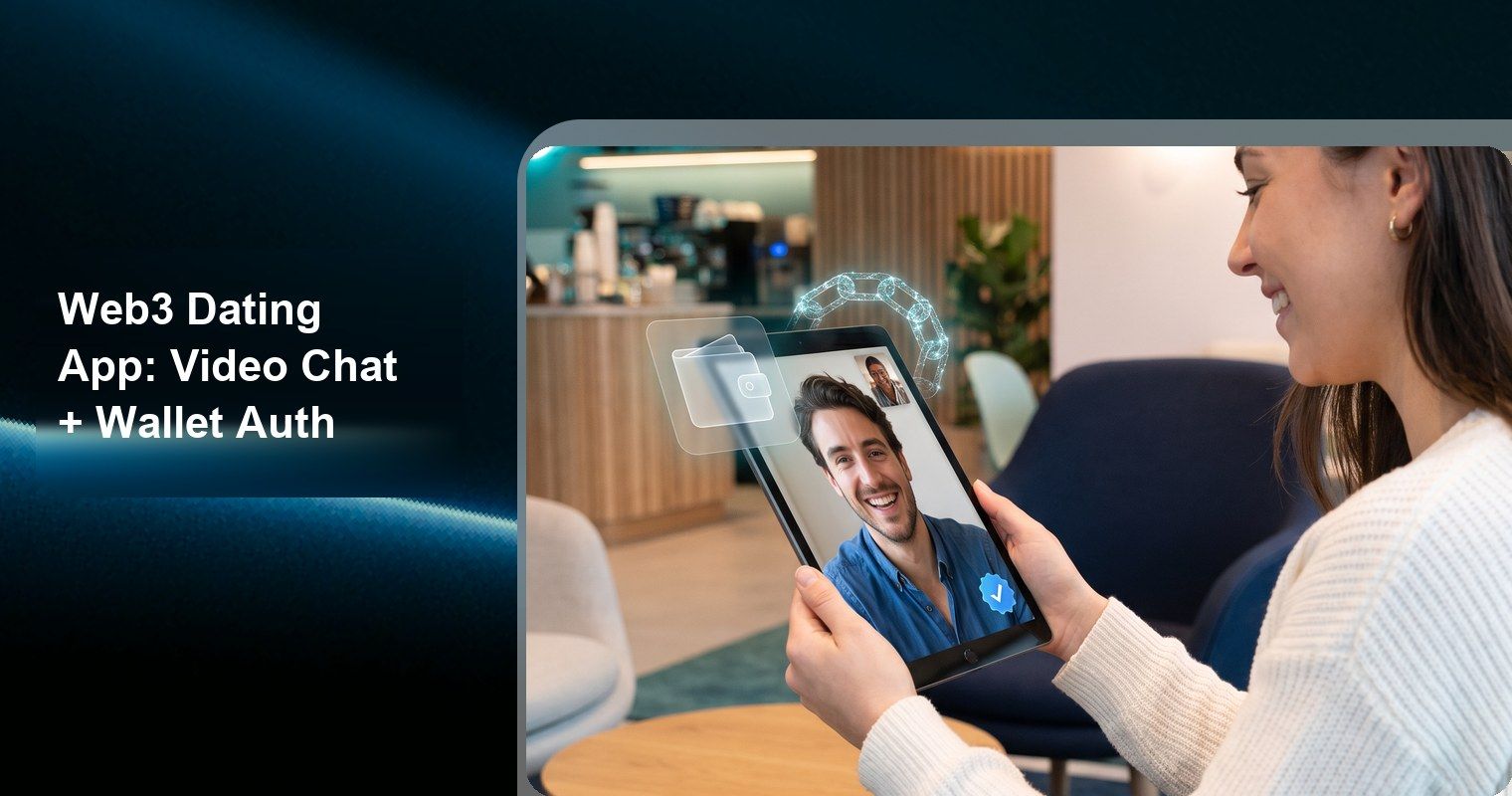
Dating apps are broken. Centralized platforms hoard user data, charge predatory subscription fees, and incentivize engagement over actual connections. Catfishing runs rampant because identity verification is optional theater. And the monetization model—keeping users swiping, not matching—misaligns platform goals with user outcomes.
Web3 fixes the incentive structure. Wallet-based authentication creates verifiable, pseudonymous identities. On-chain reputation scores punish bad actors permanently. Token economics can reward genuine engagement instead of endless swiping. And decentralized data ownership means users control their dating profiles across platforms.
But here's the gap: most Web3 dating projects ship a token and a whitepaper, not a product people want to use. Real dating apps need buttery-smooth video calls, real-time messaging, beauty filters that make users feel confident, and sub-second interactions. Blockchain alone can't deliver that.
This guide shows you how to build a production-ready Web3 dating app that combines blockchain identity with high-quality real-time communication. The communication stack uses Tencent RTC (TRTC)—the same infrastructure handling billions of real-time minutes monthly across 200+ countries with under 300ms latency. You'll implement wallet authentication, 1v1 video matching calls, private chat, beauty AR filters, and on-chain reputation—all with working code.
TL;DR
- Web3 dating apps solve identity fraud, data exploitation, and misaligned incentives in traditional dating platforms
- Architecture: Wallet Auth → On-Chain Reputation → Matching Engine → 1v1 Video Call → Beauty AR → Chat → Token Rewards
- This guide covers wallet login with SIWE, 1v1 video date calls, real-time private messaging, beauty AR filter integration, and on-chain reputation scoring
- Full code examples using TRTC Video SDK, Chat SDK, and Beauty AR SDK
- MCP server available for AI-assisted SDK integration
- Production-ready: handles identity verification, matchmaking, video dating, messaging, and reputation in one stack
Why Web3 Dating Apps Matter
The online dating market generates $10+ billion annually, yet user satisfaction remains abysmal. Here's why Web3 architecture addresses fundamental failures in current dating platforms.
The Problems with Web2 Dating
| Problem | Web2 Reality | Web3 Solution |
|---|---|---|
| Identity Fraud | 10-30% of profiles are fake or misleading | Wallet-verified identity + on-chain reputation |
| Data Exploitation | Platforms sell intimate preference data | User-owned data on decentralized storage |
| Misaligned Incentives | Platforms profit from keeping users single | Token rewards for successful matches |
| Platform Lock-in | Lose everything if banned or platform dies | Portable identity across dating apps |
| Opaque Algorithms | Hidden matching logic, pay-to-be-seen | Transparent, auditable matching contracts |
| Subscription Gouging | $30-60/month for basic features | Token-based access, community-governed pricing |
What Users Actually Want
Web3 dating app users don't care about blockchain. They care about:
- Feeling safe — Knowing the person on the other end is real
- Quality connections — Fewer but better matches
- Privacy — Control over who sees what
- Fair pricing — Not being exploited by subscription traps
- Looking good — Beauty filters and confidence-boosting features during video dates
Your job is to deliver these outcomes using Web3 infrastructure invisibly. The wallet login should feel as simple as "Sign in with Google." The on-chain reputation should just show as a trust score. The token economics should feel like earning points, not trading crypto.
Market Opportunity
Existing Web3 dating projects like Sugar Dapp, Lovechain, and Gather have proven demand exists. But most lack the real-time communication quality users expect from Tinder or Bumble. The gap is clear: combine Web3 identity and economics with Web2-grade video and messaging infrastructure.
That's what this tutorial builds.
Architecture Overview
A Web3 dating app has five layers, each handling a distinct responsibility:
┌─────────────────────────────────────────────────────────┐
│                   APPLICATION LAYER                       │
│  React/Next.js Frontend + Dating UI + Match Interface   │
├─────────────────────────────────────────────────────────┤
│                 COMMUNICATION LAYER                       │
│  TRTC Video (1v1 Calls) │ TRTC Chat │ Beauty AR SDK    │
├─────────────────────────────────────────────────────────┤
│                   MATCHING ENGINE                         │
│  Preference Algorithm │ Availability Queue │ Pairing    │
├─────────────────────────────────────────────────────────┤
│                   IDENTITY LAYER                          │
│  Wallet Auth (SIWE) │ On-Chain Reputation │ DID         │
├─────────────────────────────────────────────────────────┤
│              BLOCKCHAIN & STORAGE LAYER                   │
│  Smart Contracts │ IPFS │ Reputation NFTs │ Tokens      │
└─────────────────────────────────────────────────────────┘
Layer Responsibilities
Identity Layer — Who users are and how trustworthy they are:
- Wallet connection (MetaMask, WalletConnect, Coinbase Wallet)
- Sign-In with Ethereum (SIWE) for session management
- On-chain reputation score (aggregated from behavior)
- Soulbound tokens (SBTs) for verified attributes
Communication Layer — How users interact in real-time:
- 1v1 video date calls via TRTC Video SDK
- Private messaging via TRTC Chat SDK
- Beauty AR filters for video enhancement
- Push notifications for match alerts
Matching Engine — How users find each other:
- Preference-based filtering (interests, location, age range)
- Availability queue for instant video matching
- Reputation-weighted ranking (higher trust = more visibility)
- Anti-spam throttling based on on-chain history
Blockchain Layer — Rules, ownership, and incentives:
- Reputation smart contracts (record behavior immutably)
- Date token rewards for completed video dates
- NFT gifts and virtual items
- Governance for community rule-making
Technology Stack
| Component | Technology | Purpose |
|---|---|---|
| Frontend | Next.js 14 + TypeScript | App shell, PWA support |
| Wallet | wagmi + viem + WalletConnect v2 | Multi-wallet authentication |
| Video Calls | TRTC Web SDK | 1v1 real-time video dating |
| Chat | TRTC Chat SDK | Private messaging |
| Beauty AR | TRTC Beauty AR SDK | Filters, effects during calls |
| Reputation | Solidity + Polygon | On-chain behavior scoring |
| Storage | IPFS (Pinata) | Profile photos, encrypted data |
| Backend | Node.js + Express | Token generation, matching logic |
| Database | PostgreSQL + Redis | User index, match queue |
| Smart Contracts | Hardhat + OpenZeppelin | Reputation, tokens, governance |
Step 1: Wallet Authentication (Sign-In with Ethereum)
Wallet auth replaces email/password with cryptographic proof. Users sign a message with their private key, proving they own the wallet address—without exposing the key itself.
Install Dependencies
npm install wagmi viem @tanstack/react-query siwe
npm install @walletconnect/web3-provider connectkit
npm install ethers@6
Configure Wallet Providers
// src/config/wagmi.ts
import { createConfig, http } from 'wagmi'
import { polygon, mainnet } from 'wagmi/chains'
import { walletConnect, injected, coinbaseWallet } from 'wagmi/connectors'

const projectId = process.env.NEXT_PUBLIC_WC_PROJECT_ID!

export const wagmiConfig = createConfig({
  chains: [polygon, mainnet],
  connectors: [
    injected(),
    walletConnect({ projectId }),
    coinbaseWallet({ appName: 'Web3Date' }),
  ],
  transports: {
    [polygon.id]: http(),
    [mainnet.id]: http(),
  },
})
Implement SIWE Authentication Flow
The Sign-In with Ethereum flow works in three steps: generate a nonce, sign a message, verify on backend.
// src/hooks/useWalletAuth.ts
import { useAccount, useSignMessage, useDisconnect } from 'wagmi'
import { SiweMessage } from 'siwe'
import { useState } from 'react'

export function useWalletAuth() {
  const { address, isConnected, chain } = useAccount()
  const { signMessageAsync } = useSignMessage()
  const { disconnect } = useDisconnect()
  const [isAuthenticating, setIsAuthenticating] = useState(false)

  async function signIn() {
    if (!address || !chain) return
    setIsAuthenticating(true)

    try {
      // 1. Get nonce from backend
      const nonceRes = await fetch('/api/auth/nonce', {
        method: 'POST',
        headers: { 'Content-Type': 'application/json' },
        body: JSON.stringify({ address }),
      })
      const { nonce } = await nonceRes.json()

      // 2. Create SIWE message
      const message = new SiweMessage({
        domain: window.location.host,
        address,
        statement: 'Sign in to Web3Date — verify your identity for secure dating.',
        uri: window.location.origin,
        version: '1',
        chainId: chain.id,
        nonce,
      })

      // 3. Sign the message
      const signature = await signMessageAsync({
        message: message.prepareMessage(),
      })

      // 4. Verify signature on backend, get session token
      const verifyRes = await fetch('/api/auth/verify', {
        method: 'POST',
        headers: { 'Content-Type': 'application/json' },
        body: JSON.stringify({
          message: message.prepareMessage(),
          signature,
        }),
      })

      const { token, user } = await verifyRes.json()

      // 5. Store session
      localStorage.setItem('session_token', token)
      return user
    } catch (error) {
      console.error('SIWE auth failed:', error)
      throw error
    } finally {
      setIsAuthenticating(false)
    }
  }

  function signOut() {
    localStorage.removeItem('session_token')
    disconnect()
  }

  return { address, isConnected, signIn, signOut, isAuthenticating }
}
Backend Verification
// src/server/routes/auth.ts
import { SiweMessage } from 'siwe'
import { randomBytes } from 'crypto'
import jwt from 'jsonwebtoken'

const nonceStore = new Map<string, string>()

// Generate nonce
app.post('/api/auth/nonce', (req, res) => {
  const { address } = req.body
  const nonce = randomBytes(16).toString('hex')
  nonceStore.set(address.toLowerCase(), nonce)

  // Expire nonce after 5 minutes
  setTimeout(() => nonceStore.delete(address.toLowerCase()), 5 * 60 * 1000)

  res.json({ nonce })
})

// Verify signature and create session
app.post('/api/auth/verify', async (req, res) => {
  const { message, signature } = req.body

  try {
    const siweMessage = new SiweMessage(message)
    const { data: fields } = await siweMessage.verify({ signature })

    // Verify nonce matches
    const storedNonce = nonceStore.get(fields.address.toLowerCase())
    if (storedNonce !== fields.nonce) {
      return res.status(401).json({ error: 'Invalid nonce' })
    }

    // Clean up used nonce
    nonceStore.delete(fields.address.toLowerCase())

    // Create or fetch user profile
    const user = await upsertUser(fields.address)

    // Generate TRTC credentials for this user
    const trtcUserSig = generateTRTCUserSig(fields.address)

    // Issue JWT session
    const token = jwt.sign(
      { address: fields.address, trtcUserSig },
      process.env.JWT_SECRET!,
      { expiresIn: '7d' }
    )

    res.json({ token, user })
  } catch (error) {
    res.status(401).json({ error: 'Signature verification failed' })
  }
})
Wallet Connect UI Component
// src/components/WalletLogin.tsx
import { useConnect } from 'wagmi'
import { useWalletAuth } from '@/hooks/useWalletAuth'

export function WalletLogin() {
  const { connectors, connect } = useConnect()
  const { isConnected, signIn, isAuthenticating } = useWalletAuth()

  if (isConnected && !isAuthenticating) {
    return (
      <button
        onClick={signIn}
        className="btn-primary w-full py-4 text-lg font-semibold rounded-2xl"
      >
        Verify Identity & Enter
      </button>
    )
  }

  return (
    <div className="space-y-3">
      <h2 className="text-xl font-bold text-center">Connect Wallet to Start Dating</h2>
      <p className="text-gray-500 text-center text-sm">
        No email needed. Your wallet is your identity.
      </p>
      {connectors.map((connector) => (
        <button
          key={connector.uid}
          onClick={() => connect({ connector })}
          className="w-full py-3 px-4 border rounded-xl flex items-center gap-3
                     hover:bg-gray-50 transition-colors"
        >
          <img src={connector.icon} alt="" className="w-8 h-8" />
          <span className="font-medium">{connector.name}</span>
        </button>
      ))}
    </div>
  )
}
The wallet authentication binds a user's blockchain identity to their TRTC session. Every video call and message is linked to a verifiable on-chain identity—making catfishing significantly harder than traditional dating apps.
Step 2: On-Chain Reputation System
Reputation is what separates a Web3 dating app from a tokenized Tinder clone. On-chain reputation creates permanent, portable trust scores that follow users across platforms.
Reputation Smart Contract
// contracts/DatingReputation.sol
// SPDX-License-Identifier: MIT
pragma solidity ^0.8.19;

import "@openzeppelin/contracts/access/Ownable.sol";

contract DatingReputation is Ownable {
    struct UserReputation {
        uint256 totalDates;          // Completed video dates
        uint256 positiveRatings;     // Partner rated positively
        uint256 negativeRatings;     // Reports or negative ratings
        uint256 noShows;             // Matched but didn't show up
        uint256 lastActivityBlock;   // Last active block number
        bool isVerified;             // Passed additional verification
    }

    mapping(address => UserReputation) public reputations;
    mapping(bytes32 => bool) public completedDates; // dateId => completed

    event DateCompleted(address indexed user1, address indexed user2, bytes32 dateId);
    event RatingSubmitted(address indexed rater, address indexed rated, bool positive);
    event ReputationUpdated(address indexed user, uint256 newScore);

    // Record a completed video date (called by backend oracle)
    function recordDateCompleted(
        address user1,
        address user2,
        bytes32 dateId
    ) external onlyOwner {
        require(!completedDates[dateId], "Date already recorded");
        completedDates[dateId] = true;

        reputations[user1].totalDates++;
        reputations[user2].totalDates++;
        reputations[user1].lastActivityBlock = block.number;
        reputations[user2].lastActivityBlock = block.number;

        emit DateCompleted(user1, user2, dateId);
    }

    // Submit rating after a date
    function submitRating(address partner, bool positive, bytes32 dateId) external {
        require(completedDates[dateId], "Date not recorded");

        if (positive) {
            reputations[partner].positiveRatings++;
        } else {
            reputations[partner].negativeRatings++;
        }

        emit RatingSubmitted(msg.sender, partner, positive);
        emit ReputationUpdated(partner, getReputationScore(partner));
    }

    // Record no-show (called by backend when user fails to join matched call)
    function recordNoShow(address user) external onlyOwner {
        reputations[user].noShows++;
        emit ReputationUpdated(user, getReputationScore(user));
    }

    // Calculate reputation score (0-100)
    function getReputationScore(address user) public view returns (uint256) {
        UserReputation memory rep = reputations[user];

        if (rep.totalDates == 0) return 50; // New user starts at 50

        uint256 totalRatings = rep.positiveRatings + rep.negativeRatings;
        if (totalRatings == 0) return 50;

        // Base score from positive ratio (0-70 points)
        uint256 positiveRatio = (rep.positiveRatings * 70) / totalRatings;

        // Activity bonus (0-20 points)
        uint256 activityBonus = rep.totalDates > 20 ? 20 : rep.totalDates;

        // No-show penalty (up to -30 points)
        uint256 noShowPenalty = rep.noShows * 5;
        if (noShowPenalty > 30) noShowPenalty = 30;

        // Verification bonus
        uint256 verifiedBonus = rep.isVerified ? 10 : 0;

        uint256 score = positiveRatio + activityBonus + verifiedBonus;
        if (score > noShowPenalty) {
            score -= noShowPenalty;
        } else {
            score = 0;
        }

        return score > 100 ? 100 : score;
    }
}
Frontend Reputation Display
// src/hooks/useReputation.ts
import { useReadContract } from 'wagmi'
import { reputationABI, REPUTATION_CONTRACT } from '@/config/contracts'

export function useReputation(address?: `0x${string}`) {
  const { data: score } = useReadContract({
    address: REPUTATION_CONTRACT,
    abi: reputationABI,
    functionName: 'getReputationScore',
    args: address ? [address] : undefined,
    query: { enabled: !!address },
  })

  const { data: details } = useReadContract({
    address: REPUTATION_CONTRACT,
    abi: reputationABI,
    functionName: 'reputations',
    args: address ? [address] : undefined,
    query: { enabled: !!address },
  })

  const trustLevel = score
    ? score >= 80 ? 'Highly Trusted'
    : score >= 60 ? 'Trusted'
    : score >= 40 ? 'New'
    : 'Low Trust'
    : 'Unknown'

  return { score: Number(score || 50), details, trustLevel }
}
This reputation score appears on every profile card and match suggestion. Users with higher reputation get priority in the matching queue—creating a direct incentive to be respectful and show up.
Step 3: 1v1 Video Date Calls with TRTC
Video dating is the core feature. Users match, tap "Start Video Date," and enter a 1v1 video call with beauty filters active. The call quality must rival FaceTime—any lag or pixelation kills the mood.
TRTC's Video Call SDK provides exactly this: ultra-low-latency 1v1 video with global edge nodes ensuring < 300ms end-to-end delay regardless of where users are located.
Install TRTC SDKs
npm install trtc-sdk-v5
npm install @tencentcloud/chat
Generate UserSig on Backend
TRTC requires a UserSig token for authentication. Generate it server-side using your app's secret key:
// src/server/trtc/generateUserSig.ts
import * as LibGenerateTestUserSig from '@/lib/lib-generate-test-usersig-es.min.js'

const SDKAPPID = Number(process.env.TRTC_SDK_APP_ID)
const SECRETKEY = process.env.TRTC_SECRET_KEY!

export function generateTRTCUserSig(userId: string): string {
  const generator = new LibGenerateTestUserSig.default(SDKAPPID, SECRETKEY, 604800)
  return generator.genTestUserSig(userId)
}

// API route
app.get('/api/trtc/credentials', authenticateJWT, (req, res) => {
  const { address } = req.user // wallet address from JWT
  const userSig = generateTRTCUserSig(address)

  res.json({
    sdkAppId: SDKAPPID,
    userId: address,
    userSig,
  })
})
Video Date Room Component
// src/services/VideoDateService.ts
import TRTC from 'trtc-sdk-v5'

interface DateCallConfig {
  sdkAppId: number
  userId: string
  userSig: string
  roomId: number
  onRemoteUserJoin: (userId: string) => void
  onRemoteUserLeave: (userId: string) => void
  onCallEnd: () => void
}

export class VideoDateService {
  private trtc: TRTC | null = null
  private config: DateCallConfig

  constructor(config: DateCallConfig) {
    this.config = config
  }

  async initialize() {
    this.trtc = TRTC.create()

    // Listen for remote user events
    this.trtc.on(TRTC.EVENT.REMOTE_USER_ENTER, (event) => {
      this.config.onRemoteUserJoin(event.userId)
    })

    this.trtc.on(TRTC.EVENT.REMOTE_USER_EXIT, (event) => {
      this.config.onRemoteUserLeave(event.userId)
      this.config.onCallEnd()
    })

    // Handle remote video stream
    this.trtc.on(TRTC.EVENT.REMOTE_VIDEO_AVAILABLE, async (event) => {
      await this.trtc!.startRemoteVideo({
        userId: event.userId,
        streamType: TRTC.TYPE.STREAM_TYPE_MAIN,
        view: 'remote-video-container',
      })
    })

    // Handle remote audio
    this.trtc.on(TRTC.EVENT.REMOTE_AUDIO_AVAILABLE, async (event) => {
      await this.trtc!.startRemoteAudio({ userId: event.userId })
    })
  }

  async startCall() {
    if (!this.trtc) throw new Error('TRTC not initialized')

    // Enter the room
    await this.trtc.enterRoom({
      sdkAppId: this.config.sdkAppId,
      userId: this.config.userId,
      userSig: this.config.userSig,
      roomId: this.config.roomId,
      scene: TRTC.TYPE.SCENE_LIVE,
    })

    // Start local video
    await this.trtc.startLocalVideo({
      view: 'local-video-container',
      profile: '1080p',
    })

    // Start local audio
    await this.trtc.startLocalAudio({
      profile: 'speech',
    })
  }

  async endCall() {
    if (!this.trtc) return

    await this.trtc.stopLocalVideo()
    await this.trtc.stopLocalAudio()
    await this.trtc.exitRoom()
    this.trtc.destroy()
    this.trtc = null
  }

  // Mute/unmute controls
  async toggleVideo(enabled: boolean) {
    if (!this.trtc) return
    if (enabled) {
      await this.trtc.startLocalVideo({ view: 'local-video-container' })
    } else {
      await this.trtc.stopLocalVideo()
    }
  }

  async toggleAudio(enabled: boolean) {
    if (!this.trtc) return
    if (enabled) {
      await this.trtc.startLocalAudio()
    } else {
      await this.trtc.stopLocalAudio()
    }
  }
}
Video Date React Component
// src/components/VideoDate.tsx
import { useEffect, useRef, useState } from 'react'
import { VideoDateService } from '@/services/VideoDateService'
import { useReputation } from '@/hooks/useReputation'
import { BeautyFilterPanel } from './BeautyFilterPanel'

interface VideoDateProps {
  matchedUser: { address: string; displayName: string }
  roomId: number
  credentials: { sdkAppId: number; userId: string; userSig: string }
  onDateEnd: (duration: number) => void
}

export function VideoDate({ matchedUser, roomId, credentials, onDateEnd }: VideoDateProps) {
  const [isConnected, setIsConnected] = useState(false)
  const [callDuration, setCallDuration] = useState(0)
  const [videoEnabled, setVideoEnabled] = useState(true)
  const [audioEnabled, setAudioEnabled] = useState(true)
  const serviceRef = useRef<VideoDateService | null>(null)
  const timerRef = useRef<NodeJS.Timeout>()

  const { score: partnerScore, trustLevel } = useReputation(
    matchedUser.address as `0x${string}`
  )

  useEffect(() => {
    const service = new VideoDateService({
      ...credentials,
      roomId,
      onRemoteUserJoin: () => {
        setIsConnected(true)
        // Start duration timer
        timerRef.current = setInterval(() => {
          setCallDuration((d) => d + 1)
        }, 1000)
      },
      onRemoteUserLeave: () => {
        setIsConnected(false)
        if (timerRef.current) clearInterval(timerRef.current)
      },
      onCallEnd: () => {
        onDateEnd(callDuration)
      },
    })

    serviceRef.current = service
    service.initialize().then(() => service.startCall())

    return () => {
      if (timerRef.current) clearInterval(timerRef.current)
      service.endCall()
    }
  }, [roomId])

  const handleEndCall = async () => {
    await serviceRef.current?.endCall()
    onDateEnd(callDuration)
  }

  const formatDuration = (seconds: number) => {
    const mins = Math.floor(seconds / 60)
    const secs = seconds % 60
    return `${mins}:${secs.toString().padStart(2, '0')}`
  }

  return (
    <div className="relative w-full h-screen bg-black">
      {/* Remote video (full screen) */}
      <div id='remote-video-container' className="absolute inset-0" />

      {/* Local video (picture-in-picture) */}
      <div
        id='local-video-container'
        className="absolute top-4 right-4 w-32 h-44 rounded-2xl overflow-hidden
                   border-2 border-white/30 shadow-lg"
      />

      {/* Partner info overlay */}
      <div className="absolute top-4 left-4 flex items-center gap-3 bg-black/40
                      backdrop-blur-sm rounded-full px-4 py-2">
        <span className="text-white font-medium">{matchedUser.displayName}</span>
        <span className={`px-2 py-0.5 rounded-full text-xs font-semibold
          ${partnerScore >= 70 ? 'bg-green-500/80' : 'bg-yellow-500/80'} text-white`}>
          {trustLevel} ({partnerScore})
        </span>
      </div>

      {/* Call duration */}
      <div className="absolute top-4 left-1/2 -translate-x-1/2 bg-black/40
                      backdrop-blur-sm rounded-full px-4 py-2">
        <span className="text-white font-mono">{formatDuration(callDuration)}</span>
      </div>

      {/* Beauty filter panel */}
      <BeautyFilterPanel trtcInstance={serviceRef.current} />

      {/* Controls */}
      <div className="absolute bottom-8 left-1/2 -translate-x-1/2 flex items-center gap-6">
        <button
          onClick={() => {
            setVideoEnabled(!videoEnabled)
            serviceRef.current?.toggleVideo(!videoEnabled)
          }}
          className={`w-14 h-14 rounded-full flex items-center justify-center
            ${videoEnabled ? 'bg-white/20' : 'bg-red-500'} backdrop-blur-sm`}
        >
          {videoEnabled ? '📹' : '🚫'}
        </button>

        <button
          onClick={handleEndCall}
          className="w-16 h-16 rounded-full bg-red-500 flex items-center
                     justify-center shadow-lg hover:bg-red-600 transition-colors"
        >
          📞
        </button>

        <button
          onClick={() => {
            setAudioEnabled(!audioEnabled)
            serviceRef.current?.toggleAudio(!audioEnabled)
          }}
          className={`w-14 h-14 rounded-full flex items-center justify-center
            ${audioEnabled ? 'bg-white/20' : 'bg-red-500'} backdrop-blur-sm`}
        >
          {audioEnabled ? '🎤' : '🔇'}
        </button>
      </div>
    </div>
  )
}
1v1 Matching Logic
The matching engine pairs available users and assigns them to a TRTC room:
// src/server/matching/matchEngine.ts
import { Redis } from 'ioredis'

const redis = new Redis(process.env.REDIS_URL!)

interface QueueEntry {
  address: string
  preferences: {
    minReputation: number
    ageRange: [number, number]
    interests: string[]
  }
  joinedAt: number
  reputation: number
}

export class MatchEngine {
  private static QUEUE_KEY = 'dating:match_queue'

  // Add user to matching queue
  async joinQueue(entry: QueueEntry): Promise<void> {
    await redis.zadd(
      MatchEngine.QUEUE_KEY,
      entry.joinedAt,
      JSON.stringify(entry)
    )
  }

  // Find and create a match
  async findMatch(user: QueueEntry): Promise<{ partner: QueueEntry; roomId: number } | null> {
    const candidates = await redis.zrange(MatchEngine.QUEUE_KEY, 0, -1)

    for (const candidateStr of candidates) {
      const candidate: QueueEntry = JSON.parse(candidateStr)

      // Skip self
      if (candidate.address === user.address) continue

      // Check mutual reputation requirements
      if (candidate.reputation < user.preferences.minReputation) continue
      if (user.reputation < candidate.preferences.minReputation) continue

      // Check interest overlap (at least 1 shared interest)
      const sharedInterests = user.preferences.interests.filter(
        (i) => candidate.preferences.interests.includes(i)
      )
      if (sharedInterests.length === 0) continue

      // Match found — remove both from queue
      await redis.zrem(MatchEngine.QUEUE_KEY, candidateStr)
      await redis.zrem(MatchEngine.QUEUE_KEY, JSON.stringify(user))

      // Generate unique room ID
      const roomId = Math.floor(Math.random() * 2147483647)

      return { partner: candidate, roomId }
    }

    return null // No match found, user stays in queue
  }

  // Remove user from queue (cancelled or timed out)
  async leaveQueue(address: string): Promise<void> {
    const entries = await redis.zrange(MatchEngine.QUEUE_KEY, 0, -1)
    for (const entry of entries) {
      if (JSON.parse(entry).address === address) {
        await redis.zrem(MatchEngine.QUEUE_KEY, entry)
        break
      }
    }
  }
}
Step 4: Beauty AR Filters for Video Dates
Nobody wants to video-call a stranger without looking their best. TRTC's Beauty AR SDK provides real-time face enhancement—smoothing, reshaping, makeup, and effects—processed on-device so there's zero added latency to the video stream.
This is critical for dating apps. Users who feel confident on camera stay on calls longer, have better conversations, and come back. Beauty filters directly impact retention metrics.
Initialize Beauty AR Plugin
// src/services/BeautyARService.ts
import RTCBeautyPlugin from 'trtc-sdk-v5/plugins/video/RTCBeautyPlugin'
import TRTC from 'trtc-sdk-v5'

export class BeautyARService {
  private beautyPlugin: RTCBeautyPlugin | null = null
  private trtcInstance: TRTC

  constructor(trtcInstance: TRTC) {
    this.trtcInstance = trtcInstance
  }

  async initialize() {
    this.beautyPlugin = new RTCBeautyPlugin()

    // Register plugin with TRTC instance
    await this.trtcInstance.registerPlugin(this.beautyPlugin)

    // Set default beauty parameters for dating context
    this.applyDatingDefaults()
  }

  private applyDatingDefaults() {
    if (!this.beautyPlugin) return

    // Natural-looking defaults that enhance without being obvious
    this.beautyPlugin.setBeautyParam({
      smooth: 5,       // Skin smoothing (0-9)
      whiten: 3,       // Skin brightening (0-9)
      ruddy: 2,        // Healthy blush (0-9)
    })
  }

  // Adjust beauty intensity
  setBeautyLevel(params: {
    smooth?: number
    whiten?: number
    ruddy?: number
  }) {
    if (!this.beautyPlugin) return
    this.beautyPlugin.setBeautyParam(params)
  }

  // Apply face reshape effects
  setFaceReshape(params: {
    thinFace?: number    // Face slimming (0-9)
    bigEyes?: number     // Eye enlargement (0-9)
    vFace?: number       // V-line jaw (0-9)
  }) {
    if (!this.beautyPlugin) return

    if (params.thinFace !== undefined) {
      this.beautyPlugin.setBeautyParam({ thinFace: params.thinFace })
    }
    if (params.bigEyes !== undefined) {
      this.beautyPlugin.setBeautyParam({ bigEyes: params.bigEyes })
    }
    if (params.vFace !== undefined) {
      this.beautyPlugin.setBeautyParam({ vFace: params.vFace })
    }
  }

  // Apply filter presets
  applyFilter(filterName: string, intensity: number = 5) {
    if (!this.beautyPlugin) return
    this.beautyPlugin.setFilter(filterName, intensity / 10)
  }

  // Disable all effects
  reset() {
    if (!this.beautyPlugin) return
    this.beautyPlugin.setBeautyParam({
      smooth: 0,
      whiten: 0,
      ruddy: 0,
      thinFace: 0,
      bigEyes: 0,
      vFace: 0,
    })
  }

  destroy() {
    if (this.beautyPlugin) {
      this.trtcInstance.unregisterPlugin(this.beautyPlugin)
      this.beautyPlugin.destroy()
      this.beautyPlugin = null
    }
  }
}
Beauty Filter UI Panel
// src/components/BeautyFilterPanel.tsx
import { useState, useEffect } from 'react'
import { BeautyARService } from '@/services/BeautyARService'

interface BeautyFilterPanelProps {
  trtcInstance: any
}

const FILTER_PRESETS = [
  { id: 'natural', label: 'Natural', params: { smooth: 4, whiten: 2, ruddy: 2 } },
  { id: 'glamour', label: 'Glamour', params: { smooth: 7, whiten: 5, ruddy: 3 } },
  { id: 'fresh', label: 'Fresh', params: { smooth: 5, whiten: 3, ruddy: 4 } },
  { id: 'warm', label: 'Warm Light', params: { smooth: 4, whiten: 2, ruddy: 5 } },
  { id: 'none', label: 'Off', params: { smooth: 0, whiten: 0, ruddy: 0 } },
]

export function BeautyFilterPanel({ trtcInstance }: BeautyFilterPanelProps) {
  const [isOpen, setIsOpen] = useState(false)
  const [beautyService, setBeautyService] = useState<BeautyARService | null>(null)
  const [activePreset, setActivePreset] = useState('natural')
  const [customParams, setCustomParams] = useState({
    smooth: 4, whiten: 2, ruddy: 2, thinFace: 0, bigEyes: 0,
  })

  useEffect(() => {
    if (!trtcInstance) return

    const service = new BeautyARService(trtcInstance)
    service.initialize()
    setBeautyService(service)

    return () => service.destroy()
  }, [trtcInstance])

  const applyPreset = (preset: typeof FILTER_PRESETS[0]) => {
    setActivePreset(preset.id)
    beautyService?.setBeautyLevel(preset.params)
  }

  const updateParam = (key: string, value: number) => {
    setCustomParams((prev) => ({ ...prev, [key]: value }))
    setActivePreset('custom')

    if (['smooth', 'whiten', 'ruddy'].includes(key)) {
      beautyService?.setBeautyLevel({ [key]: value })
    } else {
      beautyService?.setFaceReshape({ [key]: value })
    }
  }

  return (
    <>
      {/* Toggle button */}
      <button
        onClick={() => setIsOpen(!isOpen)}
        className="absolute bottom-8 right-8 w-12 h-12 rounded-full bg-white/20
                   backdrop-blur-sm flex items-center justify-center"
      >
        ✨
      </button>

      {/* Panel */}
      {isOpen && (
        <div className="absolute bottom-24 right-4 w-72 bg-black/70 backdrop-blur-md
                        rounded-2xl p-4 space-y-4">
          <h3 className="text-white font-semibold">Beauty Filters</h3>

          {/* Presets */}
          <div className="flex gap-2 flex-wrap">
            {FILTER_PRESETS.map((preset) => (
              <button
                key={preset.id}
                onClick={() => applyPreset(preset)}
                className={`px-3 py-1.5 rounded-full text-sm
                  ${activePreset === preset.id
                    ? 'bg-pink-500 text-white'
                    : 'bg-white/10 text-white/70'}`}
              >
                {preset.label}
              </button>
            ))}
          </div>

          {/* Custom sliders */}
          <div className="space-y-3">
            {[
              { key: 'smooth', label: 'Smooth' },
              { key: 'whiten', label: 'Brighten' },
              { key: 'thinFace', label: 'Slim Face' },
              { key: 'bigEyes', label: 'Big Eyes' },
            ].map(({ key, label }) => (
              <div key={key} className="flex items-center gap-3">
                <span className="text-white/70 text-sm w-20">{label}</span>
                <input
                  type="range"
                  min={0}
                  max={9}
                  value={customParams[key as keyof typeof customParams]}
                  onChange={(e) => updateParam(key, Number(e.target.value))}
                  className="flex-1 accent-pink-500"
                />
                <span className="text-white/50 text-xs w-4">
                  {customParams[key as keyof typeof customParams]}
                </span>
              </div>
            ))}
          </div>
        </div>
      )}
    </>
  )
}
The beauty AR processing happens entirely on-device using GPU acceleration. The remote participant sees the enhanced video stream without any additional processing on their end. This means zero impact on call latency—the beauty filters run within the local render pipeline before frames are encoded and sent.
Step 5: Private Chat with TRTC Chat SDK
After a video date, users need a way to continue the conversation. TRTC Chat SDK provides reliable private messaging with read receipts, typing indicators, media sharing, and offline message sync.
Initialize Chat SDK
// src/services/ChatService.ts
import TencentCloudChat from '@tencentcloud/chat'

export class ChatService {
  private chat: any = null
  private currentUserId: string = ''

  async initialize(config: {
    sdkAppId: number
    userId: string
    userSig: string
  }) {
    this.currentUserId = config.userId

    this.chat = TencentCloudChat.create({
      SDKAppID: config.sdkAppId,
    })

    // Login with wallet-derived userId
    await this.chat.login({
      userID: config.userId,
      userSig: config.userSig,
    })

    return this.chat
  }

  // Send a text message to matched partner
  async sendMessage(toUserId: string, text: string) {
    const message = this.chat.createTextMessage({
      to: toUserId,
      conversationType: TencentCloudChat.TYPES.CONV_C2C,
      payload: { text },
    })

    const result = await this.chat.sendMessage(message)
    return result.data.message
  }

  // Send image (e.g., sharing a photo)
  async sendImage(toUserId: string, file: File) {
    const message = this.chat.createImageMessage({
      to: toUserId,
      conversationType: TencentCloudChat.TYPES.CONV_C2C,
      payload: { file },
    })

    const result = await this.chat.sendMessage(message)
    return result.data.message
  }

  // Send a custom message (e.g., date invitation, NFT gift)
  async sendCustomMessage(toUserId: string, data: {
    type: 'date_invite' | 'nft_gift' | 'location_share'
    payload: Record<string, any>
  }) {
    const message = this.chat.createCustomMessage({
      to: toUserId,
      conversationType: TencentCloudChat.TYPES.CONV_C2C,
      payload: {
        data: JSON.stringify(data),
        description: data.type === 'date_invite'
          ? '📹 Video Date Invitation'
          : data.type === 'nft_gift'
          ? '🎁 Sent you an NFT gift'
          : '📍 Shared a location',
        extension: '',
      },
    })

    const result = await this.chat.sendMessage(message)
    return result.data.message
  }

  // Get conversation history with a specific user
  async getMessageHistory(userId: string, count: number = 20) {
    const conversationId = `C2C${userId}`
    const result = await this.chat.getMessageList({
      conversationID: conversationId,
      count,
    })
    return result.data.messageList
  }

  // Get all conversations (match list)
  async getConversationList() {
    const result = await this.chat.getConversationList()
    return result.data.conversationList
  }

  // Listen for new messages
  onMessage(callback: (message: any) => void) {
    this.chat.on(TencentCloudChat.EVENT.MESSAGE_RECEIVED, (event: any) => {
      const messages = event.data
      messages.forEach((msg: any) => callback(msg))
    })
  }

  // Mark messages as read
  async markAsRead(userId: string) {
    const conversationId = `C2C${userId}`
    await this.chat.setMessageRead({ conversationID: conversationId })
  }

  async logout() {
    if (this.chat) {
      await this.chat.logout()
    }
  }
}
Chat UI Component
// src/components/PrivateChat.tsx
import { useEffect, useState, useRef } from 'react'
import { ChatService } from '@/services/ChatService'

interface PrivateChatProps {
  chatService: ChatService
  partnerId: string
  partnerName: string
  onVideoCallRequest: () => void
}

export function PrivateChat({
  chatService,
  partnerId,
  partnerName,
  onVideoCallRequest,
}: PrivateChatProps) {
  const [messages, setMessages] = useState<any[]>([])
  const [inputText, setInputText] = useState('')
  const [isLoading, setIsLoading] = useState(true)
  const messagesEndRef = useRef<HTMLDivElement>(null)

  useEffect(() => {
    // Load message history
    chatService.getMessageHistory(partnerId, 50).then((history) => {
      setMessages(history)
      setIsLoading(false)
    })

    // Mark conversation as read
    chatService.markAsRead(partnerId)

    // Listen for new messages from this user
    chatService.onMessage((msg) => {
      if (msg.from === partnerId) {
        setMessages((prev) => [...prev, msg])
        chatService.markAsRead(partnerId)
      }
    })
  }, [partnerId])

  useEffect(() => {
    messagesEndRef.current?.scrollIntoView({ behavior: 'smooth' })
  }, [messages])

  const sendMessage = async () => {
    if (!inputText.trim()) return
    const text = inputText
    setInputText('')

    const sentMsg = await chatService.sendMessage(partnerId, text)
    setMessages((prev) => [...prev, sentMsg])
  }

  const sendDateInvite = async () => {
    await chatService.sendCustomMessage(partnerId, {
      type: 'date_invite',
      payload: { timestamp: Date.now() },
    })
    onVideoCallRequest()
  }

  return (
    <div className="flex flex-col h-full bg-gray-50">
      {/* Header */}
      <div className="flex items-center justify-between px-4 py-3 bg-white border-b">
        <div className="flex items-center gap-3">
          <div className="w-10 h-10 rounded-full bg-gradient-to-br from-pink-400
                          to-purple-500" />
          <span className="font-semibold">{partnerName}</span>
        </div>
        <button
          onClick={sendDateInvite}
          className="px-4 py-2 bg-pink-500 text-white rounded-full text-sm font-medium
                     hover:bg-pink-600 transition-colors"
        >
          📹 Video Date
        </button>
      </div>

      {/* Messages */}
      <div className="flex-1 overflow-y-auto px-4 py-4 space-y-3">
        {messages.map((msg, i) => {
          const isMine = msg.flow === 'out'
          return (
            <div
              key={msg.ID || i}
              className={`flex ${isMine ? 'justify-end' : 'justify-start'}`}
            >
              <div
                className={`max-w-[70%] px-4 py-2.5 rounded-2xl
                  ${isMine
                    ? 'bg-pink-500 text-white rounded-br-md'
                    : 'bg-white text-gray-800 rounded-bl-md shadow-sm'}`}
              >
                {msg.type === 'TIMTextElem' && <p>{msg.payload.text}</p>}
                {msg.type === 'TIMCustomElem' && (
                  <div className="flex items-center gap-2 italic">
                    {JSON.parse(msg.payload.data).type === 'date_invite'
                      ? '📹 Video Date Invitation'
                      : msg.payload.description}
                  </div>
                )}
              </div>
            </div>
          )
        })}
        <div ref={messagesEndRef} />
      </div>

      {/* Input */}
      <div className="px-4 py-3 bg-white border-t flex items-center gap-3">
        <input
          value={inputText}
          onChange={(e) => setInputText(e.target.value)}
          onKeyDown={(e) => e.key === 'Enter' && sendMessage()}
          placeholder="Type a message..."
          className="flex-1 px-4 py-2.5 bg-gray-100 rounded-full outline-none
                     focus:ring-2 focus:ring-pink-300"
        />
        <button
          onClick={sendMessage}
          disabled={!inputText.trim()}
          className="w-10 h-10 rounded-full bg-pink-500 text-white flex items-center
                     justify-center disabled:opacity-50"
        >
          →
        </button>
      </div>
    </div>
  )
}
The Chat SDK handles all the infrastructure complexity: message ordering, offline delivery, read receipts, and media uploads. Your wallet-based userId connects the chat identity directly to the blockchain identity—messages are tied to verifiable wallet addresses, not disposable email accounts.
Step 6: Matching Flow — Putting It All Together
The complete user flow connects wallet auth → profile → match queue → video date → chat:
// src/pages/MatchPage.tsx
import { useState, useEffect } from 'react'
import { useWalletAuth } from '@/hooks/useWalletAuth'
import { useReputation } from '@/hooks/useReputation'
import { VideoDate } from '@/components/VideoDate'
import { PrivateChat } from '@/components/PrivateChat'

type MatchState = 'idle' | 'searching' | 'matched' | 'in-call' | 'post-call'

export default function MatchPage() {
  const { address } = useWalletAuth()
  const { score: myReputation } = useReputation(address as `0x${string}`)
  const [state, setState] = useState<MatchState>('idle')
  const [matchData, setMatchData] = useState<any>(null)
  const [credentials, setCredentials] = useState<any>(null)

  const startSearching = async () => {
    setState('searching')

    // Join match queue
    const res = await fetch('/api/match/join', {
      method: 'POST',
      headers: {
        'Content-Type': 'application/json',
        Authorization: `Bearer ${localStorage.getItem('session_token')}`,
      },
      body: JSON.stringify({
        preferences: {
          minReputation: 40,
          interests: ['crypto', 'art', 'travel'],
        },
      }),
    })

    // Poll for match (or use WebSocket in production)
    const pollForMatch = setInterval(async () => {
      const matchRes = await fetch('/api/match/status', {
        headers: {
          Authorization: `Bearer ${localStorage.getItem('session_token')}`,
        },
      })
      const data = await matchRes.json()

      if (data.matched) {
        clearInterval(pollForMatch)
        setMatchData(data)
        setCredentials(data.trtcCredentials)
        setState('matched')

        // Auto-start call after 3 second countdown
        setTimeout(() => setState('in-call'), 3000)
      }
    }, 2000)
  }

  const handleDateEnd = async (duration: number) => {
    setState('post-call')

    // Record date completion on-chain (if duration > 60 seconds)
    if (duration >= 60) {
      await fetch('/api/reputation/record-date', {
        method: 'POST',
        headers: {
          'Content-Type': 'application/json',
          Authorization: `Bearer ${localStorage.getItem('session_token')}`,
        },
        body: JSON.stringify({
          partnerId: matchData.partner.address,
          duration,
          roomId: matchData.roomId,
        }),
      })
    }
  }

  if (state === 'in-call' && matchData && credentials) {
    return (
      <VideoDate
        matchedUser={matchData.partner}
        roomId={matchData.roomId}
        credentials={credentials}
        onDateEnd={handleDateEnd}
      />
    )
  }

  return (
    <div className="min-h-screen flex flex-col items-center justify-center p-4">
      {state === 'idle' && (
        <div className="text-center space-y-6">
          <h1 className="text-3xl font-bold">Ready for a Video Date?</h1>
          <p className="text-gray-500">
            Your reputation: <span className="font-semibold">{myReputation}/100</span>
          </p>
          <button
            onClick={startSearching}
            className="px-8 py-4 bg-gradient-to-r from-pink-500 to-purple-500
                       text-white rounded-full text-lg font-semibold shadow-lg
                       hover:shadow-xl transition-all"
          >
            Find a Match
          </button>
        </div>
      )}

      {state === 'searching' && (
        <div className="text-center space-y-4">
          <div className="w-16 h-16 border-4 border-pink-500 border-t-transparent
                          rounded-full animate-spin mx-auto" />
          <p className="text-lg text-gray-600">Finding your match...</p>
          <button
            onClick={() => setState('idle')}
            className="text-gray-400 hover:text-gray-600"
          >
            Cancel
          </button>
        </div>
      )}

      {state === 'matched' && matchData && (
        <div className="text-center space-y-4 animate-pulse">
          <h2 className="text-2xl font-bold">Match Found!</h2>
          <p className="text-gray-600">
            Connecting with {matchData.partner.displayName}...
          </p>
          <p className="text-sm text-gray-400">
            Reputation: {matchData.partner.reputation}/100
          </p>
        </div>
      )}

      {state === 'post-call' && (
        <div className="text-center space-y-6">
          <h2 className="text-2xl font-bold">How was your date?</h2>
          <div className="flex gap-4 justify-center">
            <button className="px-6 py-3 bg-green-500 text-white rounded-full">
              👍 Great
            </button>
            <button className="px-6 py-3 bg-gray-200 text-gray-700 rounded-full">
              😐 Okay
            </button>
            <button className="px-6 py-3 bg-red-100 text-red-600 rounded-full">
              👎 Report
            </button>
          </div>
        </div>
      )}
    </div>
  )
}
Step 7: Token Economics and Incentive Design
Smart token economics align user and platform incentives. Here's a sustainable model for a Web3 dating app:
Date Token (DATE) Utility
| Action | Token Flow | Purpose |
|---|---|---|
| Complete a video date (>2 min) | Earn 5 DATE | Reward genuine participation |
| Receive positive rating | Earn 3 DATE | Incentivize good behavior |
| Send a Super Like | Spend 2 DATE | Prioritize in someone's queue |
| Unlock premium filters | Spend 10 DATE/month | Beauty AR monetization |
| Gift an NFT | Spend variable DATE | Express interest creatively |
| Boost visibility | Spend 5 DATE/day | Fair alternative to subscriptions |
| Report confirmed fraud | Earn 20 DATE | Crowdsource moderation |
Token Contract (Simplified)
// contracts/DateToken.sol
// SPDX-License-Identifier: MIT
pragma solidity ^0.8.19;

import "@openzeppelin/contracts/token/ERC20/ERC20.sol";
import "@openzeppelin/contracts/access/Ownable.sol";

contract DateToken is ERC20, Ownable {
    mapping(address => uint256) public lastClaimBlock;
    uint256 public constant REWARD_PER_DATE = 5 * 10**18;
    uint256 public constant RATING_REWARD = 3 * 10**18;

    constructor() ERC20("DateToken", "DATE") {
        _mint(msg.sender, 1_000_000 * 10**18); // Initial supply
    }

    // Reward for completing a video date
    function rewardDateCompletion(address user) external onlyOwner {
        _mint(user, REWARD_PER_DATE);
    }

    // Reward for receiving a positive rating
    function rewardPositiveRating(address user) external onlyOwner {
        _mint(user, RATING_REWARD);
    }

    // Burn tokens for premium features
    function spendTokens(address user, uint256 amount) external onlyOwner {
        _burn(user, amount);
    }
}
The token model makes the dating app self-sustaining: users who contribute positively earn tokens, which they can spend on premium features. Bad actors lose reputation and earn nothing—eventually becoming unmatchable.
Deployment Architecture
Infrastructure Requirements
For a production Web3 dating app handling thousands of concurrent video dates:
┌─────────────────────────────────────────────────┐
│                 CDN (Vercel/Cloudflare)           │
│            Next.js Frontend + PWA                 │
├─────────────────────────────────────────────────┤
│              API Gateway (Kong/AWS)               │
├──────────┬────────────┬────────────┬────────────┤
│  Auth    │  Matching  │ Reputation │  Token     │
│  Service │  Engine    │  Oracle    │  Service   │
├──────────┴────────────┴────────────┴────────────┤
│               TRTC Global Network                │
│     (Video + Chat + Beauty AR — fully managed)   │
├─────────────────────────────────────────────────┤
│  PostgreSQL │ Redis │ IPFS │ Polygon RPC        │
└─────────────────────────────────────────────────┘
Key Configuration
// src/config/production.ts
export const config = {
  trtc: {
    sdkAppId: Number(process.env.TRTC_SDK_APP_ID),
    // Video quality settings for dating
    videoProfile: '720p',        // Balance quality and bandwidth
    audioProfile: 'speech',      // Optimized for conversation
    beautyEnabled: true,         // Beauty AR on by default
  },
  matching: {
    queueTimeout: 120_000,       // 2 min max wait
    minCallDuration: 60,         // 60s minimum for reputation credit
    maxConcurrentDates: 1,       // One date at a time
  },
  reputation: {
    contractAddress: process.env.REPUTATION_CONTRACT!,
    minScoreToMatch: 20,         // Below 20 = effectively banned
    newUserScore: 50,            // Starting reputation
  },
  blockchain: {
    chainId: 137,                // Polygon mainnet
    rpcUrl: process.env.POLYGON_RPC!,
  },
}
Safety and Moderation
Web3 doesn't mean lawless. Implement these safety features:
- AI Content Moderation — Screen video streams for explicit content in real-time
- Emergency End Call — One-tap to exit and report, with screenshot evidence
- Reputation Decay — Inactive accounts lose reputation over time (prevents farming then selling)
- Soulbound Bans — Banned wallet addresses get a non-transferable "banned" SBT that persists across platforms
- Time-Limited Reveals — Users control what info is shared and when (e.g., only show location after 3 mutual video dates)
Accelerate Development with MCP
TRTC provides a Model Context Protocol (MCP) server that integrates directly with AI-assisted development tools. This lets you query SDK documentation, generate boilerplate, and troubleshoot integration issues without leaving your IDE.
Add the TRTC MCP Server
npx -y @anthropic-ai/claude-code mcp add trtc -- npx -y @anthropic-ai/mcp-remote https://mcp.trtc.io/sseOnce configured, you can ask your AI coding assistant questions like:
- "How do I handle network quality changes during a 1v1 call?"
- "What's the best video profile for mobile dating app users?"
- "Generate the Beauty AR initialization code with face reshape parameters"
- "How do I implement a call timer that auto-ends after 10 minutes?"
The MCP server returns SDK-specific answers with working code examples, significantly reducing integration time.
Performance Optimization for Dating Apps
Dating apps have unique performance requirements. Users judge the app within 2 seconds of a video call connecting. Here's how to optimize:
Video Quality Adaptation
// Automatically adjust video quality based on network conditions
trtc.on(TRTC.EVENT.NETWORK_QUALITY, (event) => {
  const { uplinkNetworkQuality, downlinkNetworkQuality } = event

  // Scale 1-6 (1 = excellent, 6 = disconnected)
  if (uplinkNetworkQuality > 3) {
    // Poor network — reduce video quality to maintain smooth audio
    trtc.updateLocalVideo({ profile: '480p' })
  } else if (uplinkNetworkQuality <= 2) {
    // Good network — restore high quality
    trtc.updateLocalVideo({ profile: '720p' })
  }
})
Connection Time Optimization
// Pre-warm TRTC connection while user is in match queue
async function prewarmConnection(credentials: TRTCCredentials) {
  const trtc = TRTC.create()

  // Pre-initialize without entering a room
  await trtc.startLocalVideo({
    view: 'preview-container',
    profile: '720p',
  })

  // Camera is ready — entering room will be near-instant
  return trtc
}
Battery and Memory Management
// Reduce resource usage when app is backgrounded
document.addEventListener('visibilitychange', () => {
  if (document.hidden) {
    // Disable video, keep audio only
    trtc.stopLocalVideo()
    trtc.updateLocalVideo({ profile: '360p' }) // Lower profile for when it resumes
  } else {
    // Restore video
    trtc.startLocalVideo({ view: 'local-video-container', profile: '720p' })
  }
})
Analytics and Growth Metrics
Track these metrics to measure your Web3 dating app's health:
| Metric | Target | Why It Matters |
|---|---|---|
| Match-to-call rate | >60% | Are matches actually connecting? |
| Avg. call duration | >3 min | Indicates conversation quality |
| Post-call chat rate | >40% | Are dates leading to continued interest? |
| 7-day retention | >35% | Are users coming back? |
| Reputation distribution | Bell curve centered at 60 | Healthy community balance |
| Token velocity | 0.3-0.5 | Tokens being used, not just held |
| Report rate | <5% | Safety working |
| Beauty filter usage | >70% | Feature driving confidence |
Event Tracking Setup
// src/services/analytics.ts
export function trackDateEvent(event: {
  type: 'match_found' | 'call_started' | 'call_ended' | 'chat_initiated' | 'rating_submitted'
  duration?: number
  rating?: 'positive' | 'neutral' | 'negative'
  beautyFilterActive?: boolean
  reputationDelta?: number
}) {
  // Send to your analytics backend
  fetch('/api/analytics/event', {
    method: 'POST',
    headers: { 'Content-Type': 'application/json' },
    body: JSON.stringify({
      ...event,
      timestamp: Date.now(),
      walletConnected: true,
    }),
  })
}
Common Pitfalls and How to Avoid Them
1. Over-Decentralization
Problem: Putting everything on-chain makes the app slow and expensive.
Solution: Only put identity, reputation, and token transactions on-chain. Keep matching, messaging, and video on optimized infrastructure (TRTC). Users don't need their chat messages on a blockchain.
2. Wallet UX Friction
Problem: Asking users to install MetaMask before their first date kills conversion.
Solution: Implement embedded wallets (Privy, Dynamic, or Web3Auth) that create wallets silently. Users can export keys later when they're invested in the platform.
3. Cold Start Problem
Problem: No users = no matches = no retention.
Solution: Launch with a "speed dating" event model. Scheduled sessions where all users are online simultaneously guarantee matches. Scale to always-on once you hit critical mass.
4. Gas Fee Anxiety
Problem: Users panic when MetaMask pops up asking to approve a transaction for rating their date.
Solution: Use Polygon (< $0.01 transactions), batch reputation updates, or implement gasless transactions via relayers (OpenGSN/Biconomy).
5. Token Speculation Over Utility
Problem: Traders buy your DATE token hoping for price increase, not to use the app.
Solution: Make tokens non-transferable (soulbound) or implement a burn mechanism that deflates supply as the platform grows. Focus on utility, not speculation.
What's Next
You now have a complete architecture for a Web3 dating app with:
- Wallet authentication replacing insecure email/password
- On-chain reputation creating accountability and trust
- 1v1 video dating with TRTC's ultra-low-latency infrastructure
- Beauty AR filters boosting user confidence on camera
- Private messaging for continued connection after dates
- Token economics aligning incentives between platform and users
Recommended Next Steps
- Deploy the reputation contract to Polygon Mumbai testnet and test the scoring logic
- Build the matching engine with Redis queues and WebSocket notifications
- Integrate TRTC SDKs starting with the Video Call SDK for 1v1 dates
- Add Beauty AR using the TRTC Beauty plugin to boost call engagement
- Implement the Chat SDK for post-date messaging and date scheduling
- Design the token model based on early user behavior data
- Launch a beta with scheduled speed-dating events to solve the cold start problem
Resources
- TRTC Web3 Solutions — Blockchain-native communication infrastructure
- TRTC Dating Solutions — Pre-built dating app components
- Video Call SDK Documentation — 1v1 and group call implementation
- Beauty AR SDK Documentation — Filter and effect integration guide
The Web3 dating space is early. Most projects are still at the whitepaper stage. By combining proven real-time communication infrastructure with blockchain identity, you can ship a product that actual users want—not just token holders. The technology stack is ready. The market demand is proven. What's missing is execution.
Build the dating app that treats users as owners, not products.