










POWERED BY
Never Miss a Word: Your Chrome Extension for Real-Time Video & Live Stream Translation – The Ultimate Voice Memo to Text for Dynamic Content!


Transform Any Spoken Video into Text Instantly: Beyond Traditional Voice Memo to Text Tools
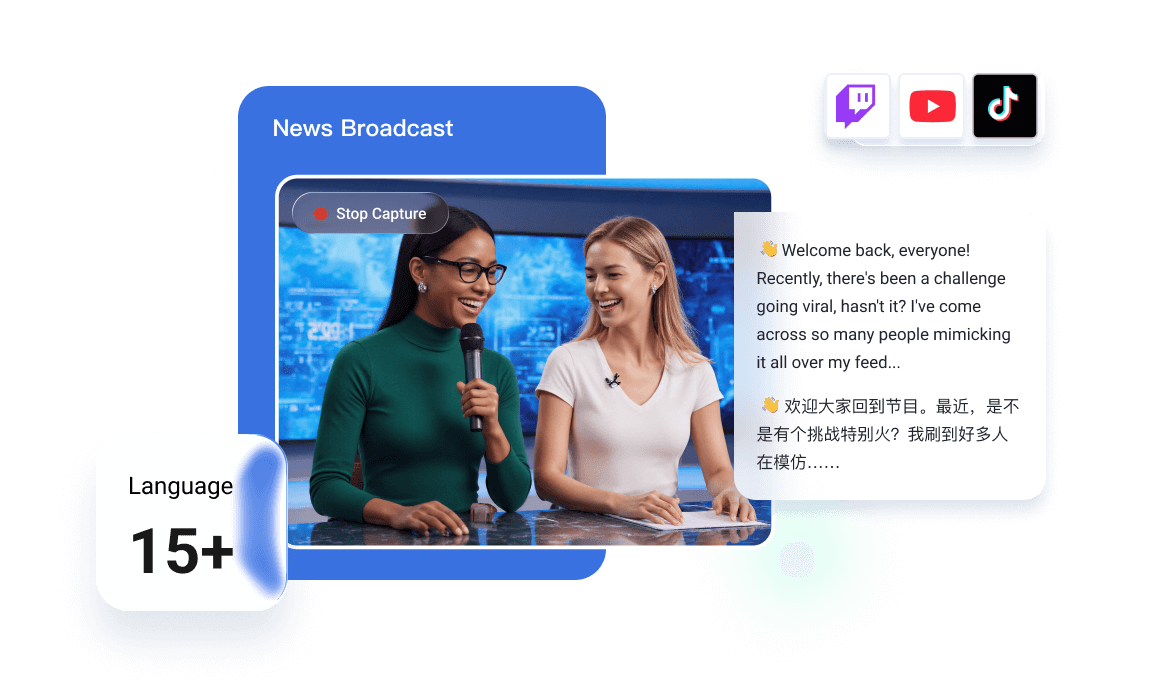
Transform Any Spoken Video into Text Instantly: Beyond Traditional Voice Memo to Text Tools
In today's interconnected world, language barriers shouldn't limit your access to information, entertainment, or learning. While traditional voice memo to text tools excel at transcribing pre-recorded audio, our Chrome extension takes this concept into the dynamic realm of live videos and streams. Imagine watching a foreign film, attending an international webinar, or enjoying a global live stream, and having every spoken word instantly converted into understandable, translated text right before your eyes.
Our "Chrome Real-Time Video/Live Stream Translation Subtitle Extension" is engineered to do exactly that. It doesn't just convert a voice memo; it actively listens to the audio within your browser's video content and generates real-time, accurate subtitles in your preferred language, often alongside the original. This powerful tool acts as your personal, on-the-fly transcriber and translator, making global content truly accessible.
Our "Chrome Real-Time Video/Live Stream Translation Subtitle Extension" is engineered to do exactly that. It doesn't just convert a voice memo; it actively listens to the audio within your browser's video content and generates real-time, accurate subtitles in your preferred language, often alongside the original. This powerful tool acts as your personal, on-the-fly transcriber and translator, making global content truly accessible.
Key Features & Unrivaled Benefits: More Than Just a Static Voice Memo to Text Tool
While the core concept might echo a voice memo to text service, our extension is tailored specifically for the dynamic challenges of real-time video and live stream content. Here's what makes it an indispensable tool:
Lightning-Fast Real-Time Translation
Near-instant spoken-to-subtitle conversion with faster latency for live streams and rapid dialogue, keeping captions tightly in sync.
Broad Language Coverage + High Accuracy
Translate to/from 100+ languages (including major languages and select dialects) with state-of-the-art AI quality—strong on everyday speech and technical terms.
Readable, Low-Overhead Subtitle Experience
Clean dual-language overlay (side-by-side/stacked/single) designed for clarity, optimized to stay light on CPU/memory so streaming remains smooth.
Why Choose Our Extension Over Other Voice Memo to Text & Translation Tools?
The market offers various transcription and translation solutions, but none combine the real-time, in-browser, dual-language capabilities quite like ours. Here's a quick comparison highlighting our unique advantages:
Instant & Accurate Subtitles
Experience unparalleled speed in converting spoken audio from videos and live streams into precise text.
Dual-Language Display
Learn new languages or verify translations with original and translated subtitles shown simultaneously.
Broad Platform Support
Works seamlessly across popular platforms like YouTube, Netflix, Twitch, Vimeo, and many more.
Breaks Language Barriers
Access global content without limits, fostering understanding and connection.
Boosts Learning & Productivity
Ideal for language learners, students, researchers, and professionals consuming international content.
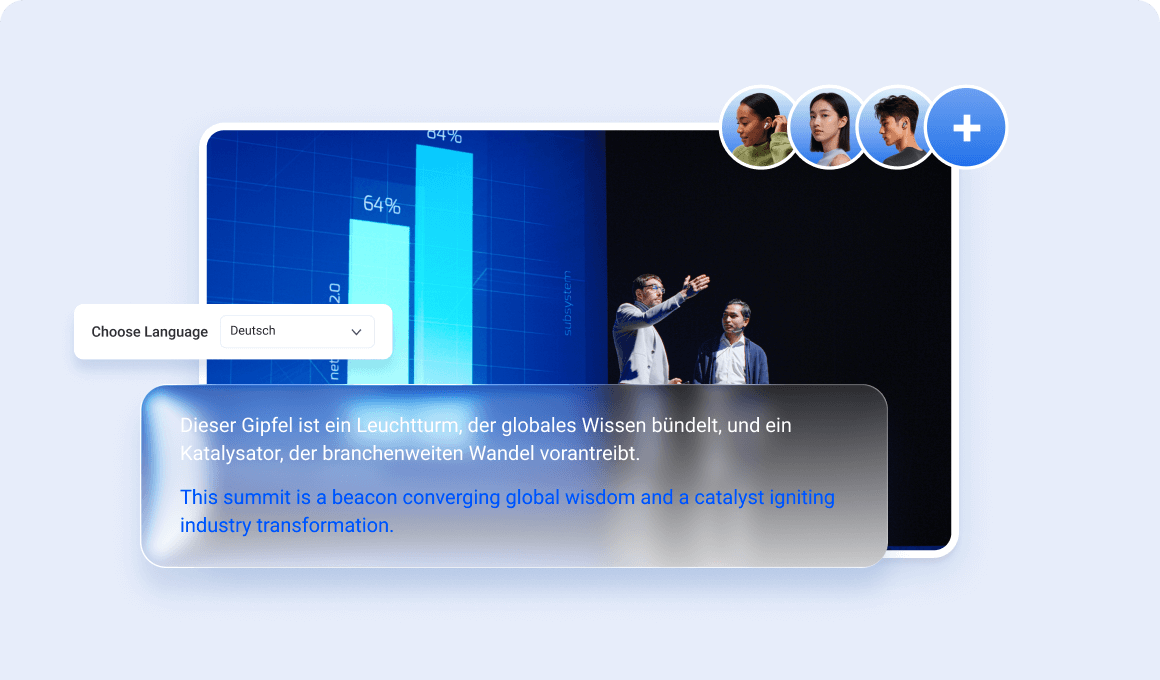
Installation Guide: Get Started with Your Real-Time Translator and Video Voice Memo to Text Tool
Installing our Chrome extension is quick and effortless. Follow these simple steps to unlock instant translations and subtitles for all your videos and live streams:
1. Open Google Chrome
Ensure you are using the Google Chrome browser on your desktop or laptop.
2. Visit the Chrome Web Store
Click this direct link to our extension page: Tencent RTC Real-time Transcription & Al Translation on Chrome Web Store (or search for "[Extension Name] Real-Time Translation" in the store).
3. Click "Add to Chrome"
On the extension's page, you'll see a prominent blue button labeled "Add to Chrome." Click it.
4. Confirm Installation
A small pop-up window will appear, asking you to confirm the installation and the permissions required by the extension. Click "Add extension."
5. Pin the Extension (Optional, Recommended)
Once installed, a puzzle piece icon might appear in your Chrome toolbar. Click it, find our extension ("Real-Time Video Translator"), and click the pin icon next to it. This will keep our extension visible and easily accessible in your toolbar.
6. You're Ready!
A welcome message might appear. Now, simply open any supported video platform (like YouTube or Netflix) and start exploring the world with instant, translated subtitles!
Frequently Asked Questions About Our Real-Time Video Translator
What exactly does this Chrome extension do?
Our extension provides real-time, translated, and dual-language subtitles for videos and live streams on platforms like YouTube, Netflix, Twitch, and more. It converts spoken audio from these sources directly into translated text on your screen, effectively acting as an advanced, real-time voice memo to text system specifically for dynamic video content.
Is it truly real-time, or is there a delay?
Yes, it's designed for real-time performance. Our advanced AI and optimization techniques ensure minimal latency, often delivering subtitles X seconds faster than competitors.
How many languages does it support?
We support translation to and from over 100 languages, covering a vast range of global languages.
Is the extension free to use?
Yes, the core functionality of real-time translation and dual-language subtitles is completely free. We may introduce premium features in the future, but the essential tools will always be accessible at no cost.
Will it slow down my browser or computer?
No, we've optimized the extension for a very low CPU and memory footprint.
Can I use it on live streams, like Twitch?
Absolutely! One of our key features is robust support for live streams.
How accurate are the translations?
Our translation engine uses cutting-edge AI, resulting in very high accuracy.
Can I save the generated subtitles?
Yes, for many platforms, you have the option to download the generated translated subtitles as a text file.
What if the extension doesn't work on a specific website?
While we support a wide array of platforms, some custom video players might not be immediately compatible. Please contact our support team.
Ready to Break Down Language Barriers
Stop letting language hold you back from enjoying global content. Our Chrome Real-Time Video/Live Stream Translation Subtitle Extension is your ultimate tool for understanding, learning, and exploring the world's videos and live streams.