




For an application that needs conversations between its users, start by comparing Tencent RTC Chat, Stream Chat, Sendbird, and CometChat. Add Agora when chat sits alongside an existing Agora media integration; consider PubNub or Ably when control over the realtime application model is important. TalkJS, Twilio Conversations, and QuickBlox address additional interface, channel, and deployment requirements. The right shortlist depends on what your users must do and what your team intends to operate.
A messaging SDK can save substantial implementation work, but installing a package does not settle authentication, conversation permissions, notifications, retention, or the production bill. This guide compares ten distinct products and gives you a way to choose between them using your own application requirements.
Tencent RTC publishes this guide. The recommendations are based on product fit and verifiable integration paths; the order is not a measured latency, reliability, or developer-productivity ranking.
Which chat SDK fits each application requirement?
Choose two or three candidates that match the hardest requirement in your product. A vendor that supports a message bubble is not automatically a fit for an order-specific marketplace conversation, a community with changing membership, or a conversation that must continue through SMS.
| Product | Strong reason to evaluate it | Integration starting point | Decision to resolve early |
|---|---|---|---|
| Tencent RTC Chat | Managed user messaging with SDK and UIKit options | Platform-specific Chat integration | Group model, paid feature entitlement, and history window |
| Stream Chat | Prebuilt chat components with lower-level client access | UI, client, and server SDKs | Required customization and platform-specific recovery behavior |
| Sendbird Chat | Managed channels with client UI and backend administration | UIKit, Chat SDK, and Platform API | Channel type, membership rules, and administrative workflows |
| CometChat | Messaging and calling components in one product ecosystem | SDK or UI Kit | Exact framework, package compatibility, and separate product configuration |
| Agora Chat | Chat accompanying an Agora media application | Chat SDK or UI Kit | Identity mapping between messaging and media |
| PubNub Chat SDK | Chat-focused APIs with application-controlled UI | TypeScript Chat SDK and PubNub services | Access rules, data configuration, and frontend implementation |
| Ably Chat | Room-based chat on Ably's realtime platform | Chat SDK or React UI Kit | Room lifecycle, history, and connection recovery |
| TalkJS | A component-led messaging experience | Current UI components or Data APIs | Whether supported extensions cover the intended design |
| Twilio Conversations | Conversations spanning in-app chat and external channels | Conversations client SDKs and API | Participant identity, external-channel behavior, and channel charges |
| QuickBlox | Chat SDKs and UIKits with multiple platform entry points | Platform quickstarts and samples | Purchased deployment model, support, and operating responsibilities |
These are starting points for evaluation. They are not statements that every feature is included in every plan or implemented identically across every platform.
What should you decide before comparing vendors?
Write a one-page messaging requirement before opening ten pricing pages. Include the users, conversation lifecycle, interface, retained data, and the failure your application cannot tolerate.
For example, a marketplace might require a buyer and seller to exchange messages only after an order exists. Support staff may need authorized access during a dispute. Closing an order may stop new messages without removing its history. Those rules are more useful for choosing a channel model than a generic requirement for “group chat.”
Separate three product categories. User-to-user messaging manages conversations between people. AI conversation tooling manages model responses, tools, and generation state. Support software adds agent queues and service workflows. An application can combine them, but each introduces its own requirements. This comparison focuses on messaging between application users.
Then distinguish the integration layers:
- A client SDK exposes messaging operations and client state in a supported language or framework.
- A UIKit provides conversation components on top of a messaging service.
- A server API or server SDK supports trusted operations such as provisioning users and managing channels.
- A managed service operates the hosted messaging infrastructure.
A client SDK can be open source while its connected service remains hosted. Likewise, access to a server API does not mean the application can run the provider's messaging backend itself.
1. Tencent RTC Chat: evaluate the complete messaging journey
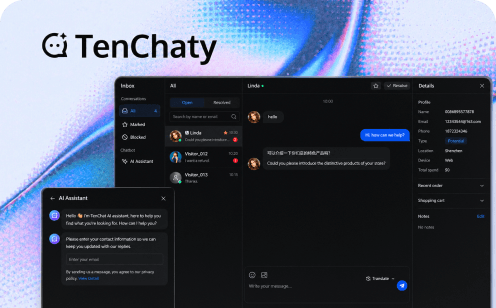
Tencent RTC Chat combines managed messaging with SDK and UIKit integration paths. It is a practical candidate when a product needs direct conversations, group messaging, and media messages connected to its existing user accounts.
Start from the actual platform. A React web integration, a Flutter application, and a native mobile client should each use their matching package and component generation. A guide for one platform is not evidence that another exposes the same API or UI extension point. The React integration and Flutter integration provide separate starting paths.
For a marketplace prototype, implement an order-linked conversation, an image message, and an account switch before adding cosmetic customization. This reveals whether the conversation model, media handling, and user-session cleanup fit the application. For a community, test member removal and a newly joined member's history access instead.
Plan choice matters during this evaluation. The Free allowance is 1,000 MAU without overage billing, and some capabilities available for evaluation require Pro or above on paid plans. Treat the required production feature set as an input to the budget.
Choose Tencent RTC when its supported platform workflow and service model meet your requirements. If your design needs behavior outside the selected UIKit's extension points, evaluate the lower-level integration before committing to a large UI fork.
2. Stream Chat: compare the UI layer and the client separately
Stream Chat provides UI components, client SDKs, and server SDKs. That layered structure is useful when some screens can use standard conversation components while other screens need more direct control.
A social application might start with a channel list and message composer, then add a custom message type representing a shared event. The evaluation should establish whether that event can be rendered, updated, and reopened through supported extensions. Rebuilding the whole message list for one unusual card can change the maintenance calculation.
For React Native, the component and state model includes offline storage, push configuration, and customization guides. Verify the version you intend to use rather than applying an older tutorial to a newer component generation.
The useful decision is how much of your application fits the selected layer. Test navigation, pagination, media, and account switching with your own data. Add concurrency and the required service plan to the evaluation; a polished UI demo does not answer those commercial questions.
Stream deserves a place on the shortlist when its component structure matches the product. A team with a highly unusual interface should prototype the relevant low-level state handling before estimating implementation effort.
3. Sendbird Chat: make channel design part of the selection
Sendbird offers client SDKs, UIKits, and a server-side Platform API. Its channel model and management capabilities are important evaluation points for applications whose conversation membership changes with business events.
Consider a delivery application. A customer, courier, and support agent may join a conversation at different times. The product must decide who can see earlier messages, when the courier loses access, and whether support can continue the thread after delivery. Write these rules before selecting the channel type.
Prototype the client and backend together. Creating a channel in a sample app is only the first step; the application also needs a trusted way to create the correct membership, prevent unauthorized joining, and react when an account is suspended. Check which operations belong in the client and which require a privileged server request.
Sendbird is worth evaluating when this managed channel workflow fits your product. Include the exact UIKit framework, needed search and moderation behavior, export requirements, and plan entitlements in the decision. If a capability is essential, confirm it in the selected package rather than inferring it from a general feature list.
4. CometChat: evaluate messaging and calling as separate flows
CometChat provides messaging, calling, SDKs, UI Kits, and AI development tools. It is relevant to applications where a conversation may lead into a voice or video interaction.
For example, a tutoring app could use text messages to arrange a lesson and a call to conduct it. The prototype should cover the transition: who can start the call, how the other participant receives the invitation, what appears after a missed call, and whether returning to chat preserves the conversation context.
Keep the messaging and calling acceptance criteria separate. A successful text-message demo does not establish that background call invitations work on both mobile operating systems. Likewise, working video does not establish chat history retention or the behavior of a removed group member.
Use the selected UI package with your real navigation and authentication. Check dependencies and customization before deciding that an entire screen can be adopted unchanged. If your product only needs text messaging, compare that scope directly rather than assigning value to bundled capabilities you will not use.
CometChat is a useful candidate for this combined product evaluation, with package compatibility and the responsibilities of each enabled product resolved before the production estimate.
5. Agora Chat: account for messaging alongside media
Agora Chat supports private and group messaging and can operate alongside Agora media services. Existing Agora teams have a reason to evaluate it, particularly when messaging sits beside a live session or call.
The important design work is identity and lifecycle alignment. A participant in a live room may need a temporary room conversation while also retaining a private conversation with a host. Those are different resources with different permissions and retention requirements.
Build a prototype in which a participant enters the media session, joins the appropriate chat, leaves, and later opens any conversation they should still retain. Test the opposite case too: the user is removed from the session and must lose access where required. Keep media-room membership and message-history access explicit.
Using one supplier may simplify some operational relationships, but the Chat setup, credentials, notifications, and service plan still need evaluation. Do not assume that an existing media integration automatically enables messaging or shares every limit.
Shortlist Agora Chat when the combined workflow is valuable. Choose based on the completed user journey rather than familiarity with the media SDK alone.
6. PubNub Chat SDK: retain control over the interface
The PubNub JavaScript Chat SDK adds chat-oriented entities and methods to PubNub's platform. It includes features such as threads, mentions, typing, and read receipts, while leaving room to build an application-specific interface.
This is a useful evaluation path for a team that already has a strong frontend design system. A dispatch application, for example, might display messages alongside job status, map position, and structured actions. A generic full-screen chat interface may not be the best starting point for that workflow.
Model the entities before drawing the UI. Decide which resource represents a job, which users can subscribe to it, and how a completed job affects access. Then check the required platform configuration, authorization, and history behavior alongside the Chat SDK calls.
The tradeoff is ownership. A flexible messaging layer lets the team shape the experience, but it also means budgeting the message list, composer, loading and error states, accessibility, and navigation work. The presence of chat methods should not hide that frontend scope.
Evaluate PubNub when this control has product value and the team can own it. Compare the complete implemented workflow with a UIKit-based candidate rather than comparing package installation alone.
7. Ably Chat: evaluate rooms and recovery together
Ably Chat provides room-based messaging, presence, reactions, and a React UI Kit. It is a candidate for applications built around live rooms, shared experiences, or other realtime interactions.
A room can correspond to a private conversation or a larger shared activity, but your application must still define admission, removal, and lifetime. For a live workshop, ask whether participants can read earlier messages, whether the room remains available afterward, and how an attendee returning from a network interruption catches up.
Make recovery a first-class prototype task. Disconnect a participant, let other users continue, and then compare the reconstructed conversation with the expected sequence. Record what history must be requested and what the interface should show while recovery is incomplete.
Ably Chat and AI Transport address different conversation needs. Choose the human-messaging product for user conversations, and evaluate the relevant AI transport separately if your application streams model responses.
Ably is worth investigating when its room model and realtime platform fit the application. For an established custom UI, compare SDK-level integration; for a React product closer to a standard conversation layout, evaluate the UI Kit as a separate route.
8. TalkJS: prototype the interface you actually intend to ship
TalkJS provides current UI components for React, Web Components, Flutter, and React Native, alongside Data APIs for custom interfaces. Its classic iframe-based SDKs are a separate integration generation, so older examples should be identified before reuse.
TalkJS is especially relevant when the team's main question is how much of the conversation interface it can adopt. Test the product's real layout: a narrow marketplace sidebar, a full-screen mobile conversation, or an inbox with business-specific context.
Try the hardest customization first. That might be an order card inside a message, custom participant information, an attachment action, or a conversation header that reflects permissions. Establish whether the supported API can express it and how the change survives a component upgrade.
Also examine the boundary between application data and chat data. Your backend should remain responsible for deciding who may converse about a business object. Component convenience should not lead to client-controlled membership or identity decisions.
Shortlist TalkJS when its current component approach reduces the interface work you need to own. If most of the supplied experience must be replaced, compare the Data API route with other lower-level SDK candidates before choosing.
9. Twilio Conversations: use the channel requirement to justify the choice
Twilio Conversations, currently documented as Conversations (classic), provides conversation, participant, message, media, and channel-management resources. Its relevance increases when in-app participants must communicate with people using external messaging channels.
Suppose a service provider uses the mobile app while a customer replies through SMS. The design now includes phone-number identity, channel-specific delivery behavior, and the relationship between that external participant and an application account. This is a different requirement from two logged-in users exchanging in-app messages.
Prototype across the intended channels. Check attachments, participant removal, opt-out behavior, and what an agent sees when a participant changes channel. Verify the current product lifecycle and the exact client SDK supported for your application.
Budget the underlying channels and media separately where applicable. A single per-user comparison can be misleading when one candidate includes a channel workflow that the others do not attempt to provide.
Use Twilio Conversations when that interoperability is a real product requirement. For an in-app-only chat feature, compare the interface and operational work with a dedicated in-app messaging service before accepting the additional channel model.
10. QuickBlox: evaluate the purchased deployment and support arrangement
QuickBlox offers platform quickstarts, Chat SDKs, UIKits, server APIs, and samples. Its native and cross-platform entry points make it another candidate for teams assessing managed chat integration.
Start with the exact platform and deployment arrangement you intend to use. The questions for a hosted application and a separately negotiated deployment can differ: who handles upgrades, who investigates incidents, where logs are available, and how backups or retention policies are managed.
Use a realistic conversation in the prototype. Authenticate existing app users, create a permitted dialogue, send media, reconnect after interruption, and open a notification. Check the responsibilities that remain in your application and the support needed to operate them.
A deployment option is valuable only if it addresses a concrete requirement. If your team needs a specific hosting arrangement, obtain its technical and commercial scope before treating it as interchangeable with a standard hosted plan. If you do not need that flexibility, focus on the supported SDK, UI fit, and recurring operational effort.
QuickBlox belongs on the shortlist when those platform and operating choices match the project, with the selected package and support terms included in the decision.
How do you narrow ten options to a defensible decision?
Use hard requirements to eliminate unsuitable candidates, then compare implementation evidence. Do not average a missing requirement into a favorable overall score.
| Gate | Evidence to request or produce | Example reason to reject a candidate |
|---|---|---|
| Platform | Exact SDK/UI package works in the target app | Required framework integration is unsupported |
| Conversation model | Membership and lifecycle prototype | Removed users retain access the product must revoke |
| Recovery | Recorded interruption test | Required history cannot be recovered after reconnect |
| Notifications | Real-device background and tap test | The required market/device route cannot be supported |
| Commercial fit | Quote or current plan covering required features | Required capability forces an unaffordable plan |
| Maintainability | One customization and one upgrade exercise | Small UI changes require a hard-to-maintain fork |
Keep “not tested” separate from “failed.” A missing test is an evaluation task, while a reproduced failure may require a fix or a different candidate. This avoids rewarding the provider whose limitations your team investigated least.
Scenario A: a marketplace with order-specific chat
Assume an illustrative application has 8,000 monthly chat users, private buyer–seller conversations, image attachments, and a support escalation workflow. Shortlist managed chat candidates with a suitable UI path, then prioritize order membership and history access over livestream scale.
The decisive prototype is an entire order lifecycle: create, message, escalate, close, and reopen for an authorized support agent. Calculate cost using the actual retention and feature requirements. The lowest plan that supports 8,000 users may still omit a required capability.
Scenario B: a live community with short traffic peaks
Assume an event attracts 3,000 simultaneous participants but only runs several times a month. MAU alone will not describe this workload. Compare concurrency, room/group behavior, moderation actions, and what reconnecting attendees see.
Require an explicit expected behavior for history and member lists. An event chat and a persistent small group do not necessarily need the same data model. Choose the supported model that fits the event rather than forcing every participant into a conventional private group.
Scenario C: a product with a highly custom operational UI
Assume messages appear inside a workflow board with structured task cards and granular permissions. Compare a UIKit extension prototype with a lower-level SDK prototype. Count the components the team must maintain after the first release, including empty states, pagination, keyboard interaction, and accessibility.
If the standard UI covers most of the experience, supported extensions may be the simpler choice. If messaging is deeply embedded in a bespoke workflow, owning the interface may provide a clearer long-term architecture.
What should a final chat SDK evaluation deliver?
For each finalist, retain a small working integration, the dependency versions, a completed behavior matrix, and a cost estimate with assumptions. Include one reason the candidate fits and one limitation that matters to your application.
The final decision should answer four questions: Can the required users communicate correctly? Can the app recover from expected failures? Can the team maintain the integration? Can the business afford the required package as usage changes?
For Tencent RTC, choose the appropriate Chat integration path and implement the most important conversation first. Use the mobile SDK evaluation guide for lifecycle and notification testing, and the Chat API pricing guide to turn the tested requirements into a comparable budget.