










Most service business owners think more bookings means more marketing spend. Another Google Ads campaign. Another boosted Instagram post. Another coupon in the local mailer.
But here’s what the busiest salons, studios, and clinics already know: you probably don’t have a traffic problem. You have a conversion problem. People are already trying to reach you — calling your number, visiting your website, driving past your door. The real question is whether you’re catching all of them.
Before you increase your marketing budget by a single dollar, try these 10 tactics. They cost little or nothing, and most of them can be set up this week.
1. Answer Every Single Phone Call
This is the biggest revenue leak in service businesses, and almost nobody talks about it.
Research shows that 62% of phone calls to small businesses go unanswered during regular business hours. And here’s the part that hurts: 85% of those callers won’t call back. They’ll dial the next number on Google and book with whoever picks up first.
Run the math on your own business. If you get 20 calls a week and miss just 5, that’s 20 potential bookings gone every month — clients walking straight to your competitor.
It’s not your fault. You’re with a client. You’re mixing color. You’re elbow-deep in a treatment. You can’t answer every time. But the caller doesn’t know that. They just know nobody picked up — and they move on.
Actionable tip: Track your missed calls for one week. Most phone systems log every call. Count the unanswered ones and note the times. That data will show you where you’re bleeding bookings. Then find a solution — a dedicated front-desk person or a tool like DeskBuddy that answers calls when you can’t get to the phone.
2. Enable After-Hours Booking
Your business closes at 6 PM. But your potential clients are scrolling their phones at 9 PM, browsing during lunch breaks, or thinking about booking first thing on Saturday morning.
Over 40% of online bookings happen outside of standard business hours. That’s a massive window where people want to give you money — and can’t.
Online scheduling helps, but many clients still prefer to call — especially first-timers or anyone with questions before they commit. If they call after hours and hit voicemail, most won’t leave a message. They’ll find someone who answers.
The fix doesn’t mean you need to work nights. It means your booking system needs to.
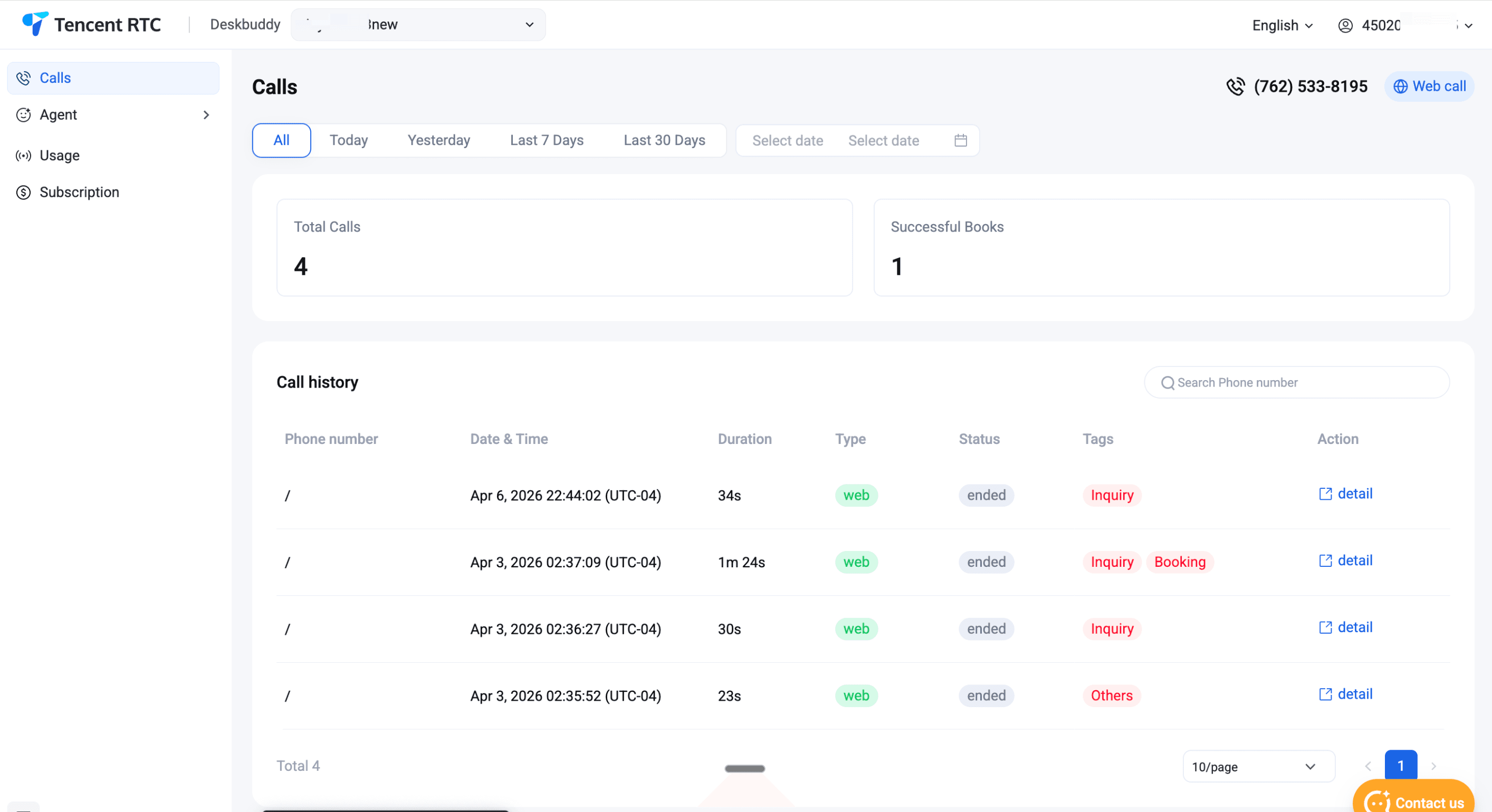
Actionable tip: Set up a phone system that can book appointments even when you’re closed. DeskBuddy works as an AI receptionist that answers calls 24/7 and books directly into your calendar — Google Calendar, Mindbody, or Square. The client gets their appointment confirmed; you wake up to a fuller schedule. No voicemail, no callbacks, no missed revenue while you sleep.
3. Reduce No-Shows with Confirmation Calls and Texts
No-shows are the silent killer of service businesses. The average no-show rate sits between 10% and 30%, depending on your industry. That’s up to a third of your schedule evaporating into thin air — slots you could have filled with paying clients.
The good news: this is one of the cheapest problems to fix. Automated reminders cut no-shows by 30-50%.
Here’s what a solid reminder sequence looks like:
● At booking: Send a confirmation text or email with the date, time, service, and a link to reschedule.
● 48 hours before: A friendly reminder. “Hi Sarah, just a reminder about your appointment on Thursday at 2 PM.”
● Morning of: One final nudge for that day’s appointments.
The key detail most businesses miss: make it easy to cancel or reschedule. That sounds backwards, but a cancellation you know about 24 hours in advance is infinitely better than a no-show. You can fill a cancellation. You can’t fill a ghost.
Actionable tip: Turn on automated reminders in your booking platform — Mindbody, Square, and Vagaro all have this built in. Then add a cancellation policy: require a credit card on file or a $25 fee for no-shows. This doesn’t scare away good clients. It scares away flaky ones.
4. Optimize Your Google Business Profile
Your Google Business Profile (GBP) is probably the first thing potential clients see when they search for your type of service. Not your website. Not your Instagram.
Yet most businesses set it up once and never touch it again. Here’s what a fully optimized profile looks like:
● Photos: Upload fresh images every month. Businesses with 100+ photos get 520% more calls than average. Even one new photo per week makes a real difference.
● Services and prices: List everything you offer with clear pricing. Clients want to know what things cost before they call.
● Description: Use the words people actually search for. “Balayage specialist in Austin” beats “hair artistry studio” every time.
● Posts: Google lets you publish weekly updates. Share seasonal promotions, new services, or behind-the-scenes content.
● Hours: Keep them accurate. Google penalizes profiles with outdated hours, especially around holidays.
Actionable tip: Spend 15 minutes this week on your GBP. Upload 3-5 new photos, write a post about a current promotion, and update any outdated info. These small actions compound into more visibility and more bookings — without spending a penny on ads.
5. Ask for Reviews After Every Appointment
Reviews are the new word of mouth. 88% of consumers trust online reviews as much as personal recommendations, and businesses with higher star ratings get dramatically more clicks and calls.
But here’s the problem: happy clients rarely leave reviews on their own. They walk out feeling great and move on with their day. It’s the upset ones who go out of their way to write something.
That’s why you need to ask — consistently and at the right moment. The best time is right after a great service, while the client is still with you. A simple “If you had a great experience, a quick Google review would really help us out” works perfectly.
For clients who aren’t in front of you, automate it. A follow-up text 1-2 hours after their appointment with a direct link to your Google review page does the heavy lifting.
Actionable tip: Go to your Google Business Profile and grab your direct review link (under “Ask for reviews”). Create a QR code. Put it at your checkout counter, include it in post-appointment messages, and print it on your business cards. Remove every barrier between your happy client and that 5-star review.
6. Set Up a Referral Program
Your existing clients are your best marketing channel — and they cost nothing to reach. Referred clients are 4x more likely to book than someone from an ad, and they tend to stick around longer.
The mistake most businesses make is leaving referrals to chance — hoping clients will mention you to friends without any prompting or incentive.
A good referral program is simple:
● For the referrer: $10-15 off their next visit, or a free add-on service (deep conditioning, extended massage, premium treatment).
● For the new client: $10 off their first appointment. This lowers the barrier to trying you out.
The key is making the program visible. Mention it at checkout. Include it in confirmation emails. Have a small sign at the front desk. If clients don’t know about it, they can’t use it.
Actionable tip: Create simple referral cards — physical or digital — that clients can share. Track referrals by name or code so you reward people quickly. Consider tiered rewards: 3 referrals earn a free service, 5 earn a premium perk. This turns your happiest clients into your sales team.
7. Offer Online Booking AND Phone Booking (Don’t Force One Channel)
Here’s a common mistake: going all-in on online booking and letting the phone ring. Or relying entirely on phone calls without online scheduling.
Both leave money on the table.
Different clients prefer different channels. Younger clients often want to browse times and book at midnight without talking to anyone. Older clients and first-timers prefer picking up the phone. People with complex needs — multi-service appointments, specific provider requests — find it easier to explain over a call.
When you force everyone through one channel, you lose the people who’d rather use the other.
The goal: make booking easy no matter how someone wants to do it. A “Book Now” button on your website and social profiles. A phone number that actually gets answered.
Actionable tip: Test your own booking experience. Call your business during peak hours — does someone answer? Try booking on your website from your phone — is it fast and intuitive? If either experience is clunky, fix it. Tools like DeskBuddy bridge the gap by handling phone bookings and syncing them directly with your online calendar through Google Calendar, Mindbody, or Square — so both channels feed into the same schedule with no double bookings.
8. Follow Up with Past Clients Who Haven’t Booked in 60+ Days
You already have a goldmine in your booking system: past clients who loved your service but drifted away. They didn’t leave because they were unhappy. Life got busy. They forgot.
Re-engaging a past client is 5-7x cheaper than acquiring a new one. Yet most businesses never follow up.
A simple, personal message brings many of them back:
“Hi [Name], it’s been a while since your last visit! We’d love to see you again. Book this week and enjoy 10% off your next [service]. Here’s your link: [booking link]”
No hard sell. No pressure. Just a friendly nudge with a small incentive.
Actionable tip: Run a report from your booking software on the first Monday of every month. Pull every client who hasn’t visited in 60-90 days. Send them a personalized text or email. Make this recurring — the businesses that do it consistently see a steady stream of returning clients that would have otherwise been lost.
9. Fill Last-Minute Cancellations with a Waitlist
Cancellations happen. Someone’s kid gets sick. A meeting runs long. You can’t prevent all of them — but you can make sure those empty slots don’t stay empty.
A waitlist turns cancellations into opportunities. When someone cancels, check your list, send a quick text, and fill the gap. A good waitlist can recover 40-60% of cancelled appointment revenue.
Here’s how to build yours:
● When a client’s preferred time isn’t available, ask: “Can I put you on our waitlist in case something opens up?”
● When a new client can’t get in this week, add them.
● When a cancellation comes in, text your waitlist immediately: “Hi! We just had an opening at 3 PM Thursday. Want it? Reply YES to grab it.”
Speed matters. Reach out within 10 minutes of the cancellation. First person to respond gets the slot.
Actionable tip: Most booking platforms — Mindbody, Vagaro, Square Appointments — have a waitlist feature built in. Turn it on if you haven’t. If your system doesn’t have one, a simple spreadsheet with names, preferred times, and phone numbers works fine. The important thing is to actually use it every time a cancellation comes in.
10. Use AI to Handle the Calls You Can’t
Let’s be realistic. You started this business because you’re great at your craft — not because you love answering phones all day.
But the phones still ring. And every missed call is a potential booking lost.
Hiring a full-time receptionist costs $30,000-$40,000 per year. A part-time one still leaves gaps. Traditional answering services take messages but can’t book appointments.
AI phone receptionists solve this differently. They answer every call in a natural, conversational voice. They check your real calendar, book appointments, answer common questions about services and pricing, and send confirmations — without you lifting a finger. Unlike a human receptionist, they don’t take lunch breaks, call in sick, or go home at 5 PM.
Most callers don’t realize they’re not talking to a person.
Actionable tip: Start small. Route just your overflow and after-hours calls to an AI receptionist, and keep handling calls yourself during quieter times. DeskBuddy starts at $39.90/month — a fraction of a human receptionist’s salary — and integrates directly with Google Calendar, Mindbody, and Square so it can see your real availability and book in real time. Track the after-hours bookings for one month. You’ll see exactly how much revenue you’ve been leaving on the table.
Stop Leaking Revenue. Start Filling Your Schedule.
You don’t need a bigger marketing budget to get more bookings. You need to stop losing the opportunities you already have.
Start with the basics: answer every call, confirm every appointment, and make booking easy regardless of how a client wants to do it. Then layer in referrals, reviews, and re-engagement to keep your calendar consistently full.
Most businesses are leaking bookings in at least 3-4 of these areas. Pick two and implement them this week. Not next month. This week.
If missed calls and after-hours coverage are your biggest gaps, give DeskBuddy a try. It answers calls, books appointments, and makes sure no client slips through the cracks — starting at $39.90/month.
Frequently Asked Questions
How many bookings am I actually losing from missed calls?
It depends on your call volume, but the data is clear. Studies show 62% of small business calls go unanswered, and 85% of those callers won’t try again. If you’re missing even 5 calls a week and half would have booked, that’s 10+ lost appointments per month. Check your phone system’s call log for one week to get your actual number.
Do I really need both online booking and phone booking?
Yes. Different clients prefer different channels. Younger clients book online late at night. Older clients and first-timers prefer to call and ask questions. The businesses that capture the most bookings make both options easy and make sure both feed into the same calendar.
What’s the cheapest way to reduce no-shows?
Automated text reminders. Most booking platforms include them at no extra cost, and they cut no-shows by 30-50%. Send a confirmation at booking, a reminder 48 hours before, and a final nudge the morning of. For extra protection, require a credit card on file for new clients and high-value services. A clear cancellation policy with a modest fee deters the chronically flaky without scaring away good clients.
How does an AI phone receptionist work?
An AI receptionist like DeskBuddy answers your business phone using a natural-sounding conversational voice. It greets callers, answers common questions about your hours, pricing, and services, and books appointments directly into your calendar. It integrates with tools like Google Calendar, Mindbody, and Square, so everything shows up in your real schedule. You can set it up for all calls or just overflow and after-hours — whatever fits your business.


